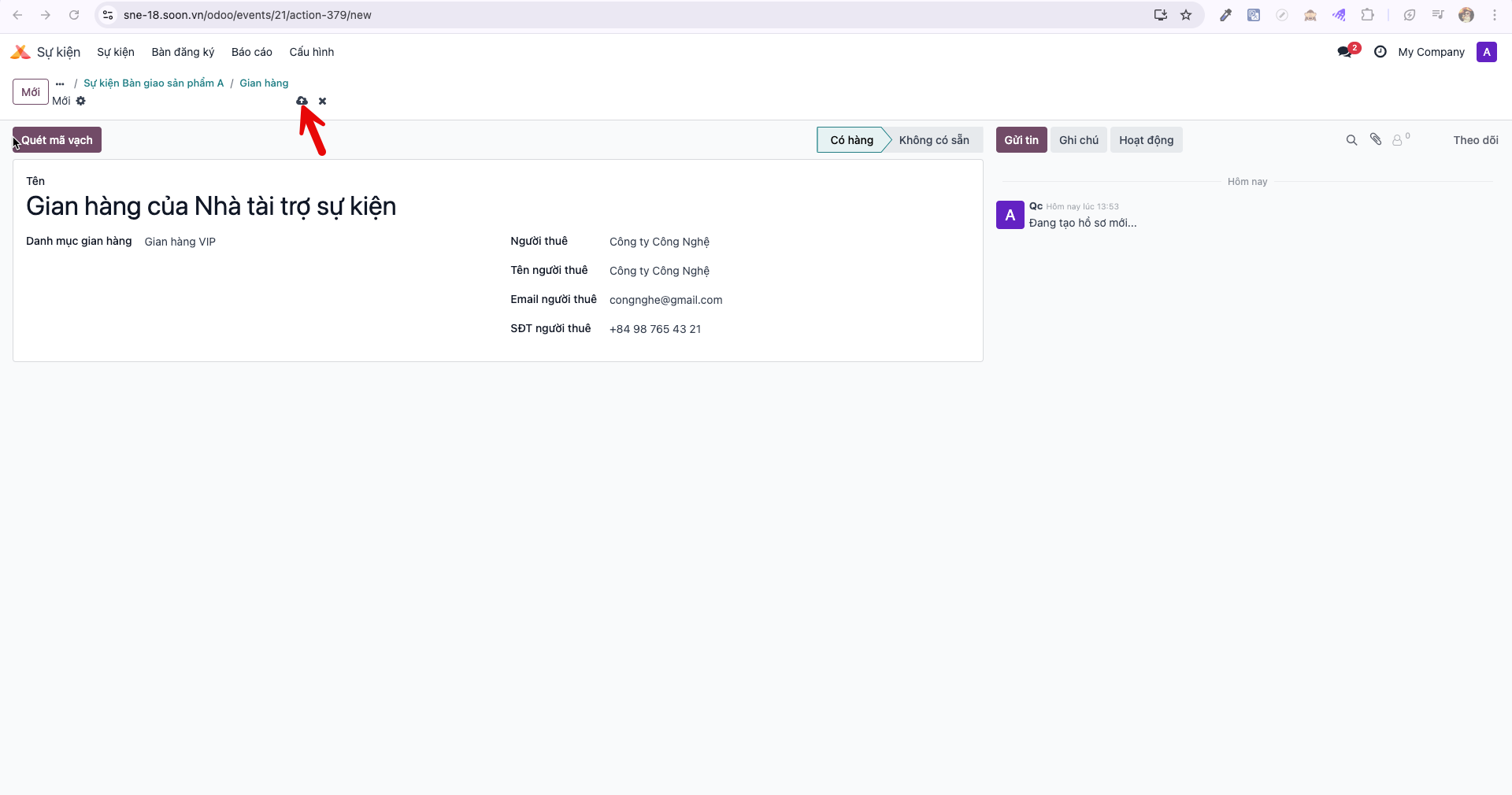
Exhibition Booth Management
Event administrators initialize and categorize exhibitor booths to establish physical locations for corporate sponsors and trade partners.
Creating an Exhibition Booth
Note
Only Event Administrators (Admin sự kiện) have permissions to create and configure exhibition booths.
Bước 1: Navigate to the active event detail view and click the Booths (Gian hàng) smart button.
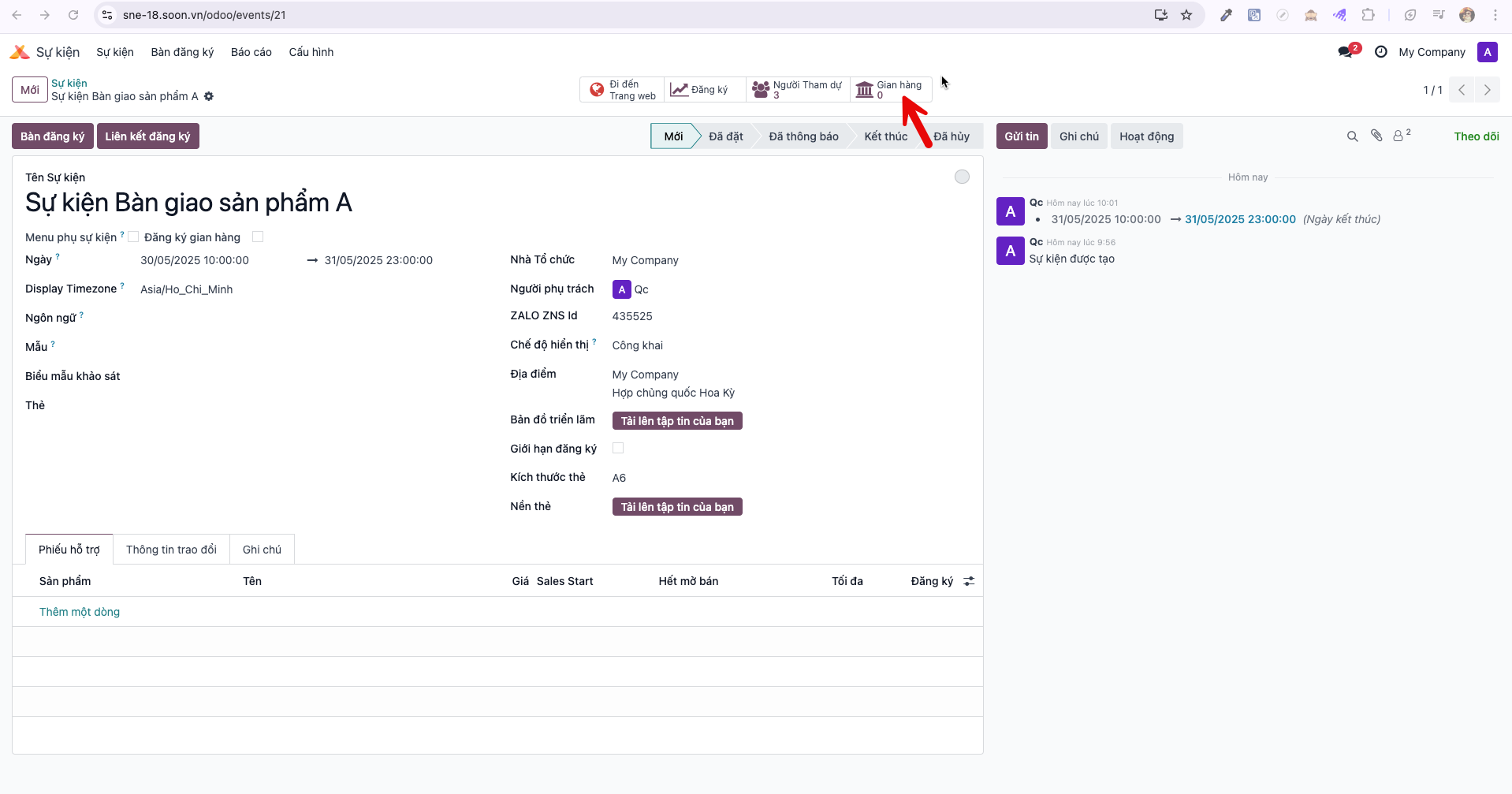
Bước 2: In the Booths master view, click New (Mới) to launch the booth creation form.
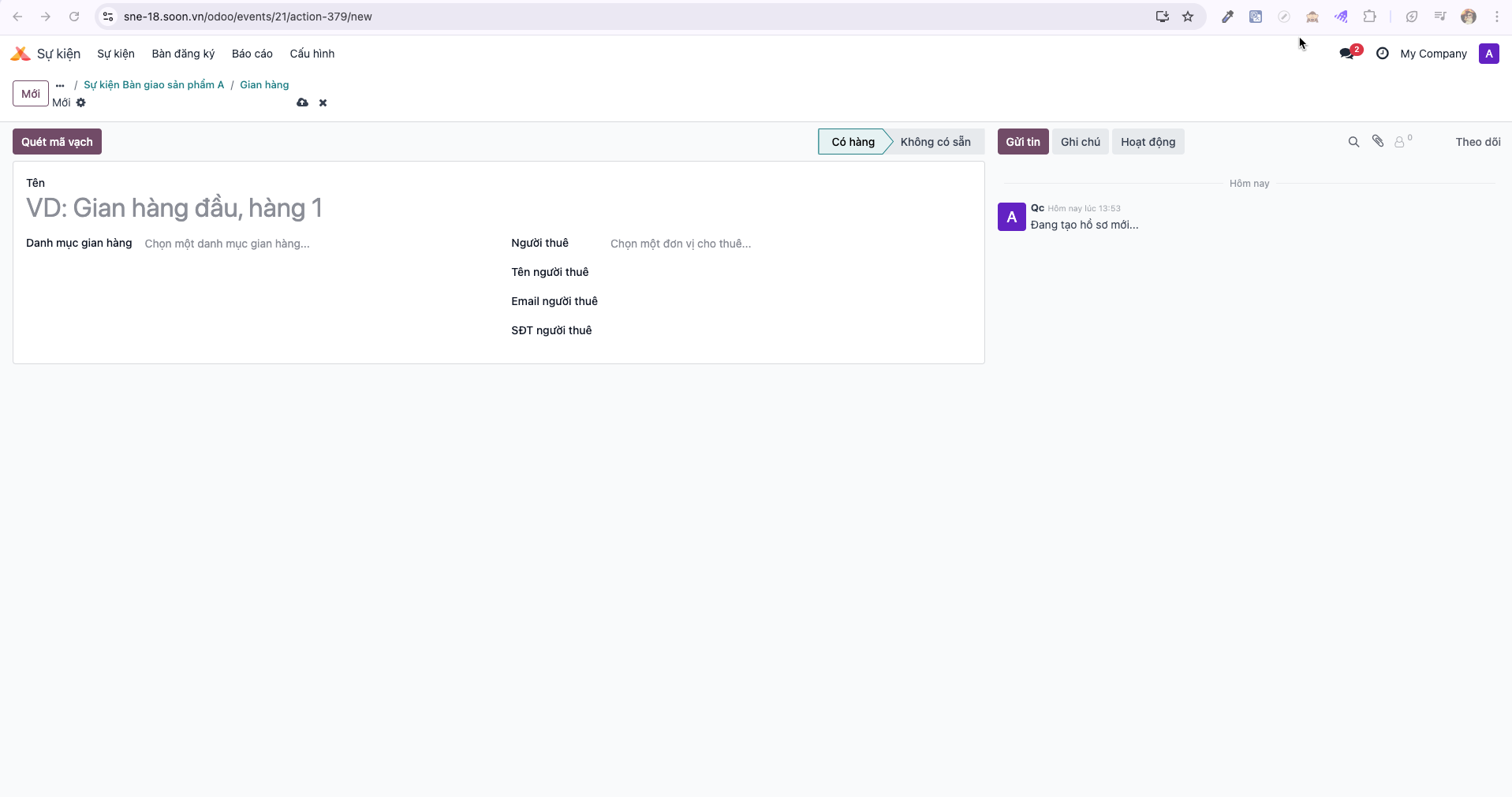
Bước 3: Enter booth specifications:
Booth Name (Tên gian hàng): Designation or booth code (e.g., Booth A12).
Booth Category (Danh mục gian hàng): Industry sector or tier (e.g., Sponsor Platinum, Machinery Zone).
Additional exhibitor details and location attributes.
Click Save (Lưu). The booth record is created and ready for staff assignment and visitor check-in.