
Review, Approval & Document Publication
Following document submission, designated reviewers evaluate content against organizational standards, process approvals or rejections, and authors officially publish verified assets.
Reviewer Evaluation Workflow
Assigned approvers evaluate document requisitions routed through their queue:
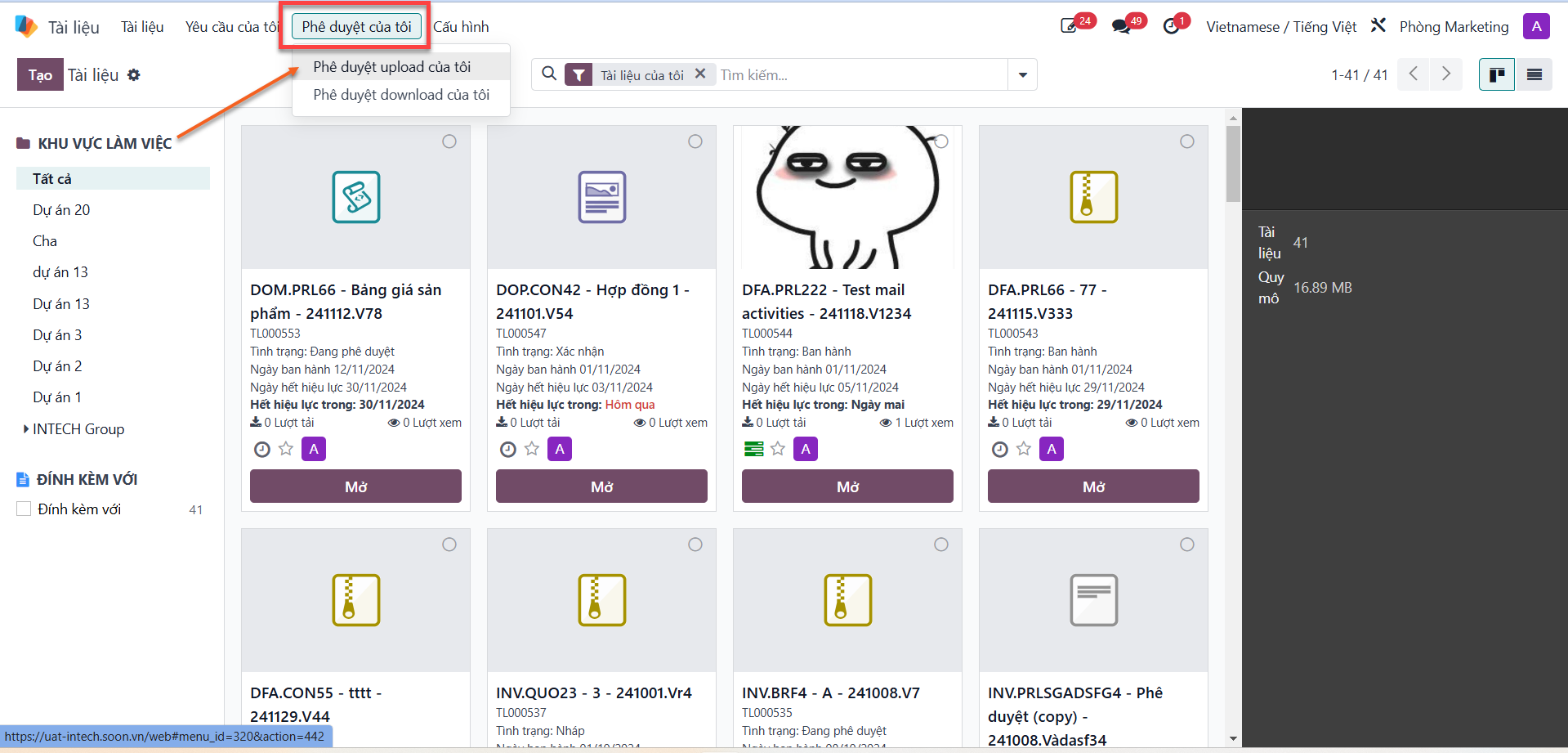
Bước 1: On the document management screen, select the My Approvals (Phê duyệt của tôi) tab, then choose My Upload Approvals (Phê duyệt upload của tôi).
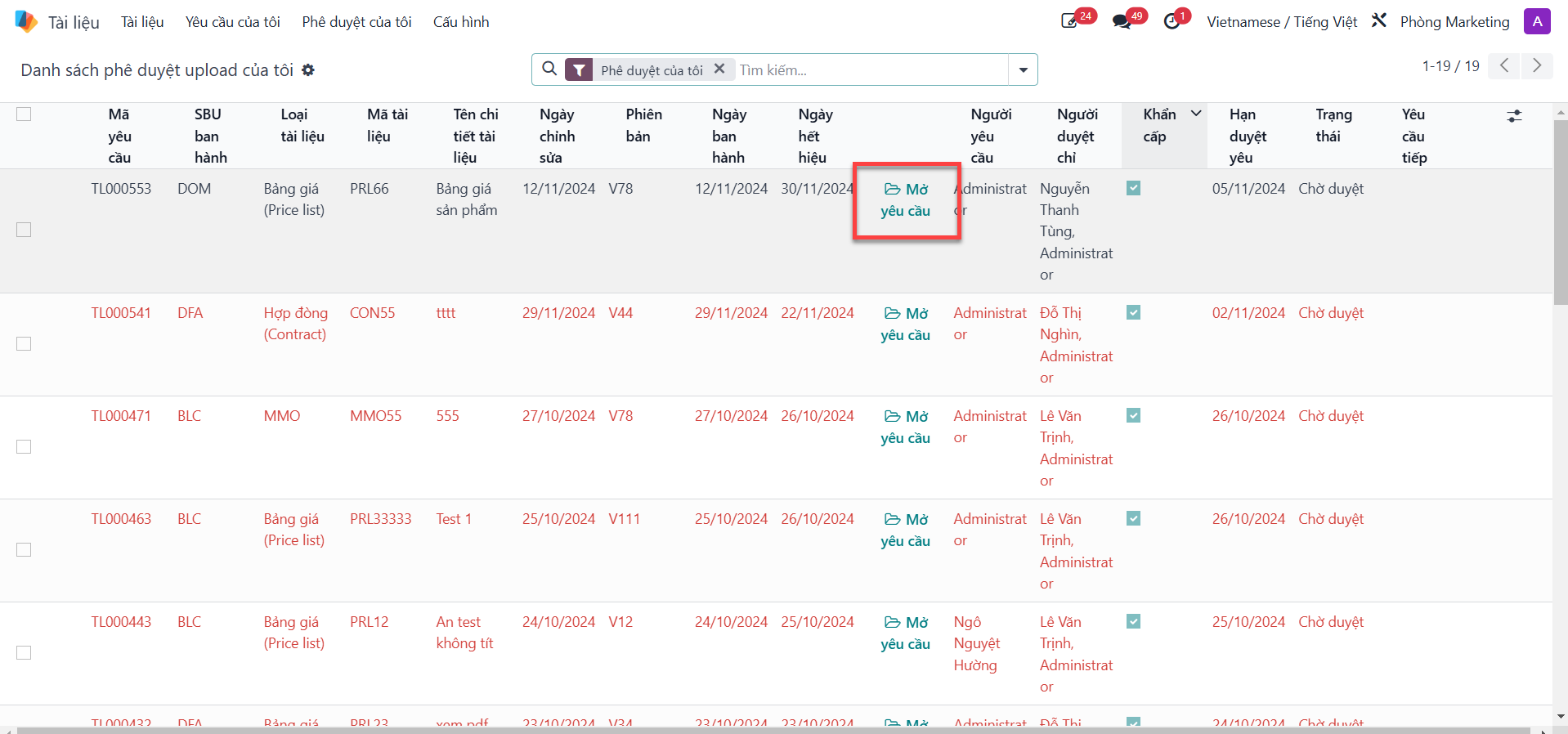
Bước 2: Locate the pending document requisition and click Open Request (Mở yêu cầu).
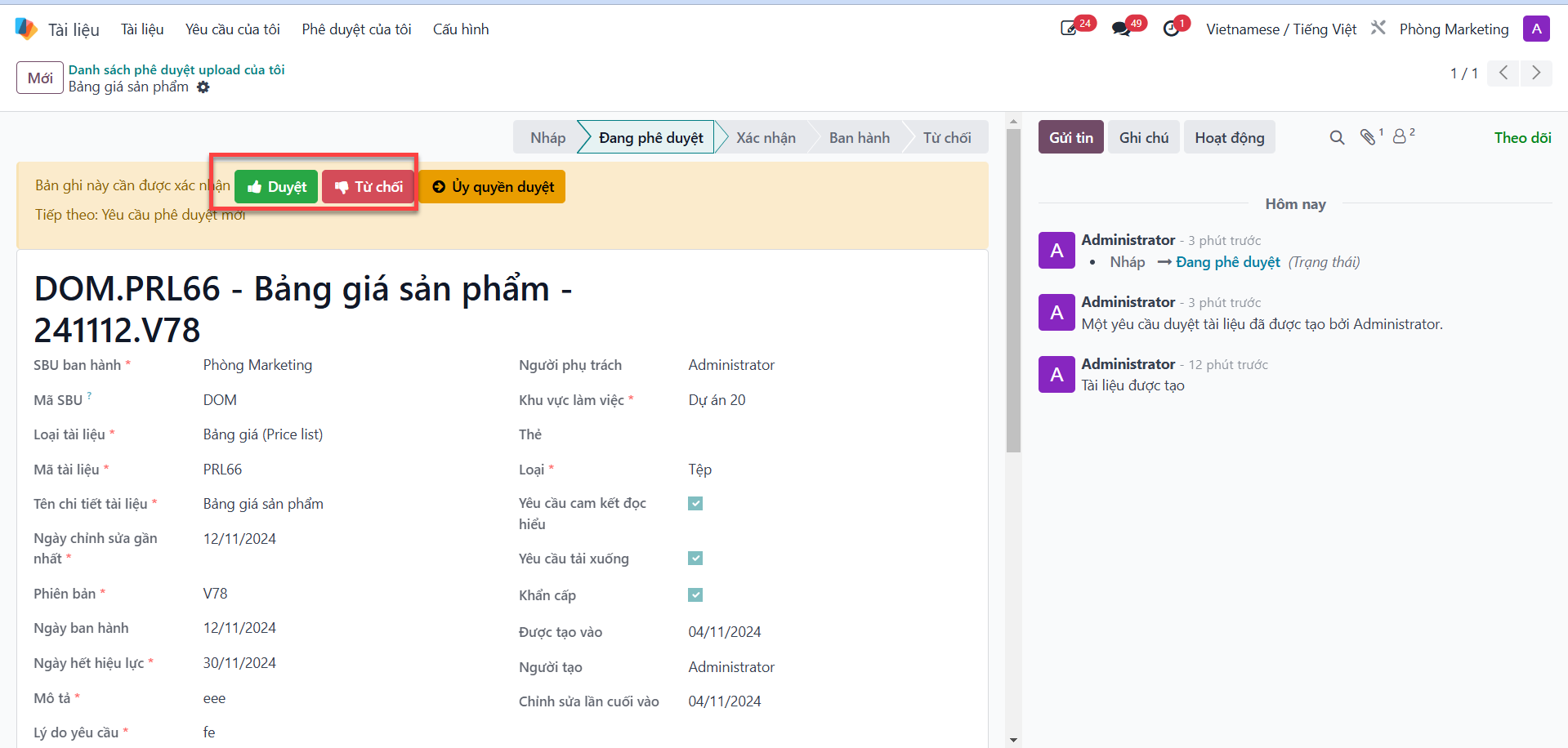
Bước 3: Review document content, attachments, and prior reviewer notes. Click Approve (Duyệt) to validate the current review step.
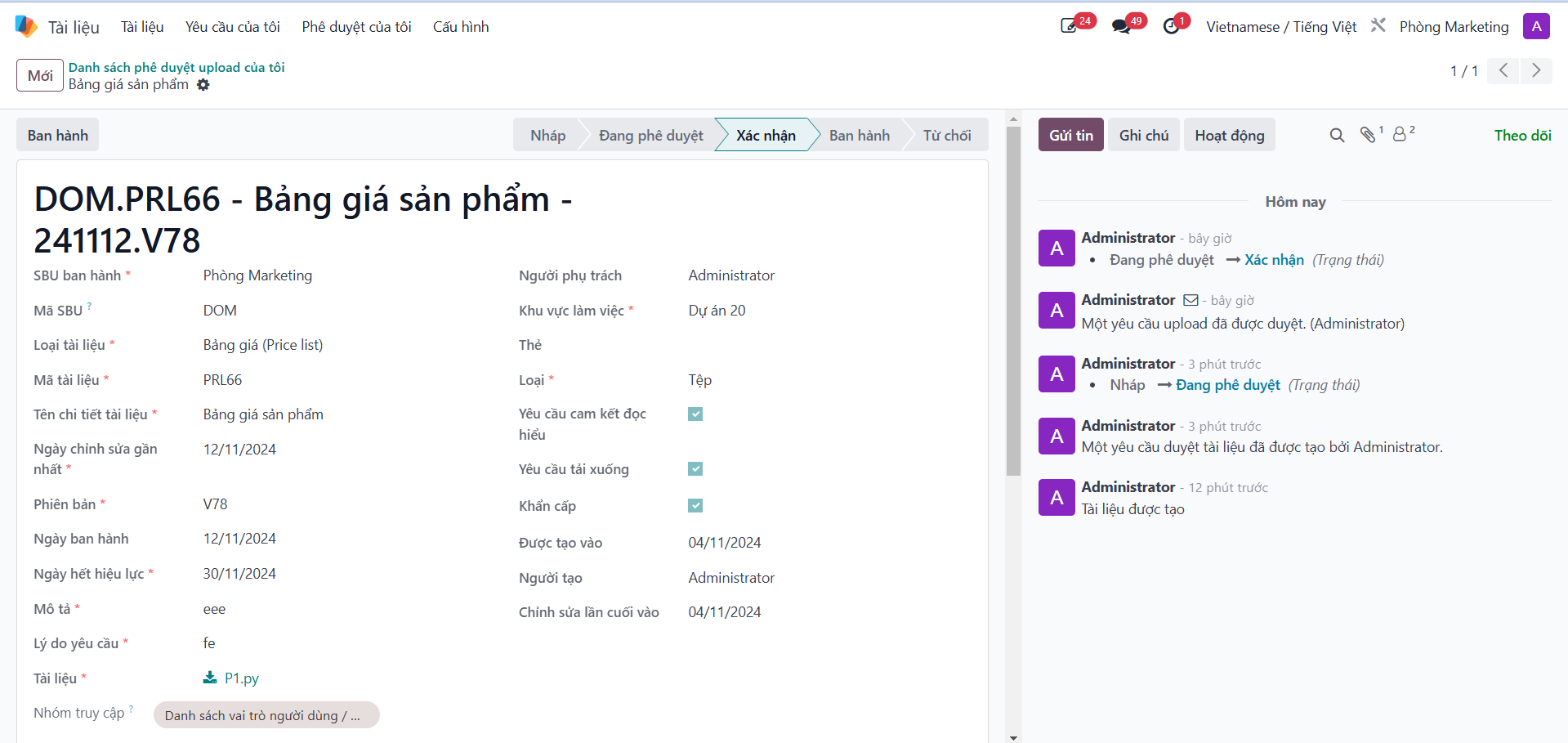
When the final reviewer in the workflow chain completes approval, the document status advances to Confirmed (Xác nhận).
Rejection Handling & Feedback
If an uploaded document fails quality standards or contains inaccuracies:
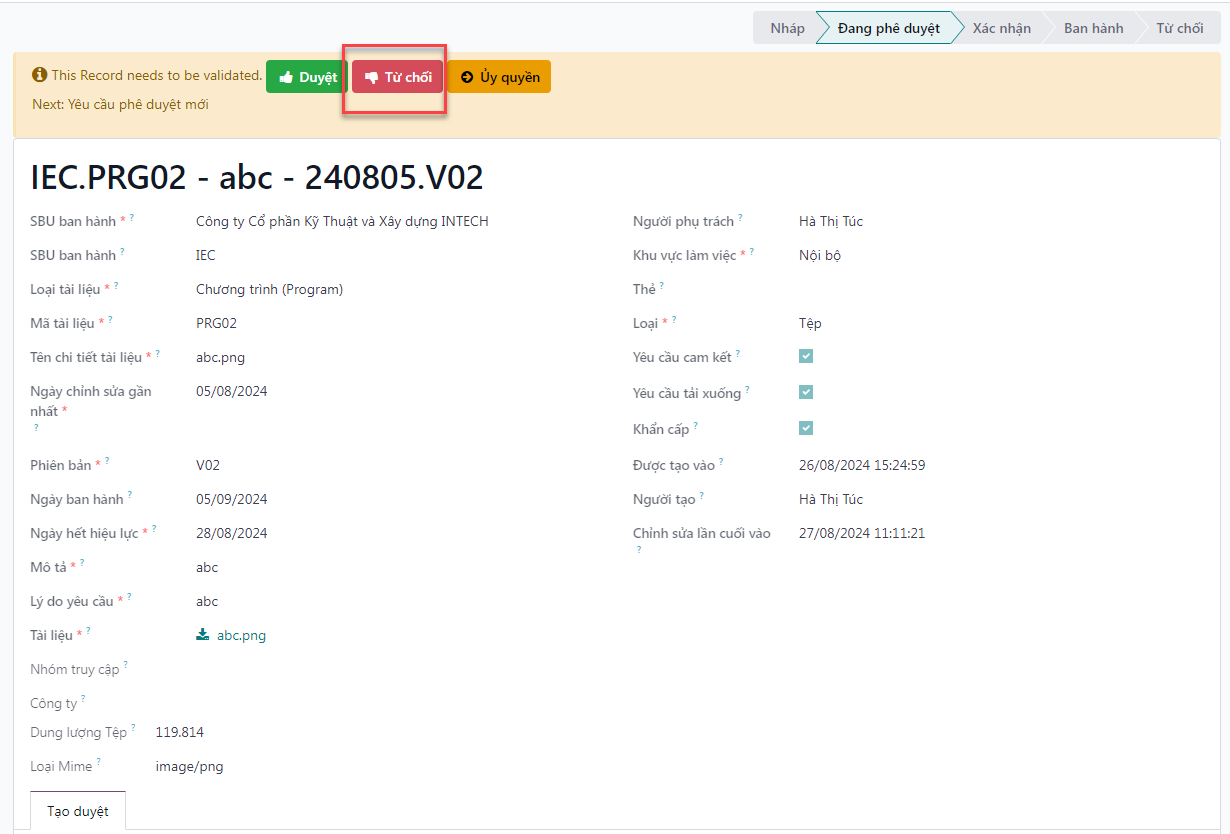
Bước 1: On the document approval form, click Refuse (Từ chối).
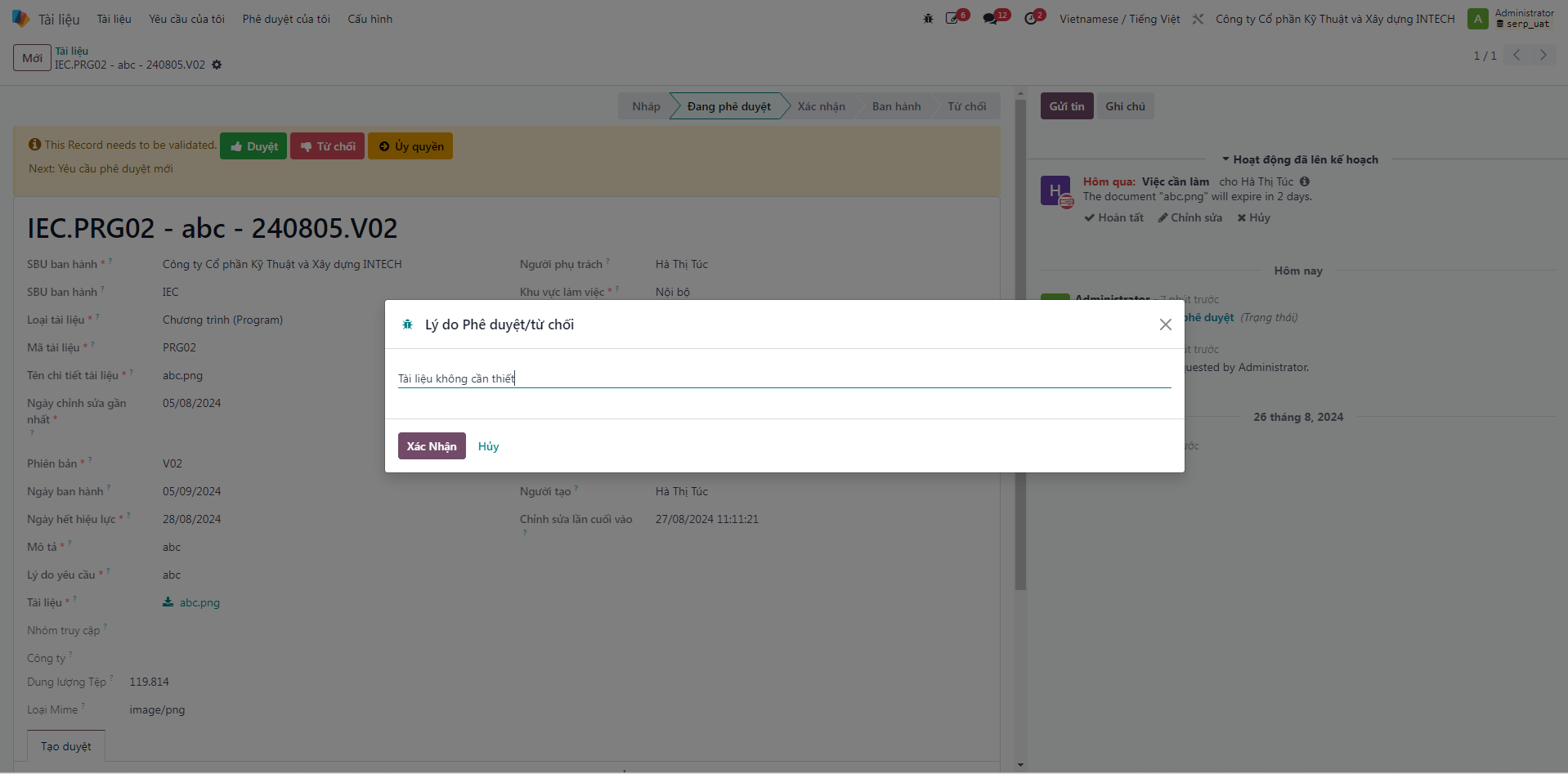
Bước 2: In the confirmation dialog, provide a detailed Rejection Reason (Lý do từ chối), then click Confirm (Xác nhận).
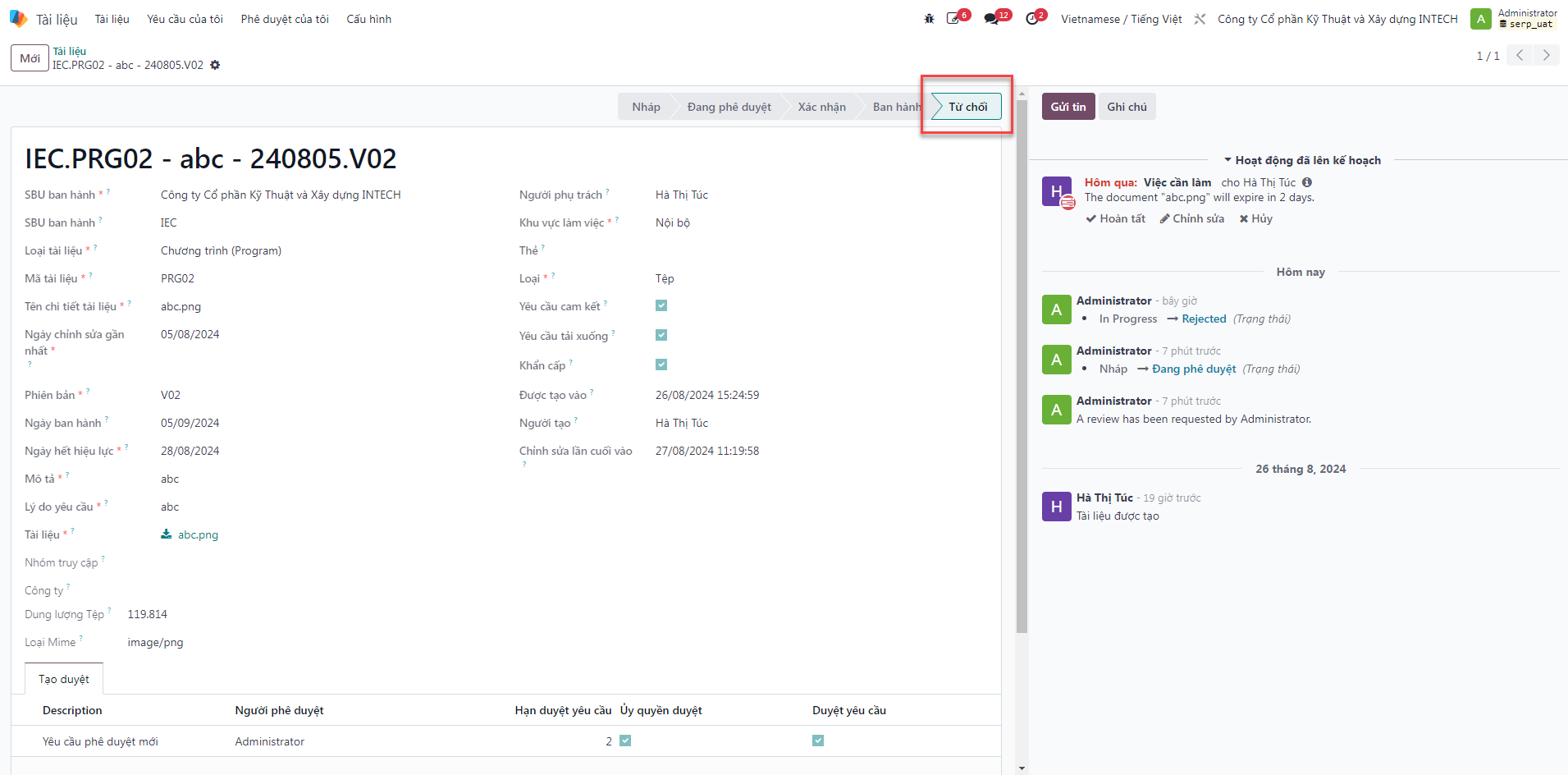
Bước 3: The document status transitions immediately to Refused (Từ chối), halting further approval steps and notifying the document author.
Official Document Publication
Once a document achieves Confirmed status, the document author publishes it to grant read permissions to authorized personnel:
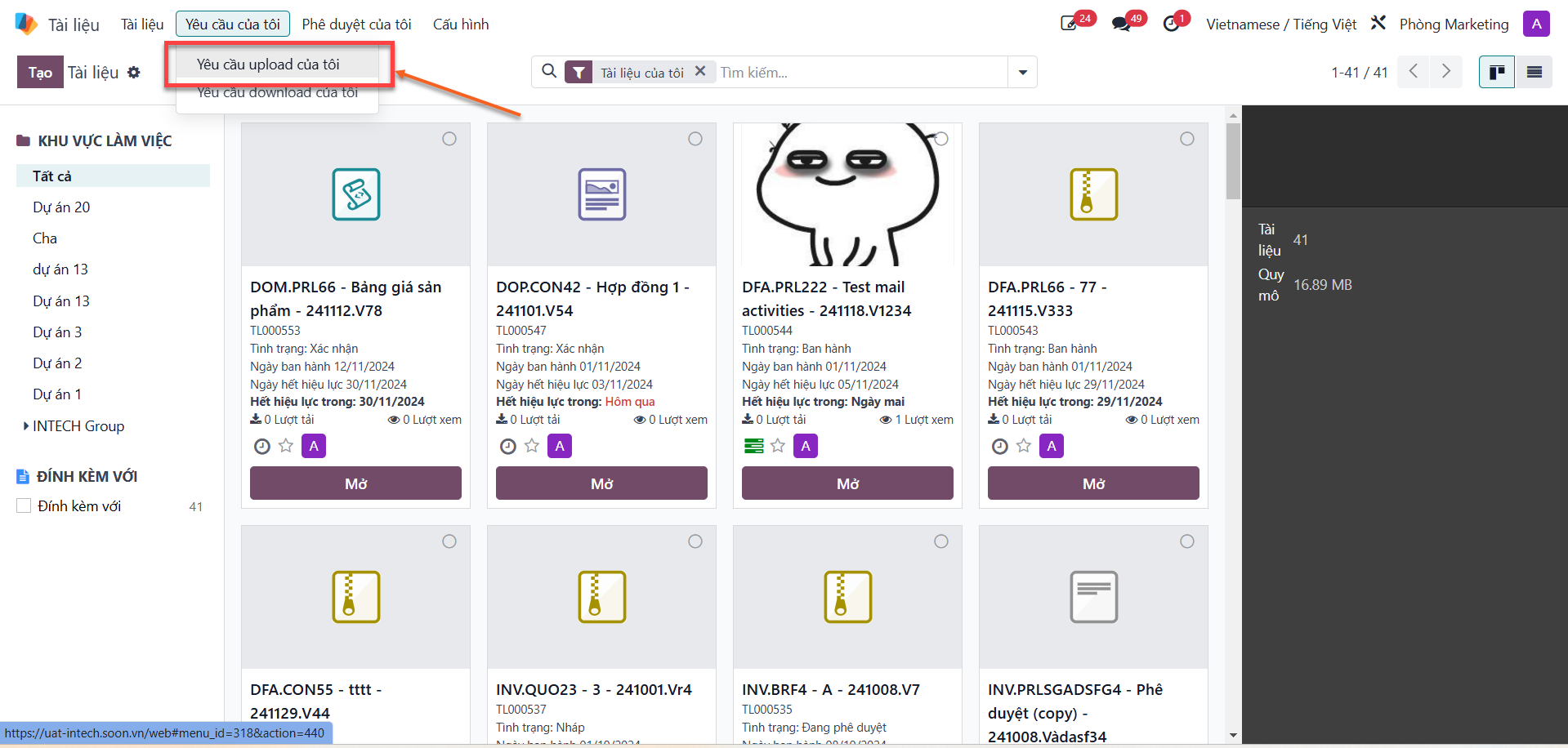
Bước 1: Navigate to the My Requests (Yêu cầu của tôi) tab, then select My Upload Requests (Yêu cầu upload của tôi).
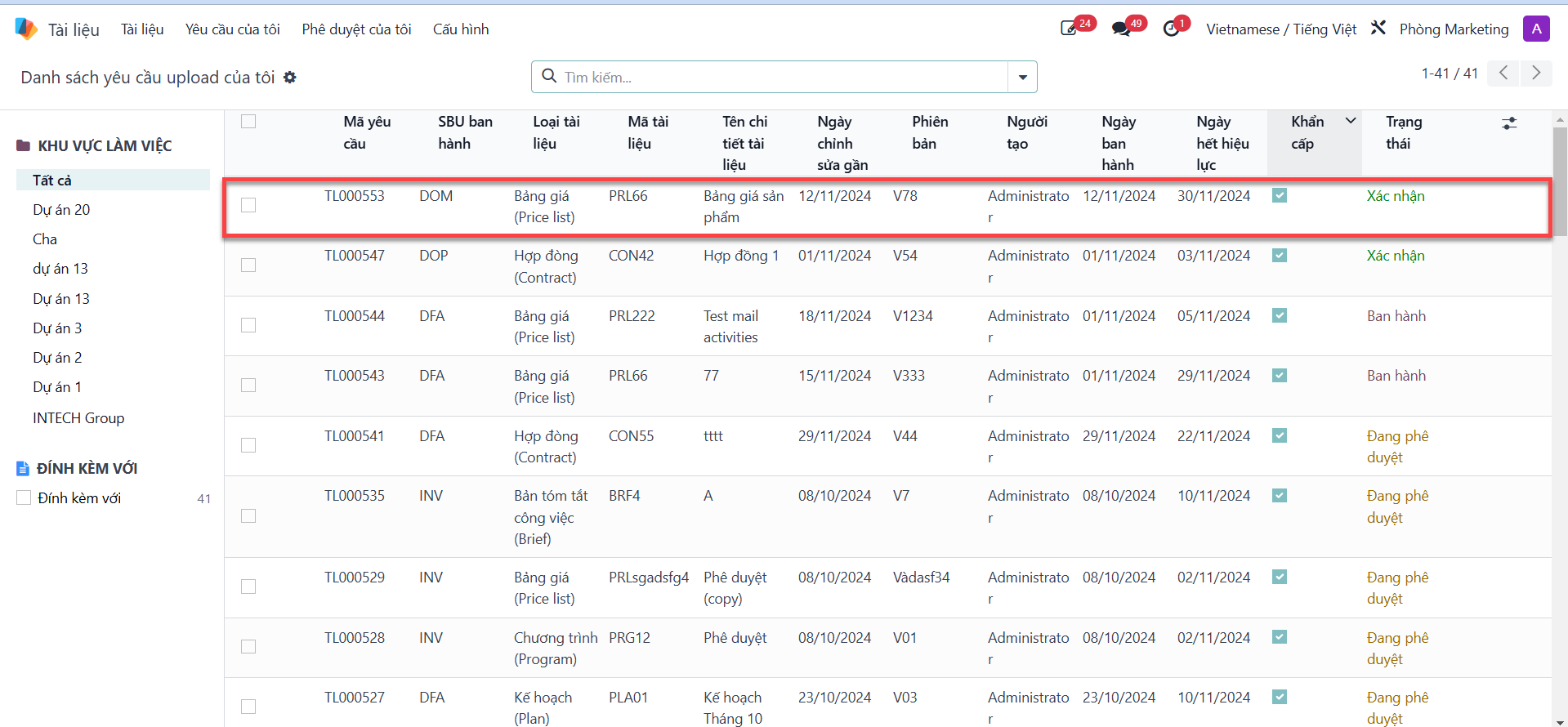
Bước 2: Select the document record currently in Confirmed (Xác nhận) status.
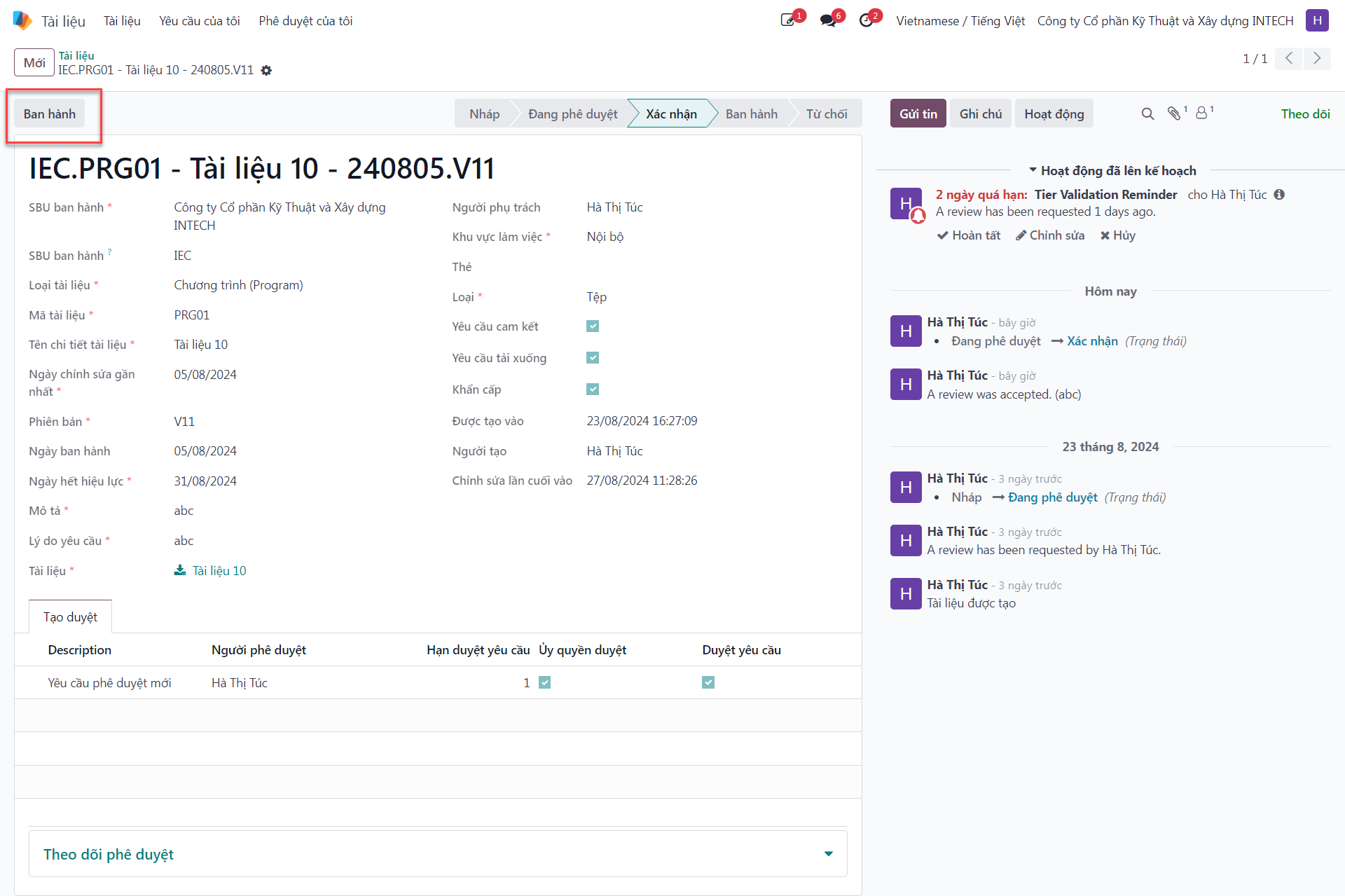
Bước 3: Click the Publish (Ban hành) button located in the top-left action header.
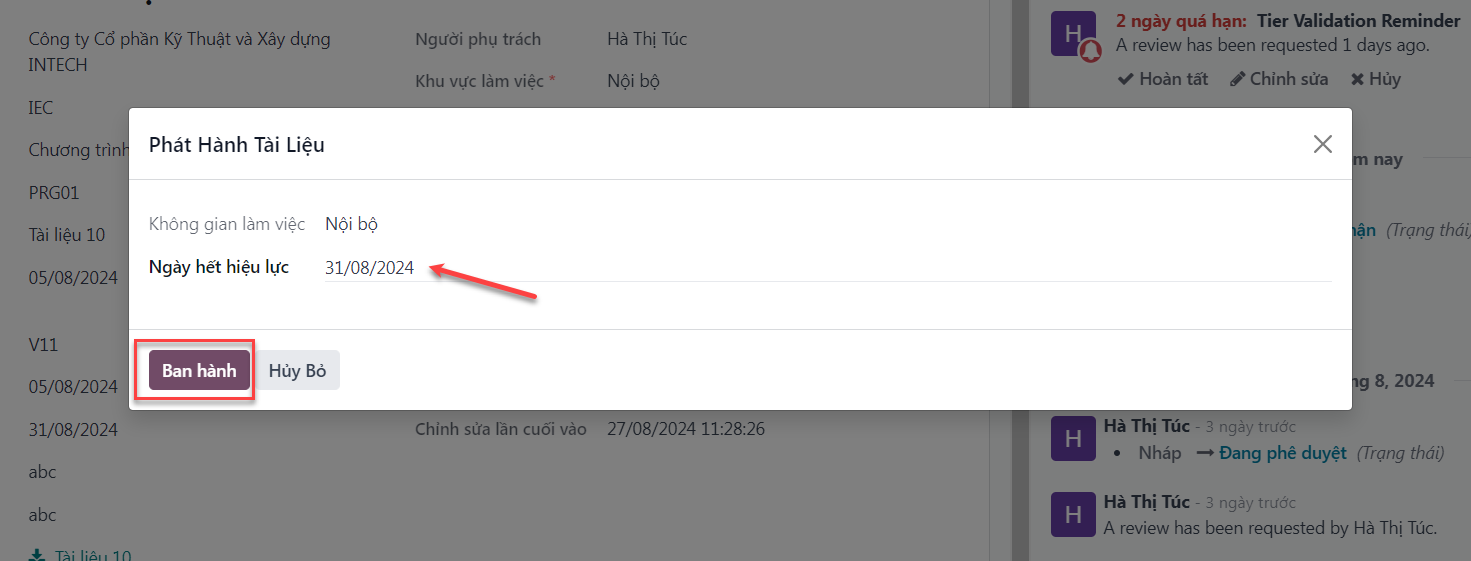
Bước 4: In the publication dialog, select the official Effective Date (Ngày ban hành) and click Publish.
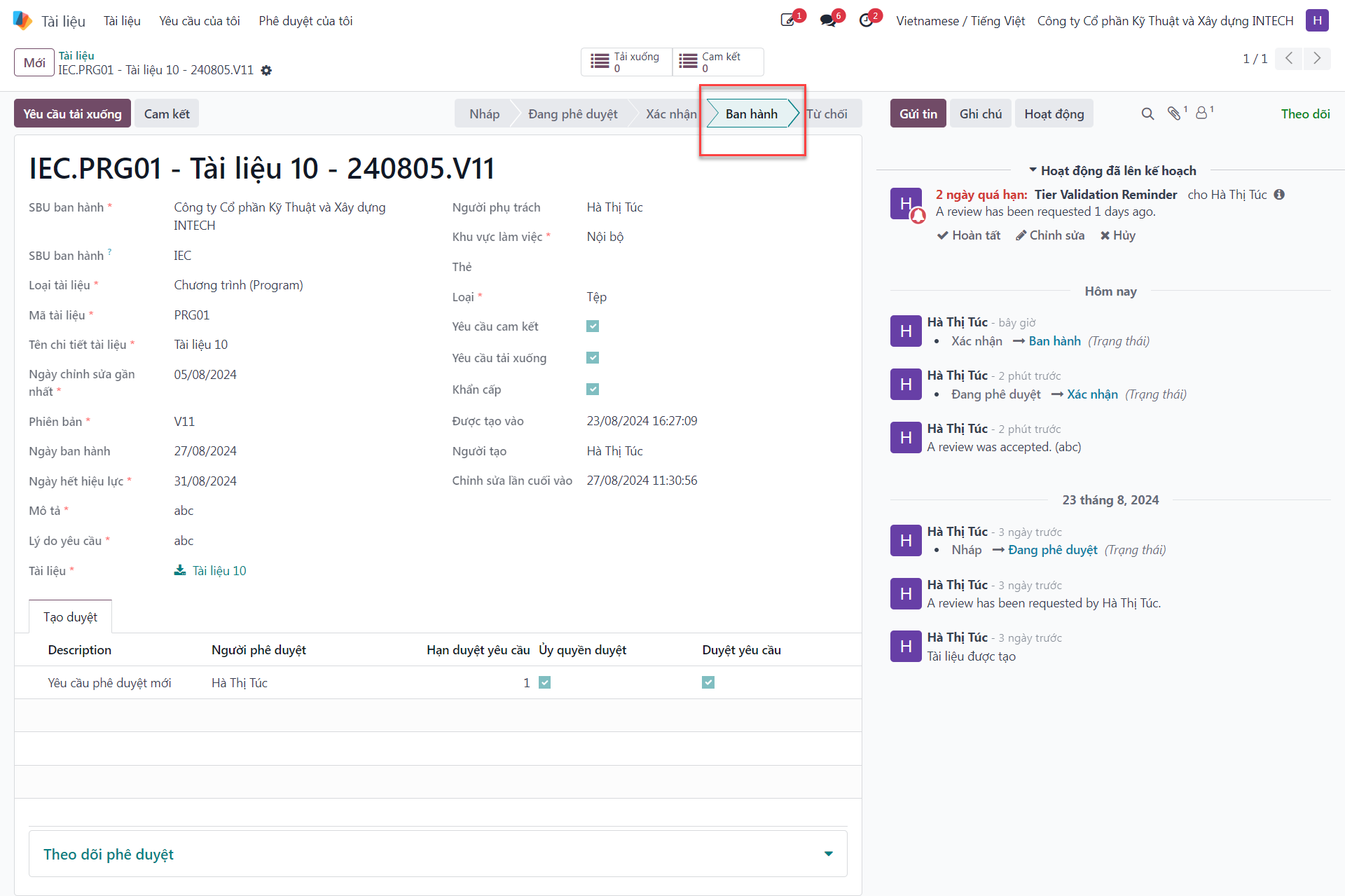
The document transitions to Published (Ban hành) status, becoming fully discoverable to authorized organizational groups.