Lead Acquisition & Allocation
The Leads module enables Marketing and Sales Management to capture customer inquiries, evaluate prospect potential, prevent duplicate data, and allocate leads to sales representatives under strict Service Level Agreement (SLA) standards.
Create a New Lead
Navigate to .
Click New to open the lead creation form.
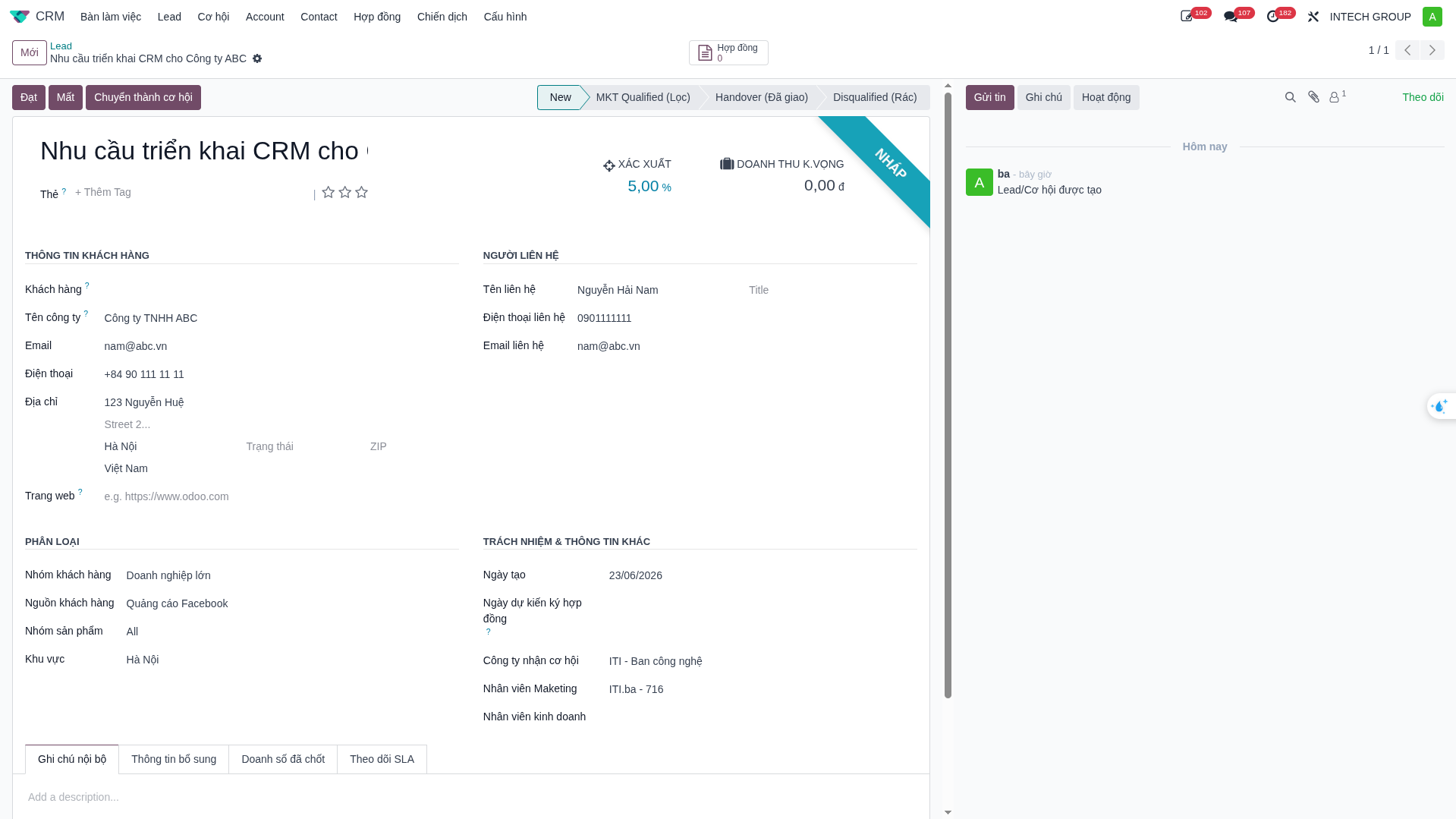
General Information
No. |
Field Name |
Description & Usage |
|---|---|---|
1 |
Lead Name |
Customer name combined with project/product need for instant identification. |
2 |
Tags |
Categorization tags (e.g., Potential Customer, VIP Customer, Partner). Multiple tags allowed. |
3 |
Rating |
Lead Scoring from 1 to 3 stars evaluating interest and readiness. |
4 |
Probability |
Estimated deal win probability (%) calculated automatically by stage. |
5 |
Expected Revenue |
Estimated total revenue value if the deal is won. |
Customer Information & Address
No. |
Field Name |
Description & Usage |
|---|---|---|
6 |
Customer |
Select existing contact or leave blank for newly acquired prospects. |
7 |
Company Name |
Full legal entity name of the customer organization. |
8 |
Primary business email address for correspondence. |
|
9 |
Phone |
Primary contact telephone / hotline number. |
10 |
Address |
Full physical location (Street, Ward, District, City/Province, Postal Code, and Country). |
11 |
Website |
Corporate URL of the customer organization. |
Note
When entering the address, simply type the first line (Street…). The system will assist in filling the remaining geographic components.

Contact Person (B2B Accounts)
Complete this section only when the prospective customer is an enterprise organization (Account). The contact person acts as the official representative for that company. If the prospect is an individual client, leave this section blank.
Field Name |
Description & Usage |
|---|---|
Contact Name |
Full name of the company representative. |
Job Title |
Designation or role (e.g., Director, Department Head, Purchasing Manager). |
Contact Phone |
Direct mobile or extension phone number of the representative. |
Contact Email |
Direct business email address of the representative. |
Classification (Dashboard Analytics Data)
Ensure all classification fields are completed accurately to populate real-time analytical reports on the CRM Dashboard:
Field Name |
Description & Usage |
|---|---|
Customer Group |
Customer segmentation tier established by company policy. |
Lead Source |
Lead acquisition origin (e.g., Website, Facebook, Referral, Exhibition, Phone Call). |
Product Group |
Product line, machinery, or engineering solution of interest. |
Region |
Geographical territory or operating market of the prospect. |
Responsibility & Additional Information
Field Name |
Description & Usage |
|---|---|
Creation Date |
Automatically recorded by the system upon lead creation. |
Expected Closing Date |
Target contract execution date (leave blank if undetermined). |
Marketing Representative |
Marketing staff member responsible for lead generation. |
Salesperson |
Left blank initially by Marketing. Once qualification is complete, assign the designated sales representative. |
Receiving Company |
Automatically assigned to the operating subsidiary unit of the chosen salesperson. |
Internal Notes Tab |
Qualitative background notes for the sales handover. |
Extra Information Tab |
Campaign association field if the lead was generated through a marketing campaign. |
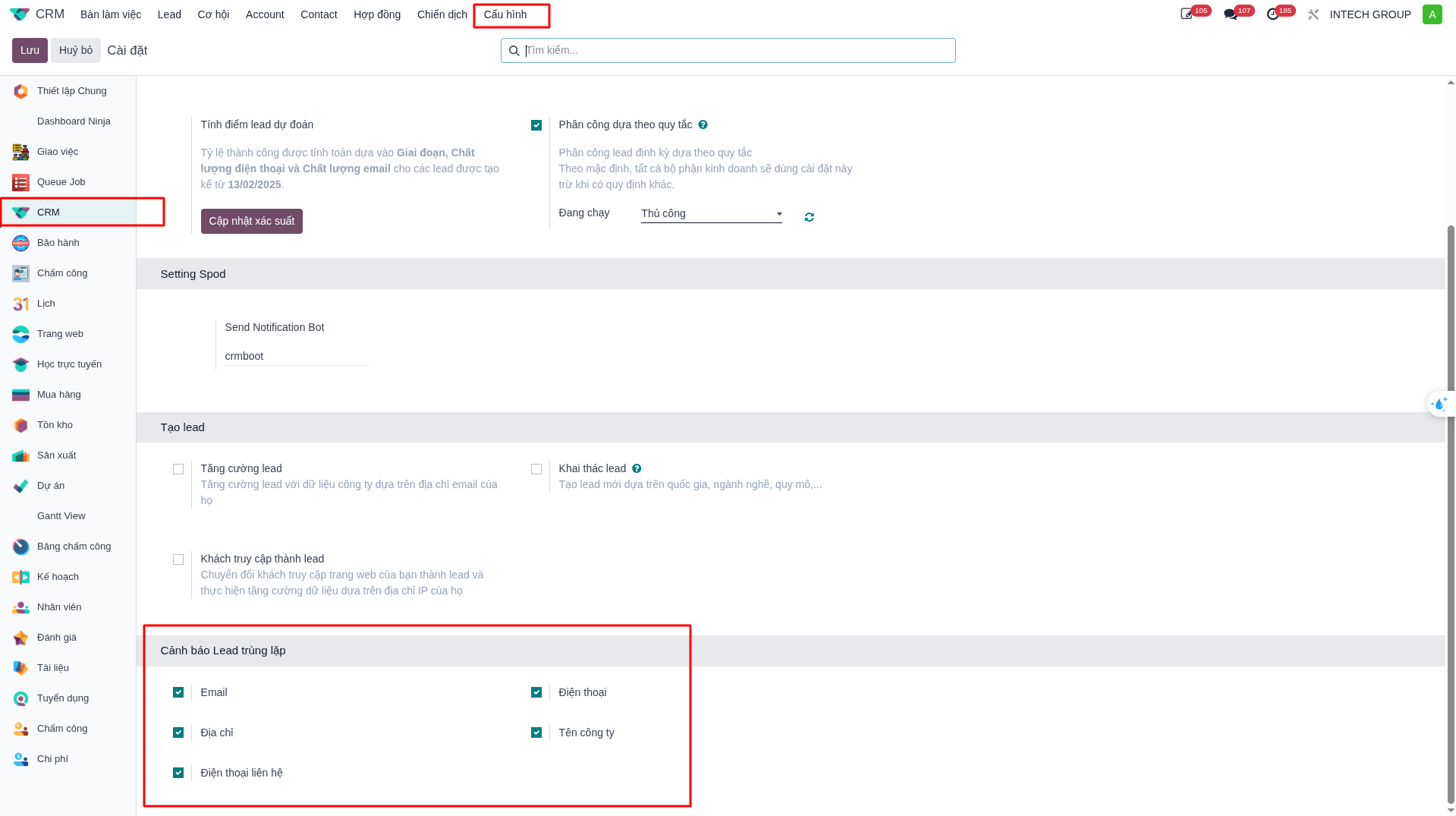
Duplicate Detection Alert
The system incorporates an automated duplicate detection mechanism. If an entered Phone Number or Email already exists in the CRM database, the system will trigger a validation alert and block record creation.
To configure duplicate detection criteria per subsidiary company:
Navigate to .
Under the Lead Duplicate Warning section, toggle the active criteria (Email, Phone, Address, Company Name, Contact Phone).
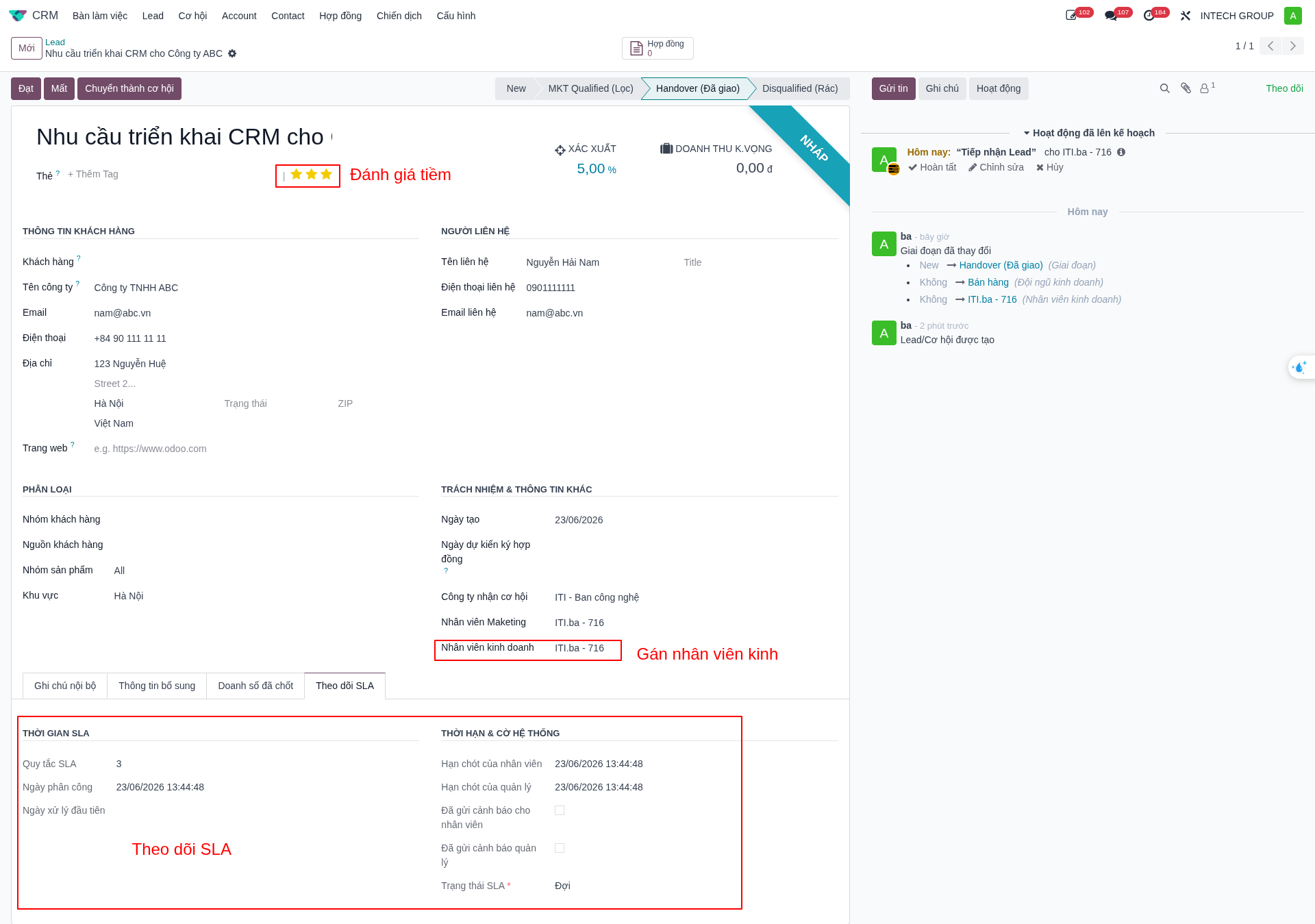
Lead Scoring & SLA Allocation
Lead Quality Classification (1–3 Stars)
3 Stars (Hot): High purchasing interest, clear project timeline, and dedicated budget.
2 Stars (Warm): Identified need, evaluating technical and commercial options.
1 Star (Cold): General inquiry, exploratory information gathering.
0 Stars (Unqualified): Out-of-scope inquiries or non-viable requirements.
Workflow Stages & Salesperson Assignment
Initial State: Newly created leads default to the New stage.
Marketing Qualification: Once Marketing assesses lead quality (1–3 stars), transition the stage to MKT Qualified.
Sales Handover: In the Salesperson field, select the designated sales representative.
Automated System Actions on Sales Assignment
Upon assigning a salesperson, the system automatically executes four synchronized actions:
Generates a Lead Reception Activity assigned to the salesperson in Chatter.
Records the timestamp in the Assignment Date field.
Initiates the SLA Countdown Timer. Higher star ratings impose tighter response windows. If the SLA expires without interaction, escalation alerts are routed to sales management.
Automatically transitions the lead stage to Handover.