
Evaluate Weekly Tasks
Department heads and task creators conduct structured performance evaluations once completion reports are submitted.
Video Tutorial: Đánh giá nhiệm vụ tuần
Evaluation Procedure
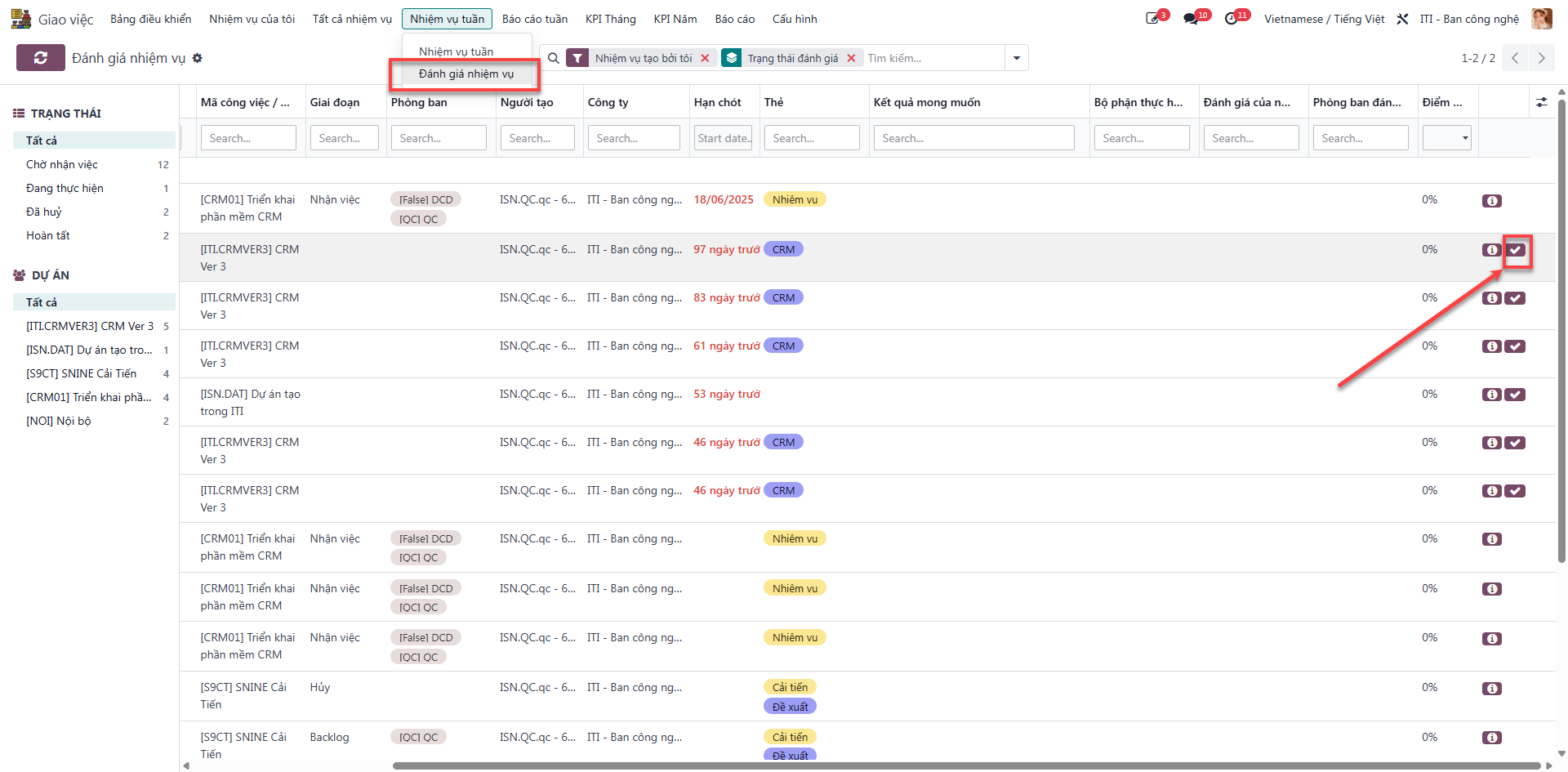
Bước 1: Navigate to , select the pending task, and click Đánh giá (Evaluate).
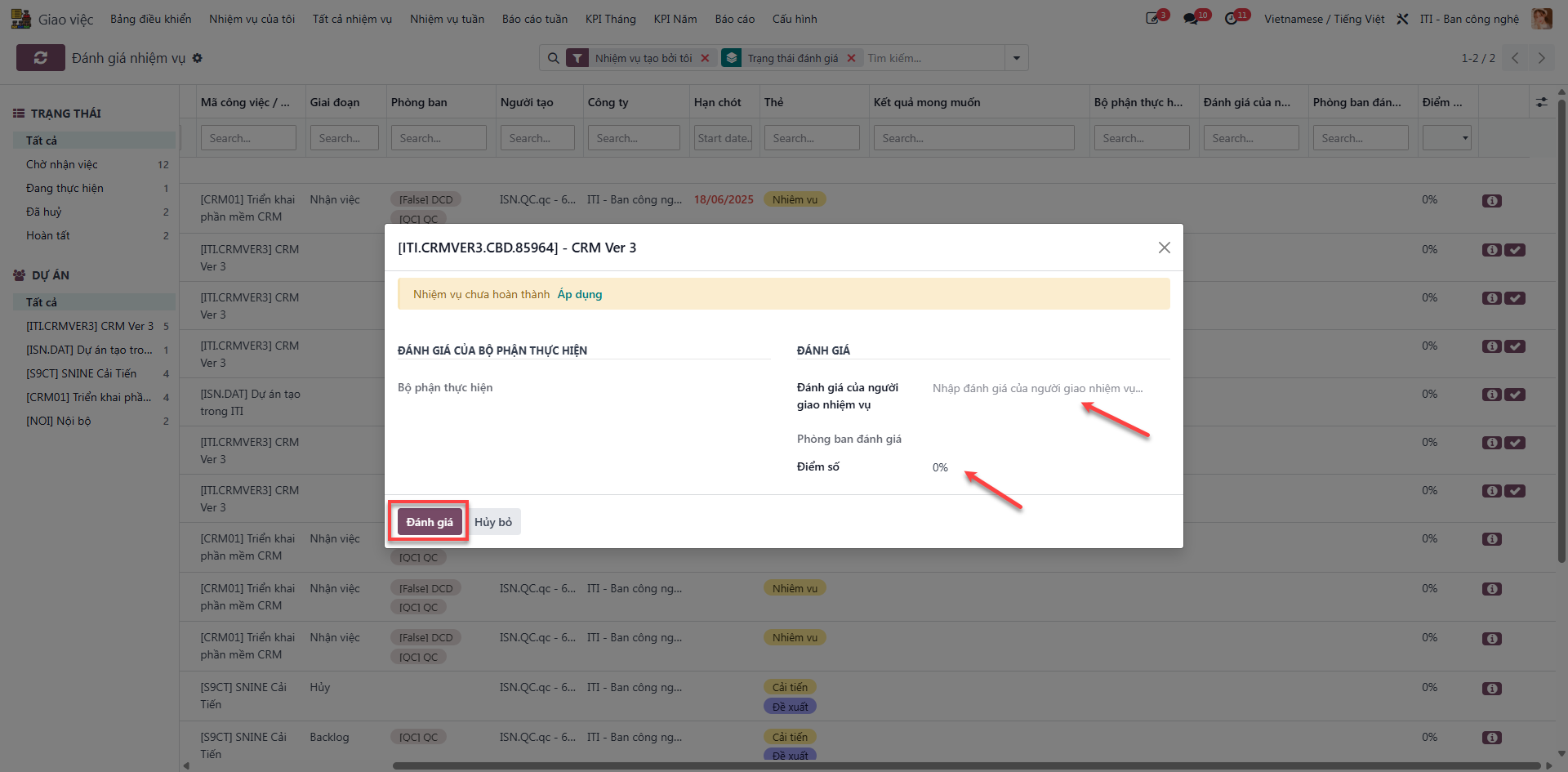
Bước 2: Input grading scores, feedback notes, and click Xác nhận (Confirm).
Note
Only the original Task Creator is permitted to fill the Đánh giá của người giao nhiệm vụ field.
Only the Department Manager associated with the task can fill the Phòng ban đánh giá field.