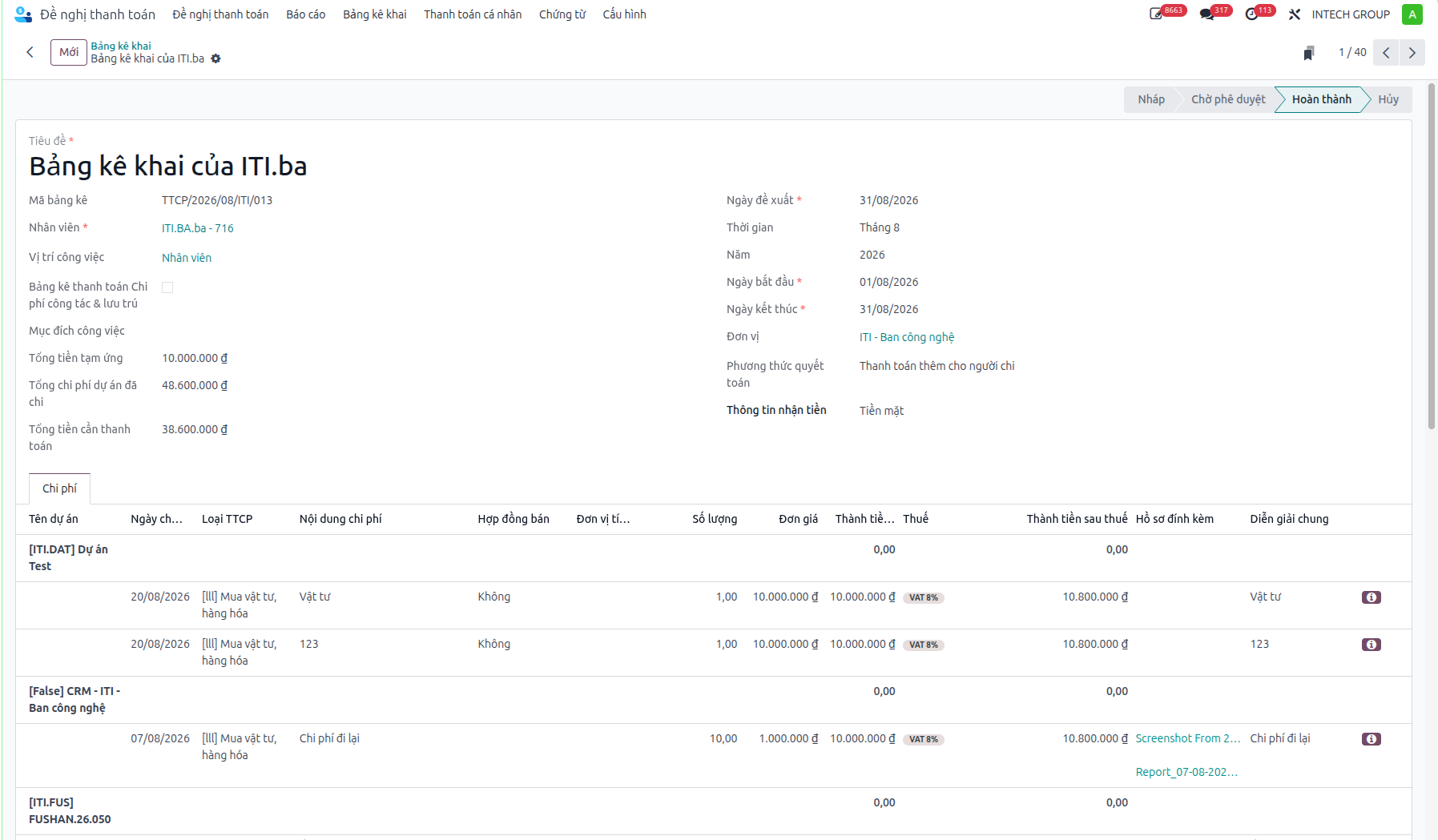
Monthly Expense Declarations
To support monthly accounting reconciliation, audit compliance, and financial reporting, employees consolidate individual expense slips into monthly declaration statements.
Tutorial video
Video topic |
Direct watch link |
|---|---|
Monthly expense declaration |
Monthly expense declaration
Submitting Monthly Declarations
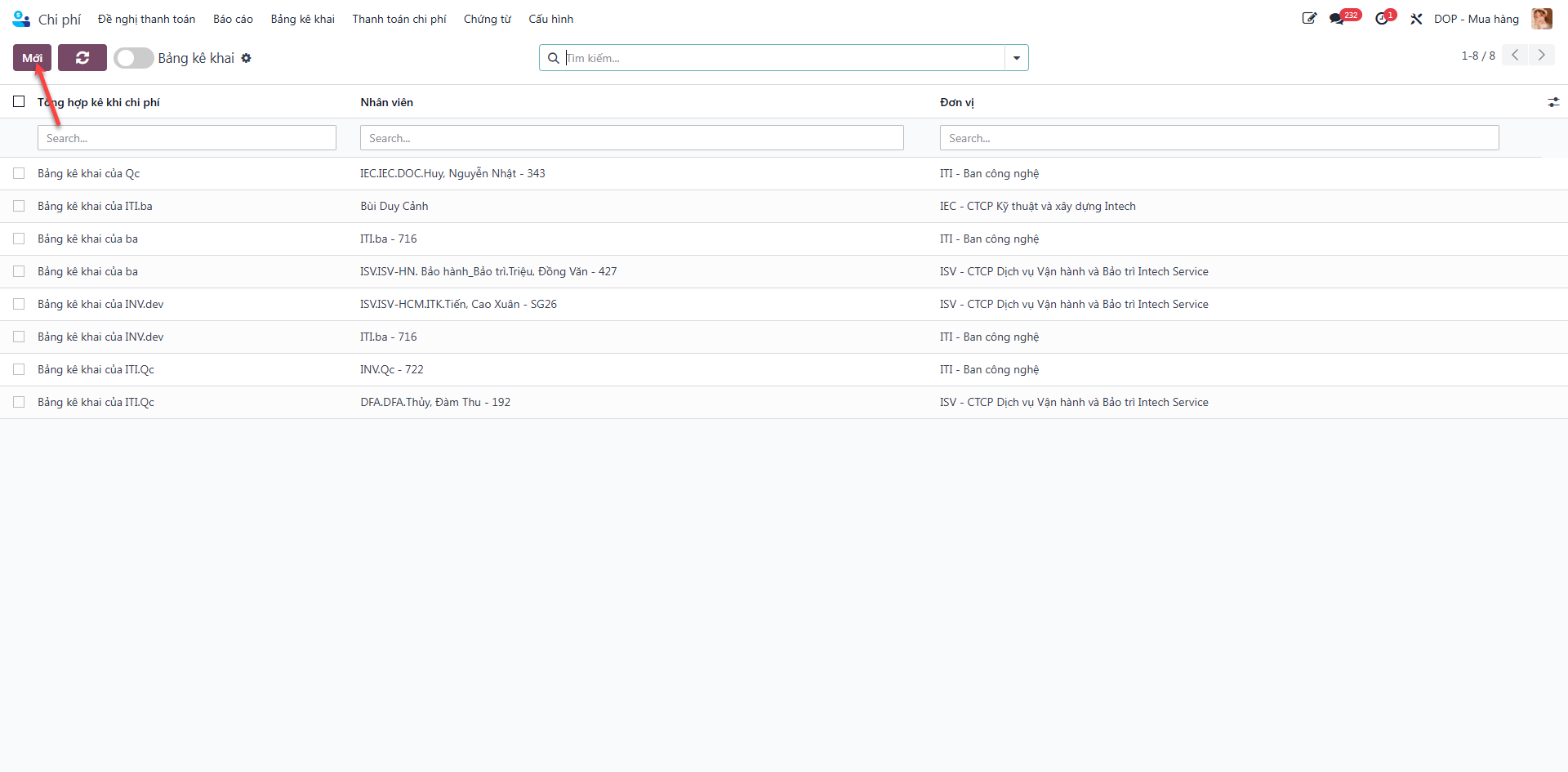
Bước 1: From the personal expenses view, navigate to the Monthly Declarations (Bảng kê khai) section and click New (Mới).
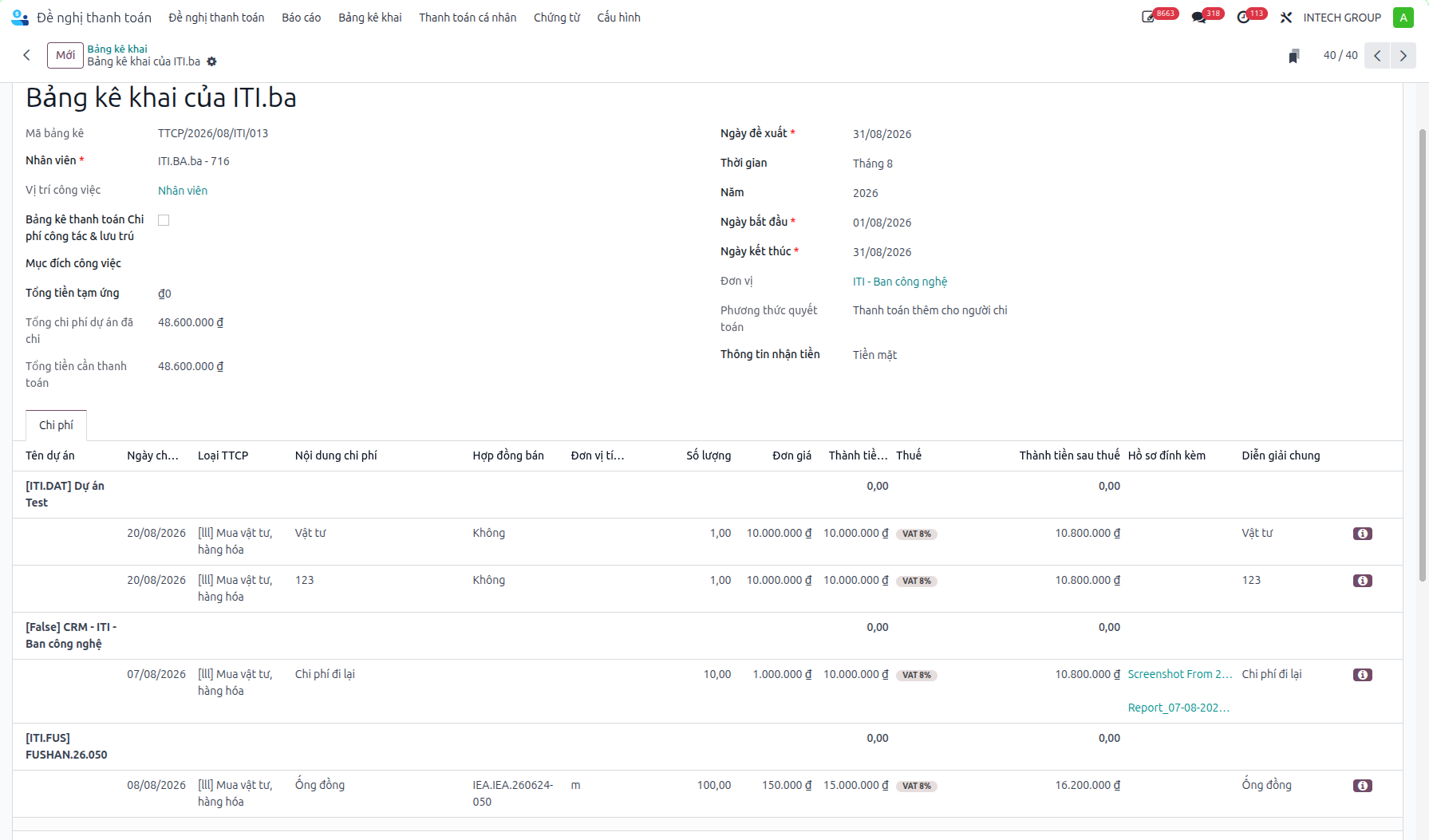
Bước 2: The system automatically aggregates all personal expenses logged during the target month, grouping them systematically by project. Enter operational headers such as Business Objective (Mục đích công việc) and Total Cash Advance (Tổng tiền tạm ứng).
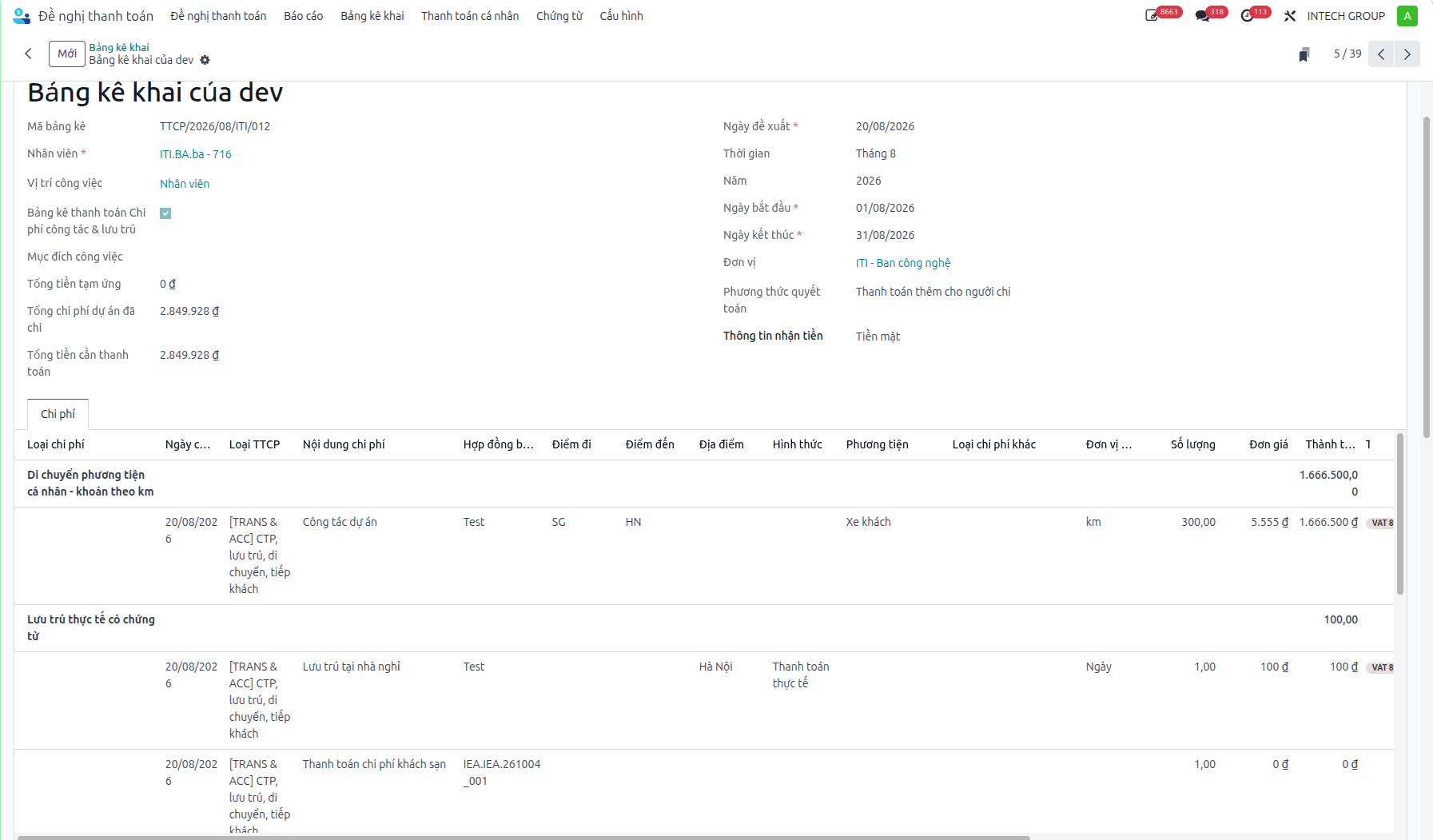
Note
For travel and field assignments, tick the Travel & Lodging Declaration checkbox. The system restructures groupings by travel categories.
Bước 3: Tick the mandatory compliance checkbox certifying that all declared expenditures represent genuine business expenses incurred in accordance with company policy.
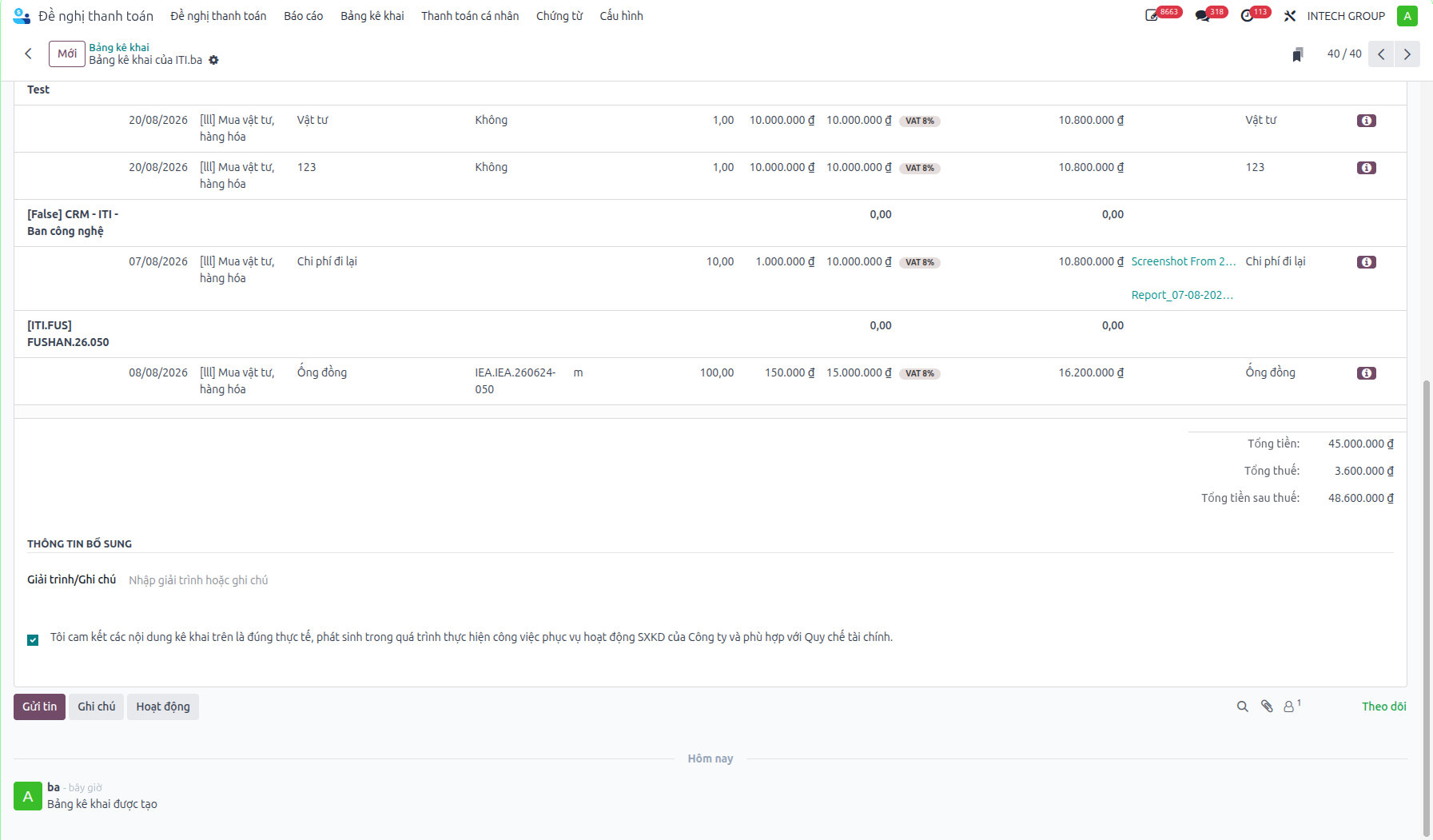
Bước 4: Click Submit for Approval (Gửi duyệt) to forward the statement to Accounting.
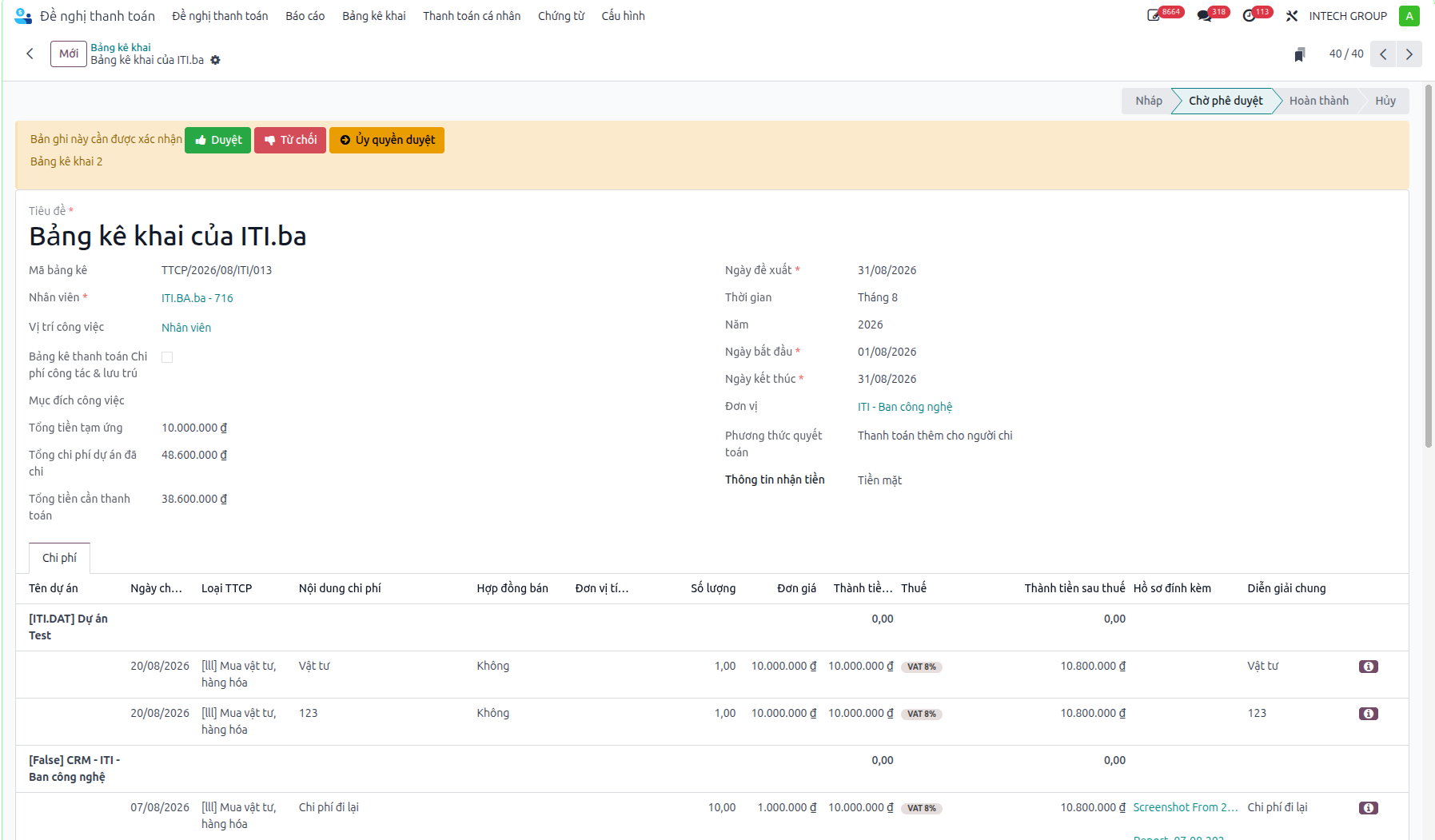
Bước 5: The Accountant verifies tax invoices, rates, and deduction totals, approving the declaration to forward it to the SBU Head. The SBU Head conducts executive review and grants final approval, setting the statement to Completed (Hoàn thành).