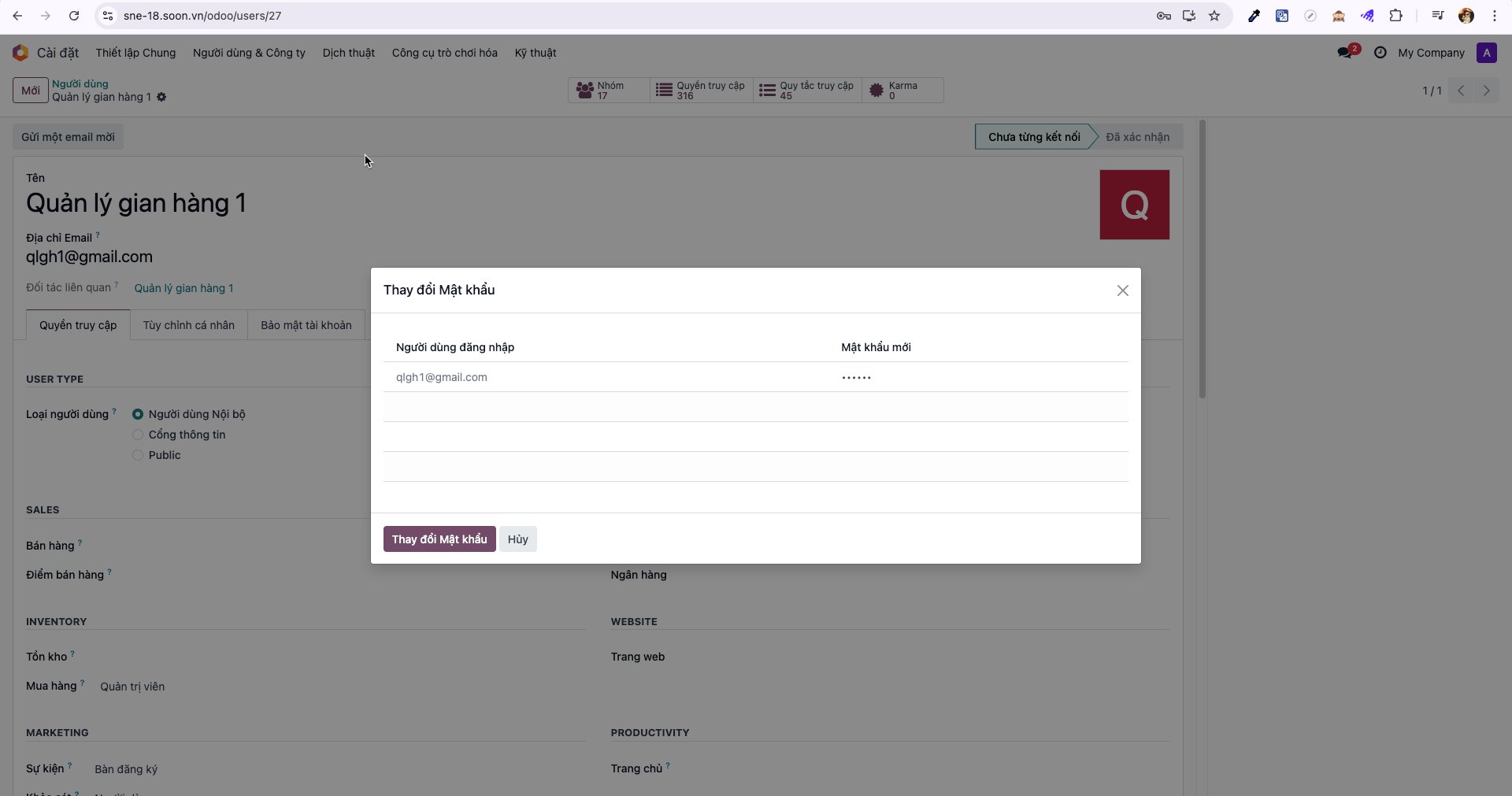
Booth Manager Account Administration
Event Administrators create and manage accounts for corporate booth managers who oversee exhibitor operations.
Creating a Booth Manager Account
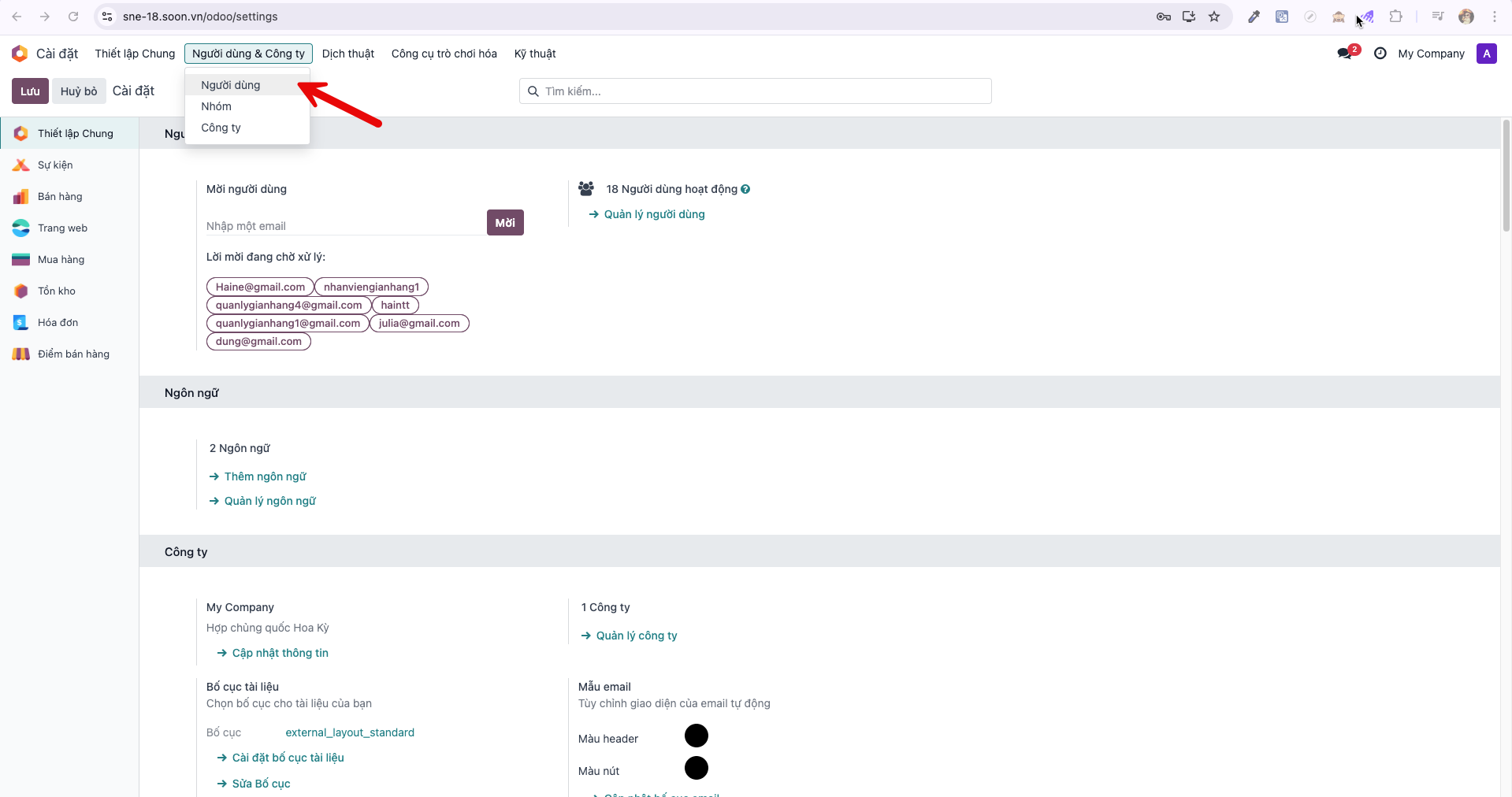
Bước 1: From the main dashboard, navigate to (Cài đặt –> Người dùng & công ty –> Người dùng).
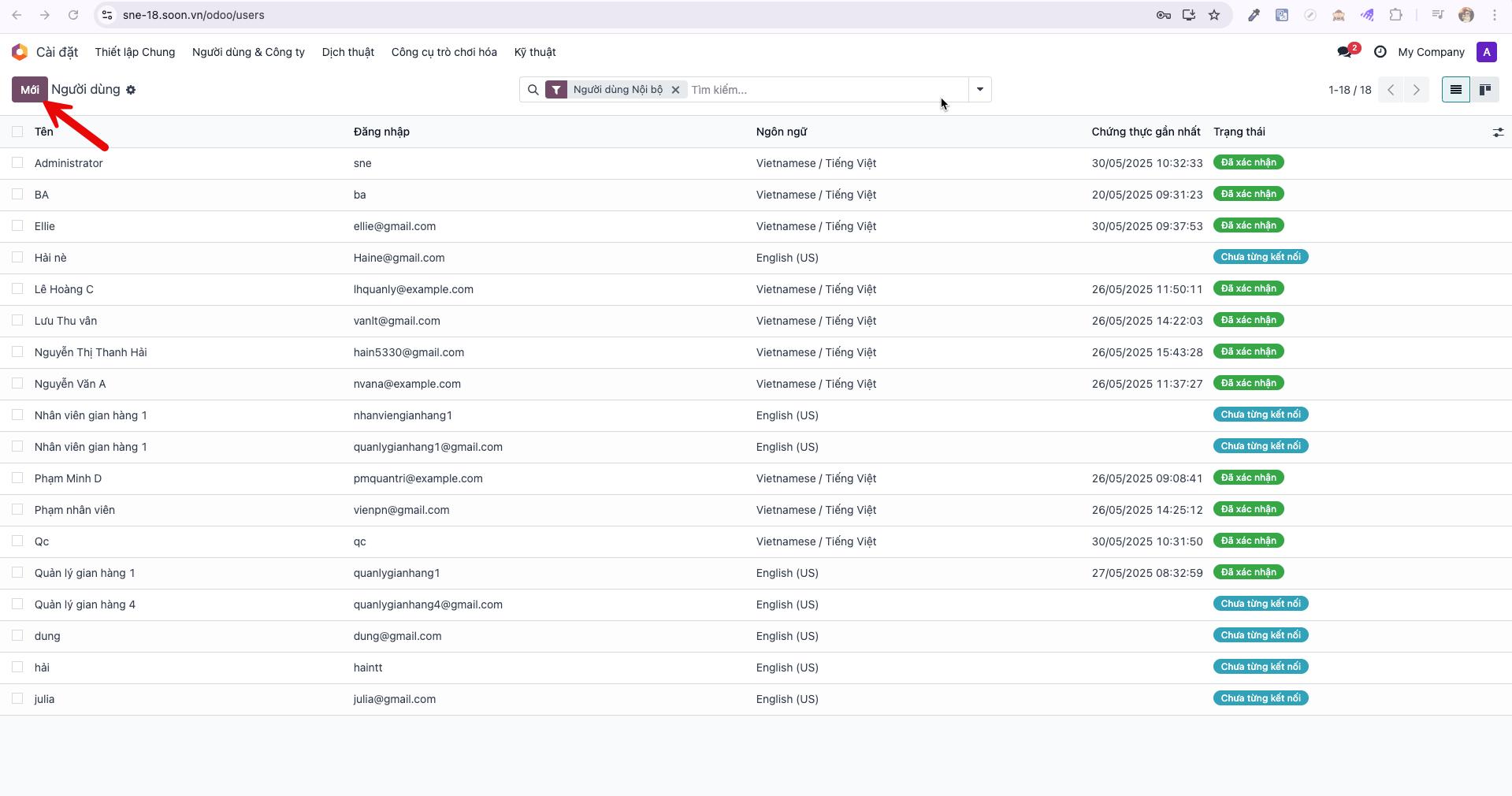
Bước 2: In the Users list view, click New (Mới).
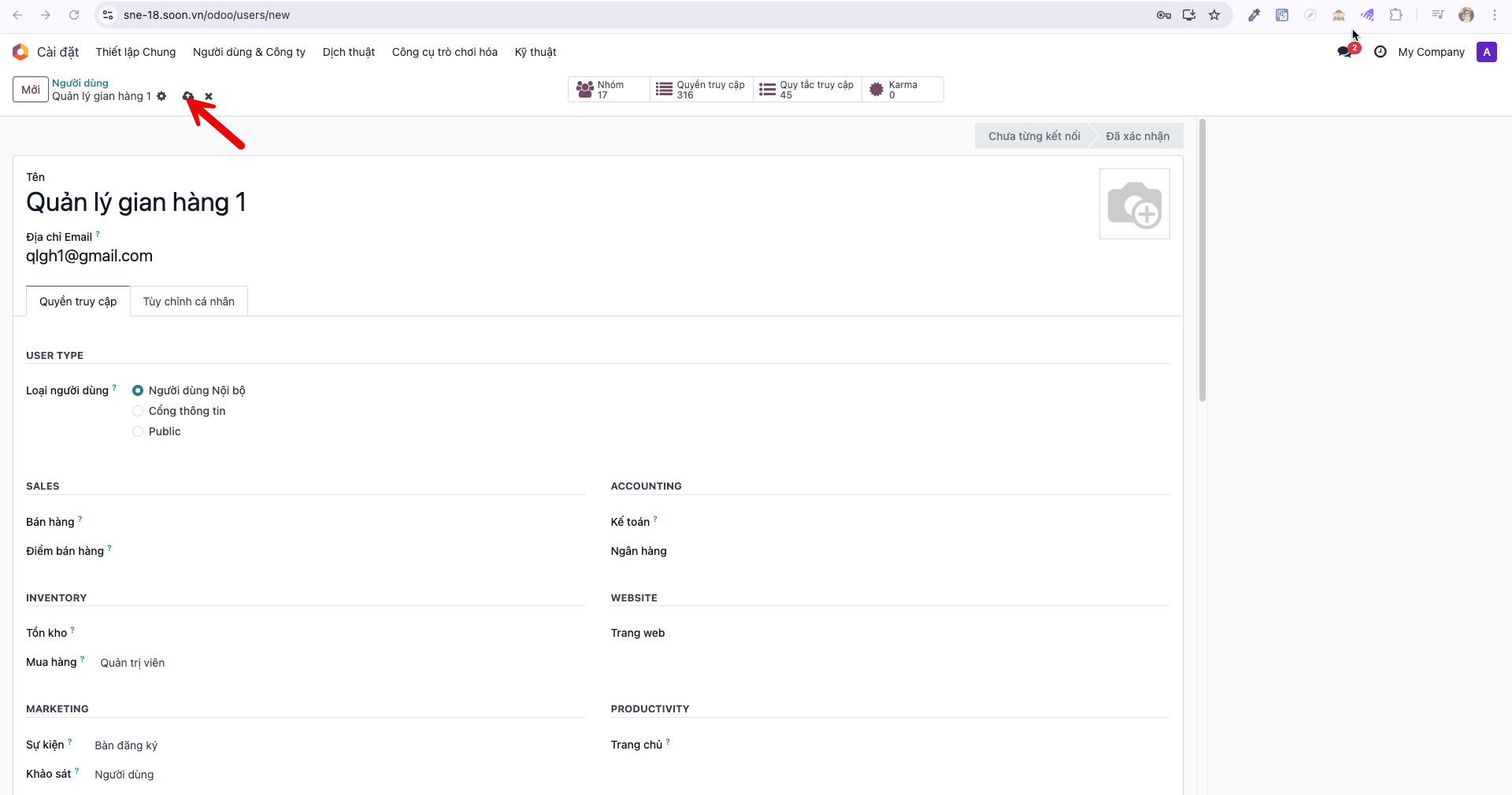
Bước 3: Enter the manager’s Name (Tên) and Email Address, then click Save (Lưu).
Configuring Initial Password
Bước 4: Click the Actions (biểu tượng bánh răng) icon in the upper command bar and select Change Password (Thay đổi mật khẩu).
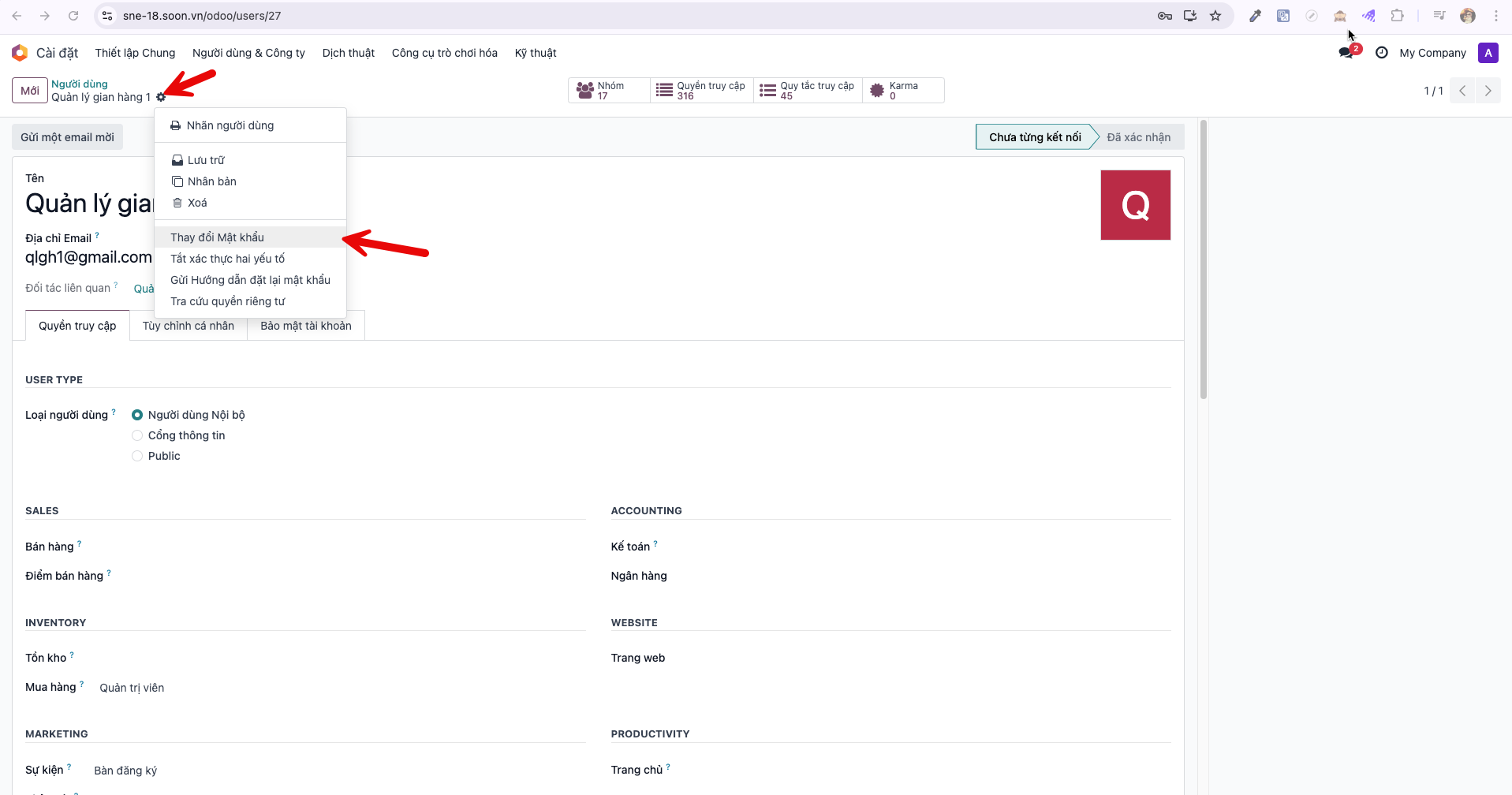
Bước 5: Enter the new password in the modal dialog and click Change Password to apply the credentials. Deliver these credentials securely to the booth manager.