Internal Fund Transfers
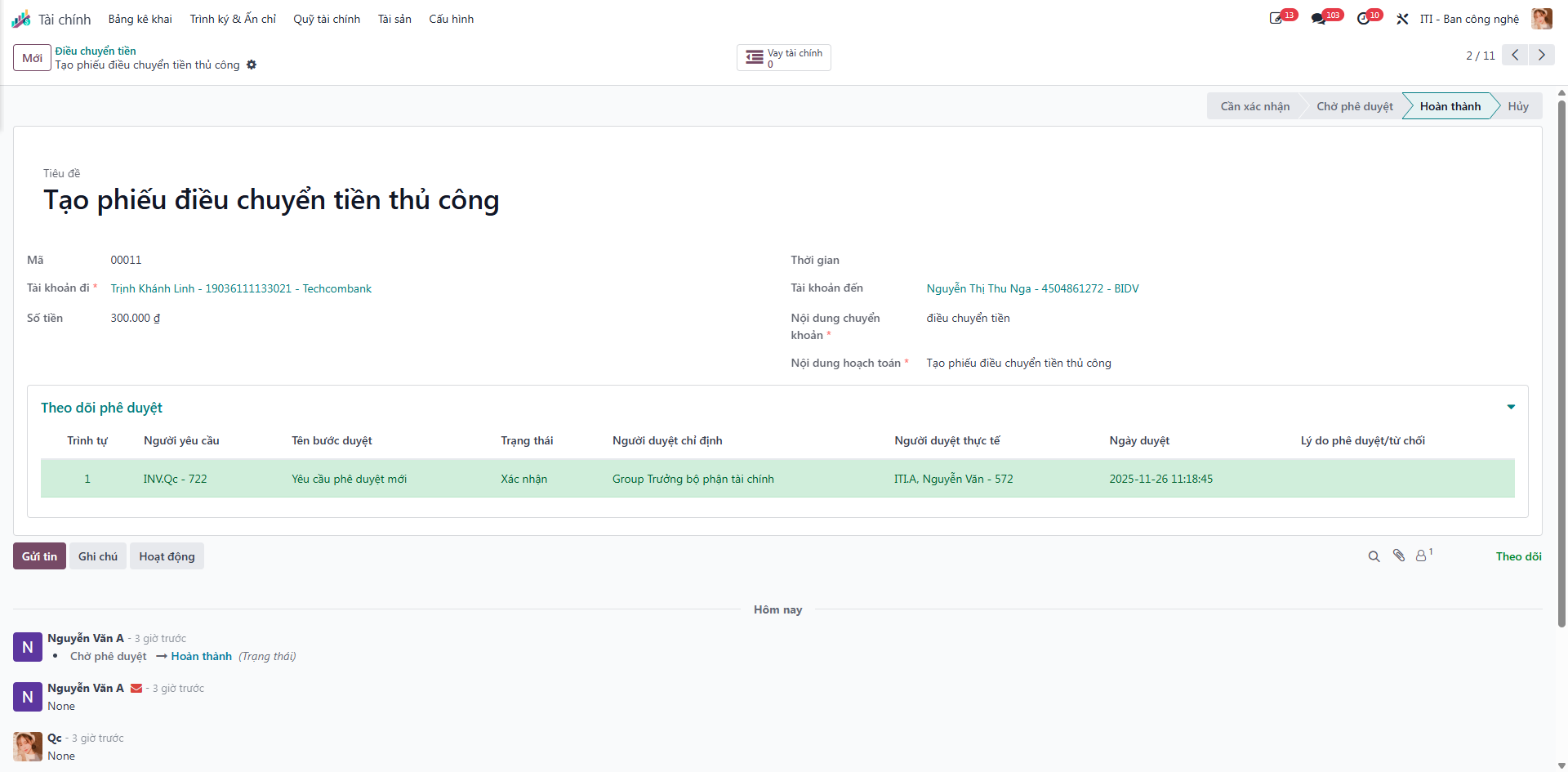
The Fund Transfers (Điều chuyển tiền) function coordinates inter-account and inter-unit cash transfers—either generated automatically from approved loan workflows or created manually for treasury balance operations.
Executing Fund Transfers
Bước 1: Navigate to Finance (Tài chính) ‣ Treasury Funds (Quỹ tài chính) ‣ Fund Transfers (Điều chuyển tiền).
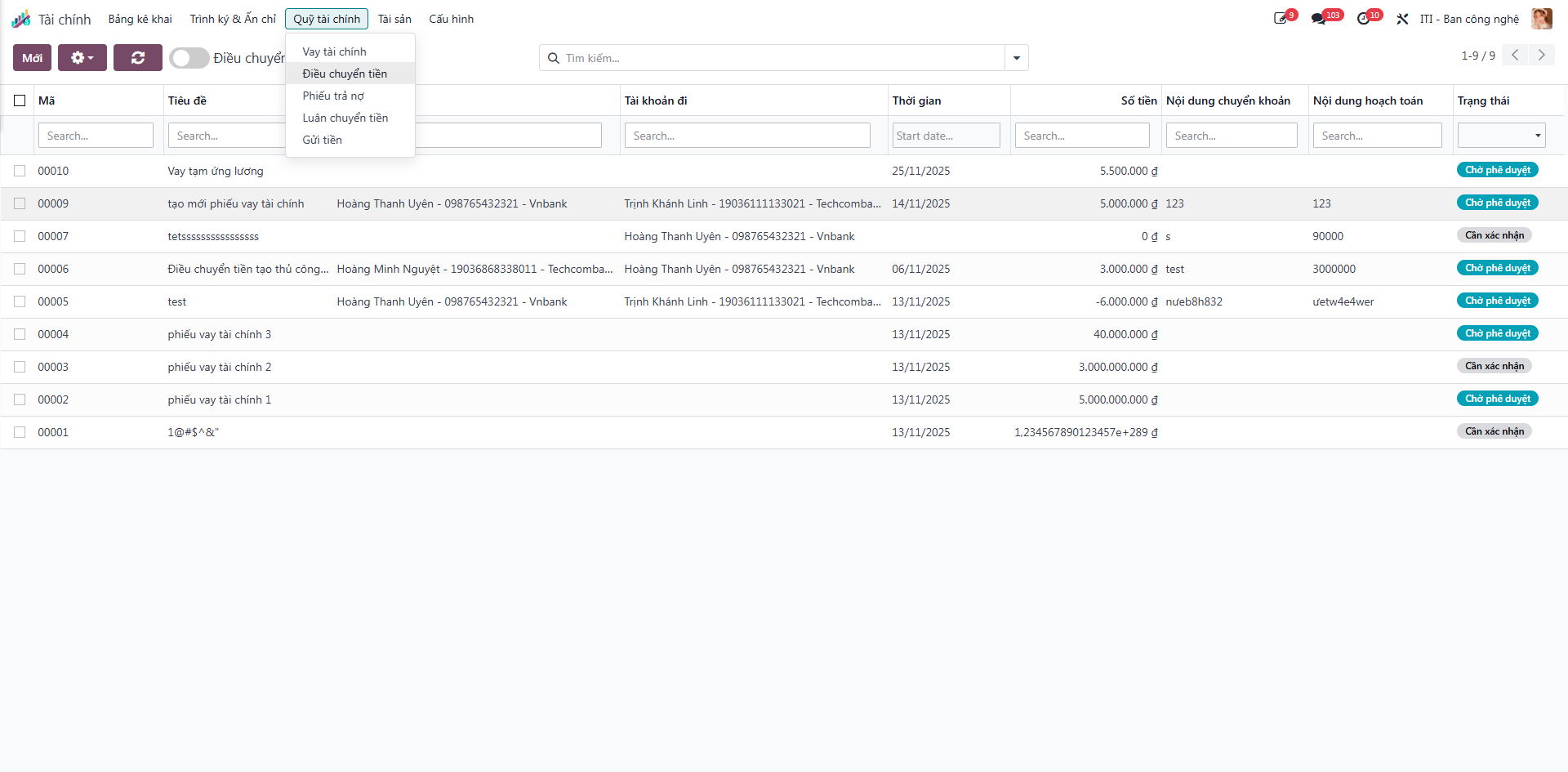
The list shows all transfer orders with columns for Title (Tiêu đề), Destination Account (Tài khoản đến), Source Account (Tài khoản đi), Amount (Số tiền), Date (Thời gian), Transfer Narrative (Nội dung chuyển khoản), Accounting Narrative (Nội dung hạch toán), and Status (Trạng thái).
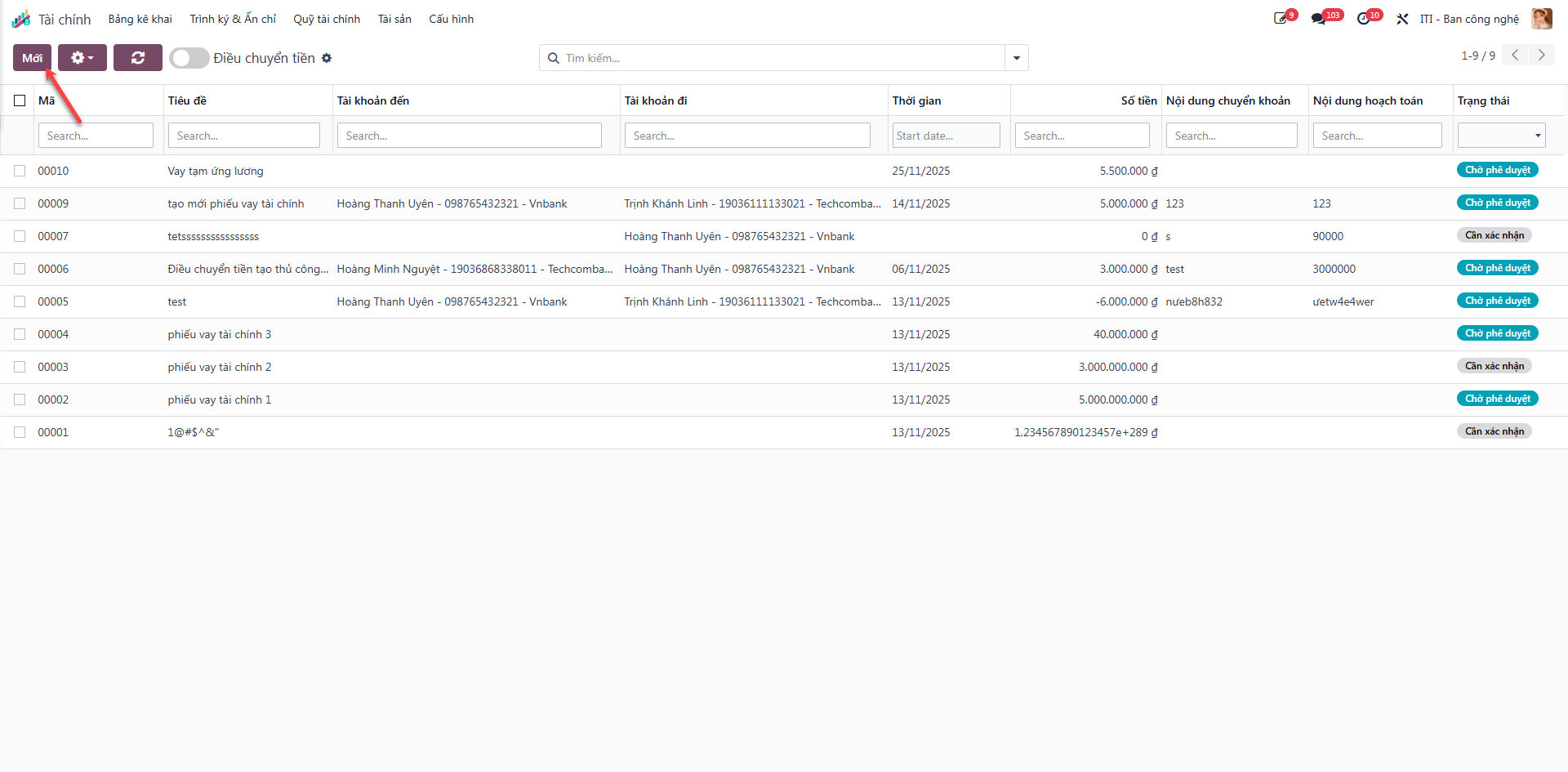
Bước 2: Click New (Mới) to create a manual transfer order, or open an automatically generated order created from an approved loan (which begins in Needs Confirmation / Cần xác nhận status).
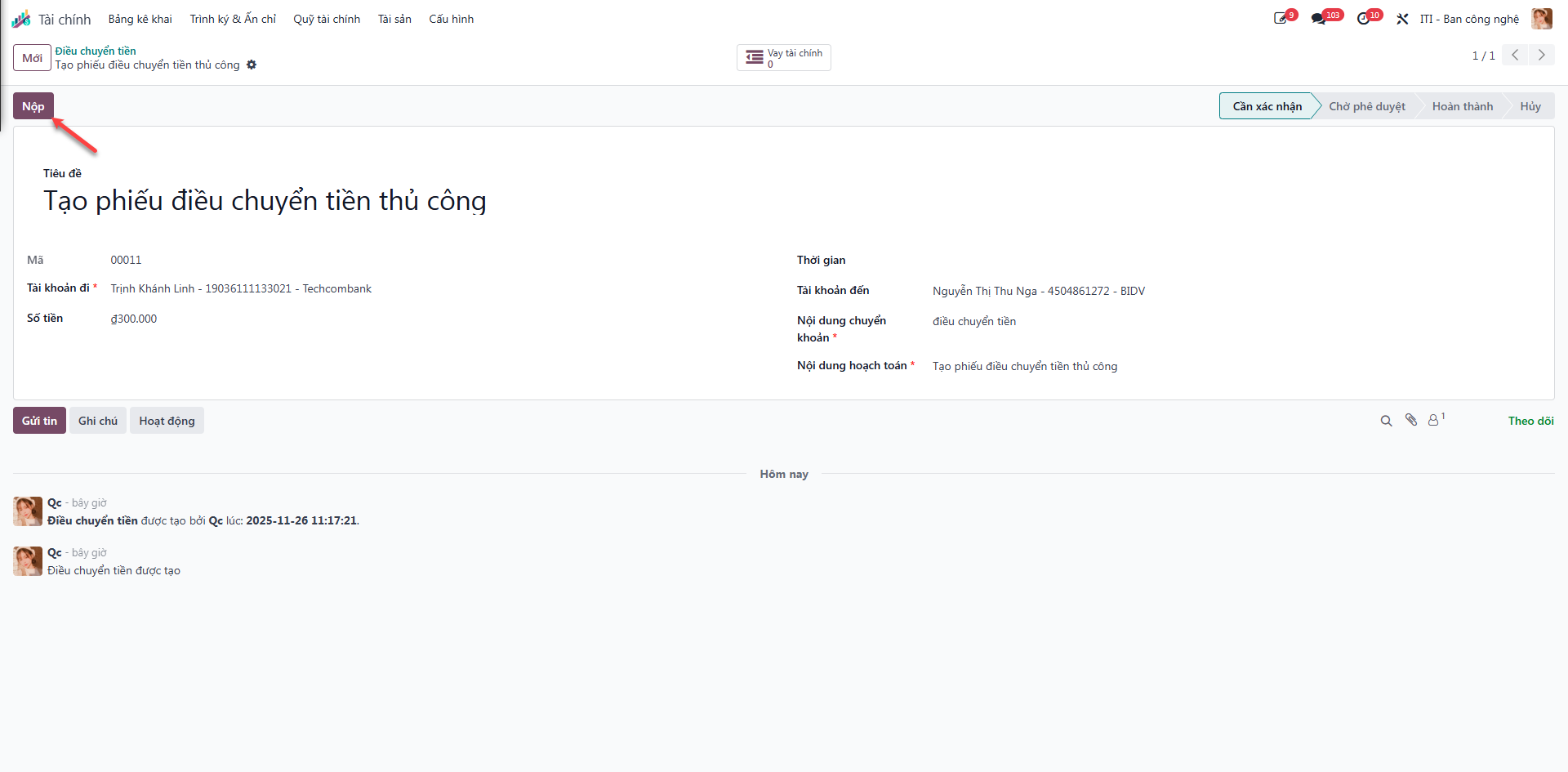
Bước 3: Open the transfer order, check pre-filled banking numbers, and verify the source bank account, disbursement amount, and payment memo.
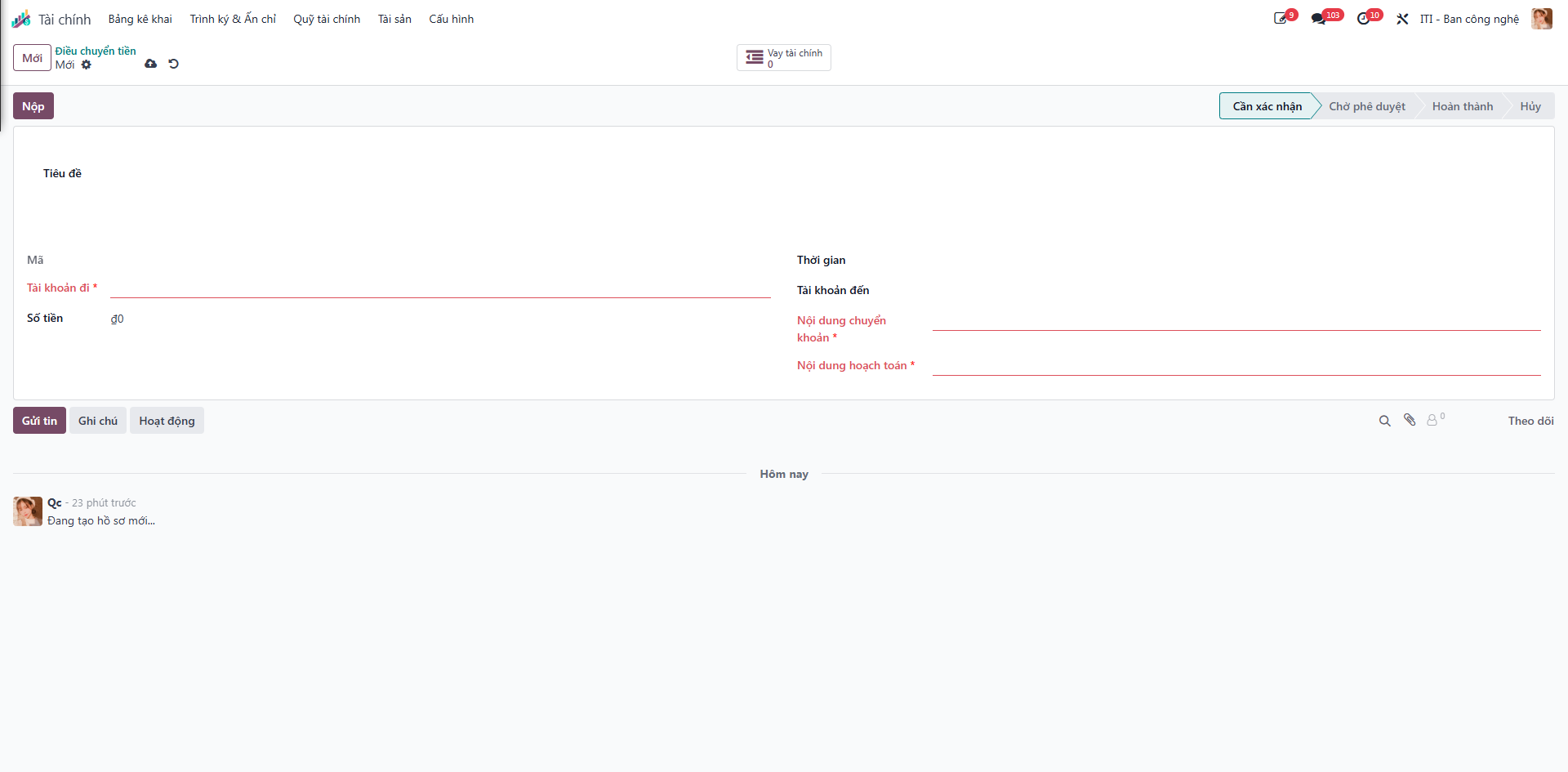
Bước 4: Click Submit (Nộp) to advance the transfer order to Pending Approval (Chờ phê duyệt).
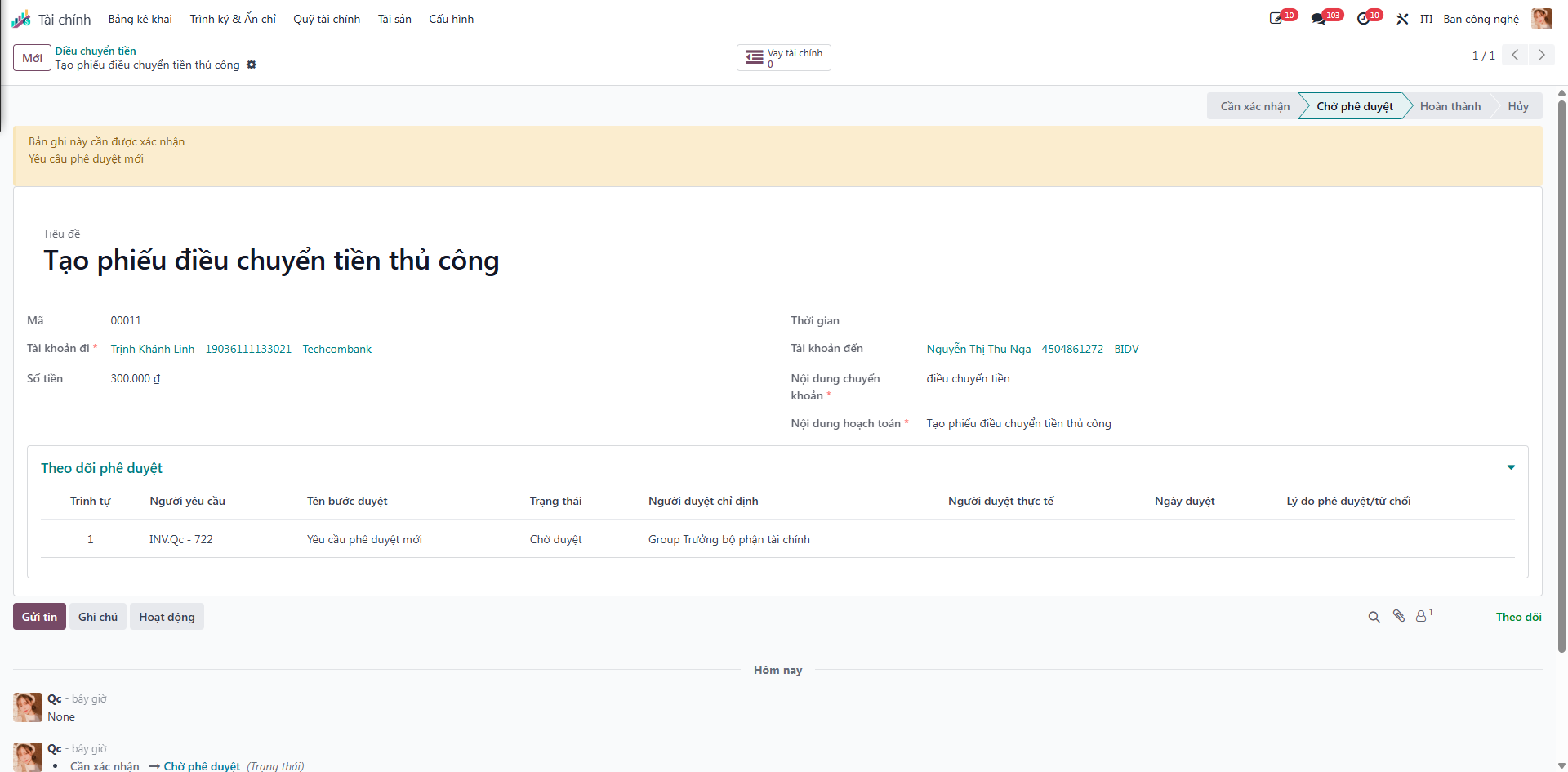
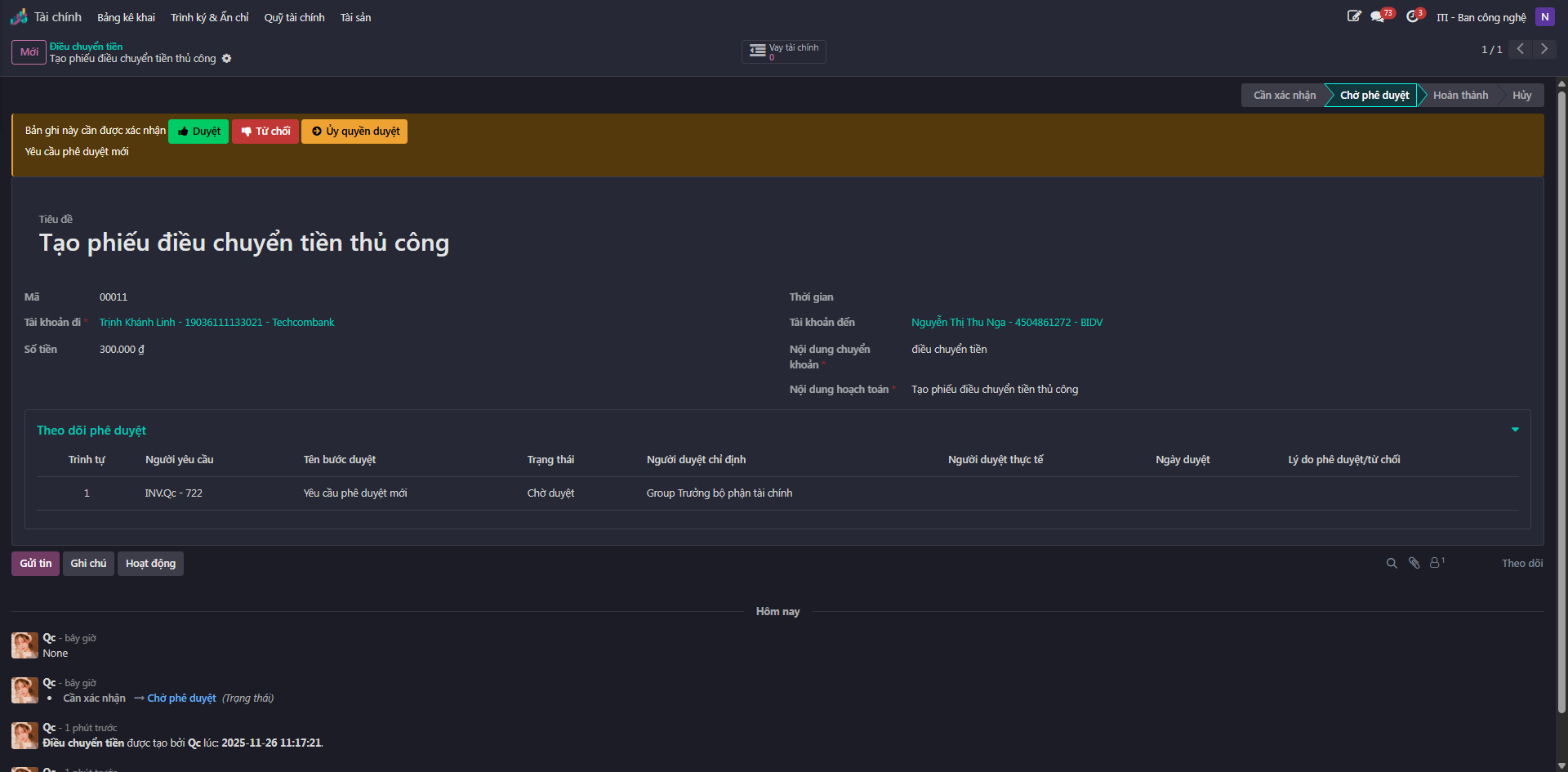
Bước 5: The Finance Department Manager evaluates the liquidity transaction:
Click Approve (Duyệt) to authorize the bank execution.
Click Refuse (Từ chối) to deny the transfer.
Bước 6: Following bank disbursement, the accountant executes the banking order and clicks Confirm (Xác nhận) to finalize the transfer and update group cash balances.