Download Execution
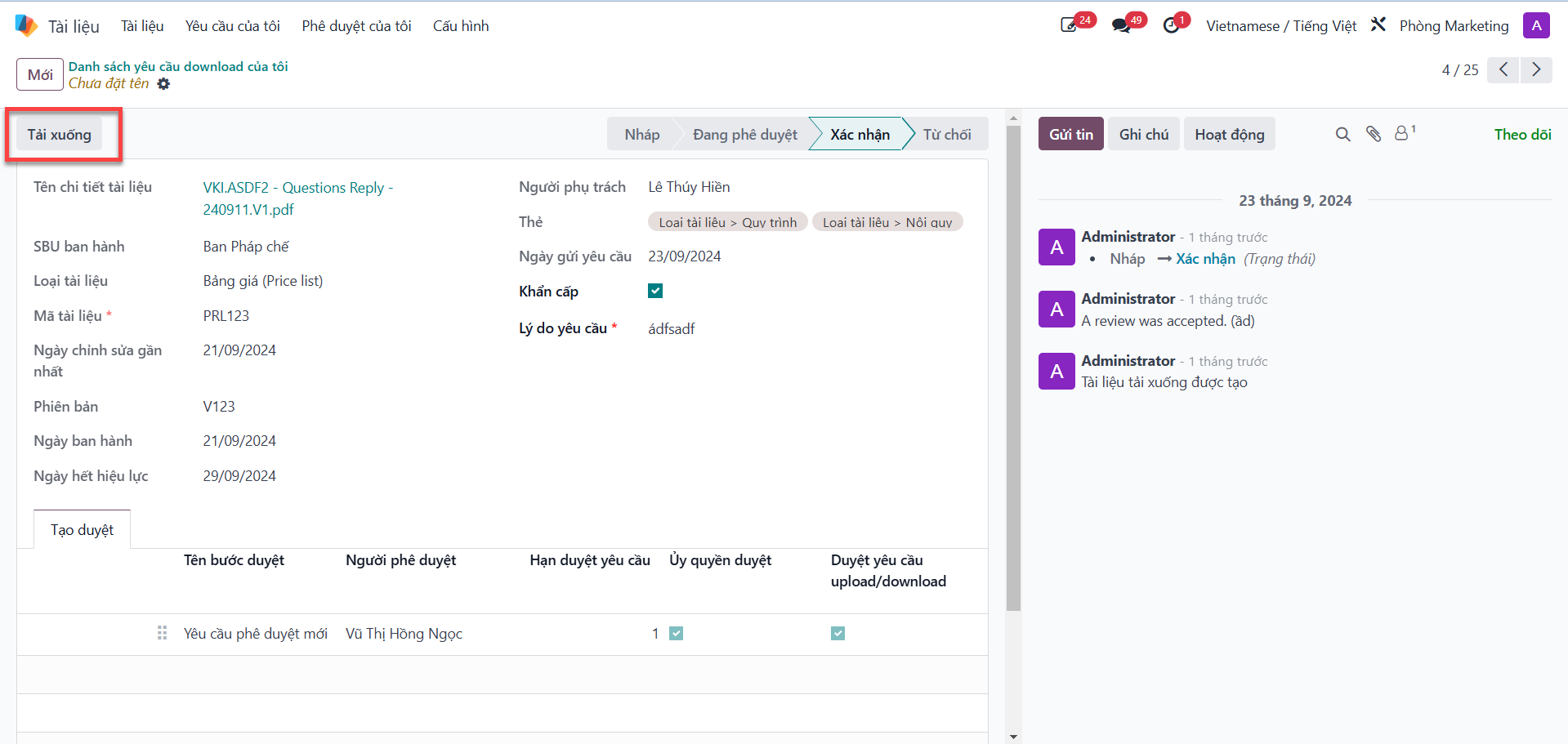
Once a download requisition receives official authorization from the SBU Head, the requesting employee can retrieve the document file to their local computer.
Retrieve Approved Documents to Local Device
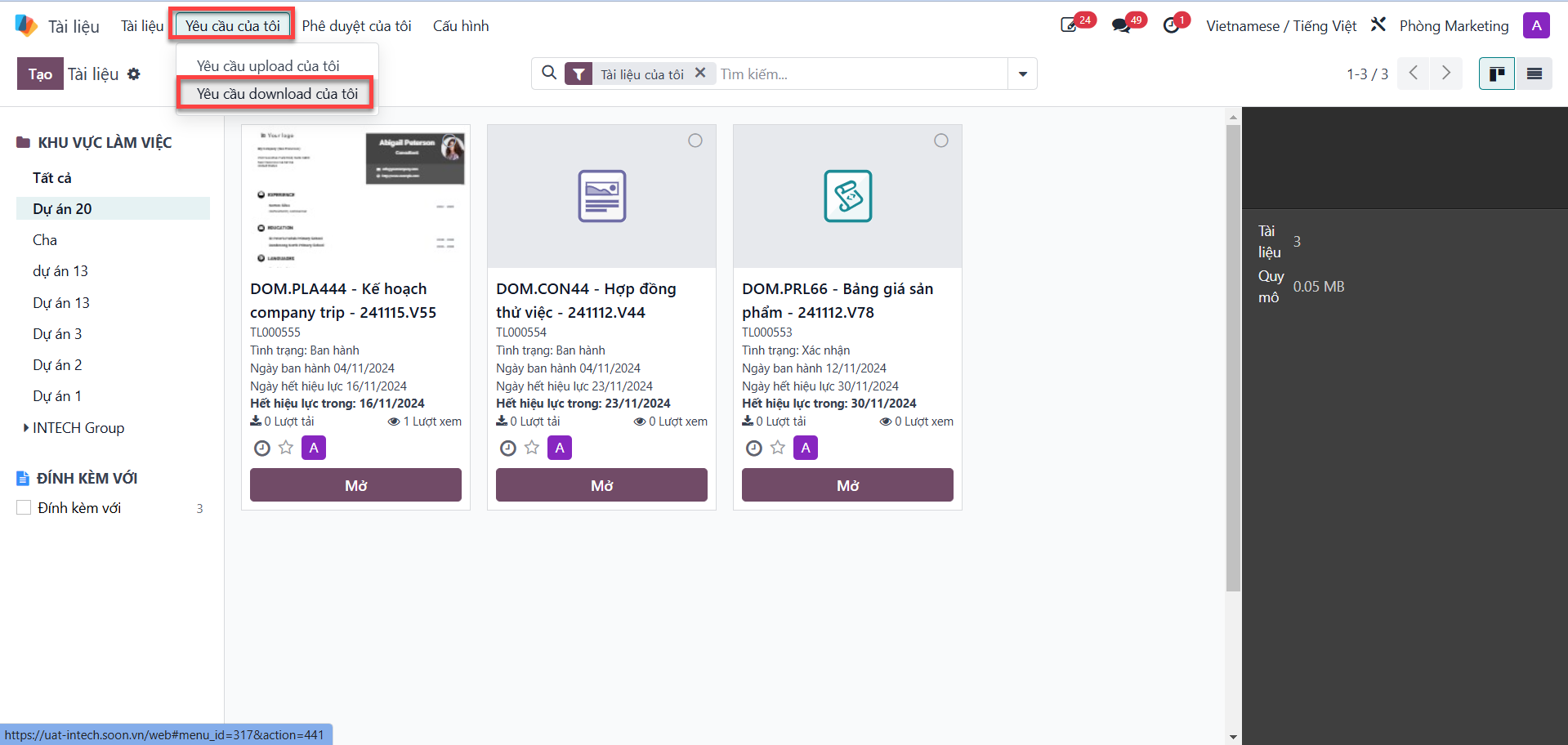
Bước 1: Navigate to the My Requests (Yêu cầu của tôi) tab, then select My Download Requests (Yêu cầu download của tôi).
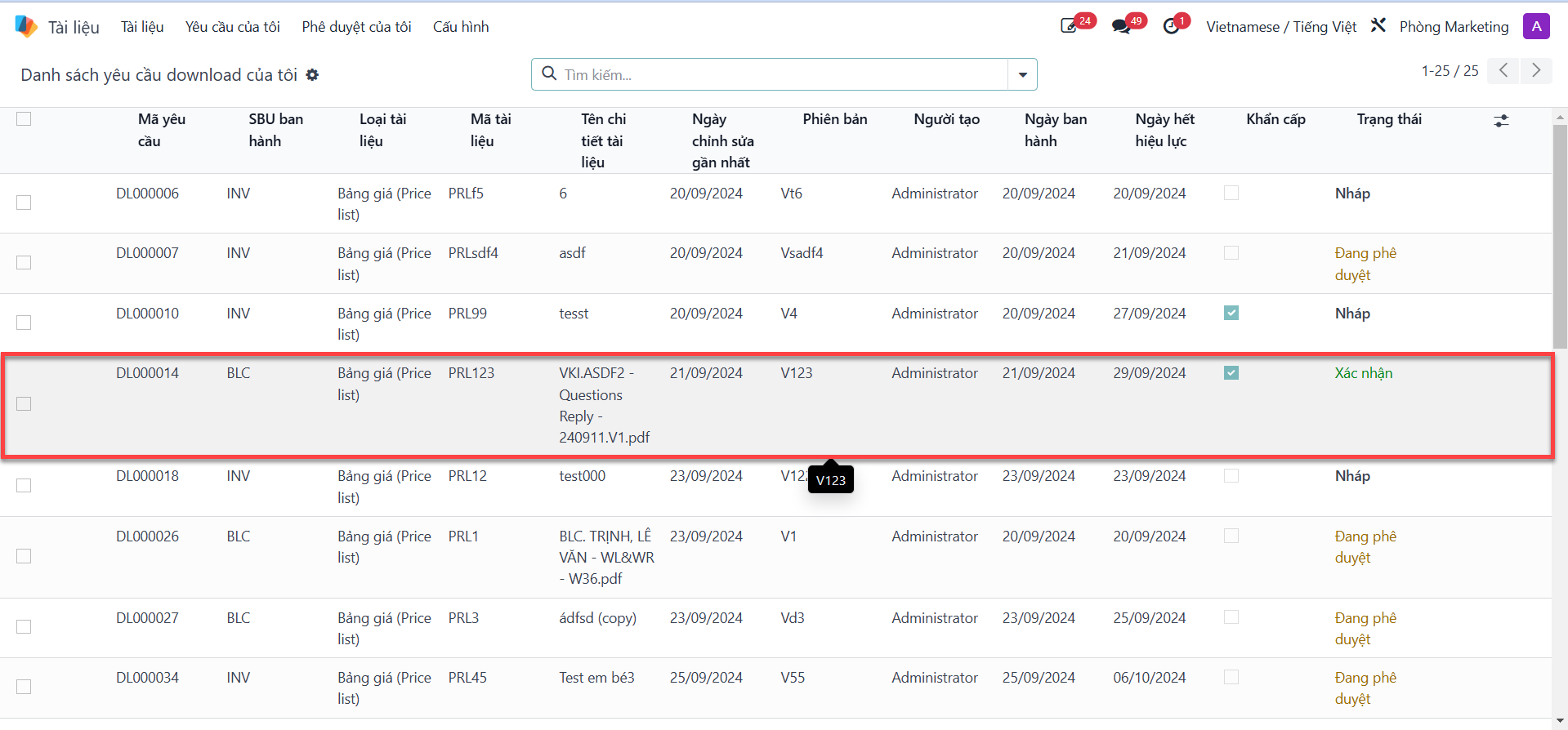
Bước 2: Select the target download request currently in Confirmed (Xác nhận) status.
Bước 3: Click the Download (Tải xuống) button located in the upper toolbar to initiate file download to your workstation.