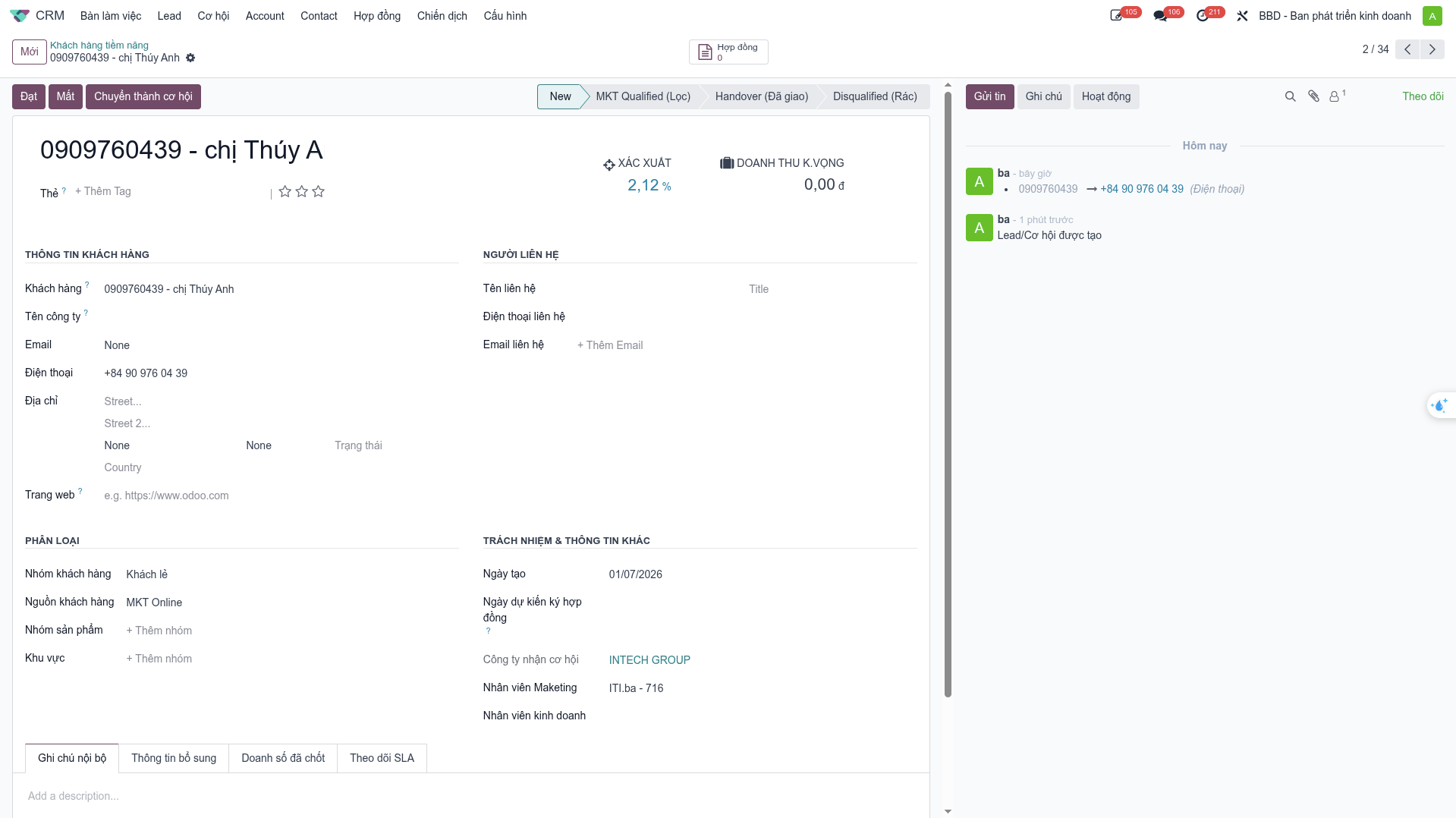
Customer Sharing
The Customer Sharing feature fosters synergy across Intech Group subsidiary companies (SBUs), allowing business units to share customer contacts and cross-sell solutions.
Customer Sharing Workflow
Navigate to (or ).
Open the target customer profile.
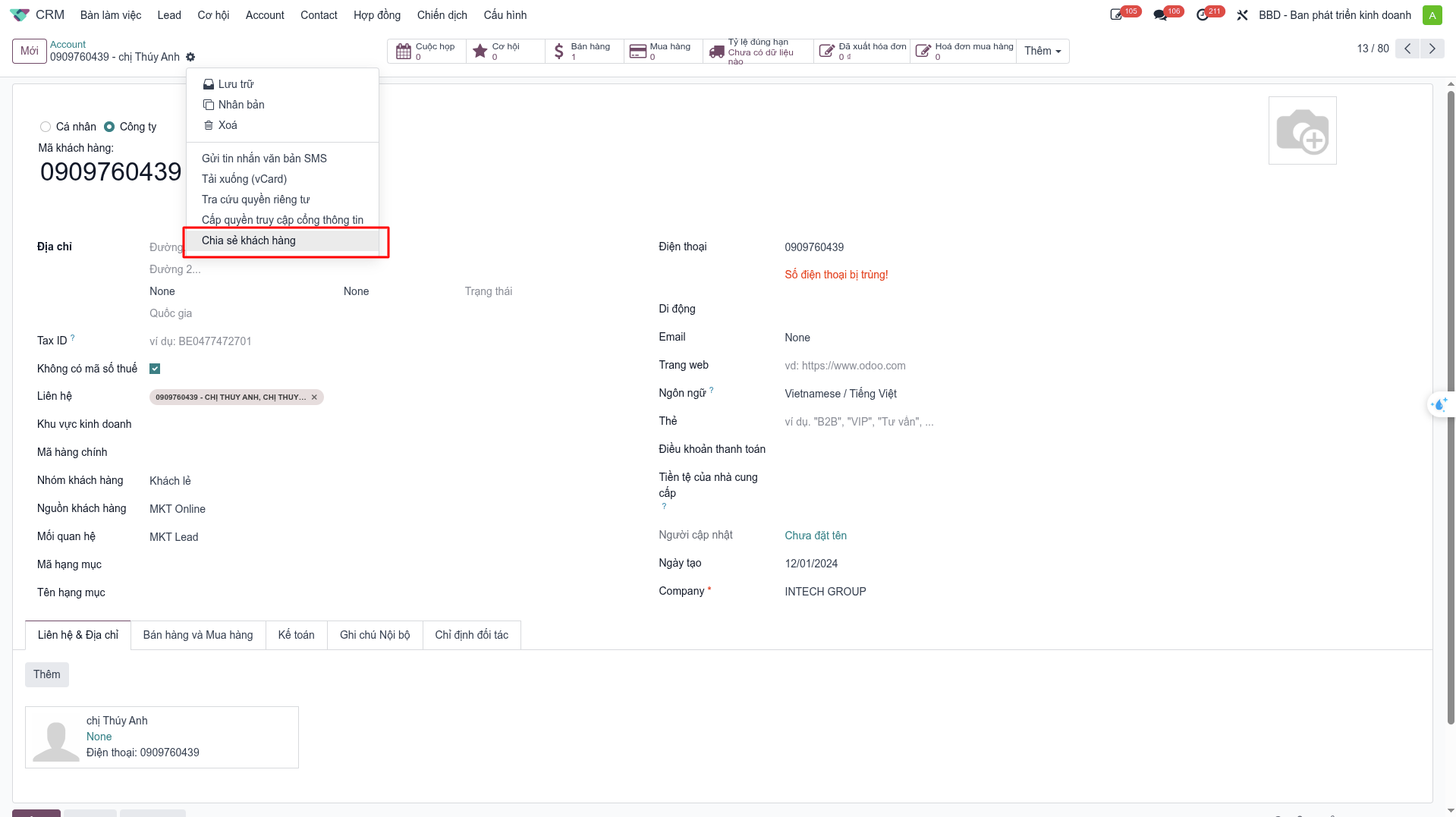
Click the Action (Gear) dropdown and select Share Customer.
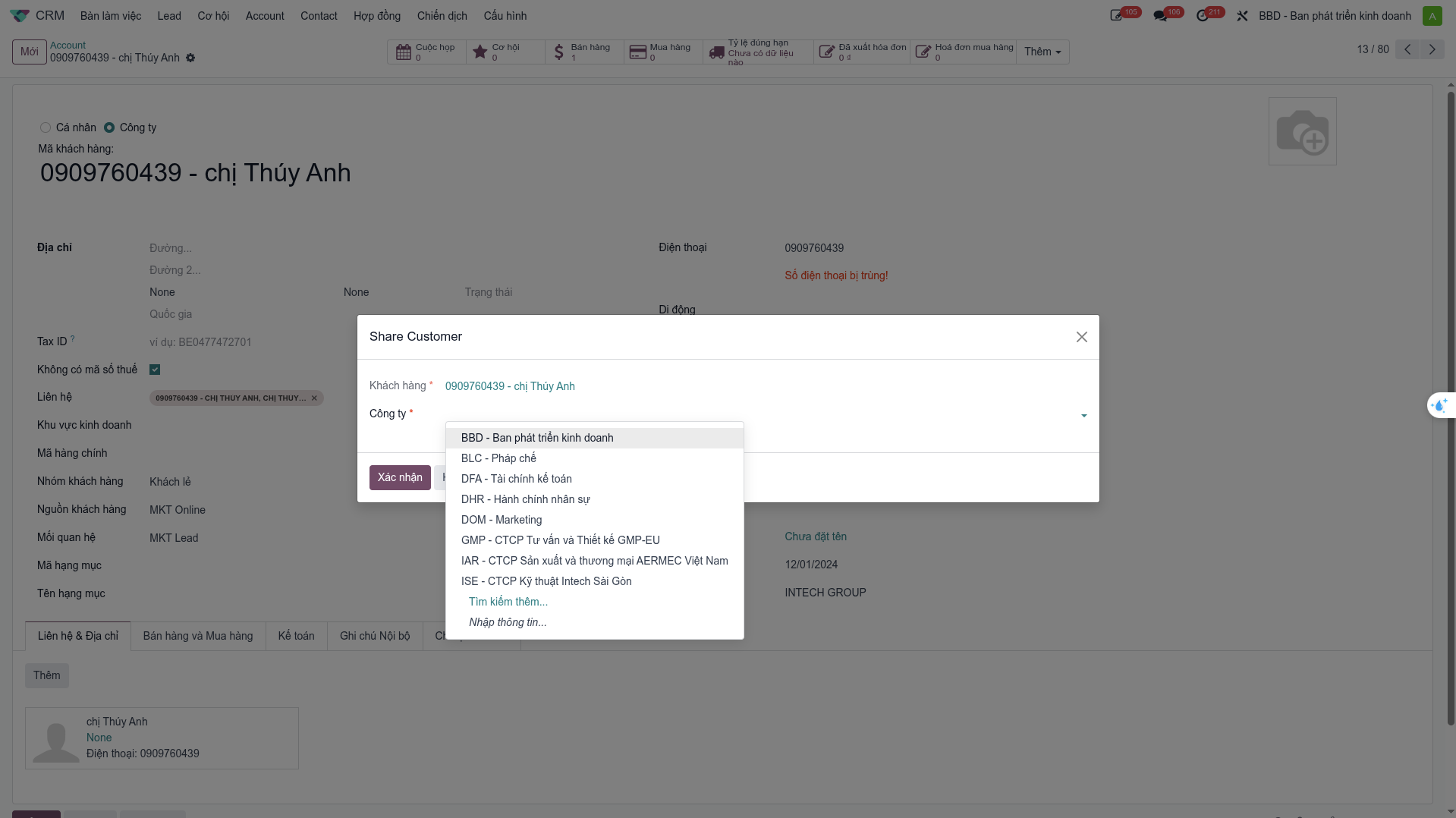
In the Share Customer popup: - Select the destination Target SBU (e.g., Intech Automation, Intech Energy, Intech Conveyor). - Select specific customer contact persons and enter requirement notes. - Click Confirm.
Automated Lead Generation in Target SBU
Upon confirmation:
The system automatically creates a new Lead in the target SBU’s CRM workspace.
The lead carries complete historical customer background and requirements.
The target SBU Head receives a notification to allocate the lead to a local sales representative.
All cross-unit collaboration metrics feed directly into the SBU Performance Dashboard.