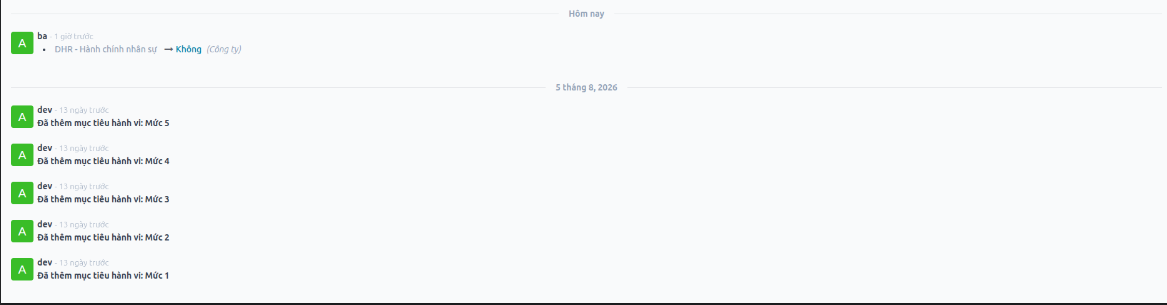
Competency Dictionary Configuration
Admin and Human Resources Management define standard competency data across three categories: Core Competencies, Leadership Competencies, and Functional/Professional Competencies. Each competency contains progressive behavioral descriptors from Level 1 to Level 5.
Create Competency Groups
Navigate to .
Click New.
Enter a clear and unique group name.
Click Save. The created group will be available in the Competency Dictionary.
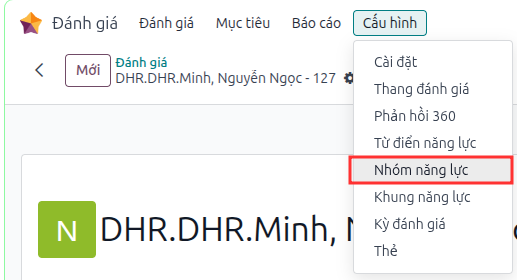
Created competency groups are displayed in the management list view:
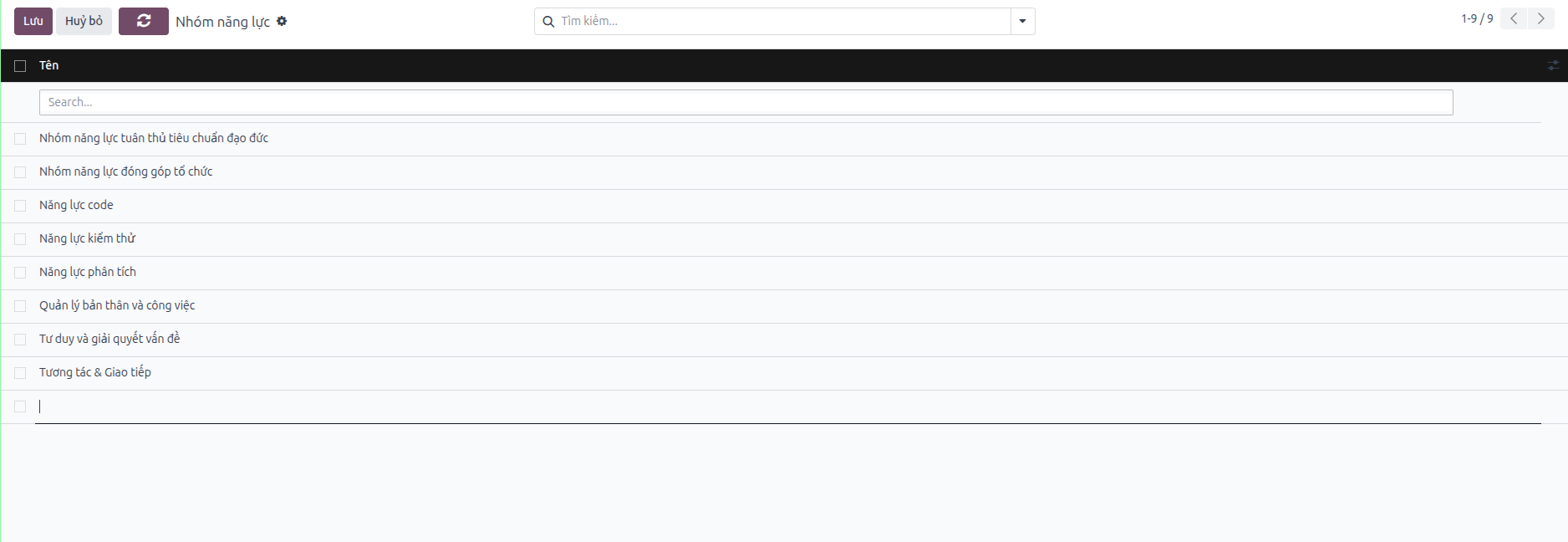
Create Competencies in Dictionary
Navigate to .
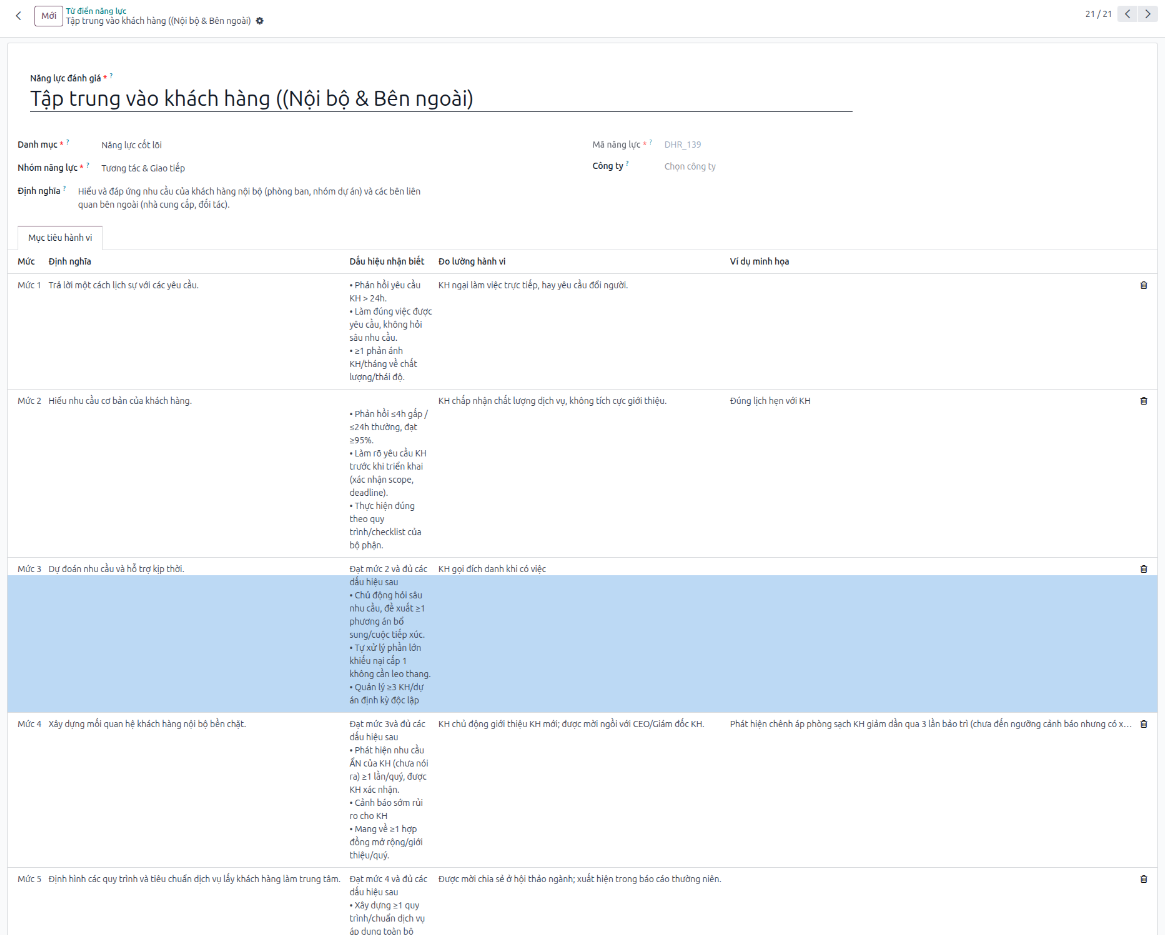
Click New and fill in the required fields:
Competency Code: Automatically generated by category or SBU code + sequential number (read-only).
Category: Select one of three categories: Core Competency, Leadership Competency, or Professional Competency (required).
Competency Name: Enter a concise and unique competency name (e.g., Communication, Problem Solving).
Competency Group: Select the corresponding competency group.
Definition: Describe the overall competency and behavioral scope to evaluate.
Company: Select a specific company, or leave blank to apply globally across all companies.
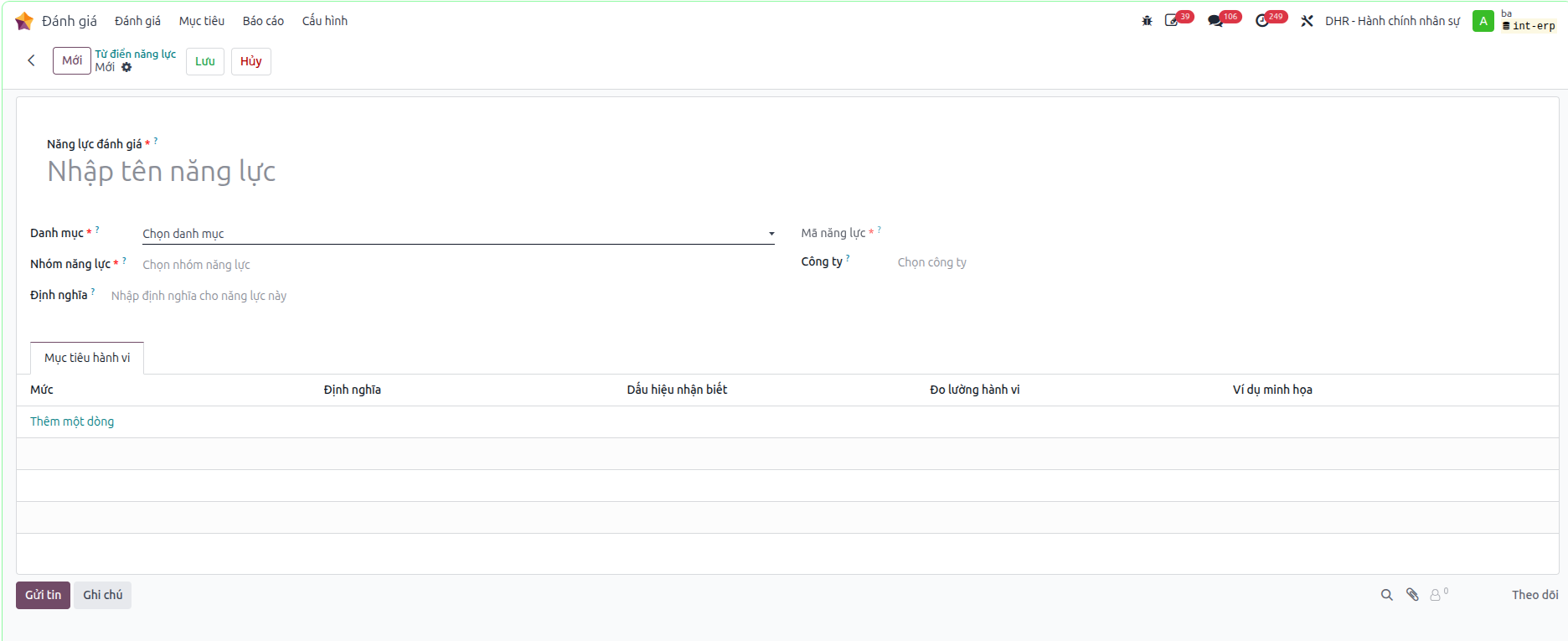
Define 5-Level Behavioral Indicators
Under the Behavioral Indicators tab, enter descriptors for Levels 1 through 5:
Level: Select level from 1 to 5.
Definition: Summary of competency expectations at this level.
Observable Behaviors: Observable actions and behaviors.
Measurement Criteria: Metrics or evidence used for evaluation.
Illustrative Example: Real-world scenarios to ensure consistent evaluation.
Tip
Behavioral indicators should be defined progressively from Level 1 to 5 without overlap. These criteria serve directly as questions and answer choices in the appraisal survey.
Save and Verify Competencies
Click Save and verify the automatic competency code generation.
Check the list view: columns display Category, Competency Code, Competency Name, Group, and Definition.
Search by name/code, group by category, or filter by company and creation date.
The system logs audit history (creator, create date, updater, updated content).