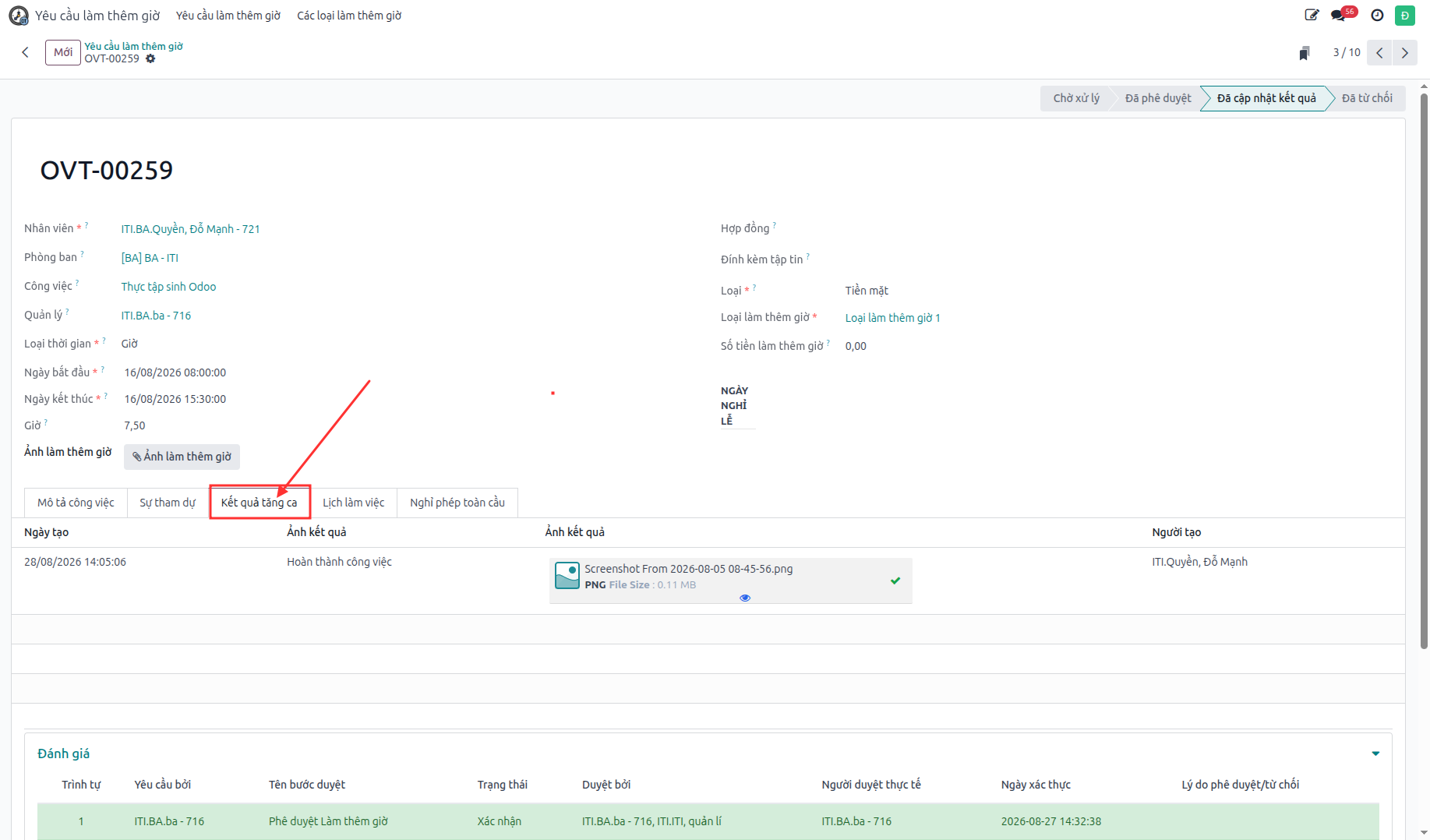
Overtime on Web ERP
Employees and managers utilize the S-ERP Web Interface for full overtime administration, multi-level approval workflows, delegation, and post-shift deliverable verification.
Create Overtime Request on Web ERP
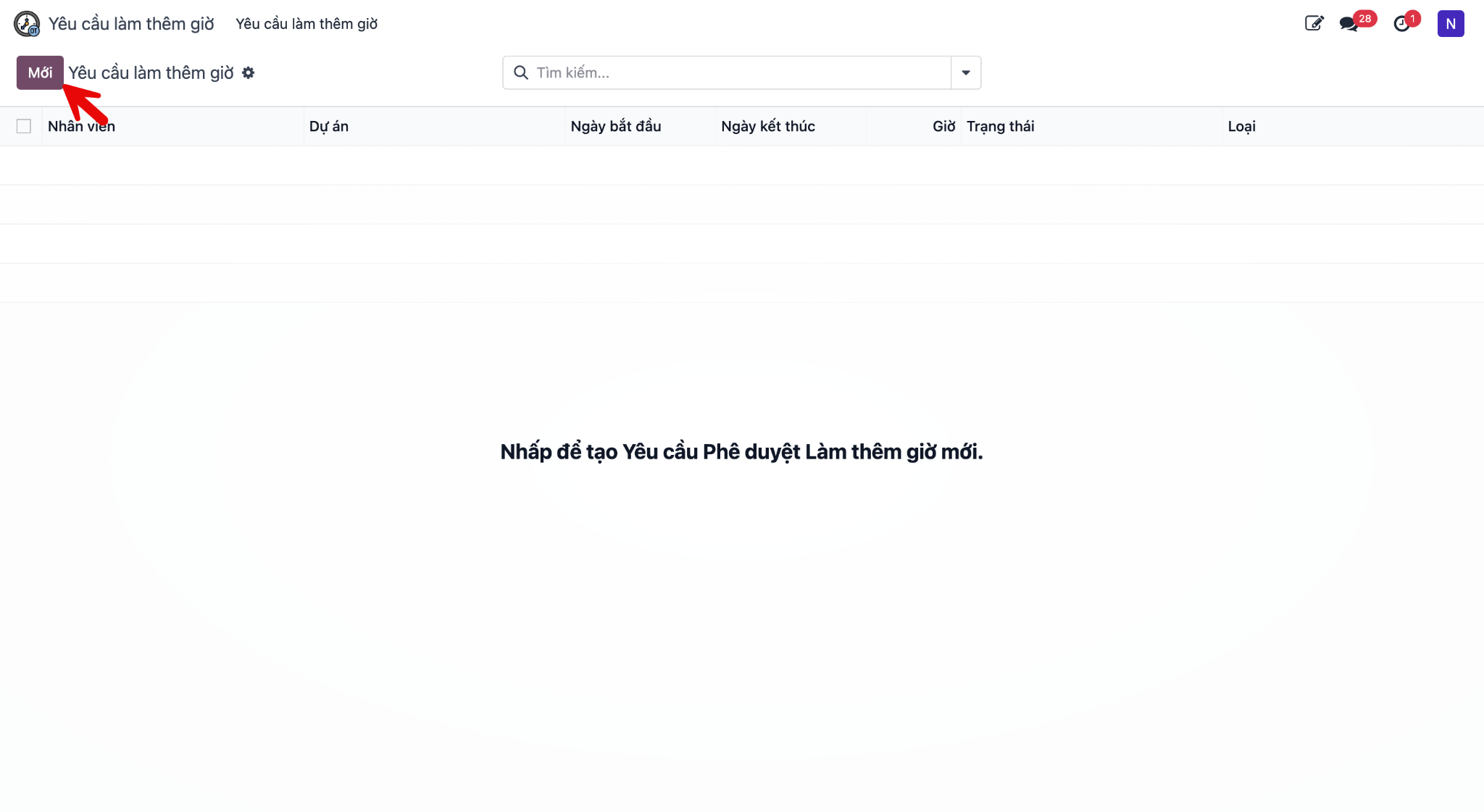
Bước 1: Navigate to and click New.
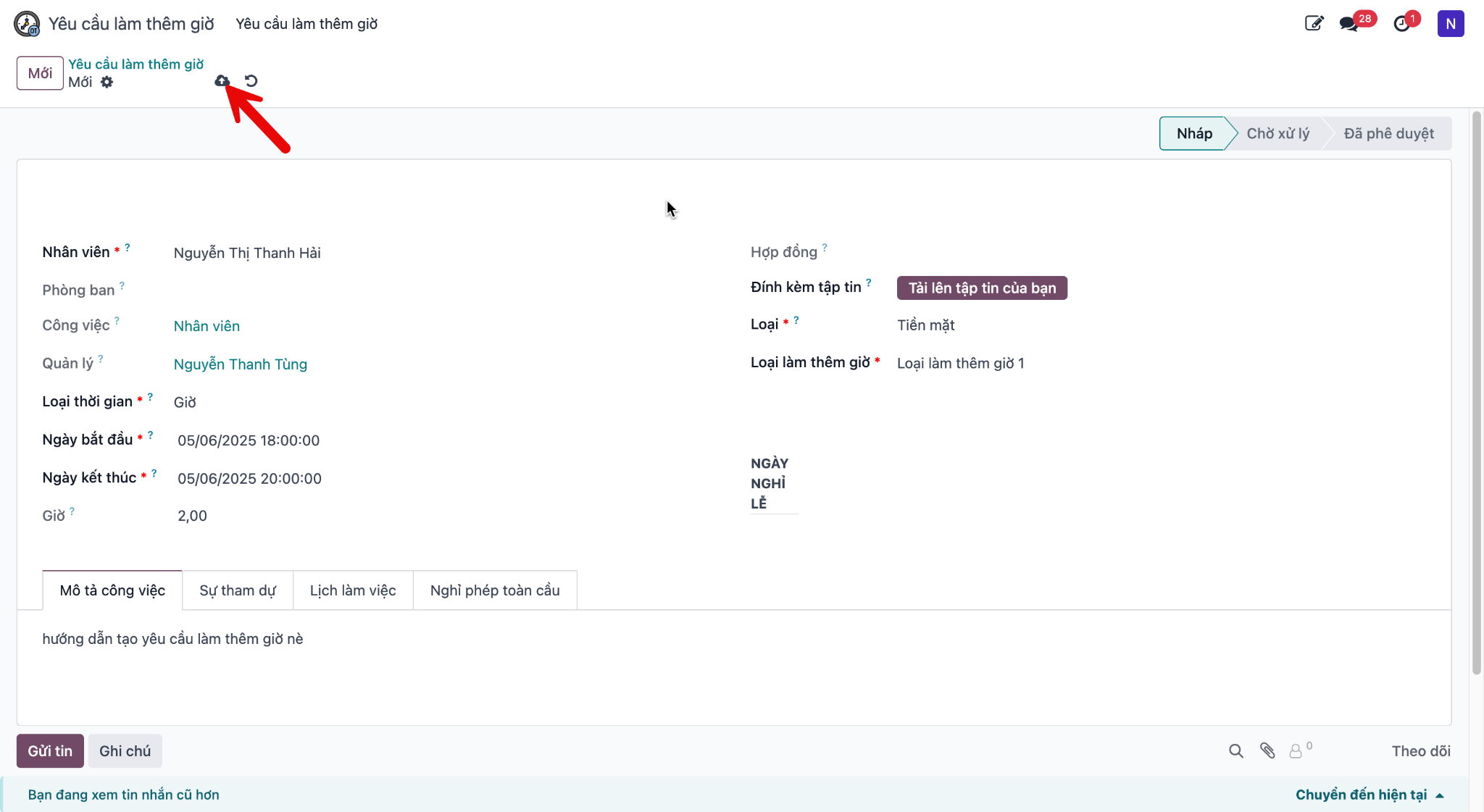
Bước 2: Fill in valid overtime parameters: - Employee: Requisitioning staff member. - Overtime Type: Standard weekday, weekend, or public holiday. - Start Time & End Time: Planned overtime duration. - Reason & Task Description: Specific project deliverables and justification. - Click Save.
Bước 3: Click Submit for Approval (Gửi duyệt).
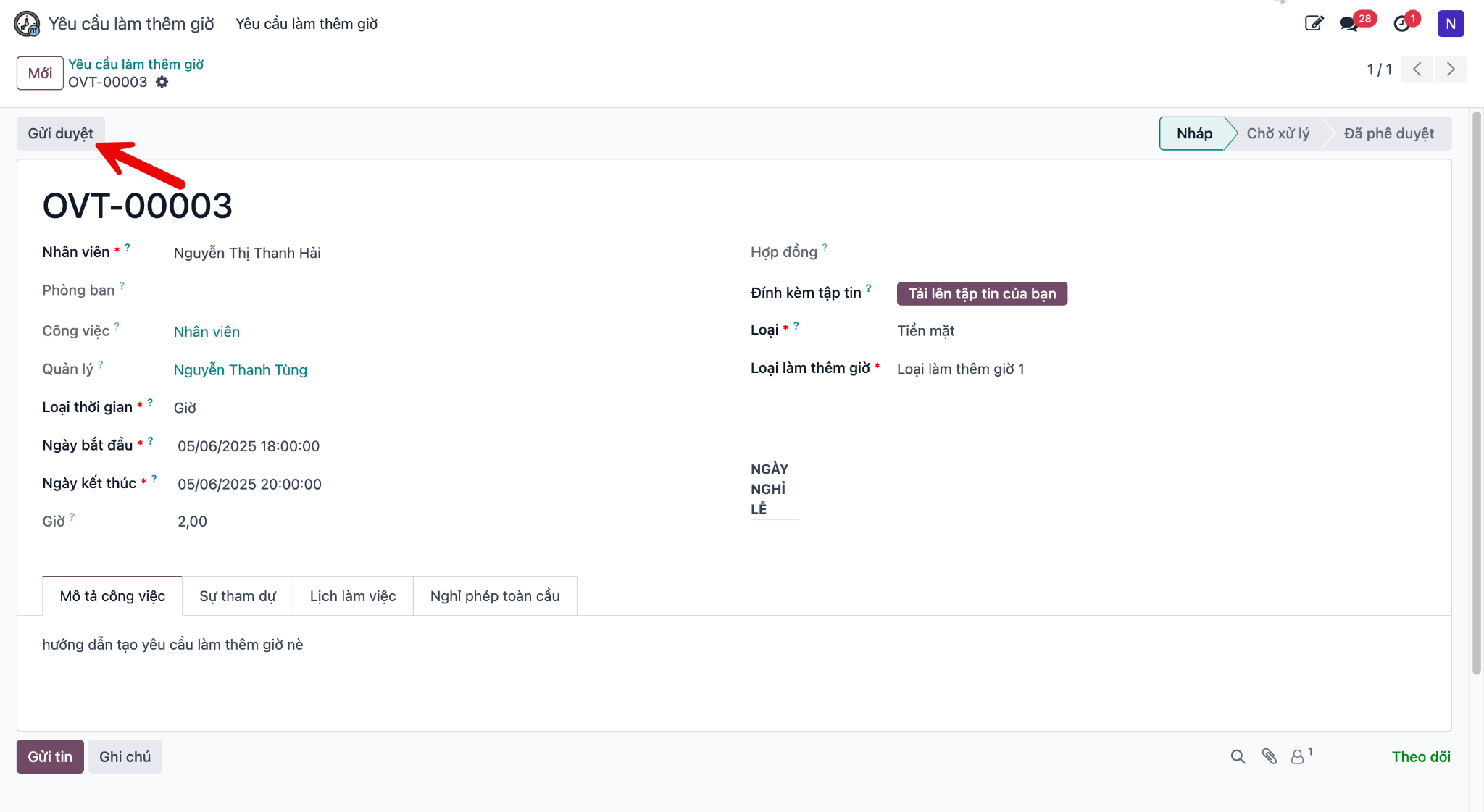
The request transitions to Pending Approval (Chờ xử lý) status.
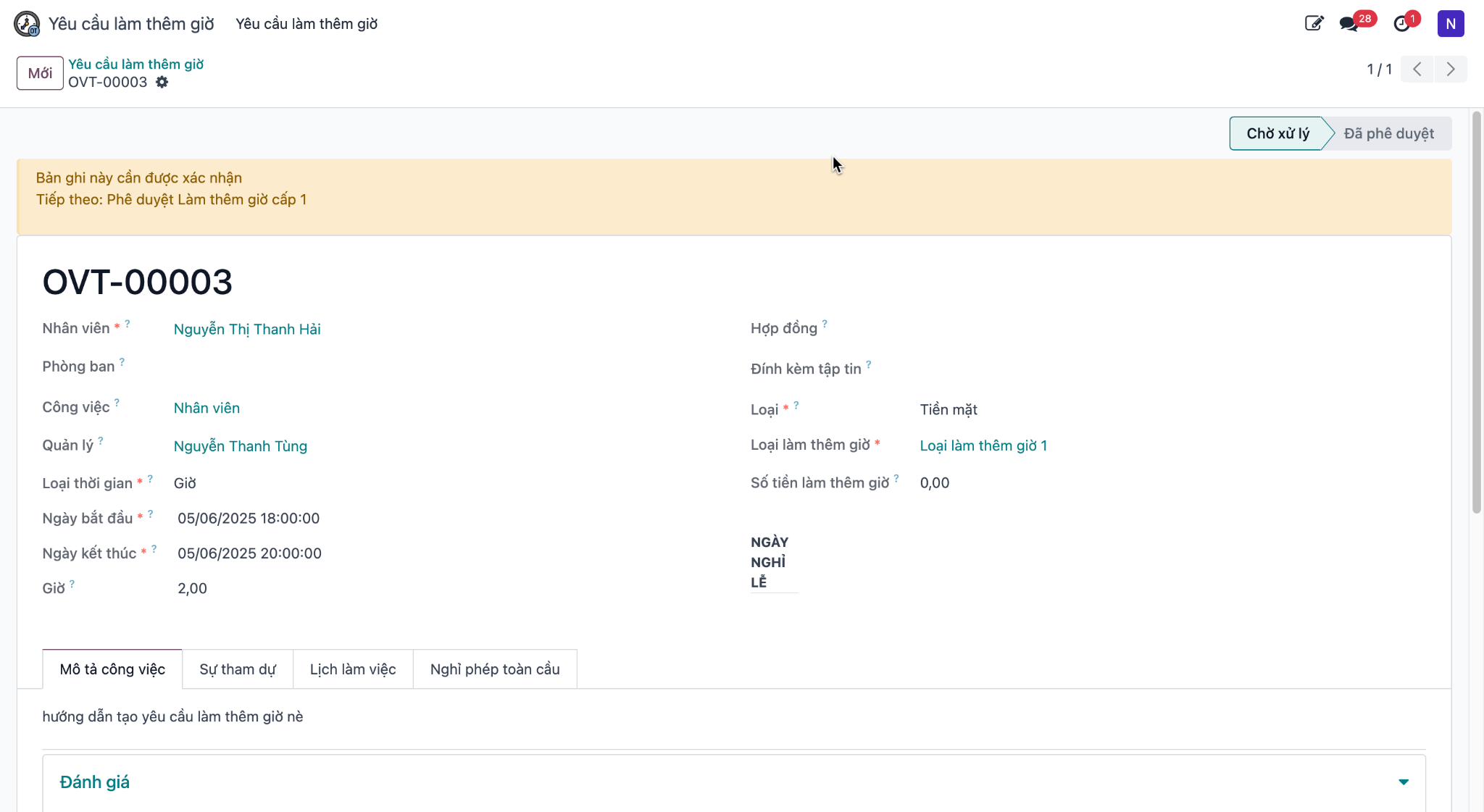
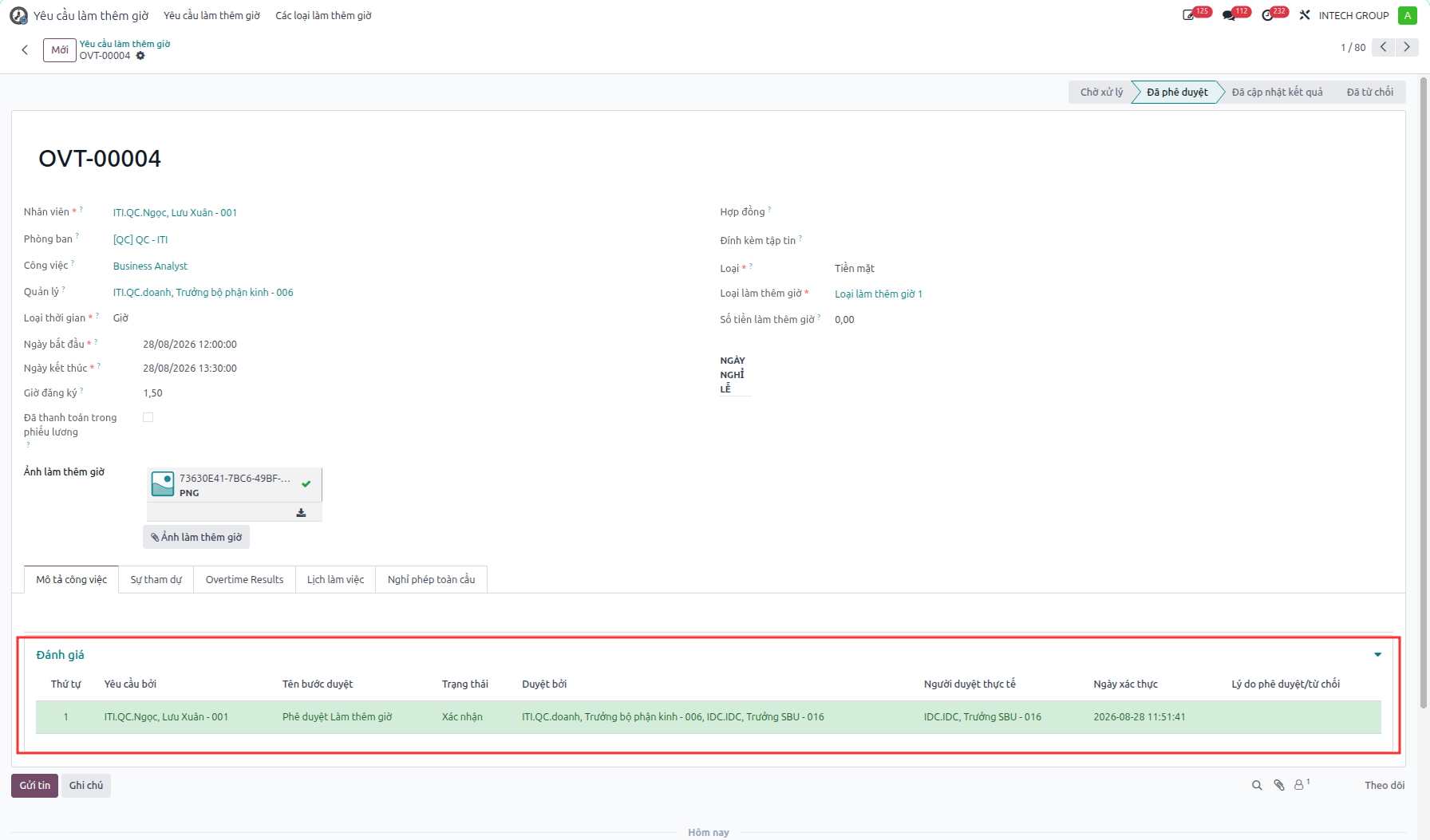
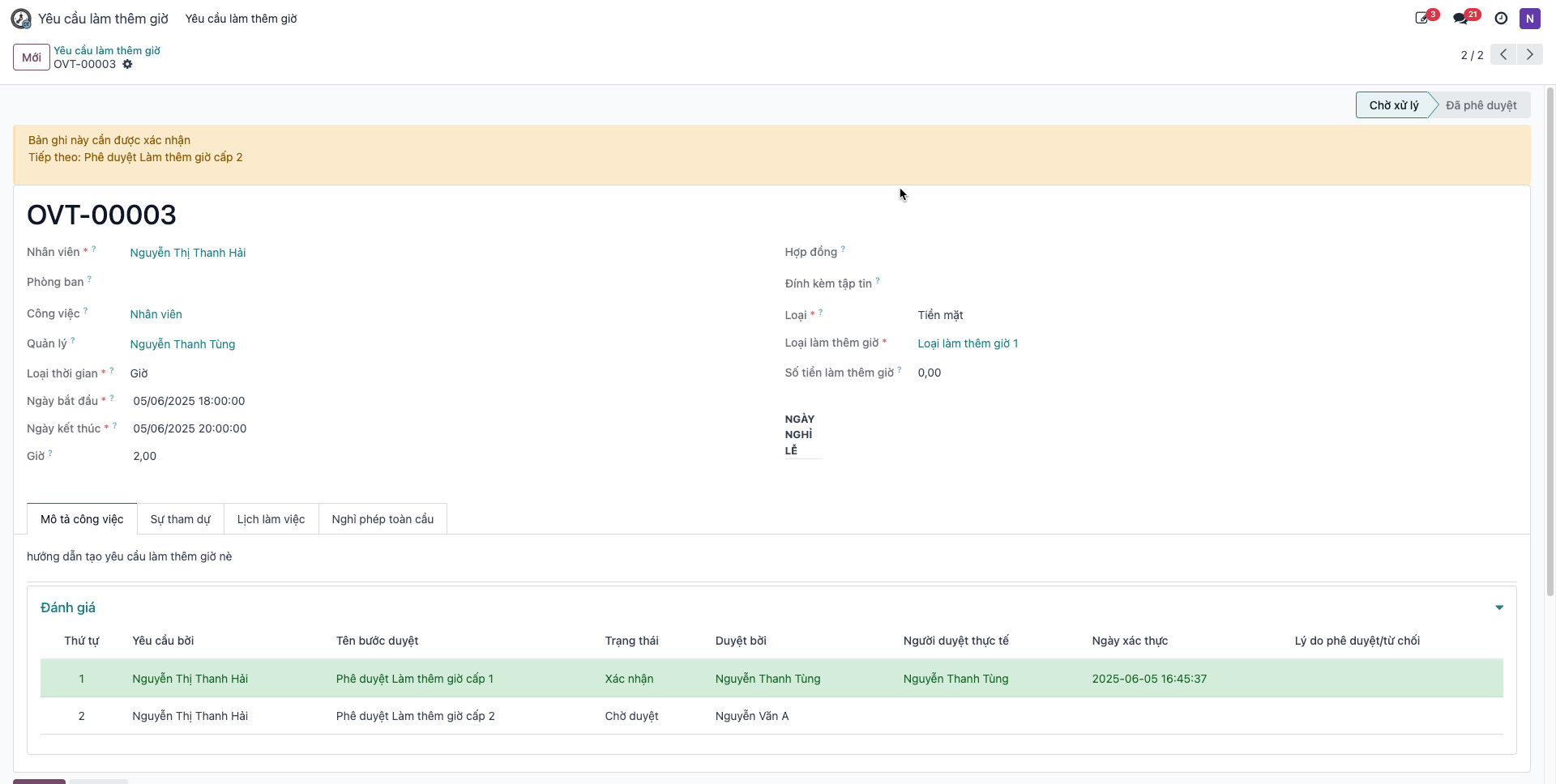
Employees can track approval progress and feedback under the Evaluation (Đánh giá) section.
Overtime Approval Workflow for Managers
Bước 1: Direct managers navigate to . The view displays personal requests as well as requests submitted by subordinate team members.
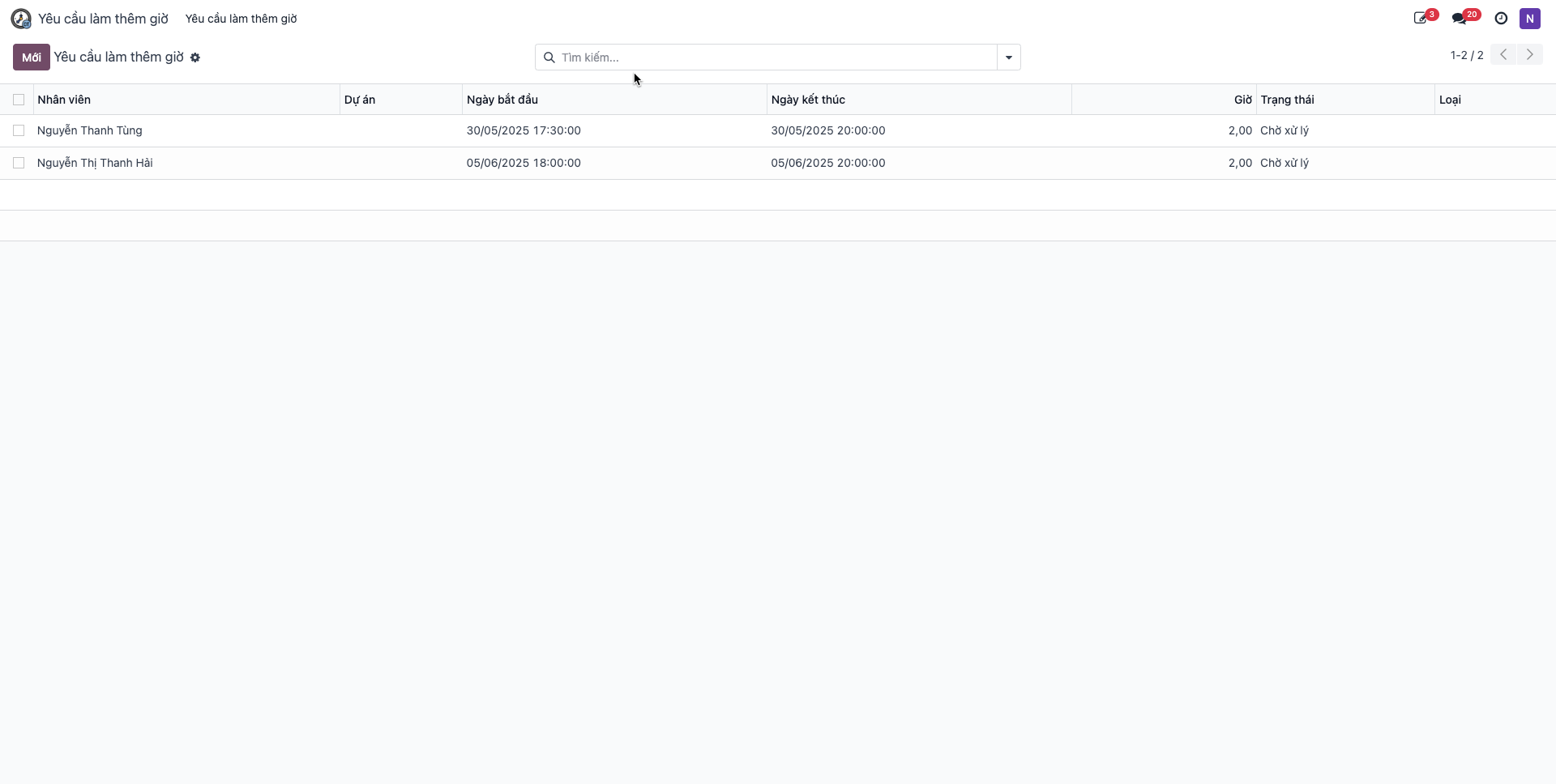
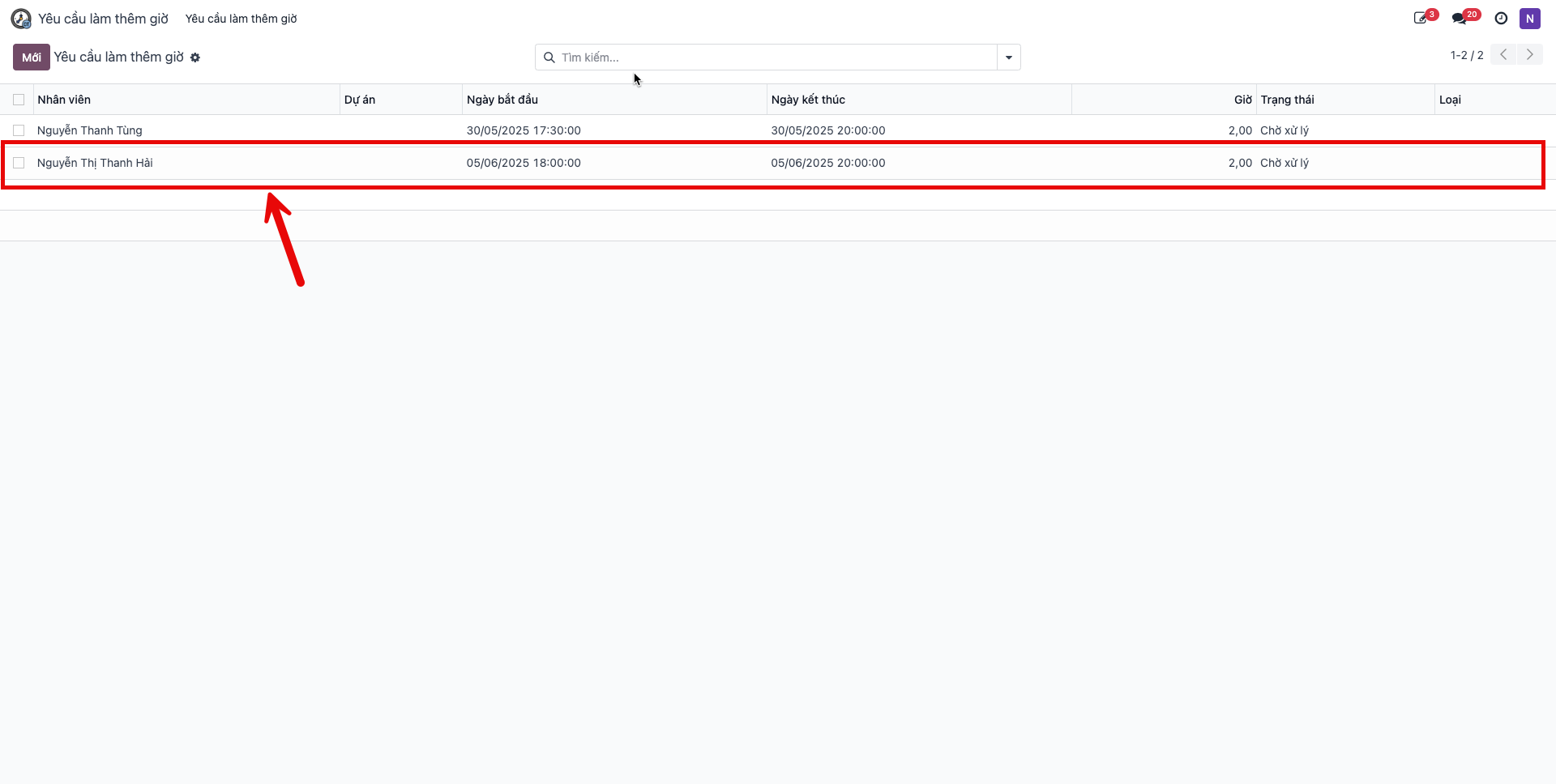
Bước 2: Click to open the request in Pending Approval (Chờ xử lý) status.
Bước 3: Review proposed overtime details: - Click Approve (Duyệt) to authorize the overtime work. - Click Refuse (Từ chối) to reject unjustified requests.
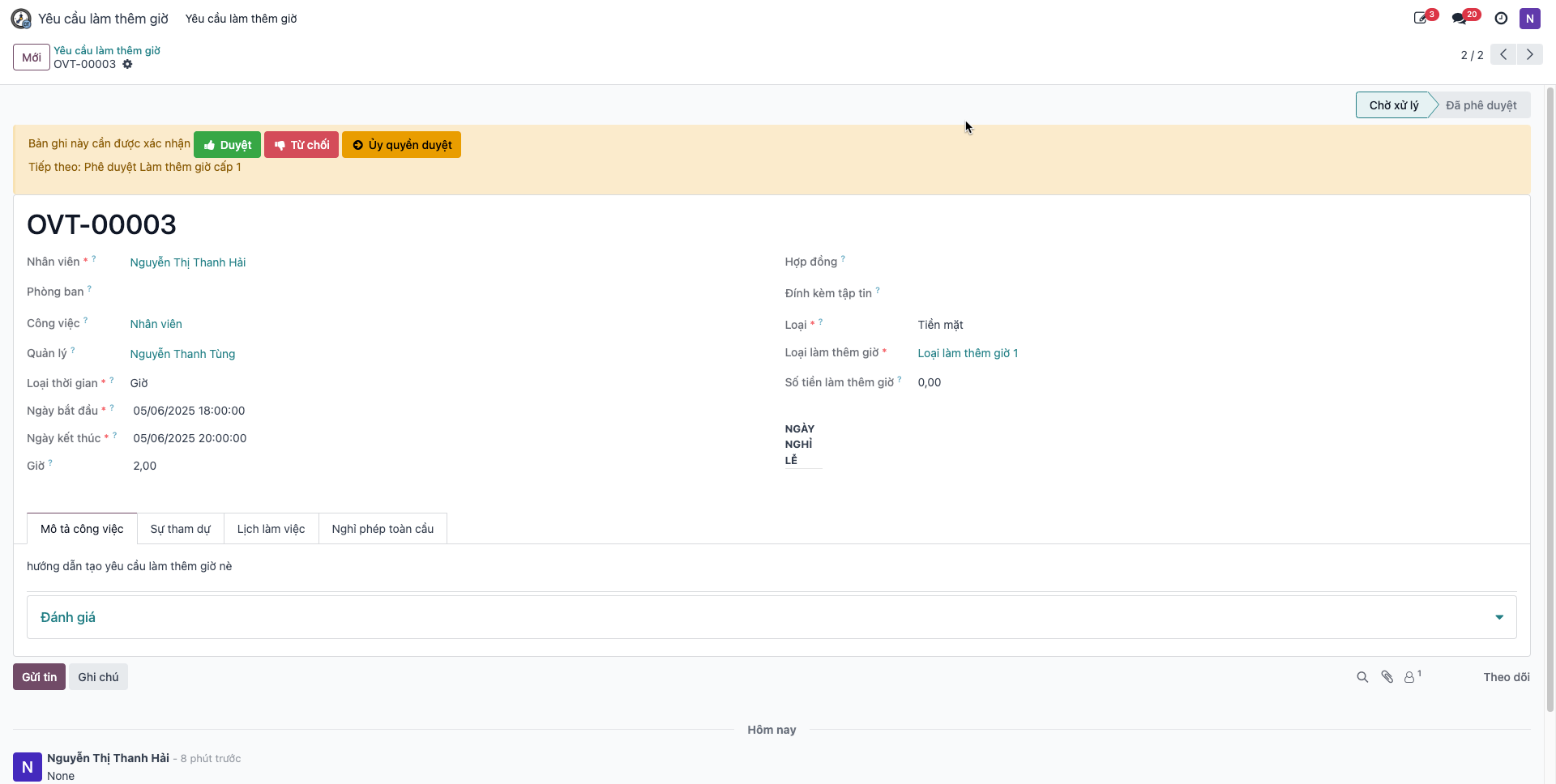
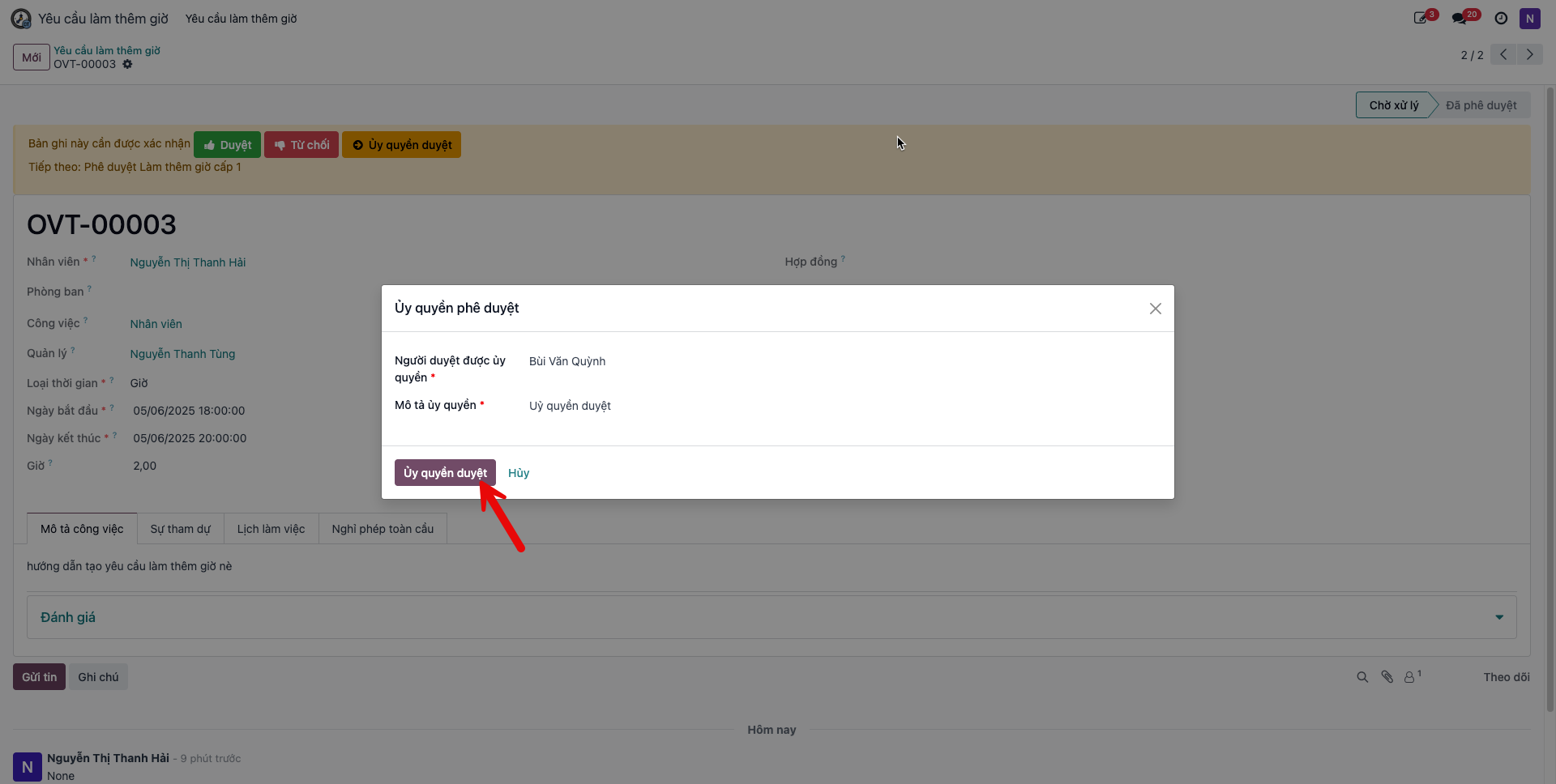
Alternatively, click Delegate Approval (Ủy quyền duyệt) to reassign approval authority to another manager. Fill in the authorized delegate and confirm.
Bước 4: Upon clicking Approve, the request transitions to Approved (Đã phê duyệt).
Quick Approval Options
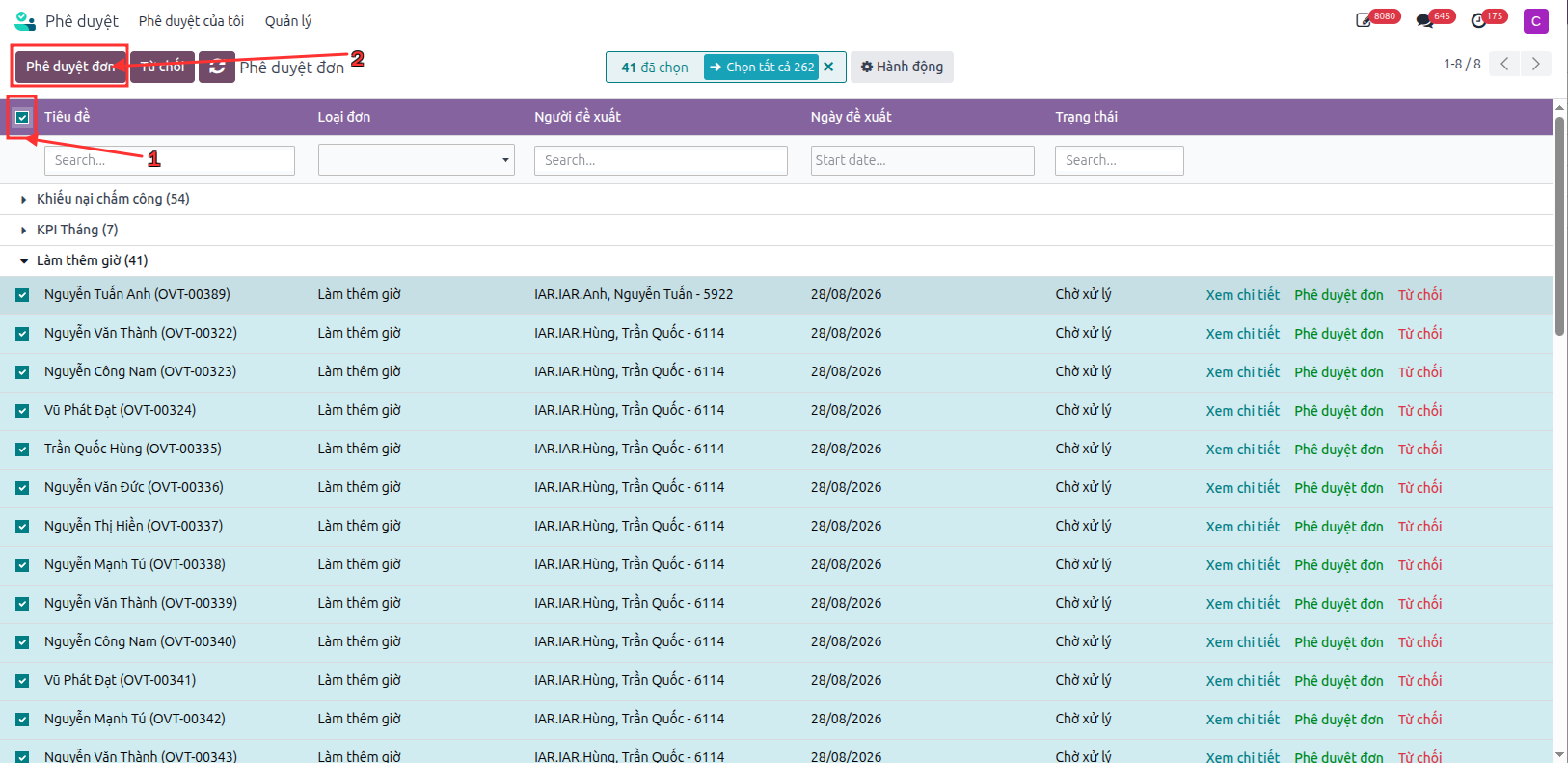
For fast multi-request verification, managers can use:
Dedicated Approval Workspace: Access the centralized approvals module to batch review requests.
System Notification Tray: Approve or inspect pending overtime requests directly from the real-time notification list.
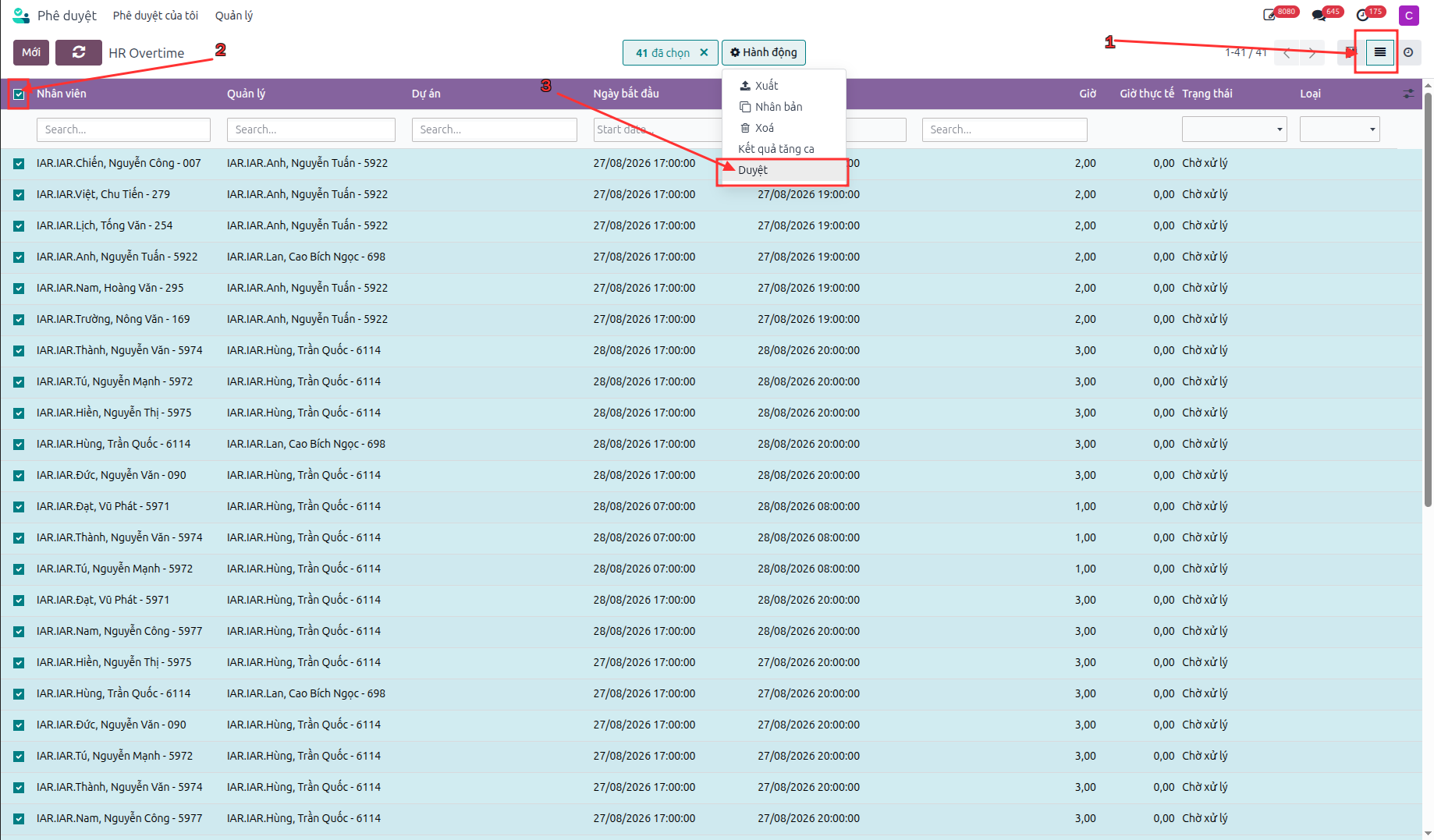
Submit Overtime Work Results on Web ERP
Following completion of the approved overtime shift, employees submit documented work results:
Bước 1: Open the overtime request in Approved (Đã phê duyệt) status.
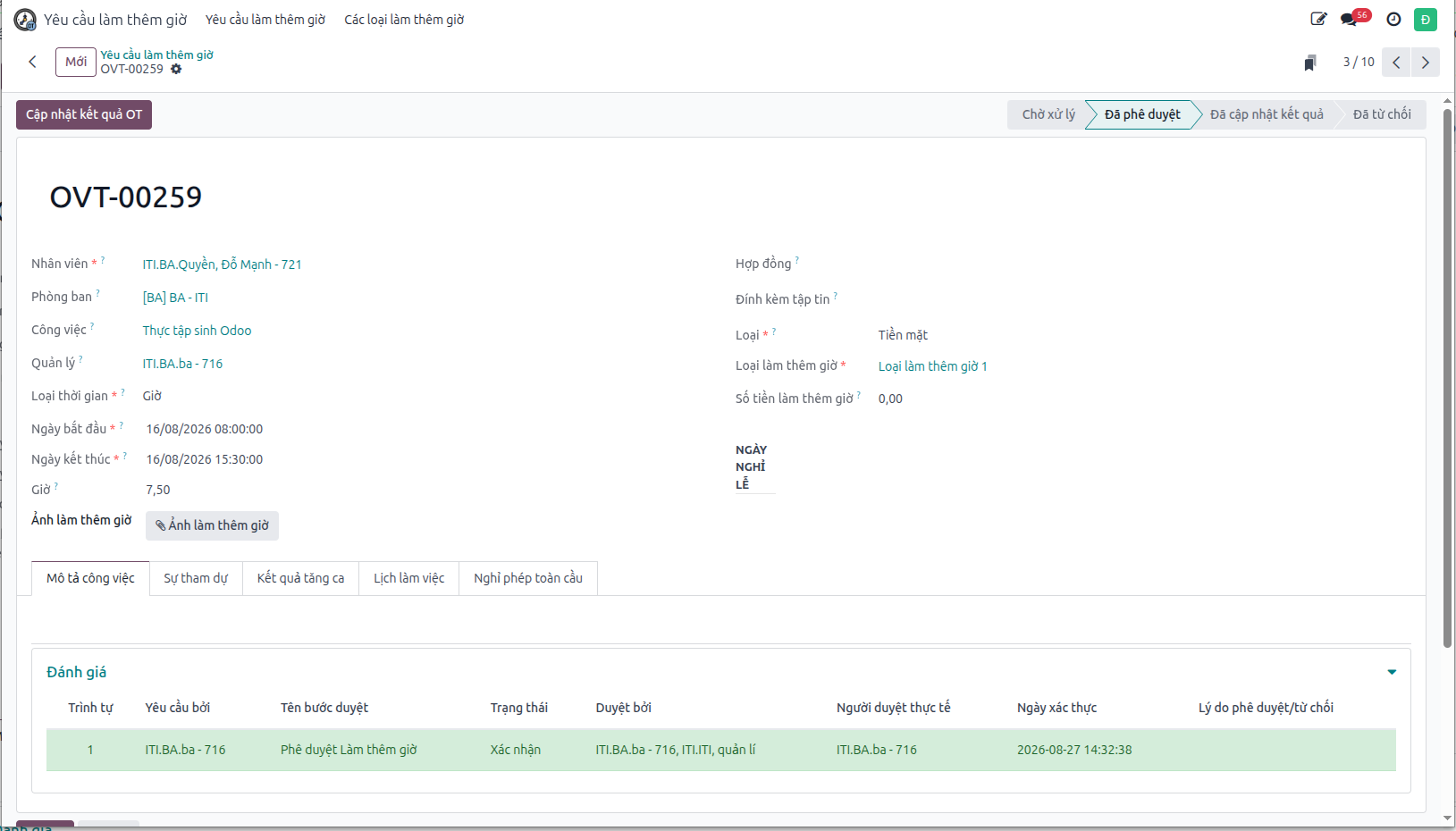
Bước 2: Click Update OT Result (Cập nhật kết quả OT). Enter detailed work accomplishments and upload photographic proof of deliverables.
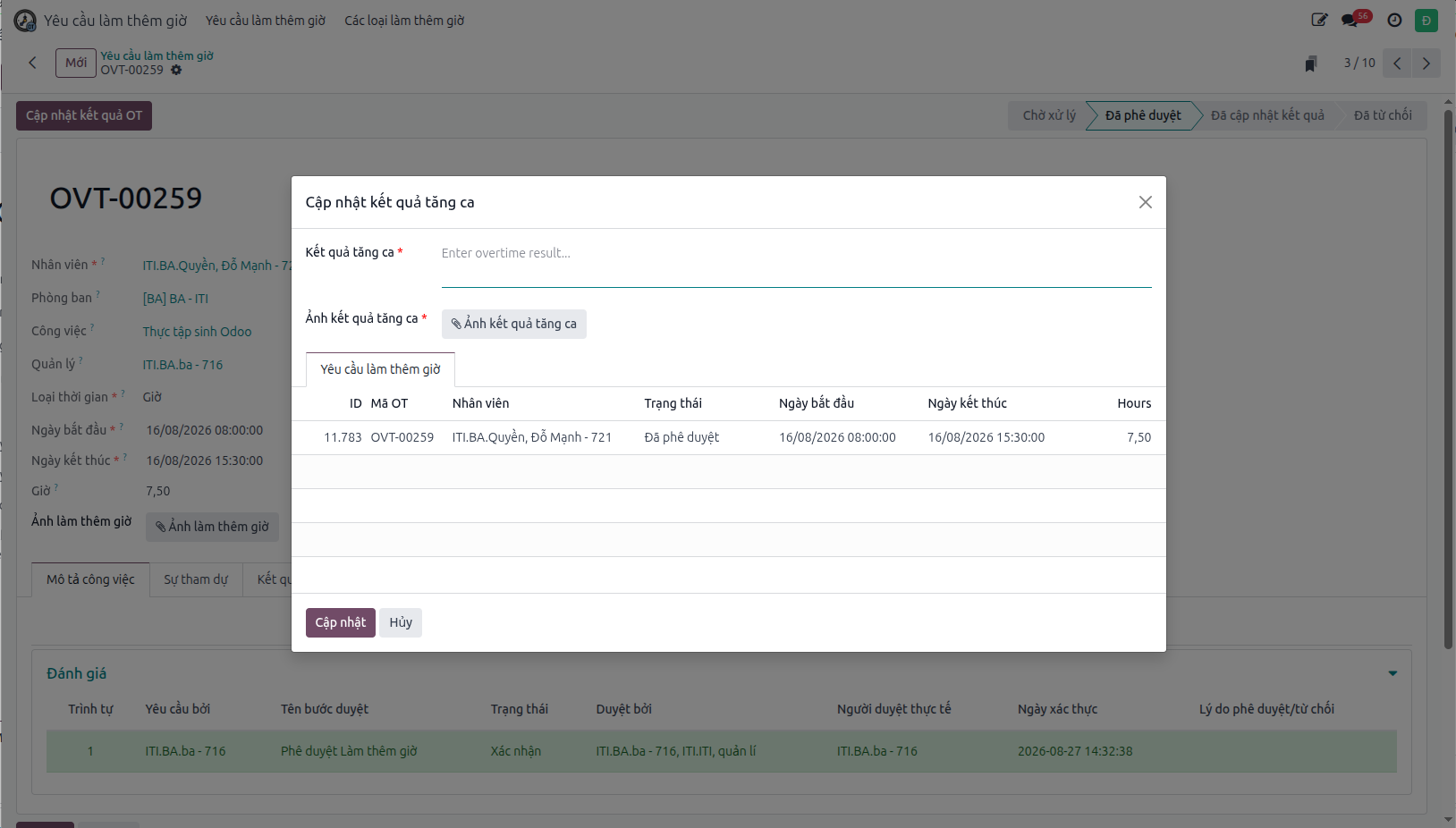
Bước 3: Click Update (Cập nhật). Verify that the completed results and attachments are logged in the request record.