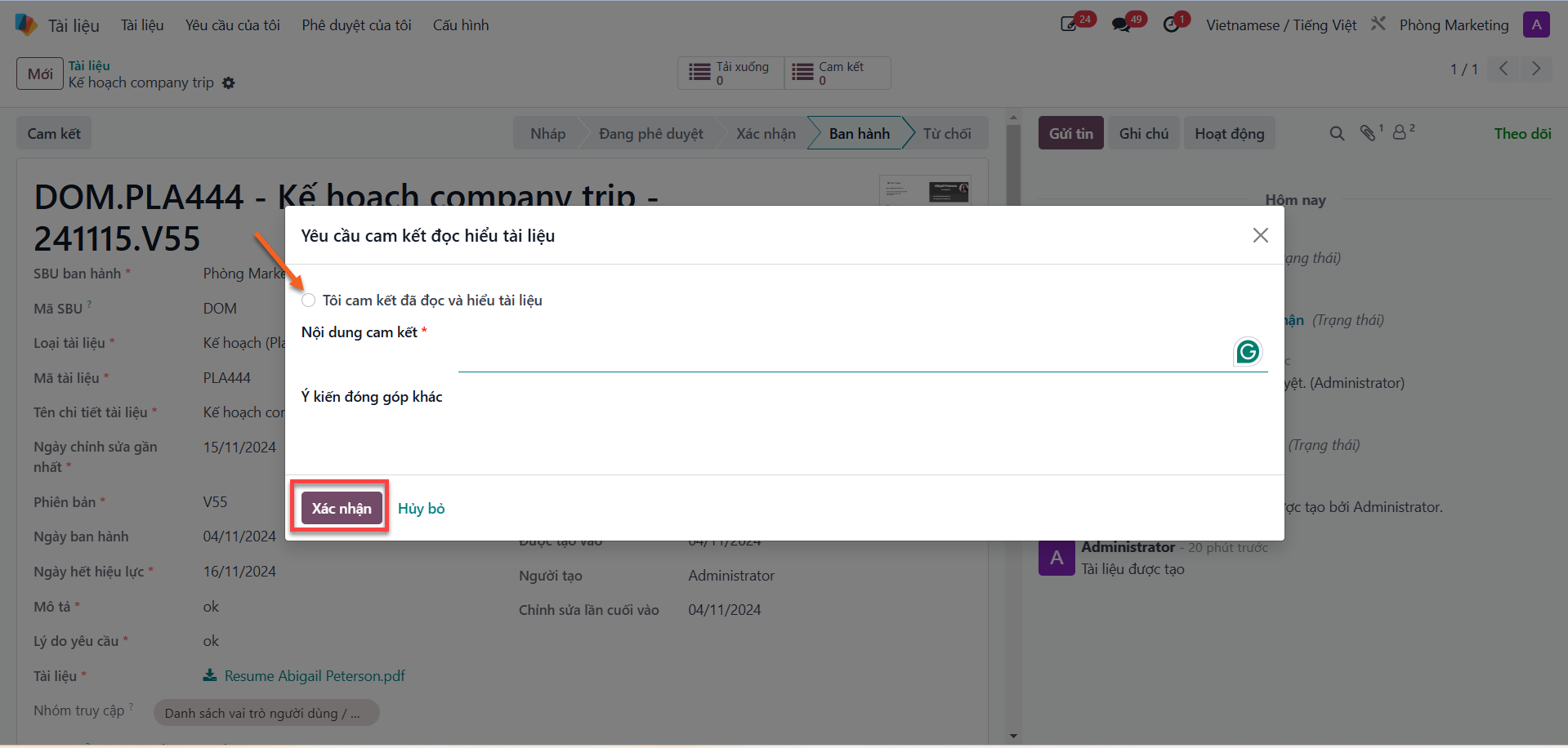
Reading Acknowledgment & Feedback
To reinforce regulatory compliance, internal policy awareness, and standard operational alignment, S-ERP DMS provides a reading acknowledgment utility allowing employees to officially certify document comprehension and submit constructive feedback.
Submitting Reading Acknowledgment
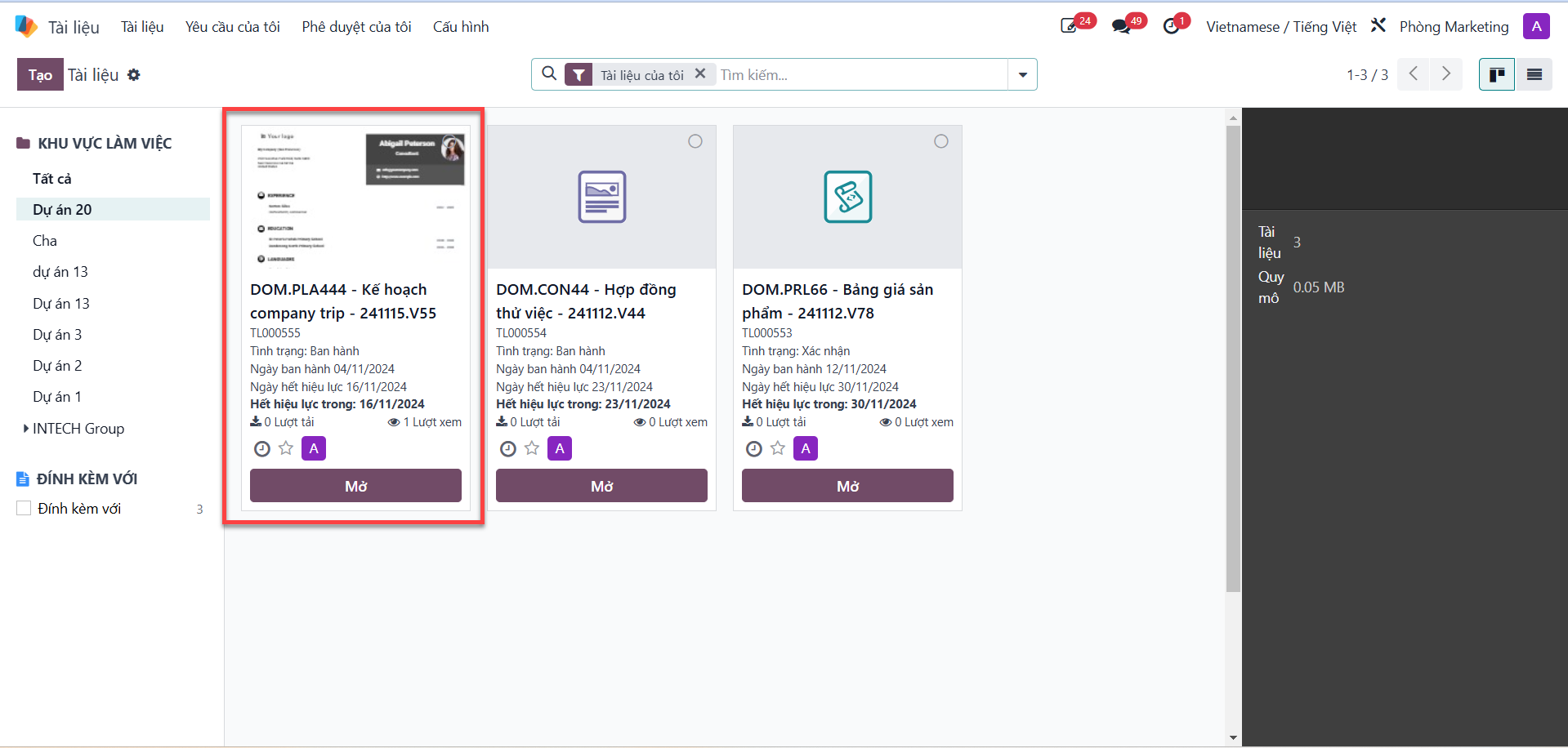
Bước 1: From the main documents list, select the published document you need to acknowledge and open its detail view.
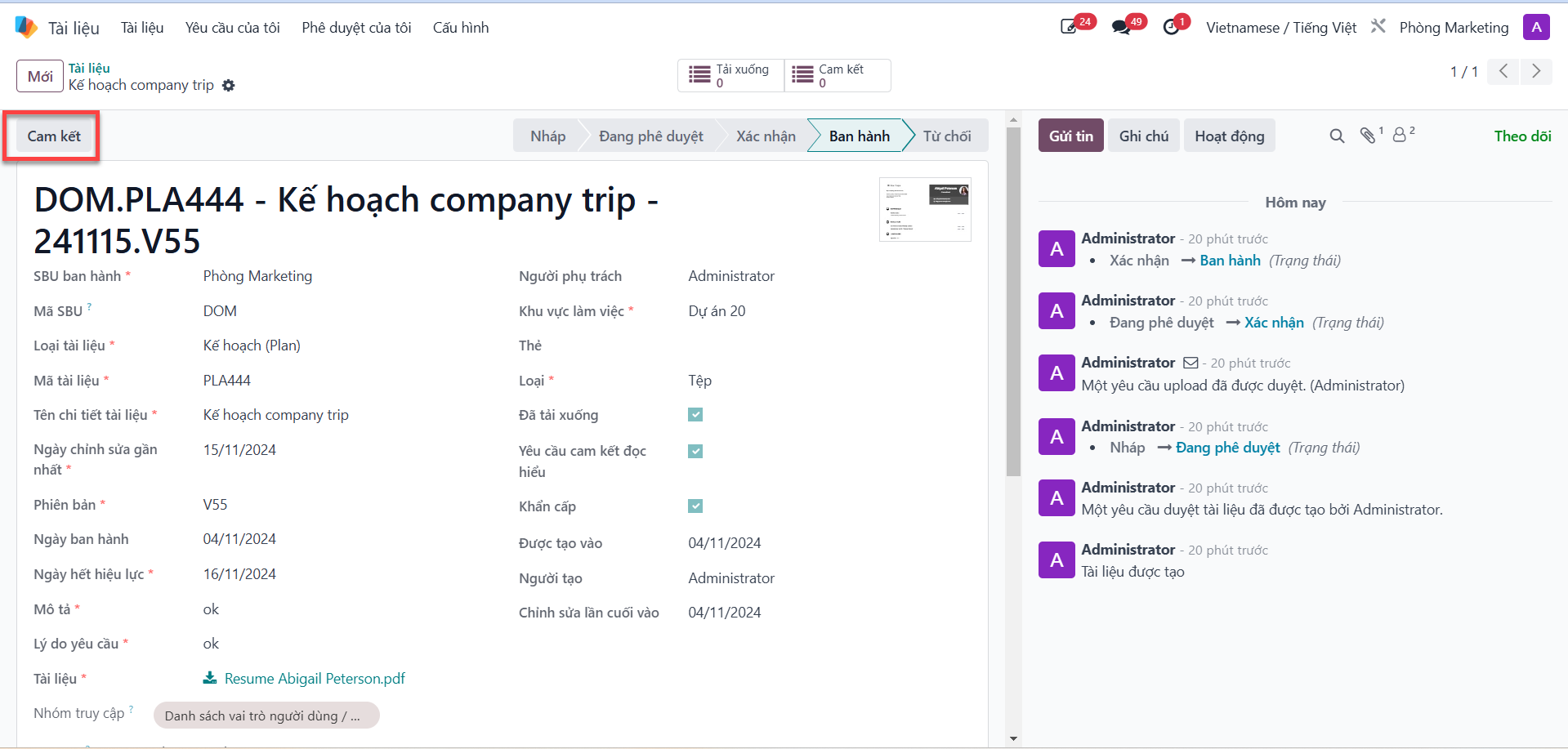
Bước 2: Click the Acknowledgment (Cam kết) button located on the top action toolbar.
Bước 3: In the acknowledgment popup modal:
Check the confirmation checkbox to verify that you have read and understood the entire document.
Enter your commitment summary in the Commitment Details (Nội dung cam kết) field.
Provide any improvement suggestions or notes in the Constructive Feedback (Ý kiến đóng góp) field.
Click Confirm (Xác nhận) to record your acknowledgment in the system audit log.