Booth User (Staff) Account Administration
Booth staff accounts allow onsite representatives to log into mobile scanners and capture visitor interactions without administrative access to other event operations.
Creating a Booth User
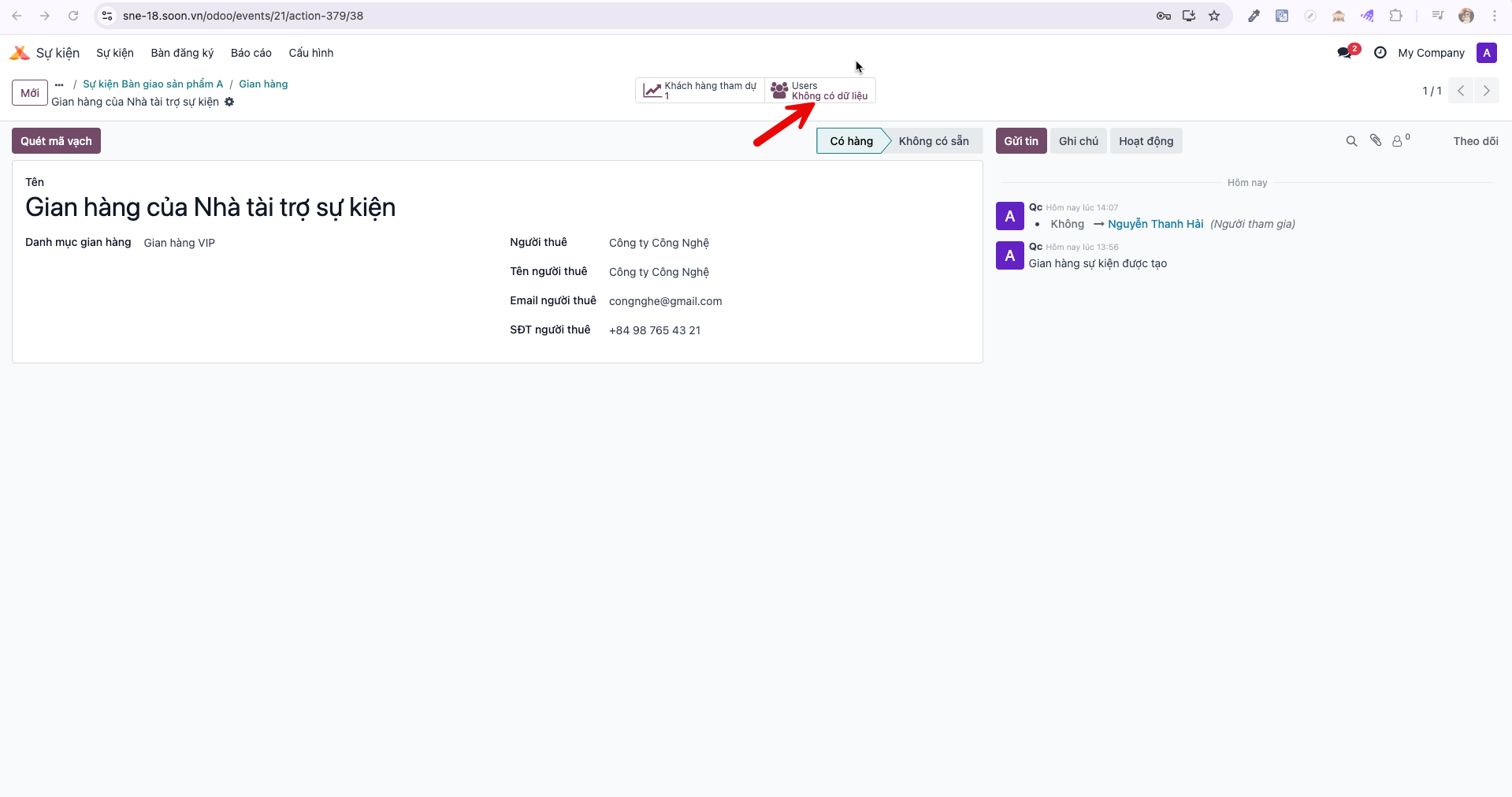
Bước 1: Navigate to the specific booth record and click the User smart button.
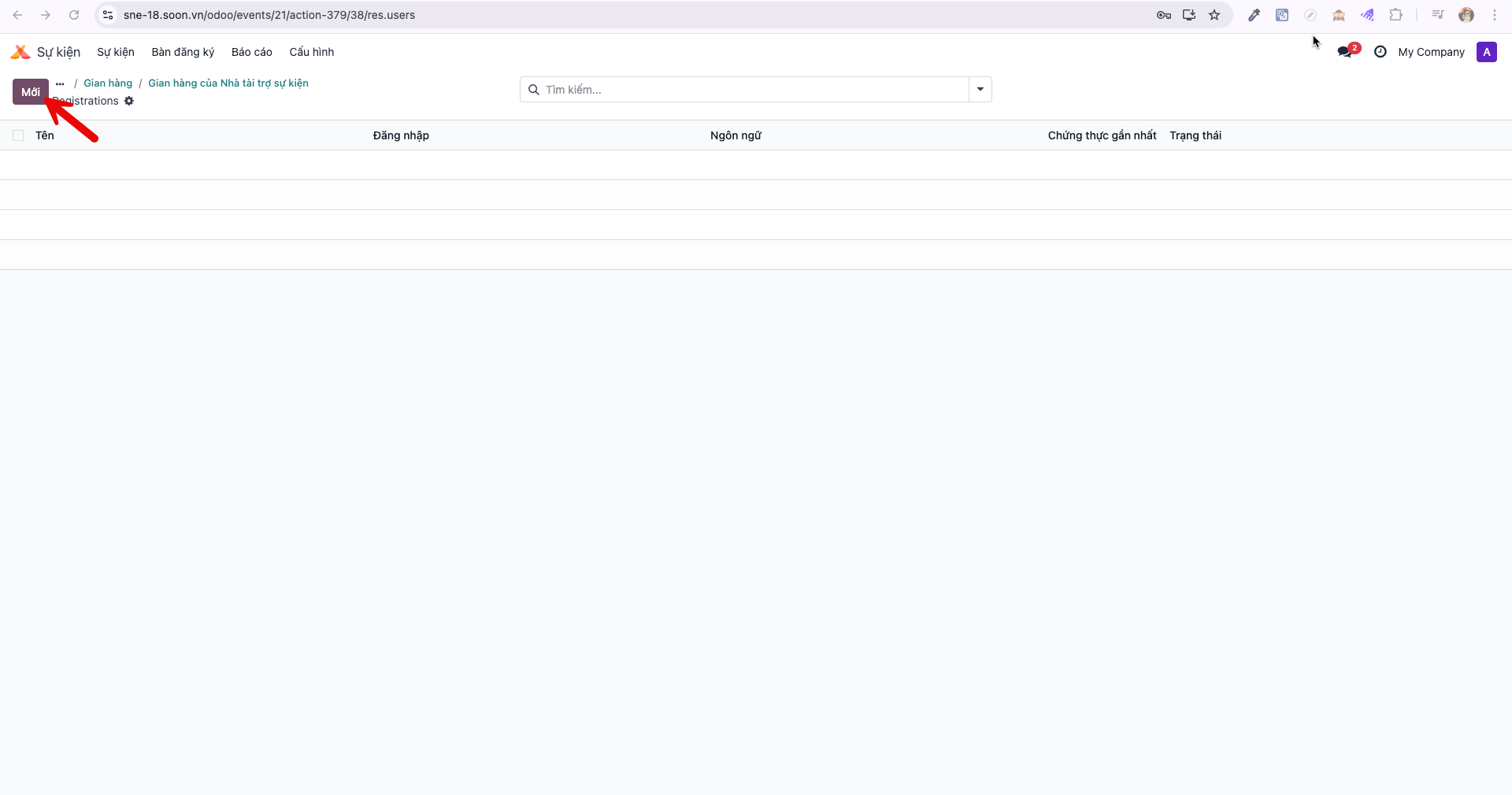
Bước 2: In the booth users list view, click New (Mới).
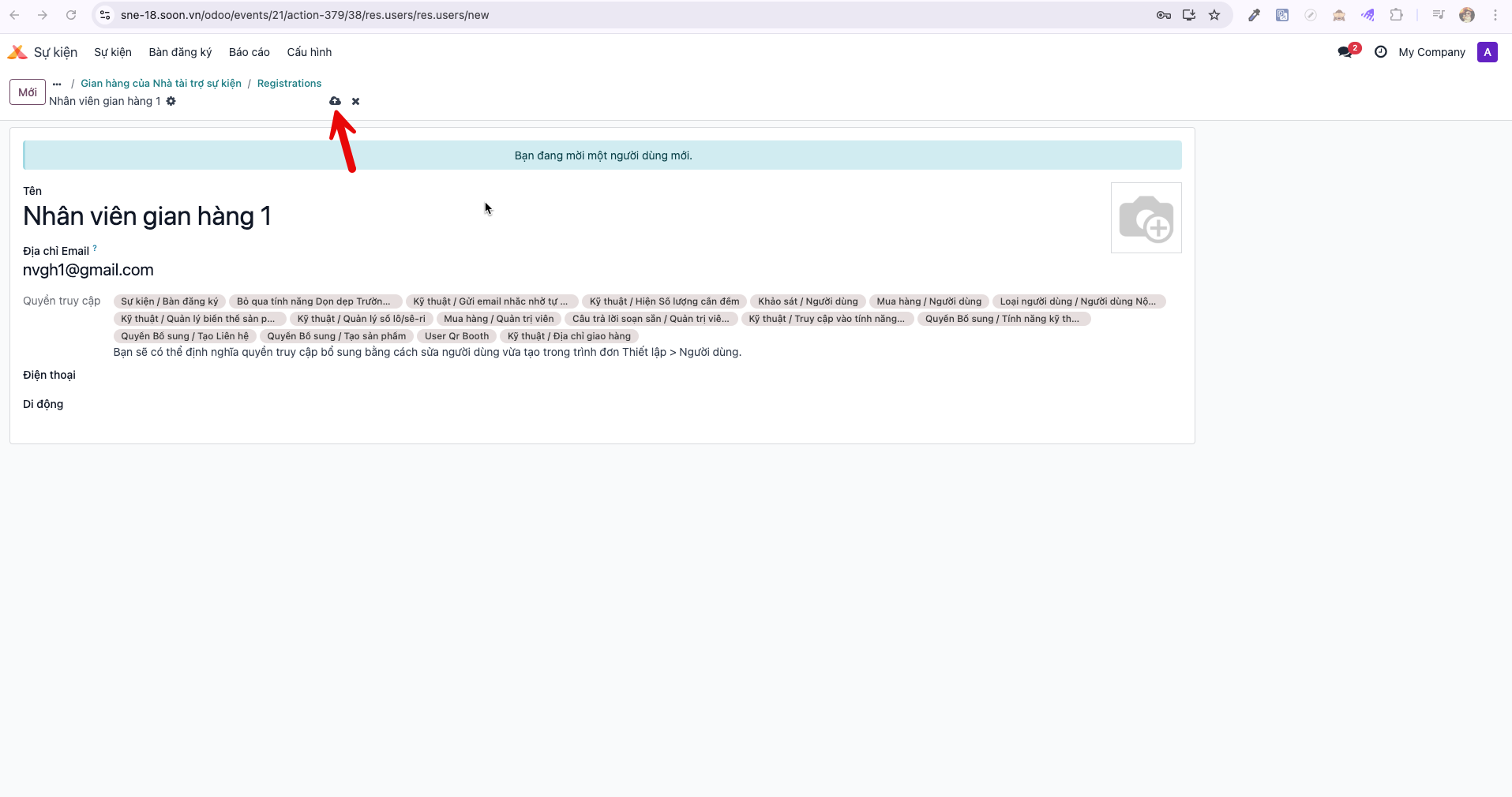
Bước 3: Enter the staff member’s Name (Tên) and Email, then click Save (Lưu).
Configuring Initial Password
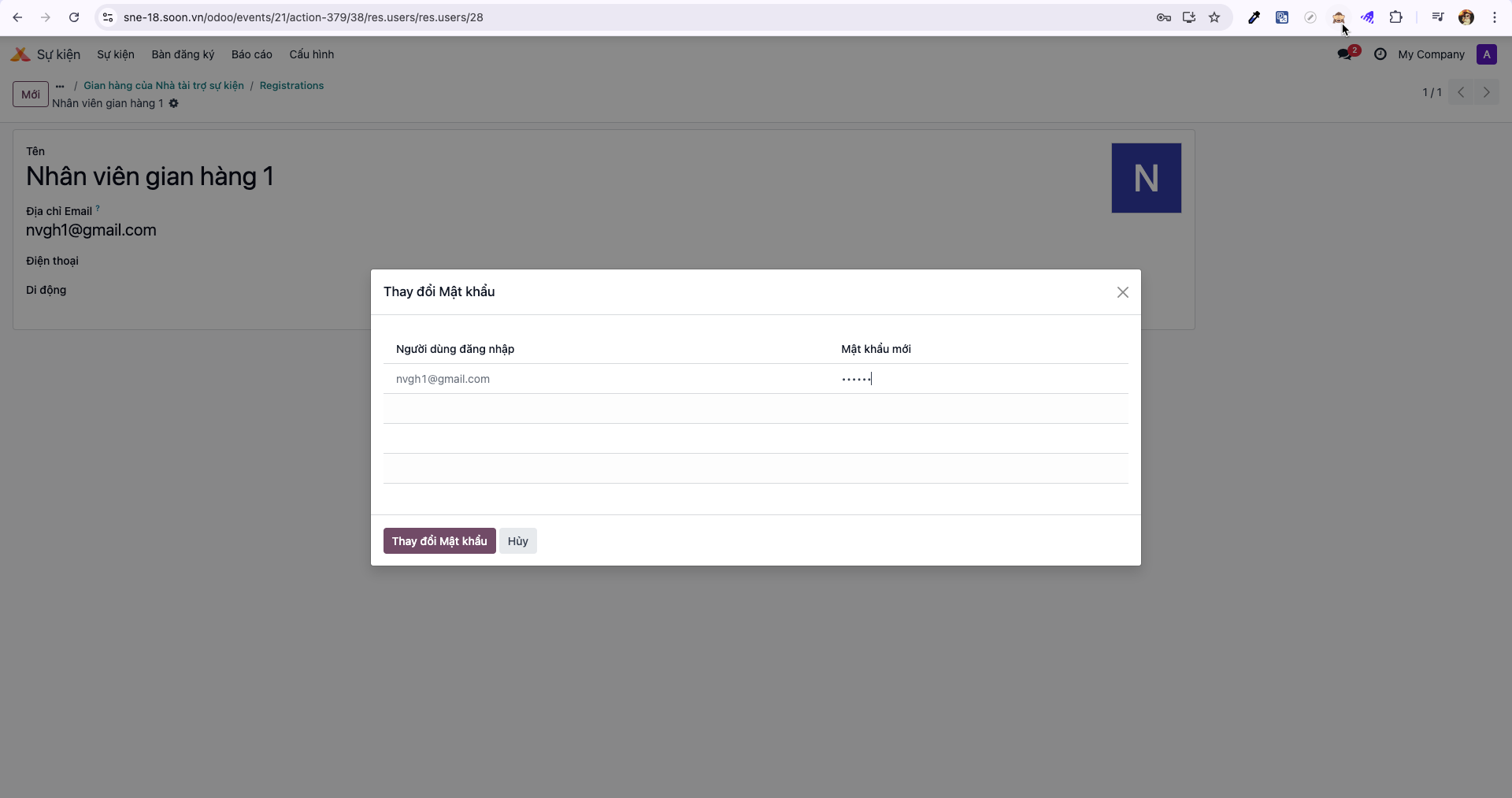
Bước 4: Click the Actions (biểu tượng bánh răng) menu icon and select Change Password (Thay đổi mật khẩu).
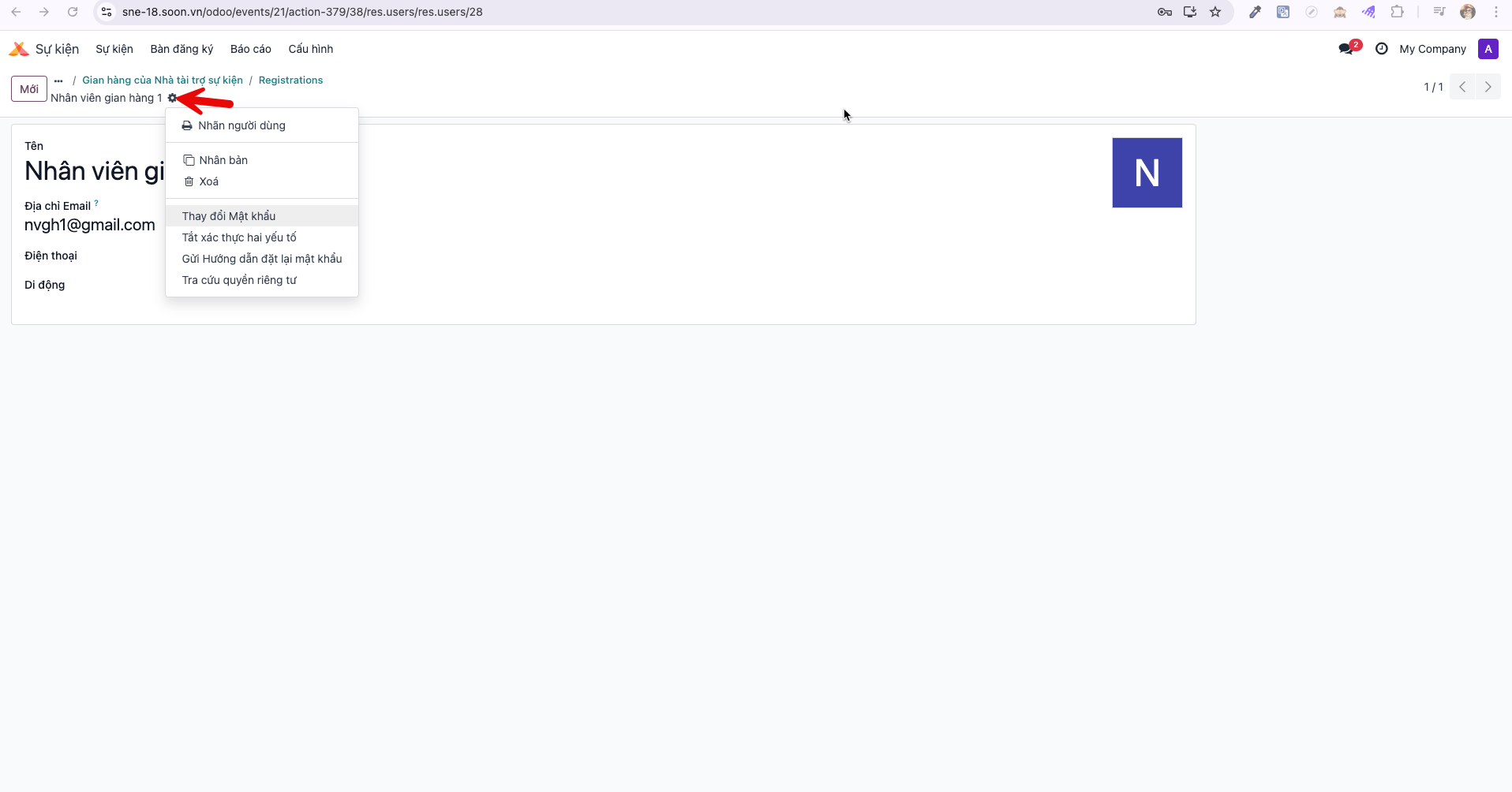
Bước 5: Enter the designated temporary password and click Change Password. The staff member can now log into the scanner portal.