Payment Types & Excel Export
Standardizing payment types establishes automated rules for mandatory supporting attachments and enables rapid reporting through template-compliant Excel exports.
Configuring Payment Types
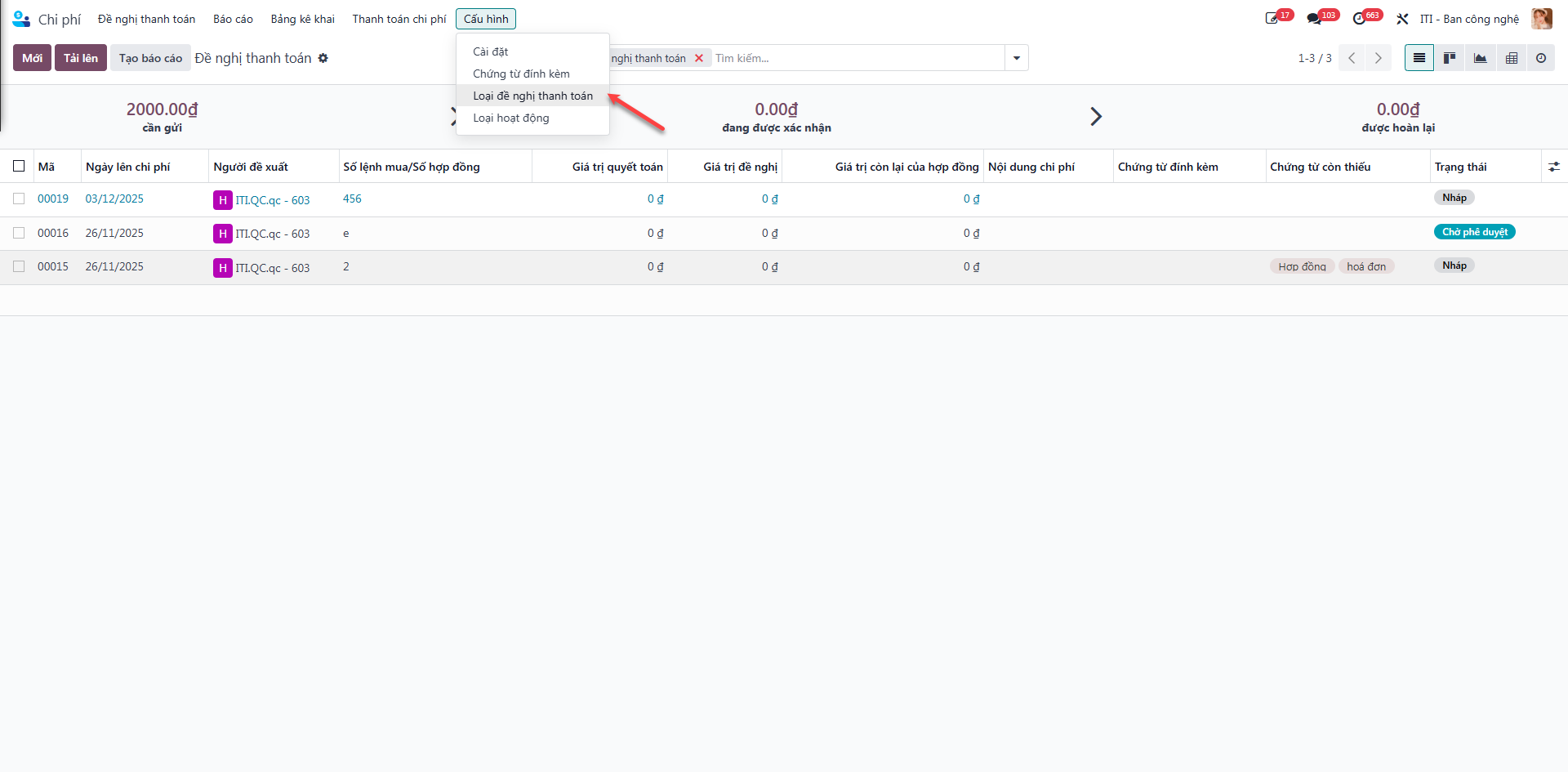
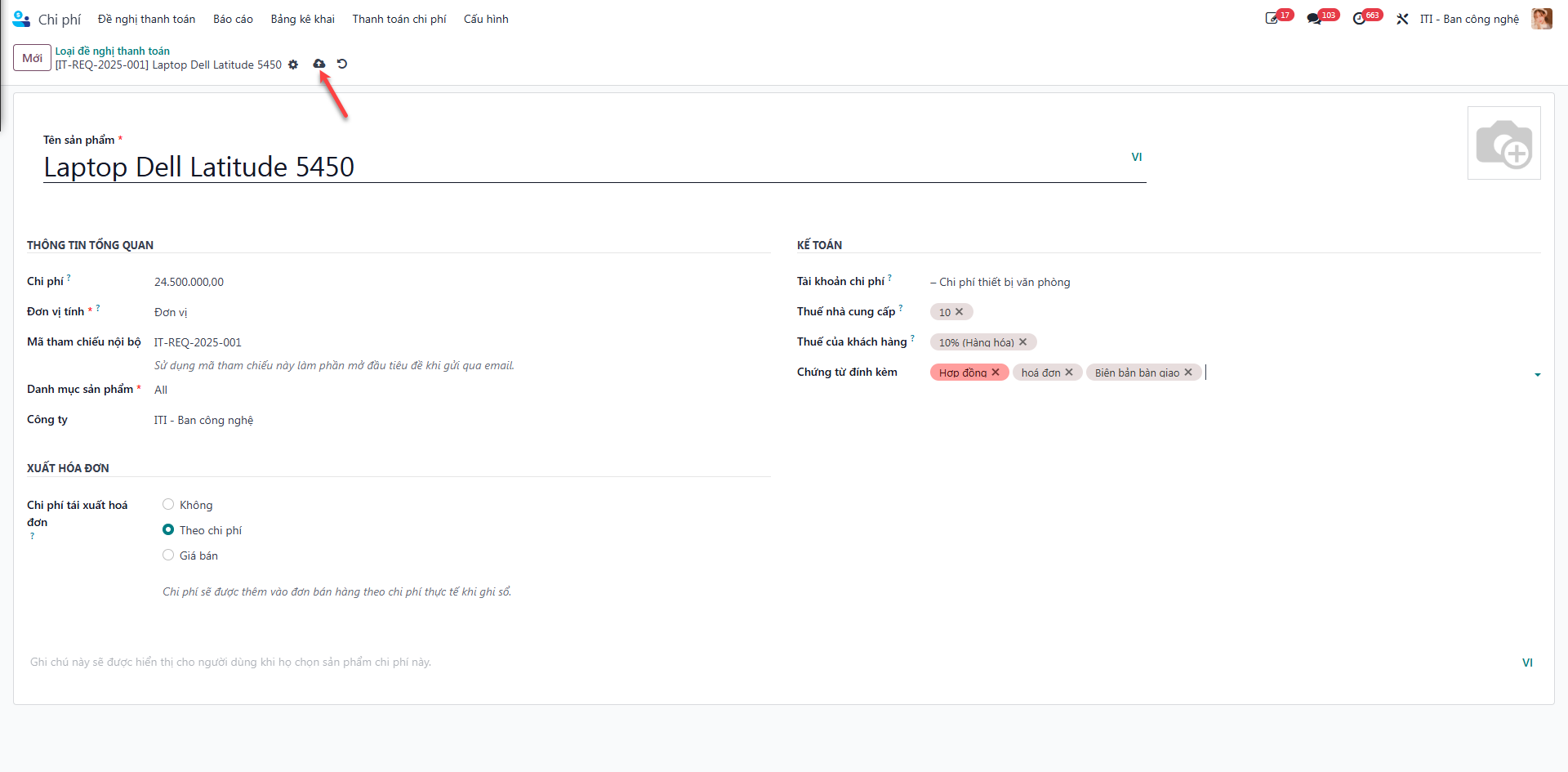
Bước 1: Navigate to Payment Requests (Đề nghị thanh toán) ‣ Configuration (Cấu hình) ‣ Payment Request Types (Loại đề nghị thanh toán).
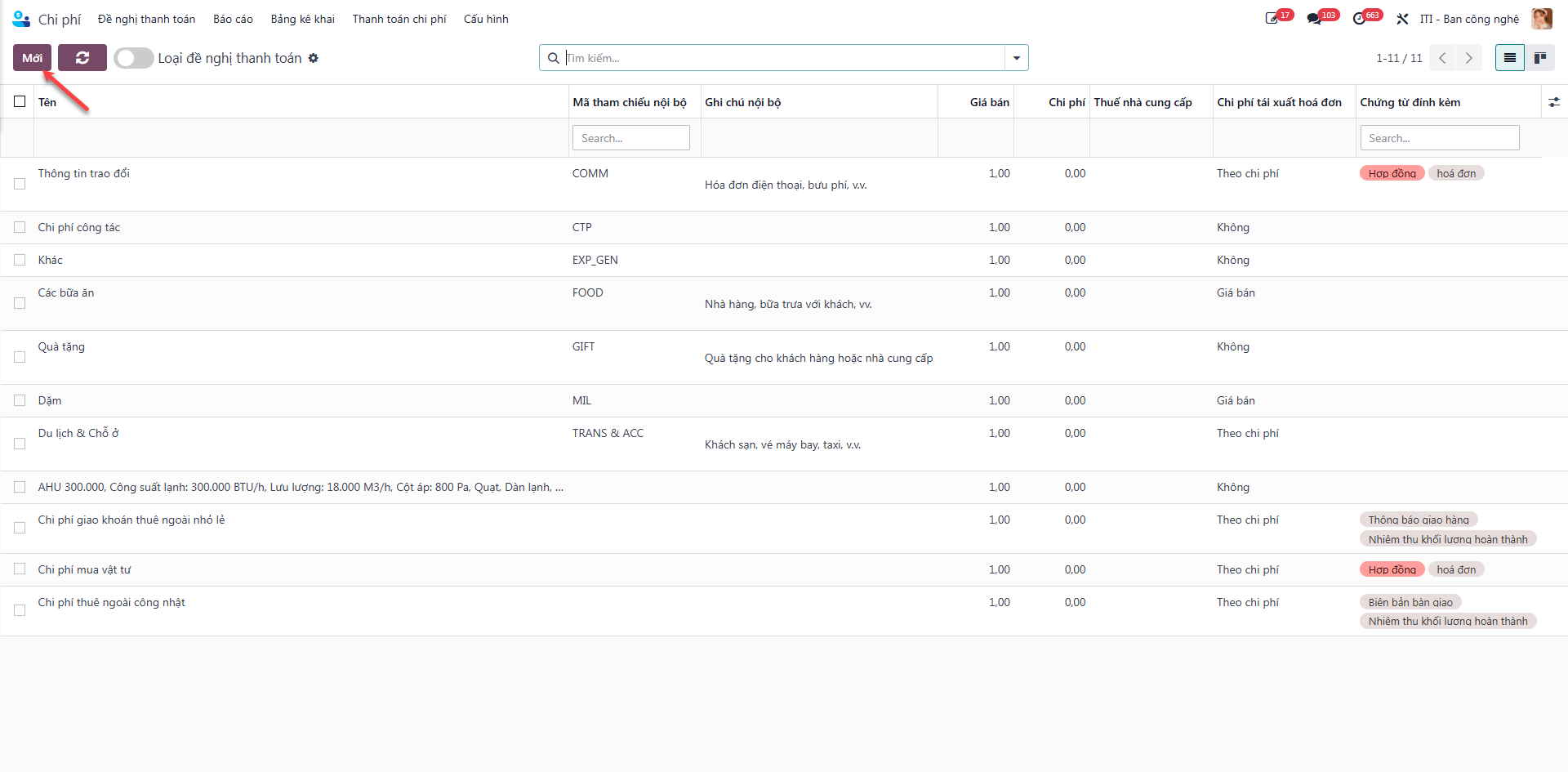
Bước 2: Click New (Mới) to add a configuration row.
Bước 3: Enter category parameters:
Product Name (Tên sản phẩm): Commercial classification.
Unit of Measure (Đơn vị tính).
Product Category (Danh mục sản phẩm).
Required Supporting Documents (Chứng từ đính kèm): Define mandatory documents (e.g., VAT Invoice, Delivery Note, Acceptance Certificate).
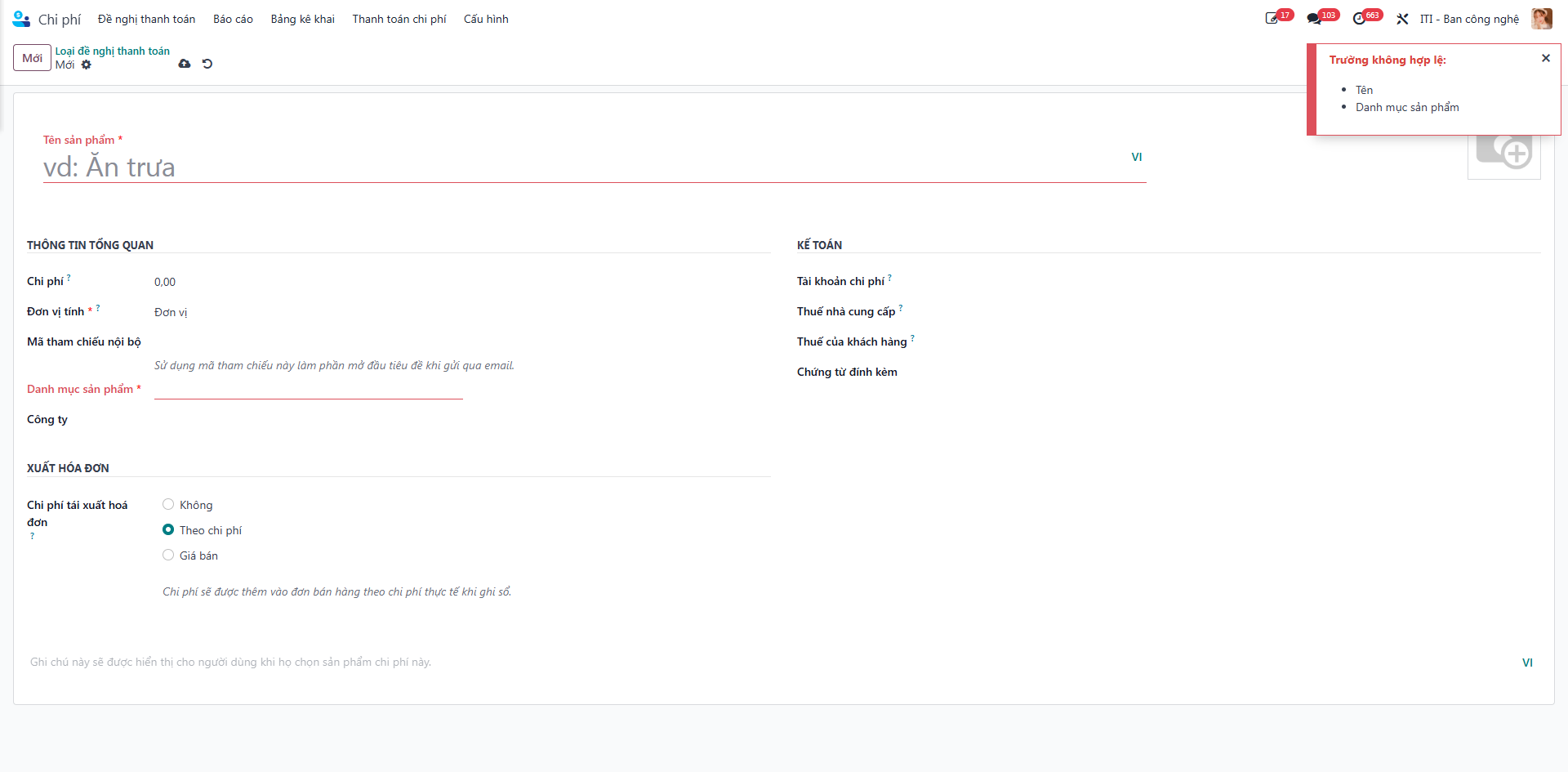
Bước 4: Click Save (Lưu) to activate the payment classification rule.
Exporting Payment Orders to Excel
Employees can generate standardized official company payment vouchers in Excel:
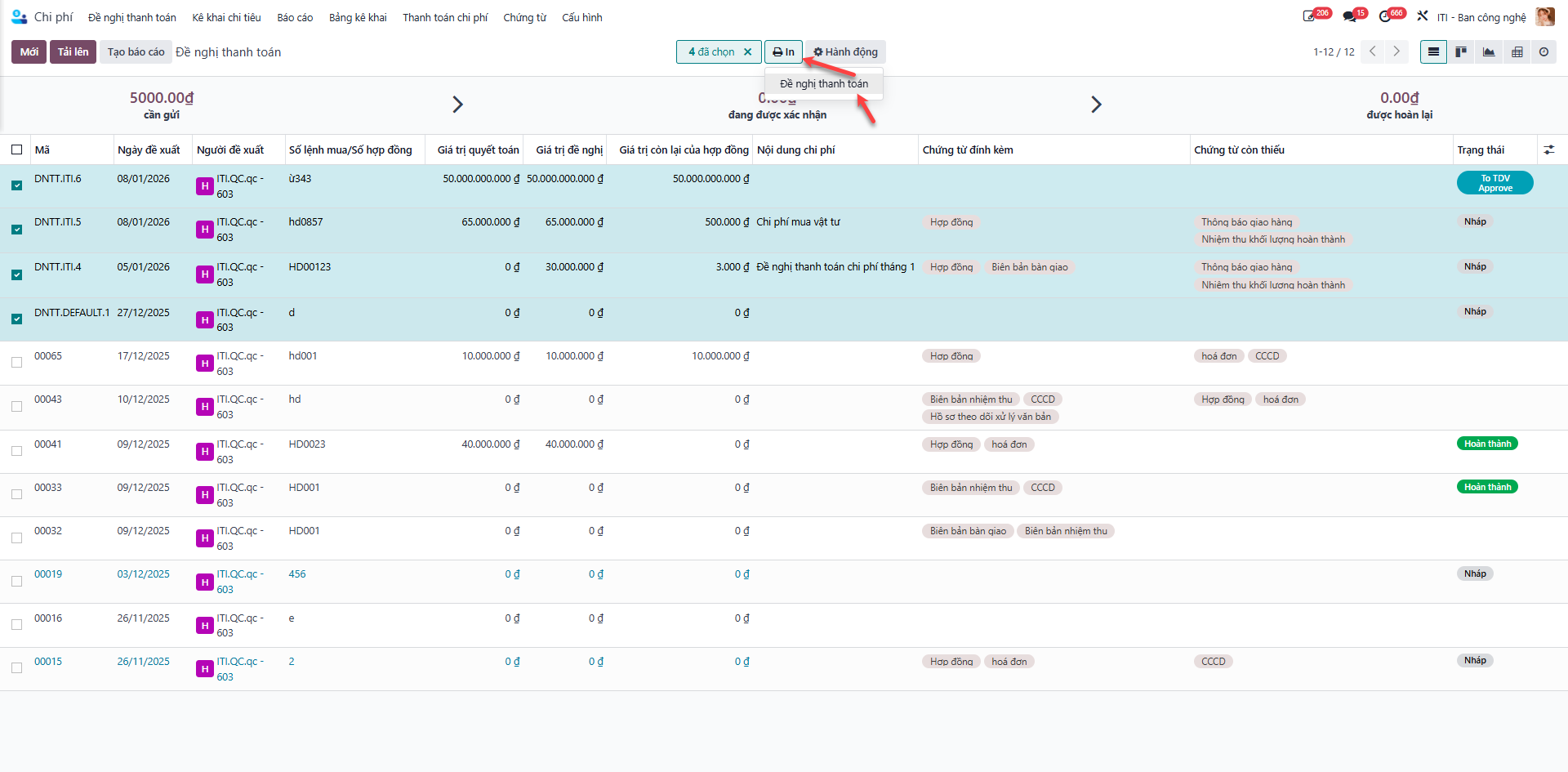
Bước 1: From the payment requests list, select the target payment requisition you wish to export.
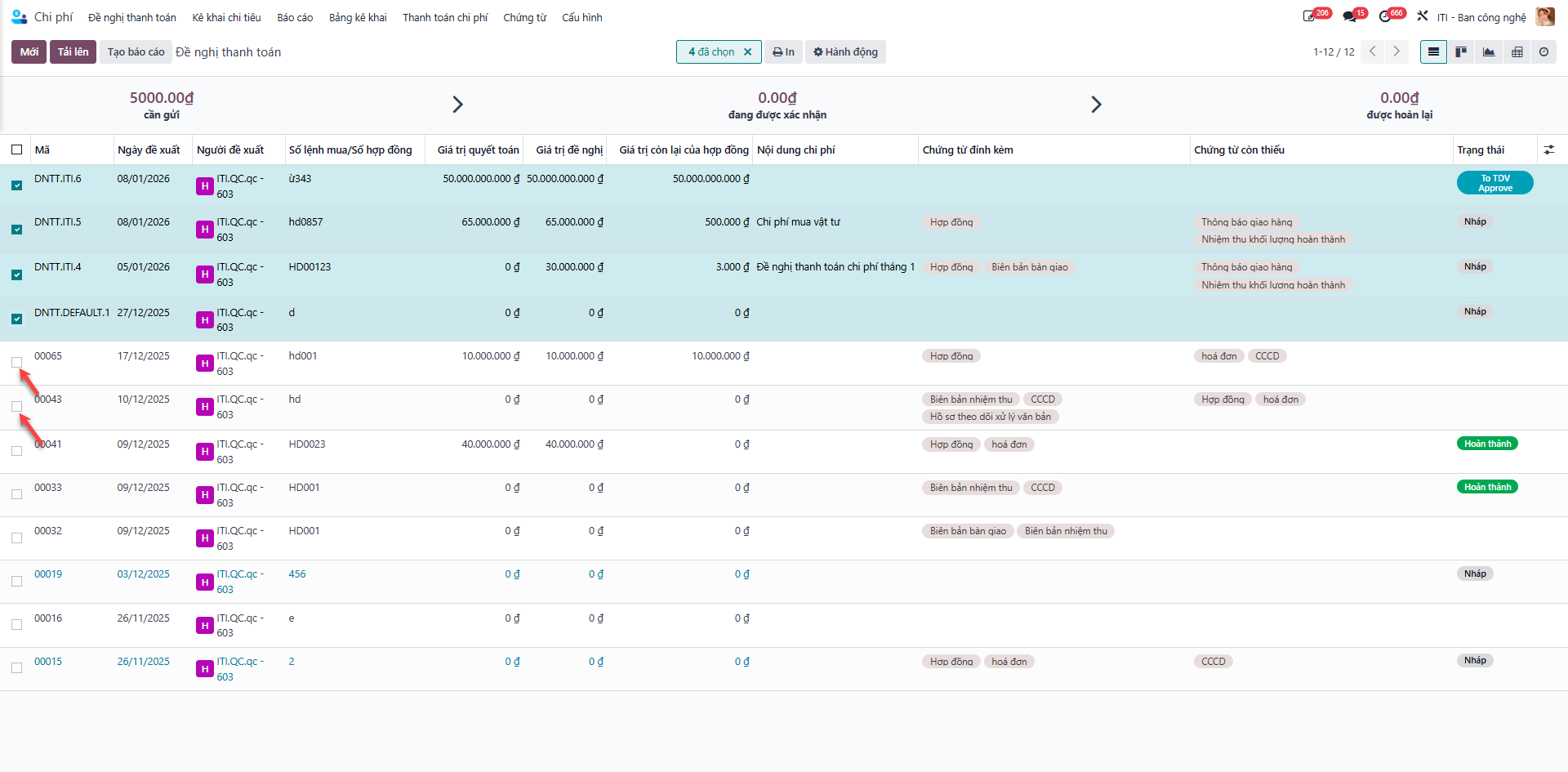
Bước 2: Click the Export (Xuất) action button to download the standardized formatted Excel document to your computer.