
Create Yearly KPI
Employees formulate yearly strategic targets to guide multi-quarter project deliveries and annual performance milestones.
Creation Procedure
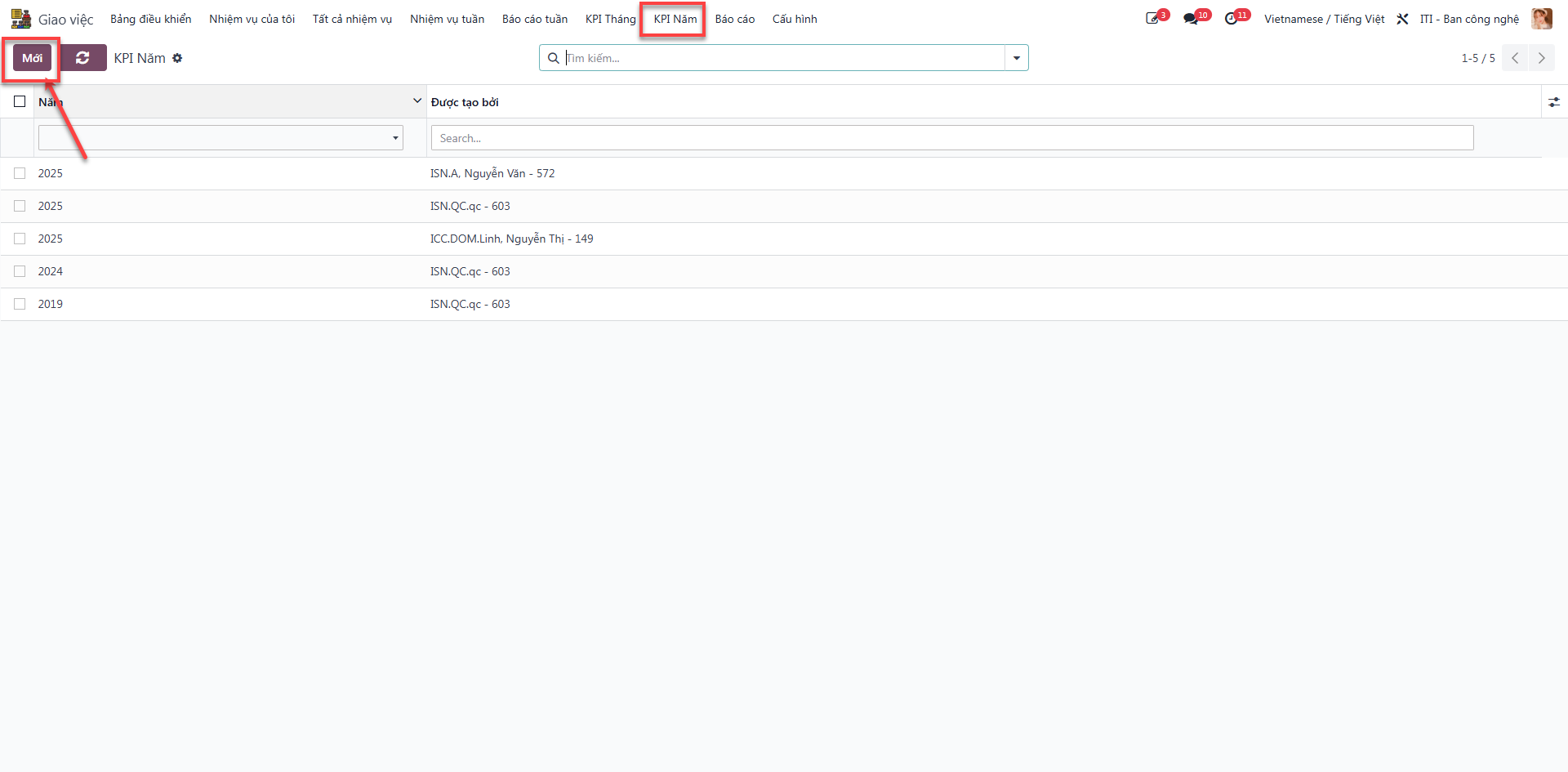
Bước 1: Navigate to and click Mới (New).
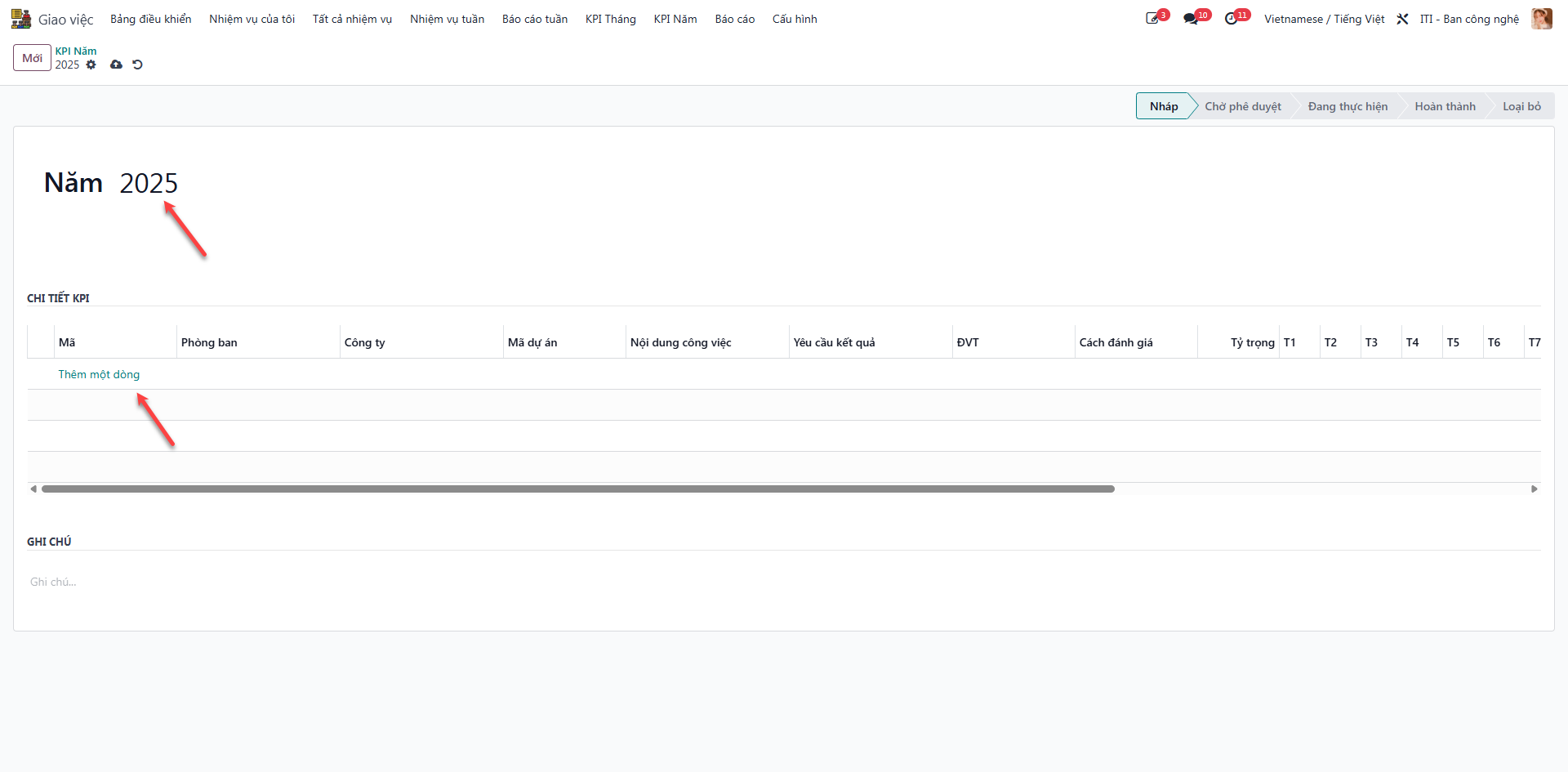
Bước 2: Select the target Năm (Year) and click Thêm một dòng (Add a Line).
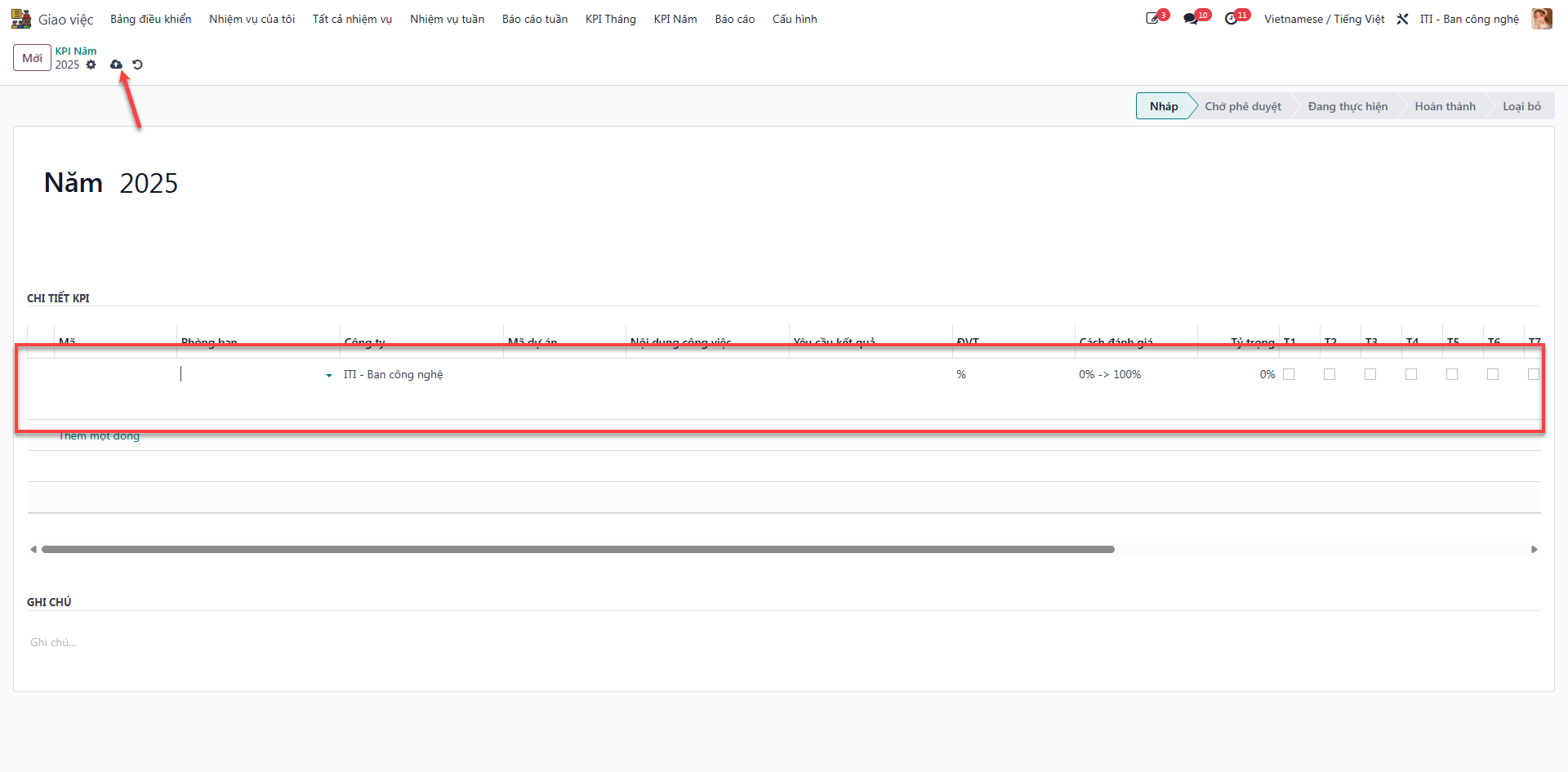
Bước 3: Enter strategic objectives, weightings, and milestone metrics into the form, then click Lưu (Save).
Note
Following save, the record transitions to Nháp (Draft) status.