
Translations, Field Mapping & Event Sync
Completing the survey lifecycle involves managing bilingual localization, synchronizing questionnaire responses with S-ERP attendee records, generating group registration rosters, and publishing updates to active events.
Managing Dynamic “Other” Choices
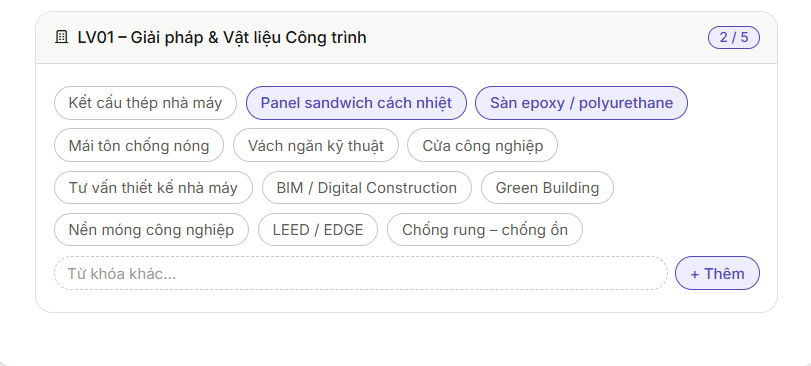
When Comment is an answer is enabled, respondents can type custom values and press Enter or click Add (Thêm). The system creates a unique response entity linked to that attendee.
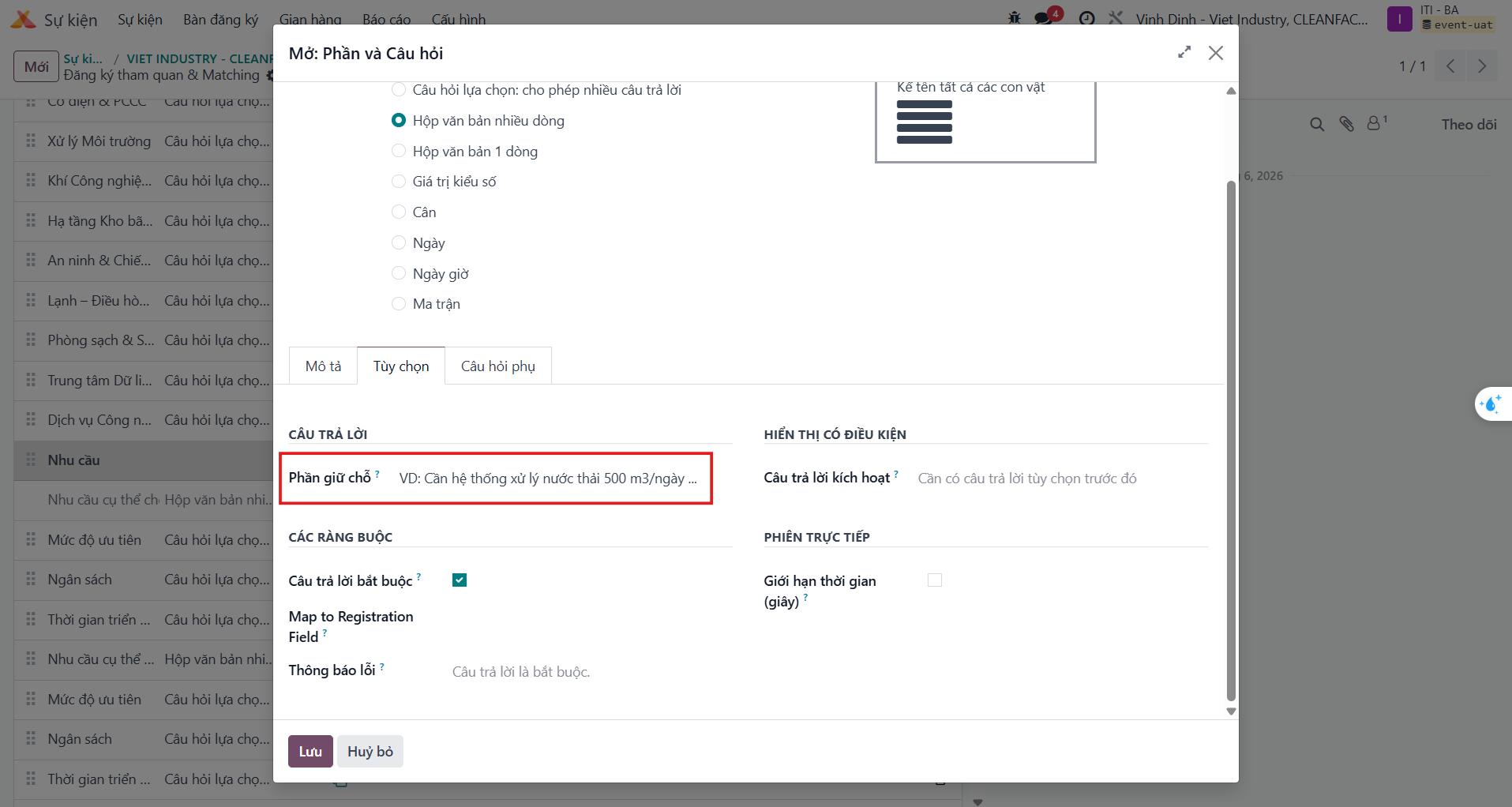
Multi-line Text Fields with Placeholders
For descriptive fields such as business expectations or dietary notes, select Multiple Lines Text Box and supply helpful guidance in the Placeholder field.

Multilingual Localization (VI - EN)
S-ERP provides native dual-language localization for questions and answer choices without duplicating survey structures.
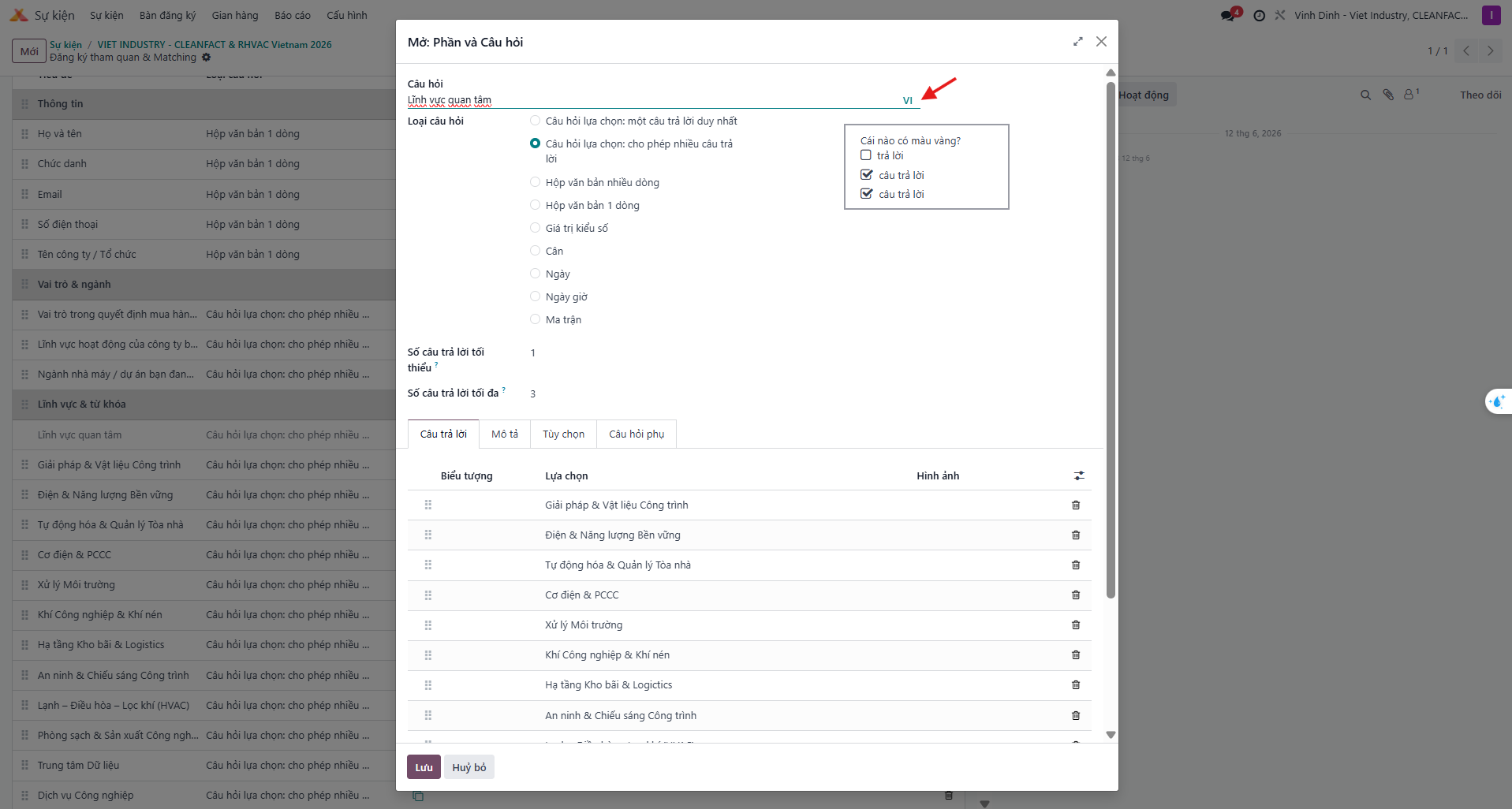
Translating Question Titles
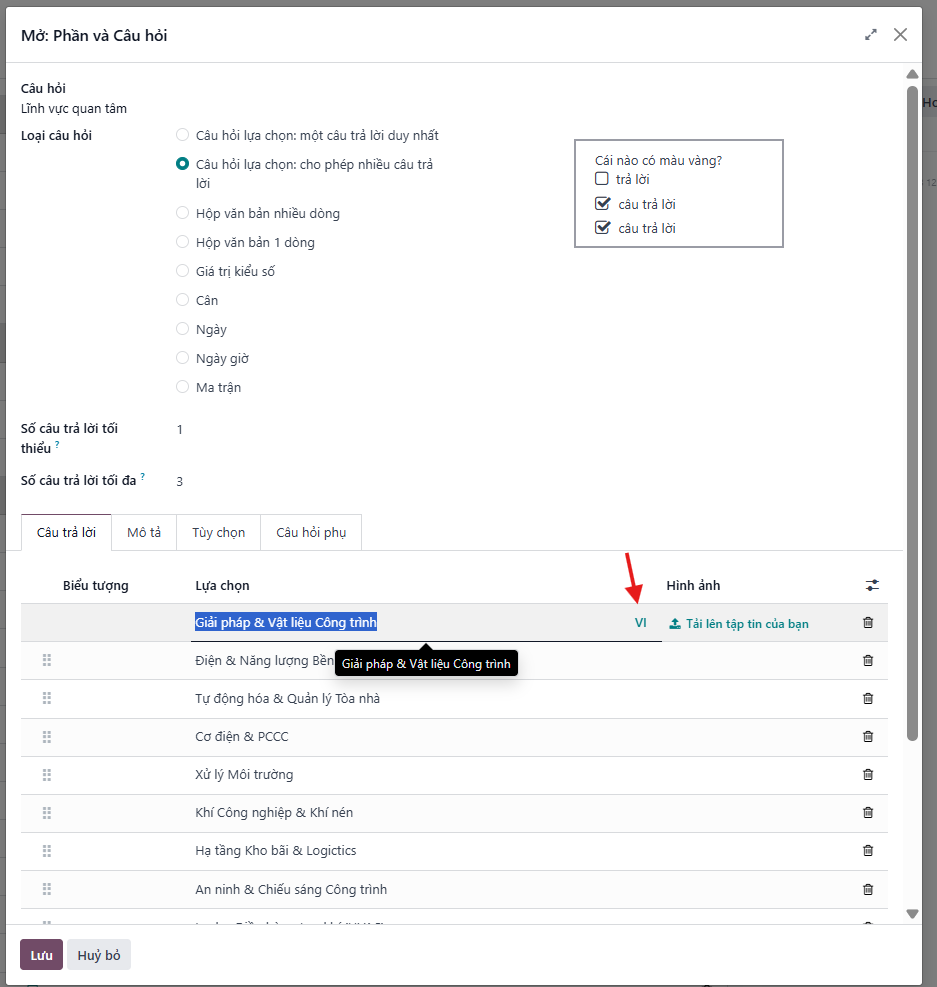
Bước 1: Click the language tag (e.g., VI) adjacent to the question title.
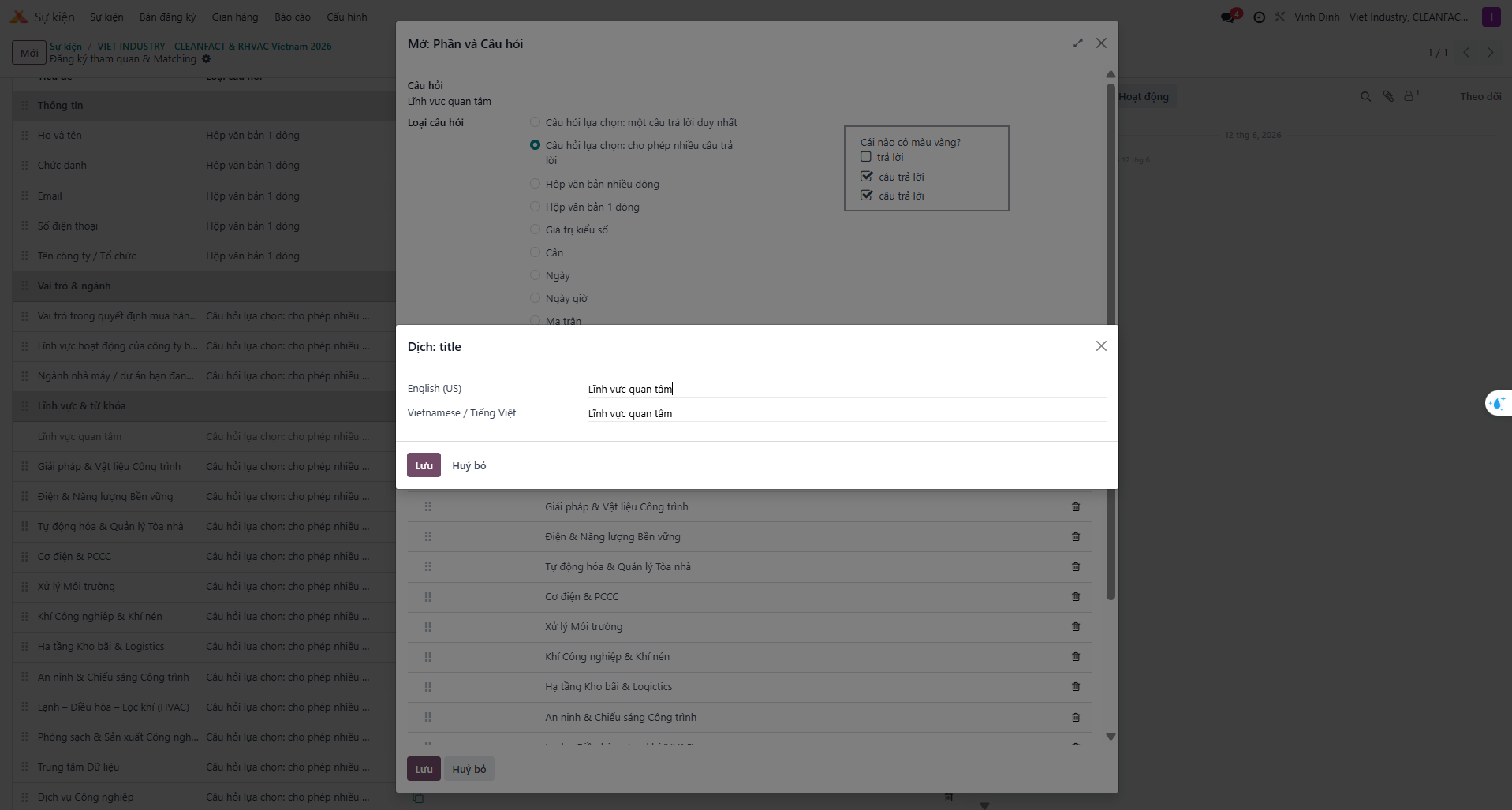
Bước 2: In the translation modal, enter the English text in the English row and click Save.
Translating Answer Choices
Bước 3: Repeat the procedure for answer choice labels and descriptions by clicking their respective language indicators.
Linking Questions to Attendee Fields (Field Mapping)
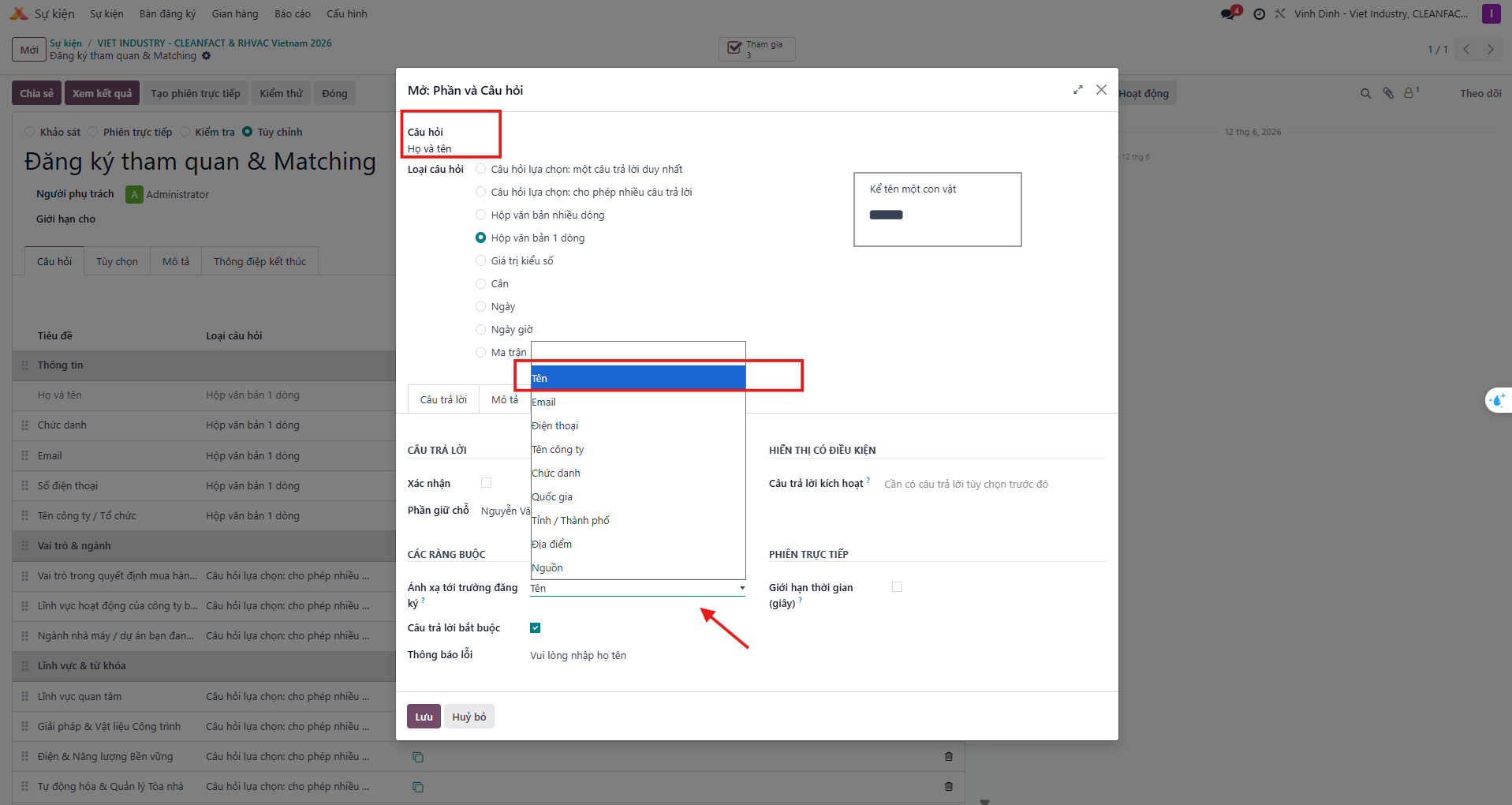
To write survey responses directly into standard attendee database columns (e.g., Job Position, Organization Name):
Bước 1: Open the question detail modal and navigate to the Options (Tùy chọn) tab.
Bước 2: Locate the Map with Registration Field (Ánh xạ với trường đăng ký) selector and choose the target attendee database field.
Configuring Group Visitor Sections (Theo đoàn)
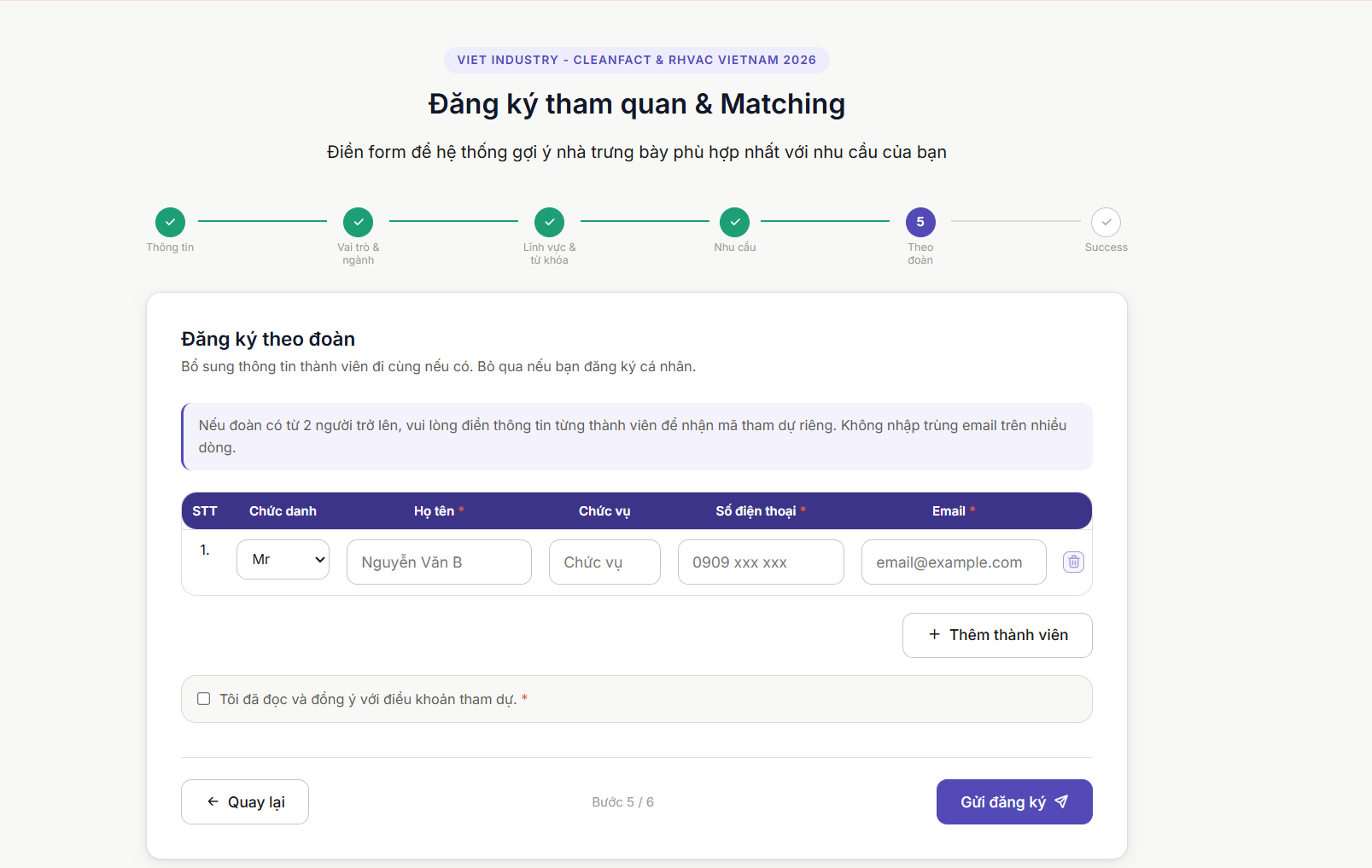
Exhibitions frequently receive delegations or corporate groups. The IBC module automates group participant registration through a dedicated section trigger.
Bước 1: Create a new section entitled Theo đoàn (Visitors Group).
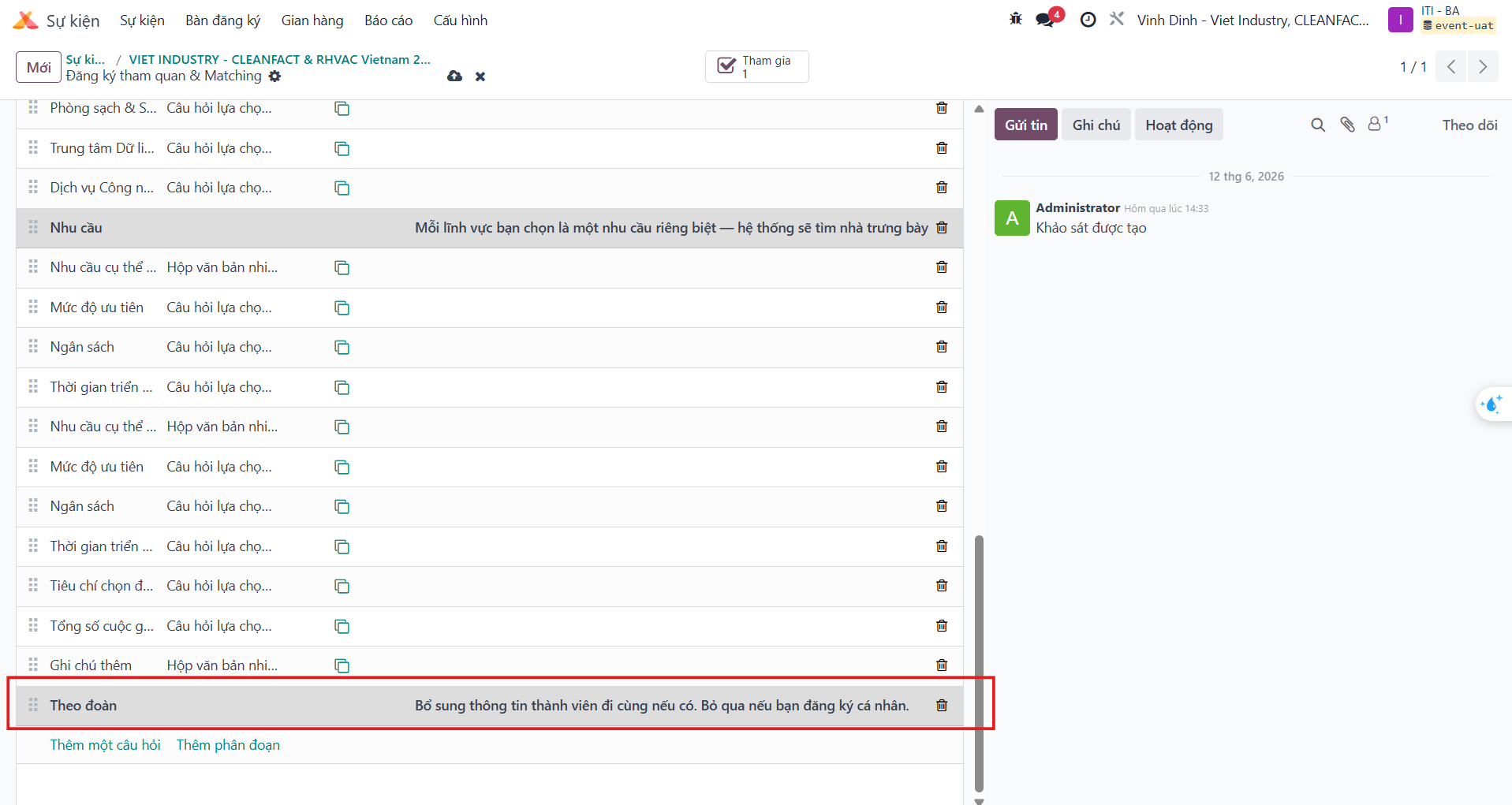
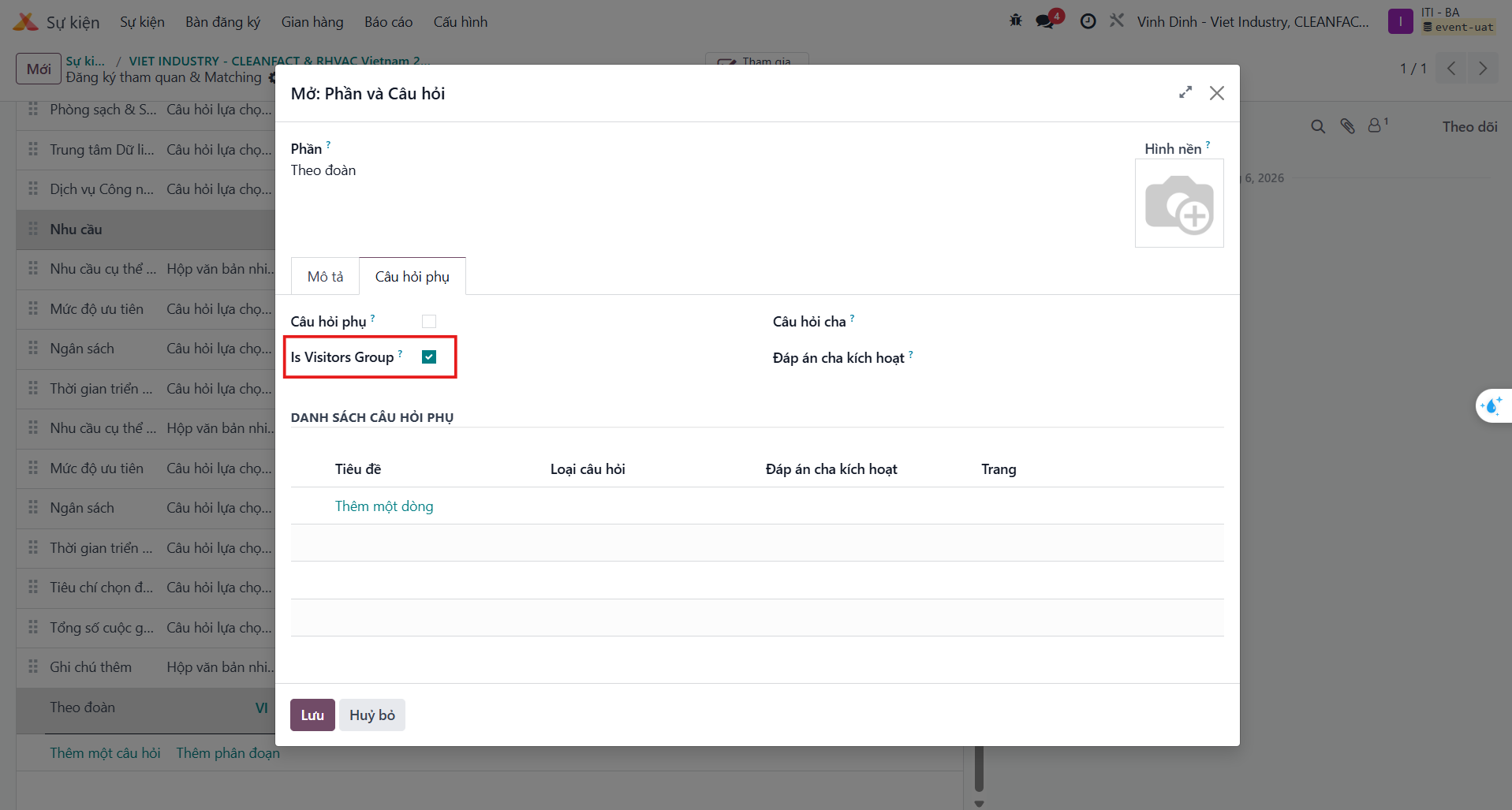
Bước 2: Click the expand arrow on the section row to reveal advanced properties and activate Is Visitors Group.

Bước 3: The registration portal automatically transforms this section into an interactive group table where primary attendees can append accompanying delegates.
Updating & Synchronizing Forms on Events
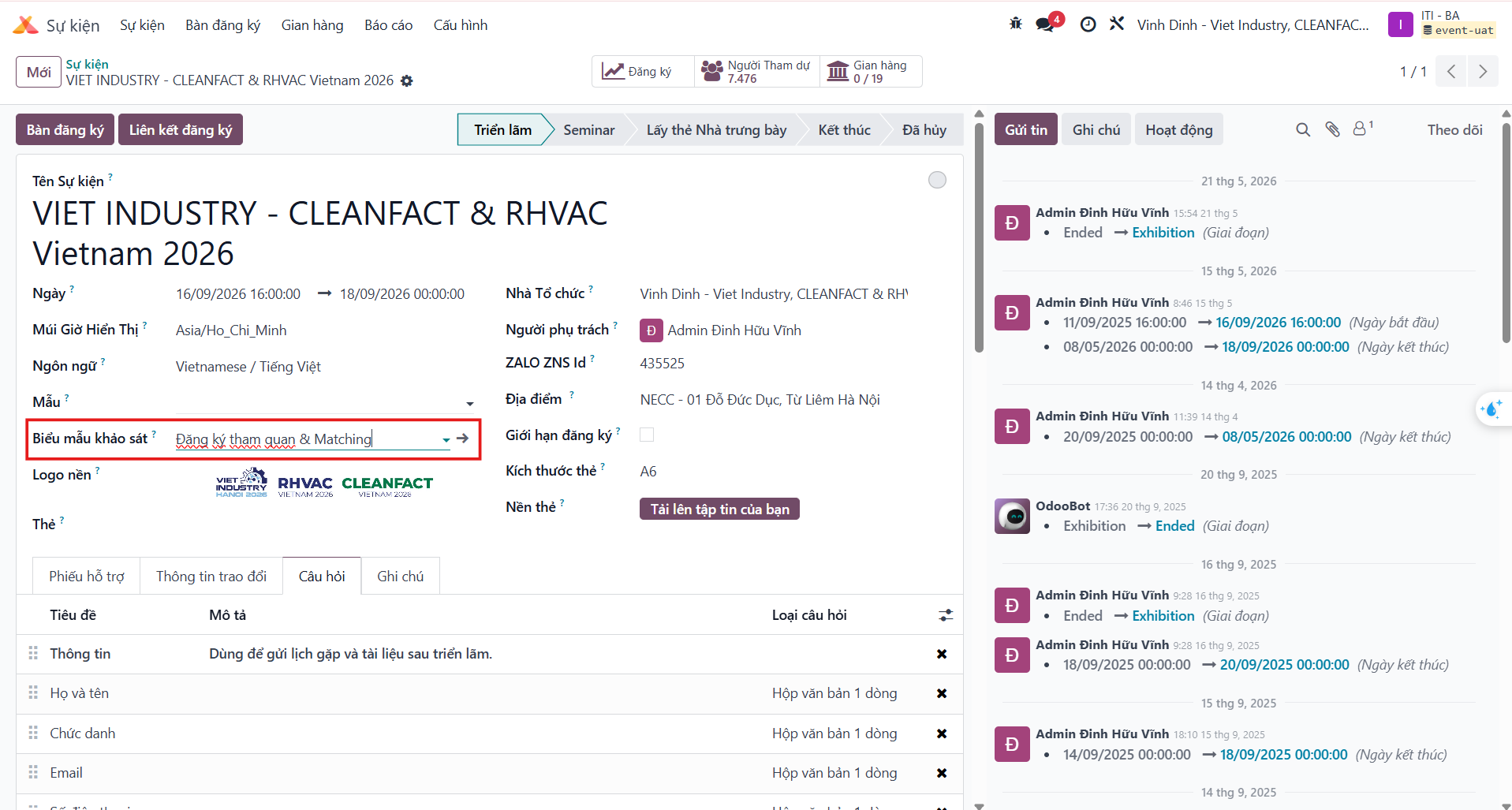
Whenever modifications are made to survey questions, sections, or validation rules, re-link the survey to the event to ensure active instances reflect the latest schema.
Bước 1: Navigate to the target event record in the Events application.
Bước 2: In the survey linkage field, re-select the updated survey questionnaire.
Important
Always re-select the survey template on active event records following schema changes to guarantee live synchronization.