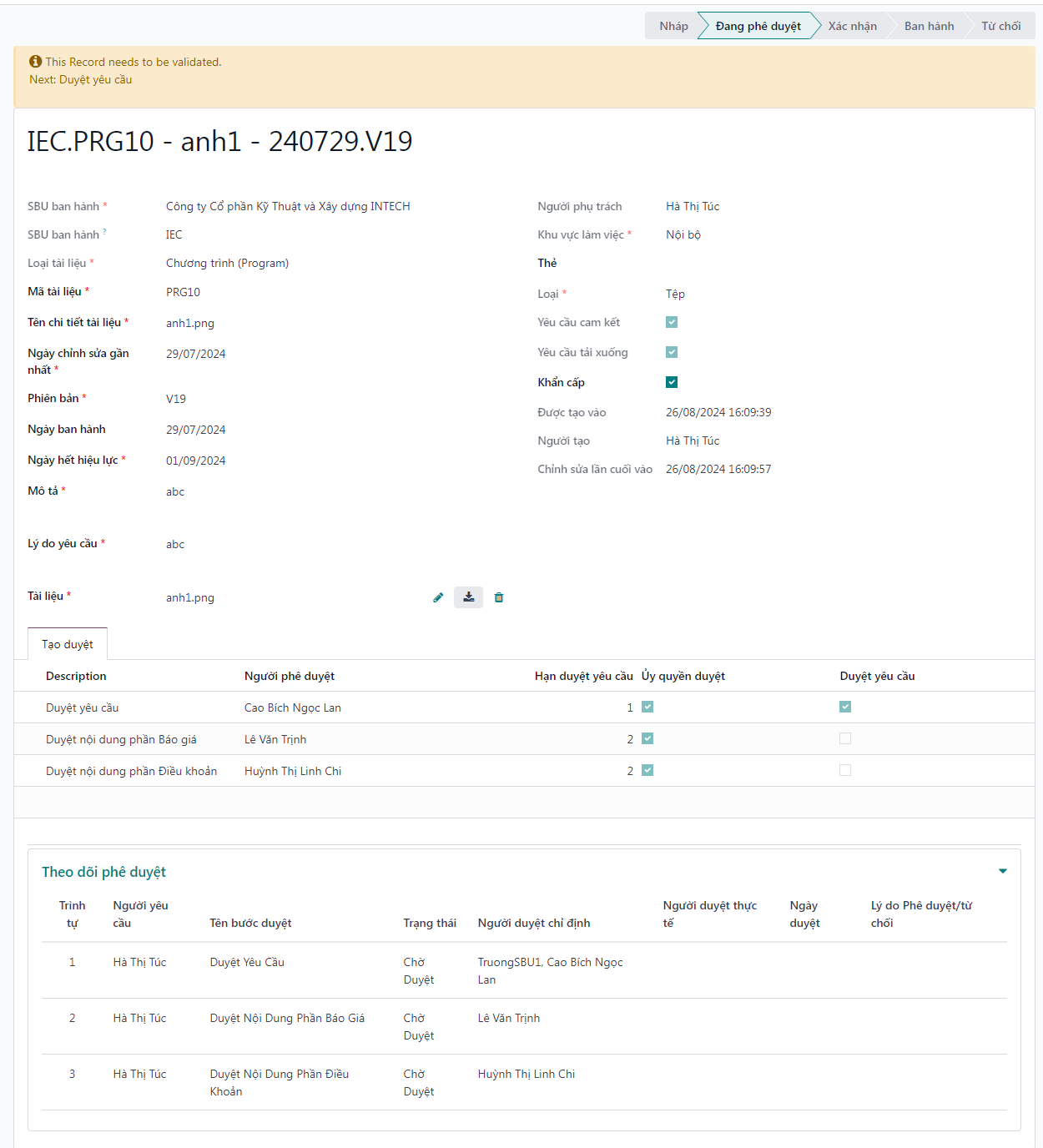
Create & Configure Upload Request
The document publication lifecycle begins with file requisition, metadata classification, dynamic workspace filtering, and the establishment of custom multi-step review workflows.
System Authentication & Navigation
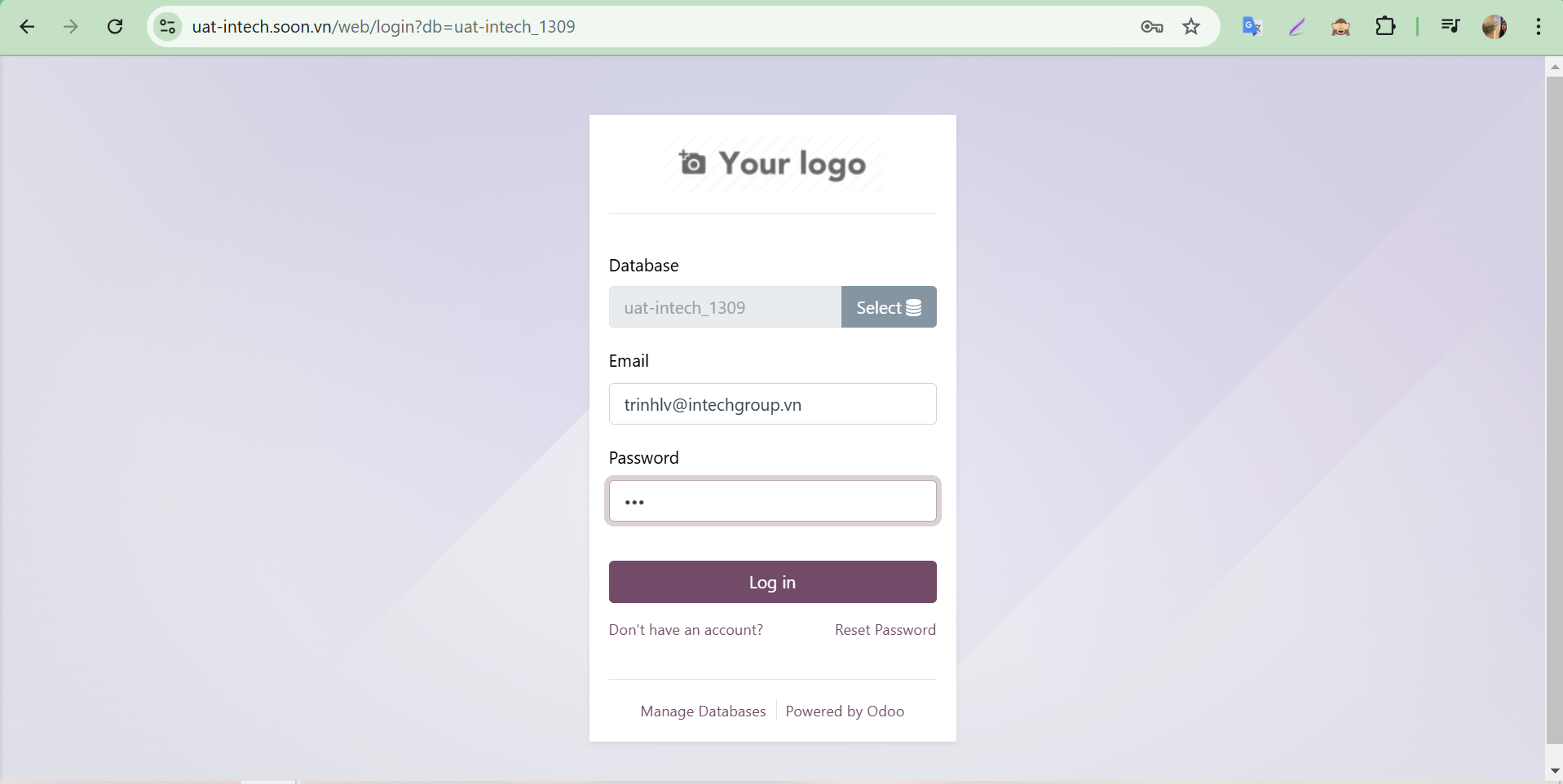
Bước 1: Open your web browser and navigate to the S-ERP corporate portal URL.
Bước 2: On the authentication screen, enter your assigned enterprise username and password, then click Log in.
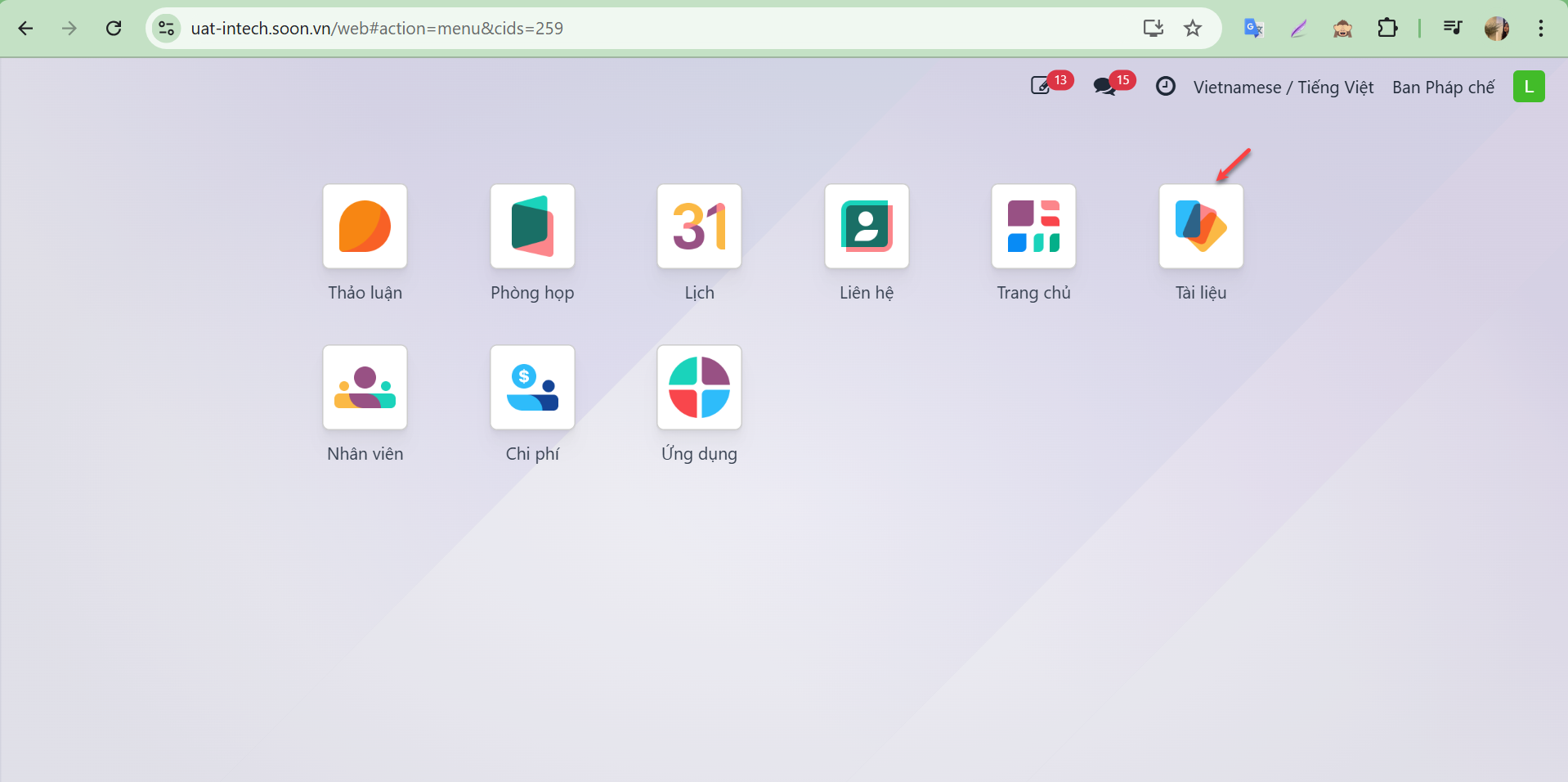
Bước 3: Upon successful authentication, the main S-ERP workspace displays all applications permitted under your security role. Select the Documents module.
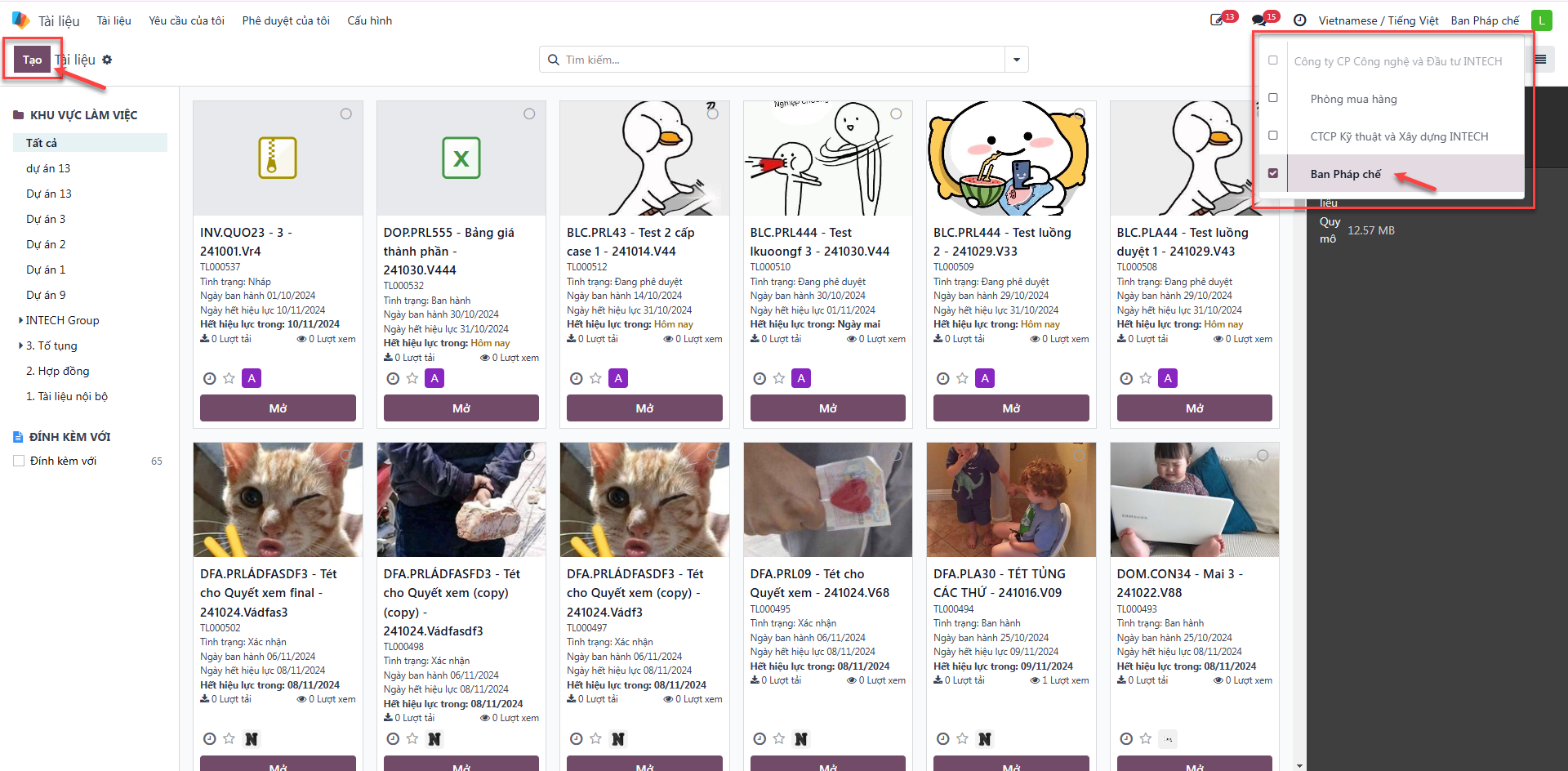
Create New Document Upload Requisition
Bước 1: On the central document repository screen, verify the active company and click New.
Bước 2: Complete the document requisition form with required parameters: - Issuing SBU (SBU Ban hành): Select the originating business unit. - Workspace: Select the target storage repository. - Tags: Assign classification labels. - Attachment: Upload the source document file. - Click Save.
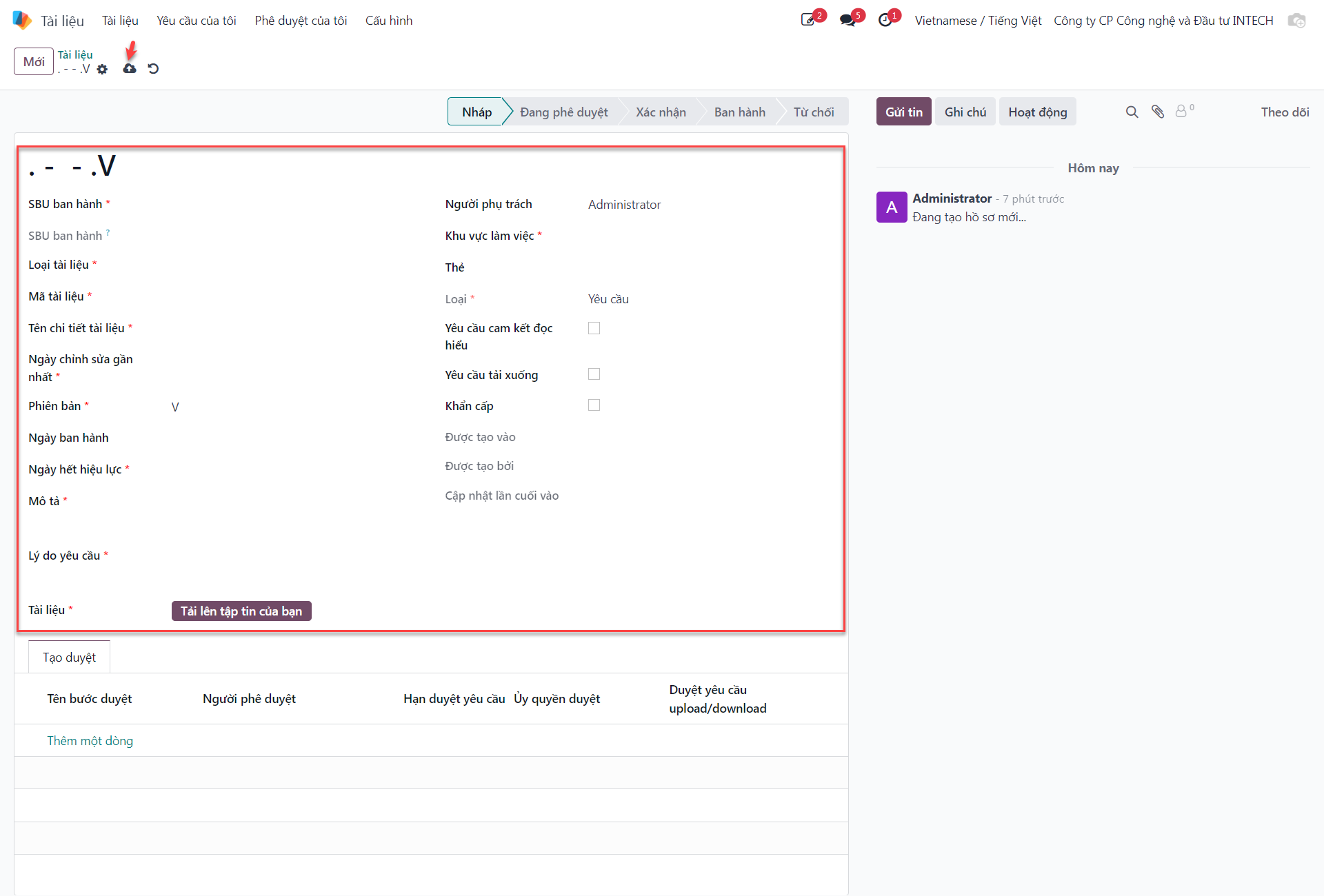
Upon saving, the document is successfully created in Draft (Nháp) status.
Note
Quy tắc chọn SBU: Người dùng cần chọn chính xác SBU Ban hành trước tiên. Hệ thống sẽ tự động lọc và hiển thị danh sách Workspaces thuộc SBU tương ứng, từ đó các thẻ Tags sẽ được cập nhật đồng bộ theo workspace đã chọn.
Edit Draft Document Requisition
Documents remaining in Draft status can be freely modified prior to submission:
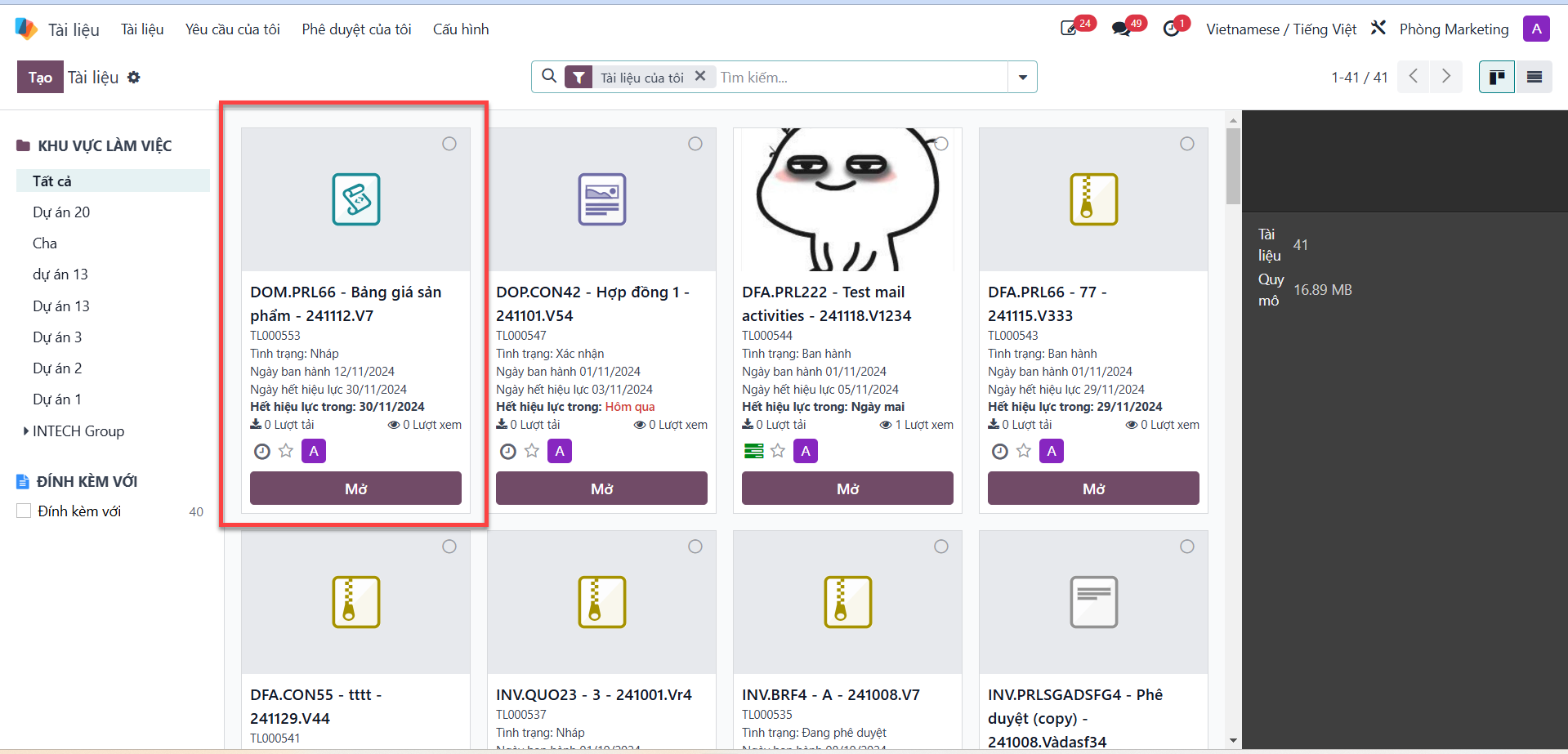
Bước 1: In the document list, locate the target draft record and click Open (Mở).
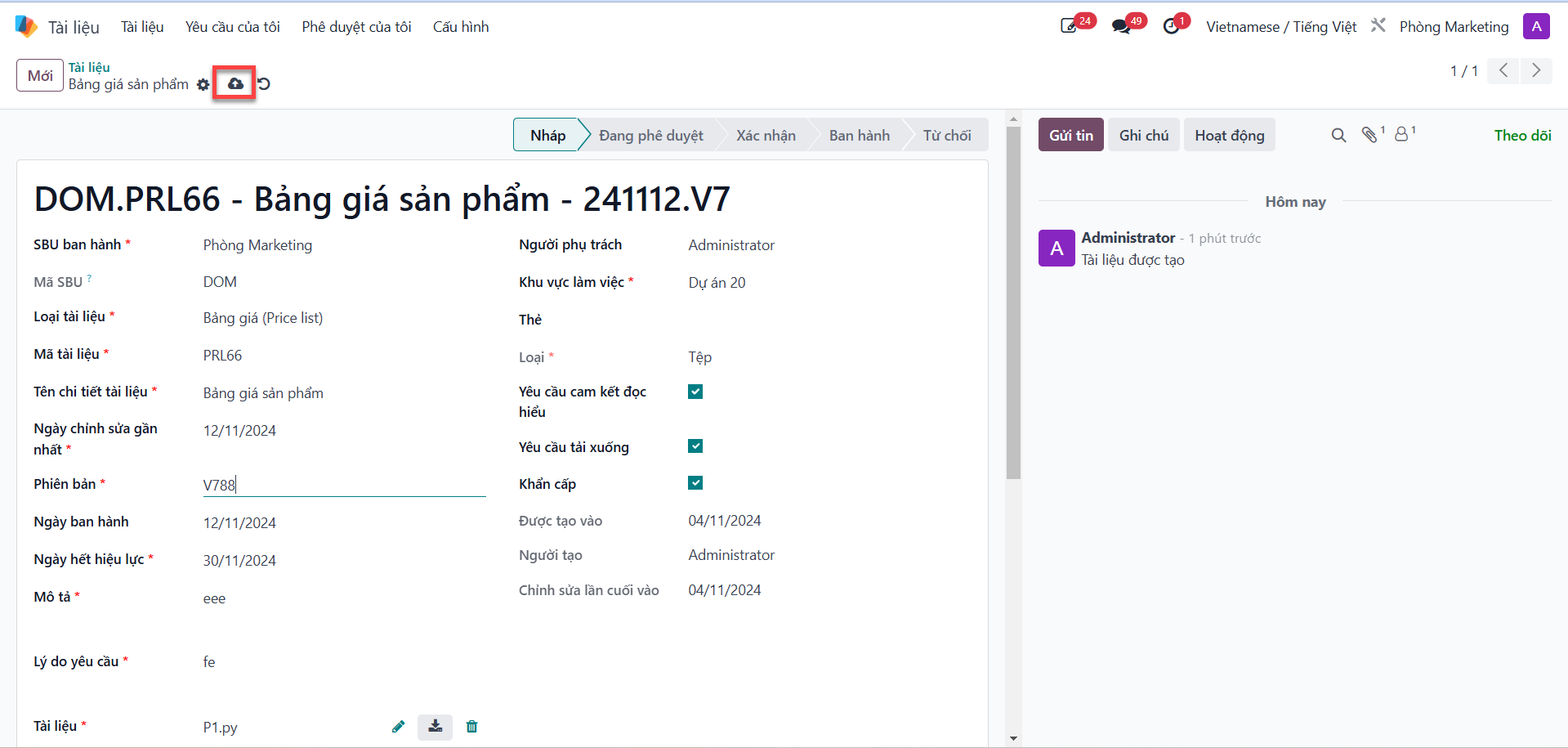
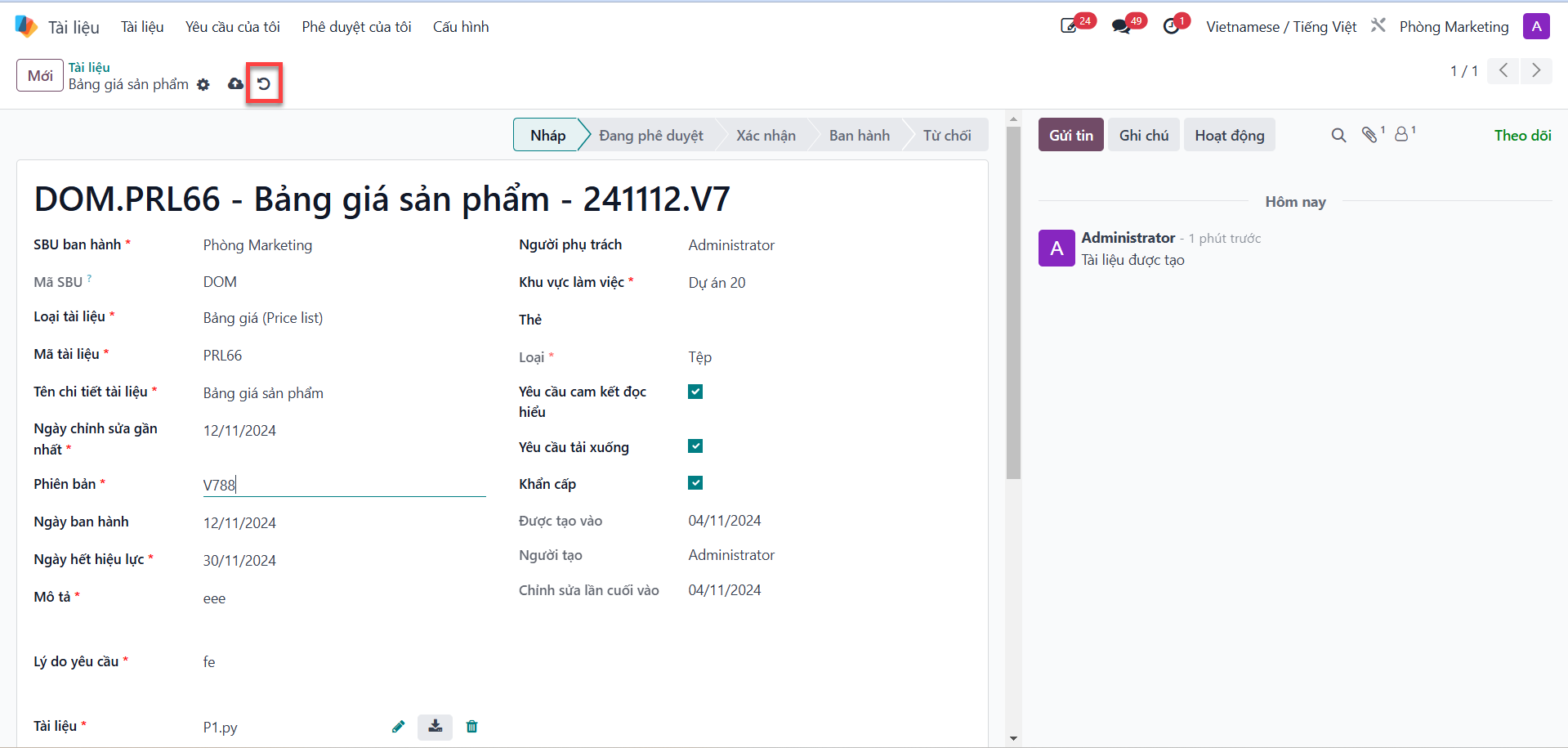
Bước 2: Update metadata fields or replace attached files. Click Save to record updates, or click Discard changes (Loại bỏ những thay đổi) to discard unsaved modifications.
Configure Dynamic Approval Workflow
Each uploaded document must possess a structured approval workflow defining the sequential evaluation steps:
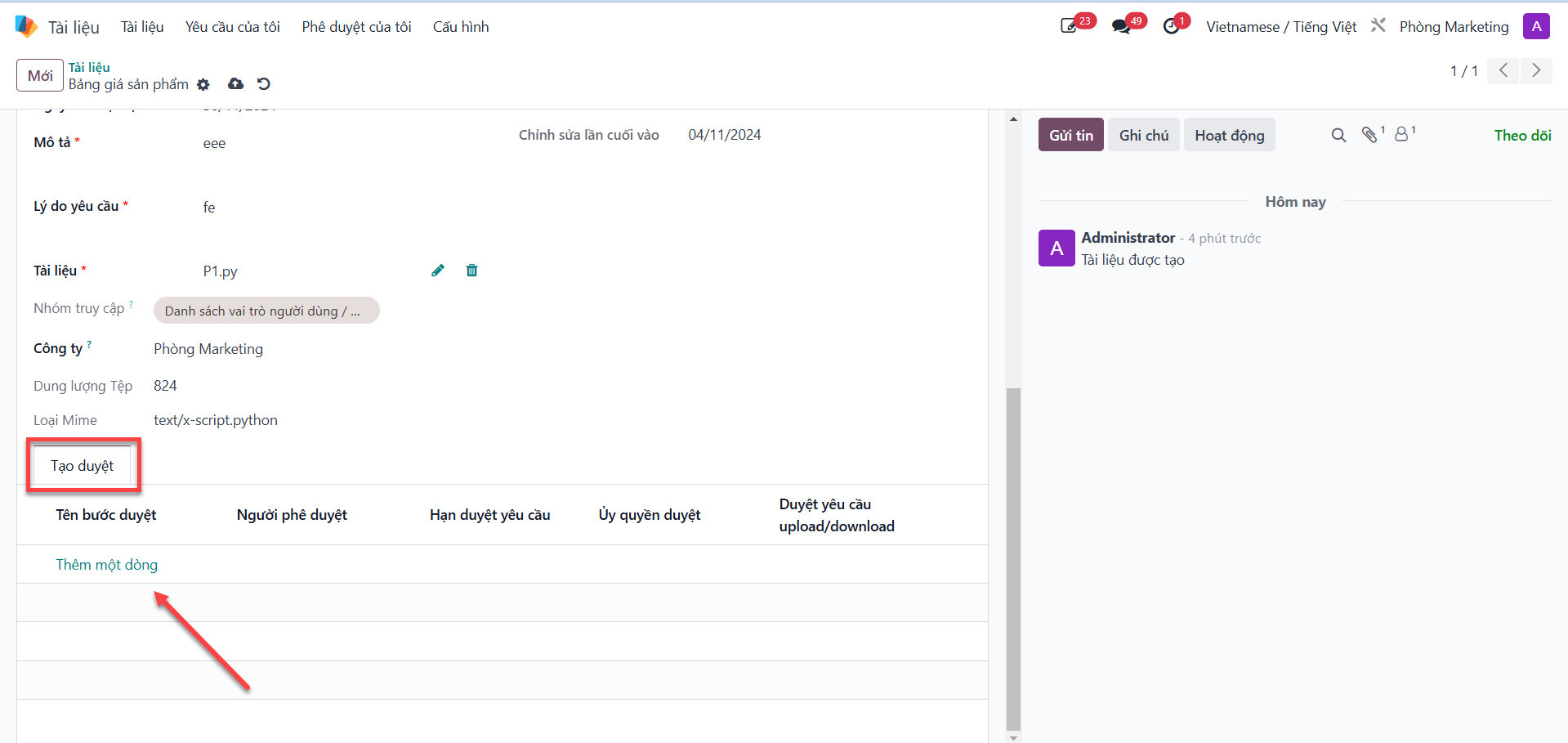
Bước 1: In the draft document view, navigate to the Create Approval (Tạo duyệt) tab and click Add a line (Thêm một dòng).
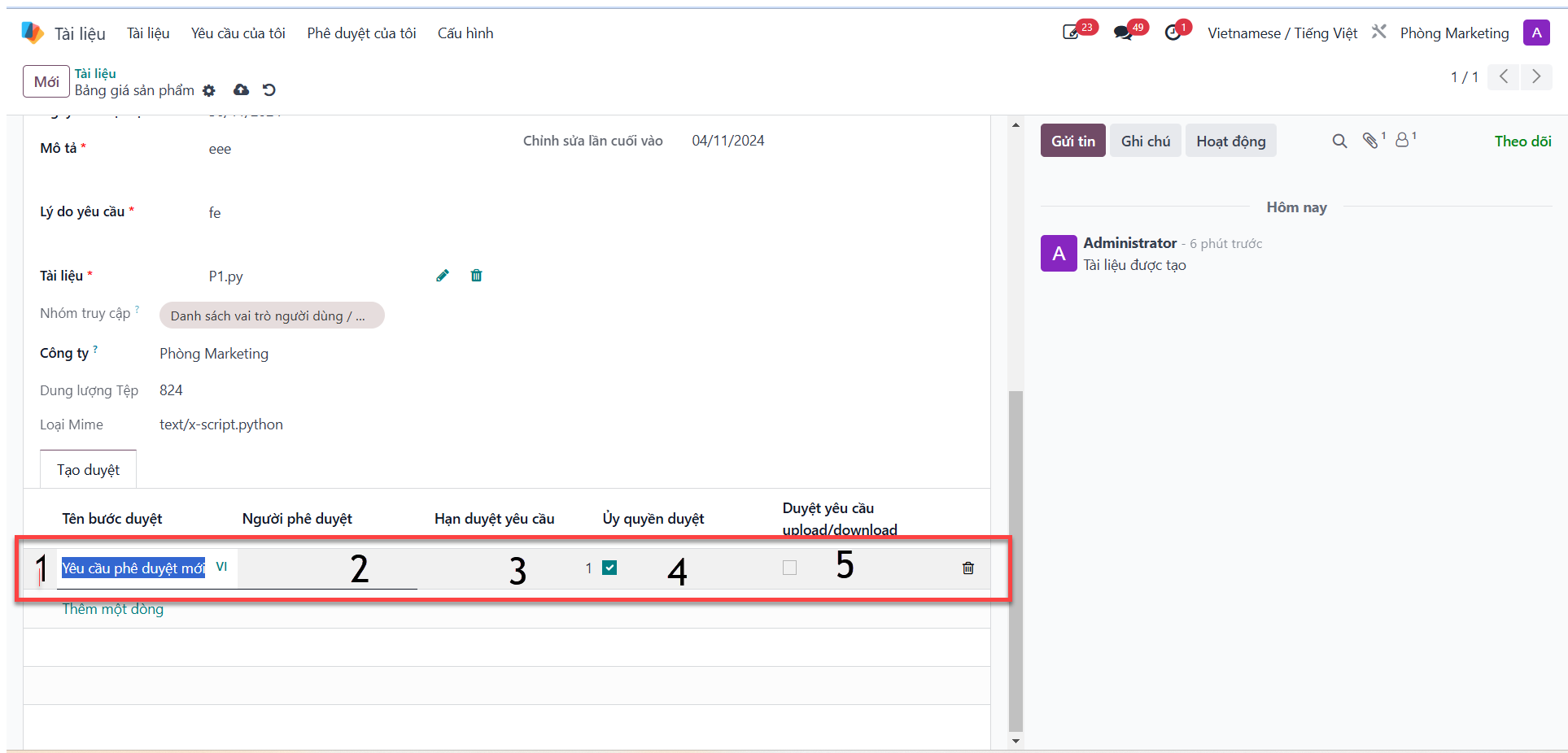
Bước 2: Define the step attributes in the workflow configuration line: - Approval Name (1): Title of the review step. - Approver (2): Designate the responsible reviewer. - Deadline (3): Due date for step completion. - Delegate Approval (4): Enable reviewer delegation authority. - Request Approval (5): Designate primary requisition approval. - Click Save.
Important
Ý nghĩa các tùy chọn cấu hình phê duyệt:
Ủy quyền duyệt (Delegate Approval): Cho phép người duyệt chỉ định có thể ủy quyền cho nhân sự khác duyệt thay khi vắng mặt. Sau khi ủy quyền, người được ủy quyền có toàn quyền duyệt, người chỉ định ban đầu vẫn giữ quyền theo dõi.
Duyệt yêu cầu (Request Approval): Trong quy trình duyệt bắt buộc phải có bước duyệt yêu cầu. Khi tích chọn ô này, Trưởng SBU ban hành tài liệu sẽ tự động được gán quyền đồng duyệt cho yêu cầu tài liệu tương ứng.
Submit Document for Approval
Bước 1: After establishing all required approval steps, click Submit for Approval (Gửi duyệt) in the upper control bar.
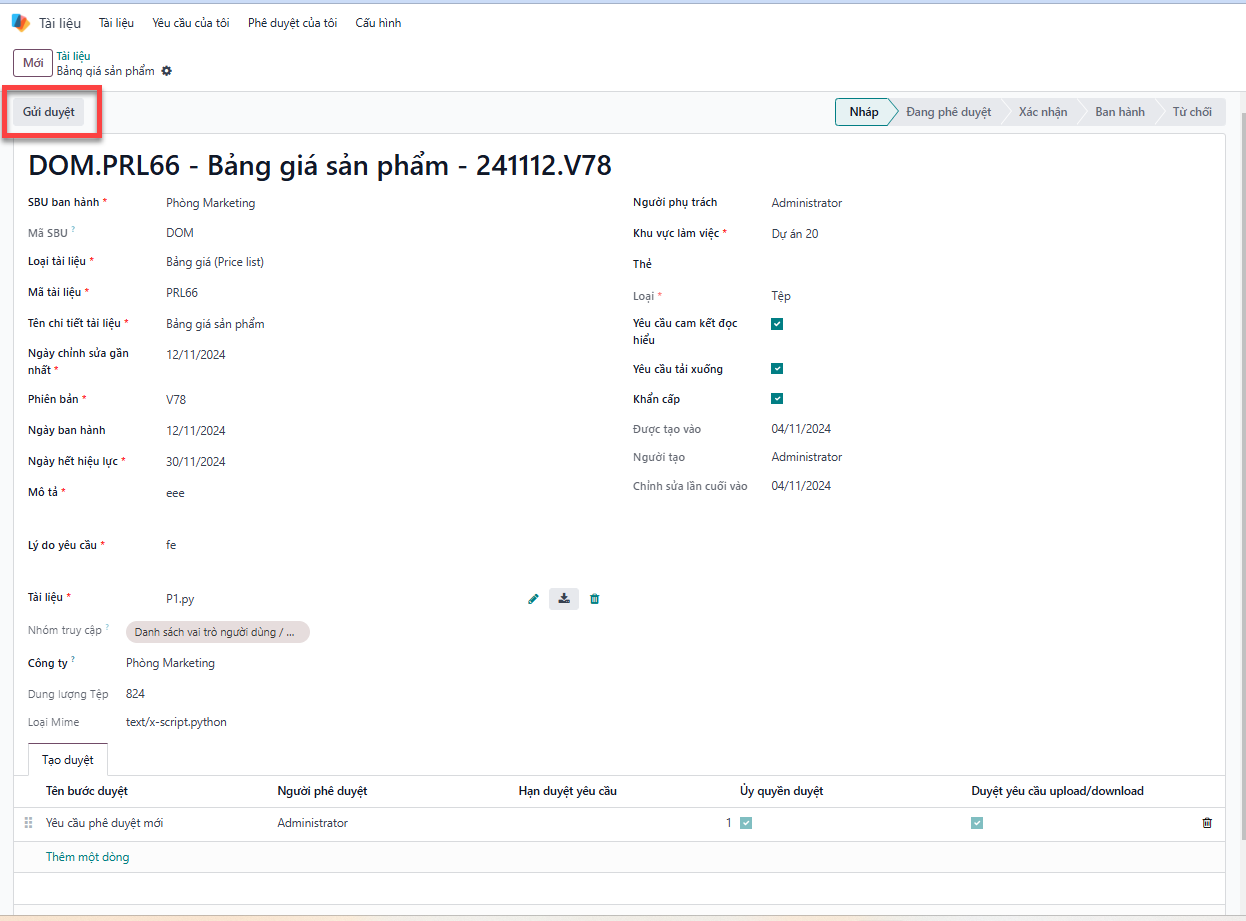
Bước 2: The document status transitions immediately to Pending Approval (Đang phê duyệt).