Project Document Followers
In complex multi-company organizations or cross-functional projects, stakeholders from other Strategic Business Units (SBUs) or departments often require visibility into project documentation without holding editing or official approval authority. S-ERP DMS allows assigning Document Followers (Người theo dõi tài liệu dự án) to consult and track progress.
Tip
Followers can review document content and provide advisory feedback directly in the communication thread to assist designated approvers. Consult your system administrator to ensure cross-company follower access permissions are appropriately provisioned.
Adding Followers to a Document
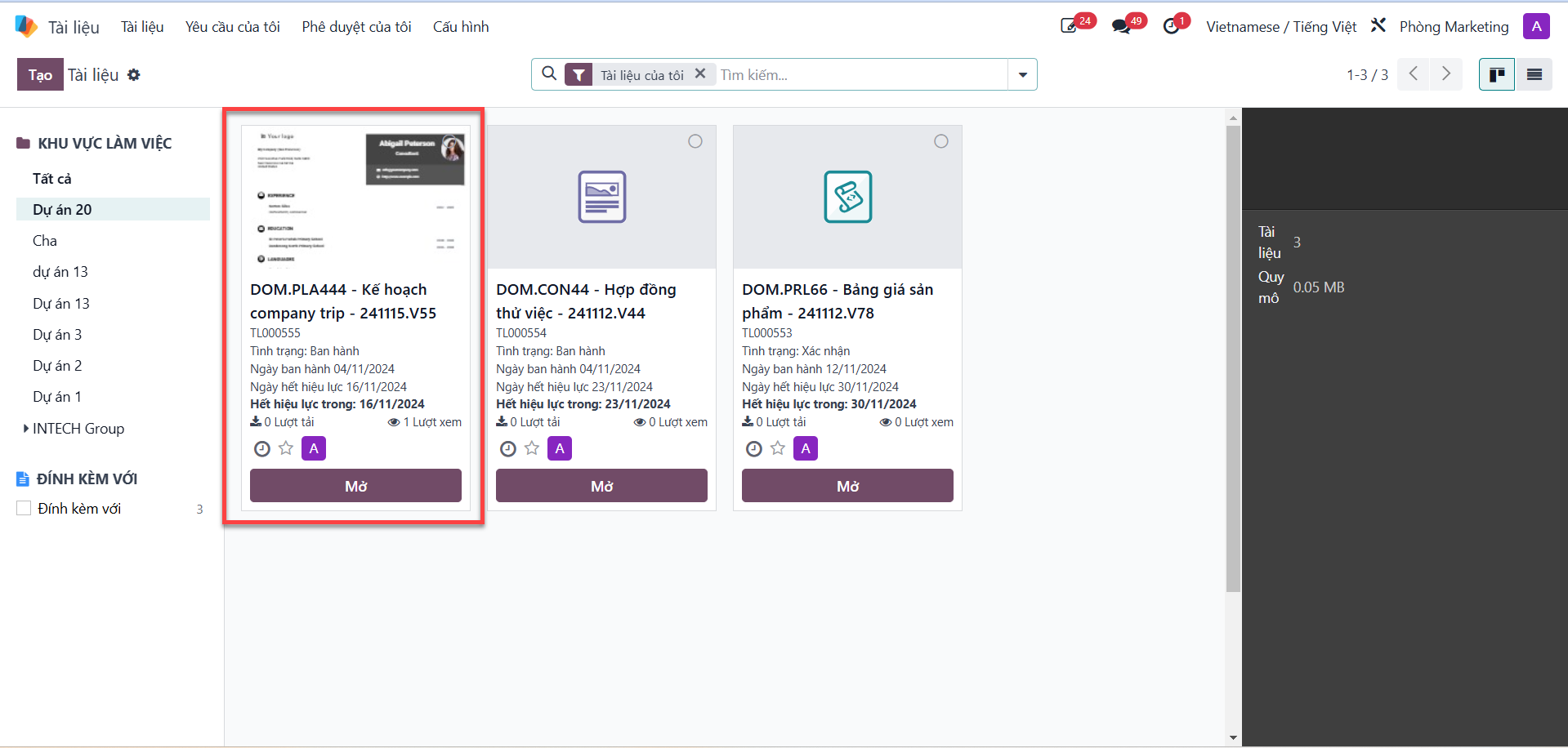
Bước 1: From the documents list view, select the target project document and open its detailed view.
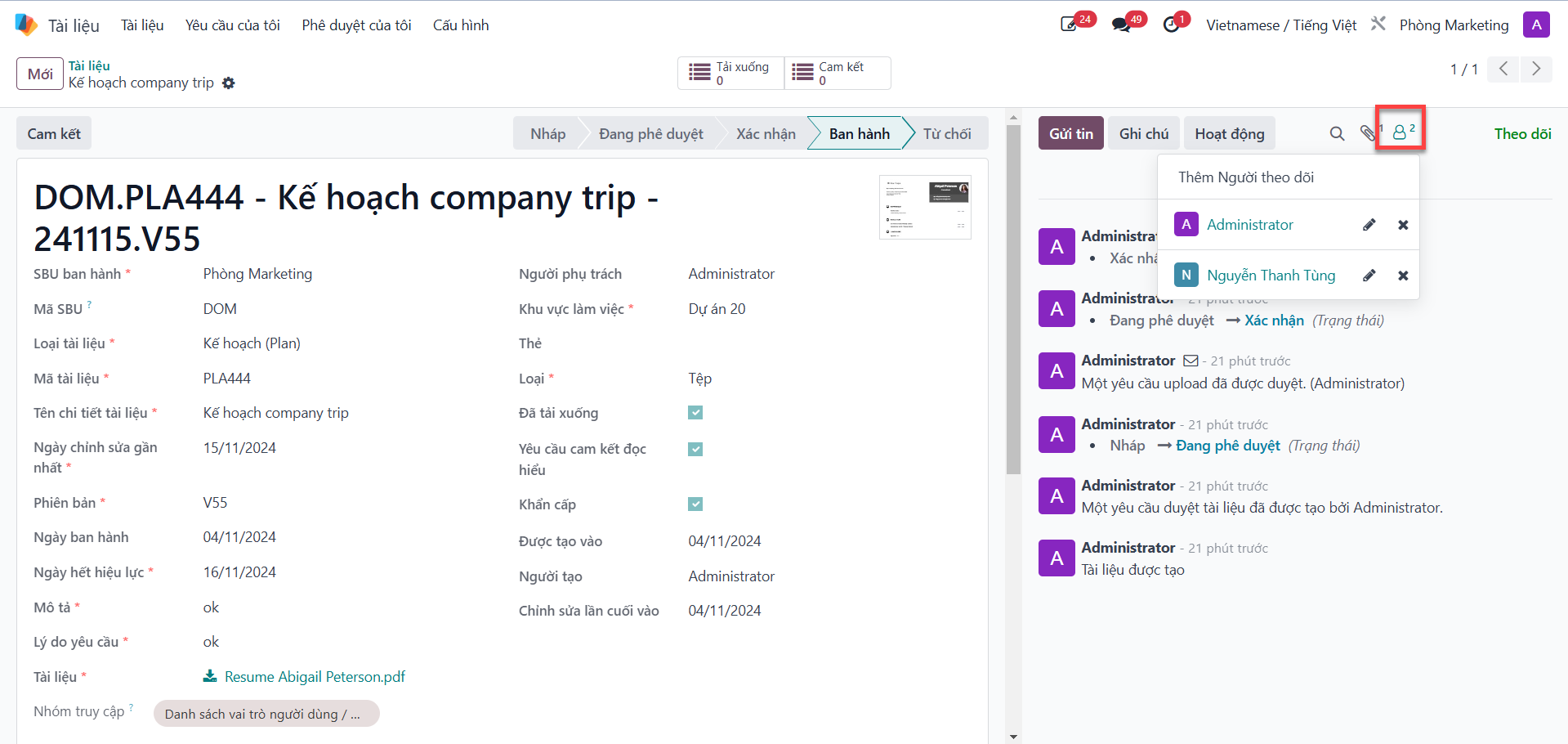
Bước 2: Click the Add Followers (Thêm người theo dõi) icon located in the upper-right corner of the communication panel.
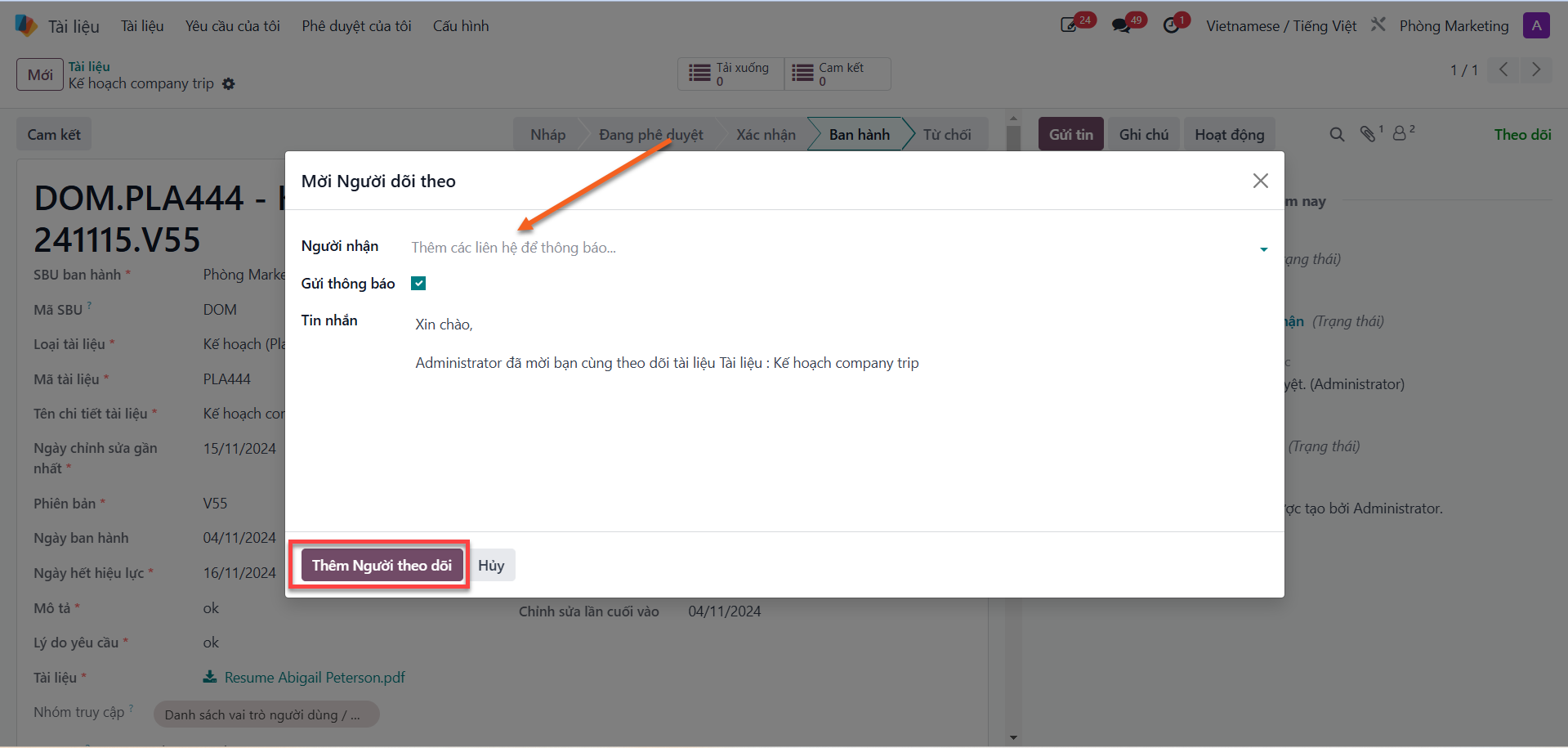
Bước 3: In the follower selection dialog, search for and select the recipient user, then click the Add Followers (Thêm người theo dõi) button to confirm assignment.