Monthly KPI Evaluation, Unplanned Workload
Following monthly KPI approval, employees adjust target weightings when emerging assignments arise, submit completed self-evaluation scores, and route the appraisal to line evaluators.
Evaluation Procedure
Bước 1: Adjust existing task weightings to balance percentages, then click Thêm công việc phát sinh (Add Unplanned Work) to incorporate newly emerging assignments.
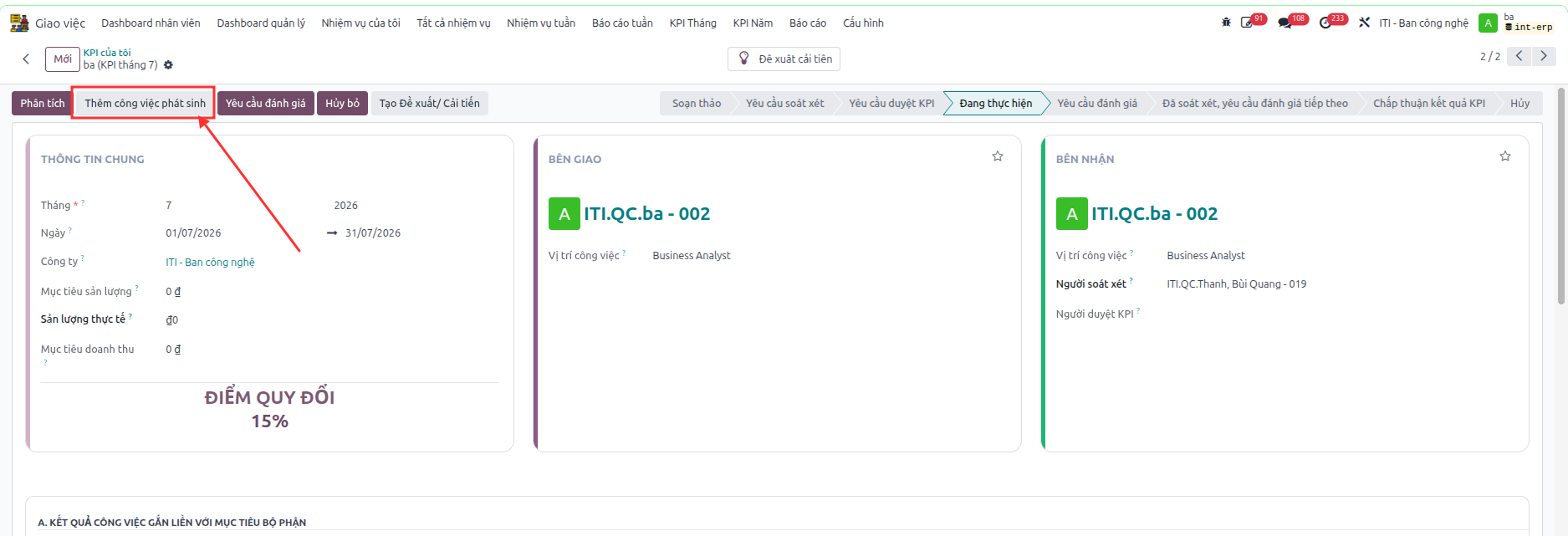
Bước 2: Input emerging task specifications, required target criteria, and link executed work tickets to the corresponding unplanned line.
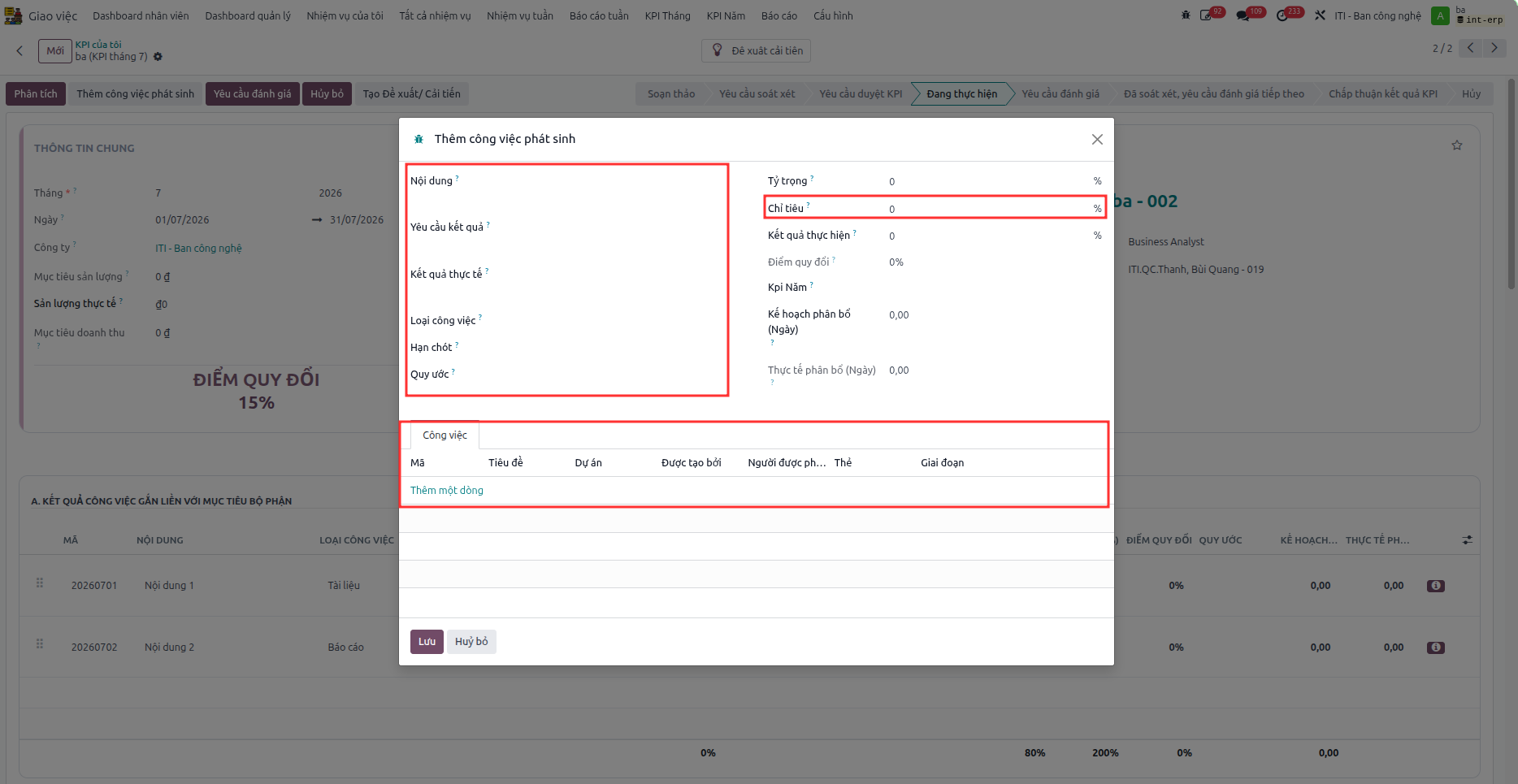
Important
Be sure to input the Chỉ tiêu (Target) accurately, as it becomes read-only and cannot be modified once saved.
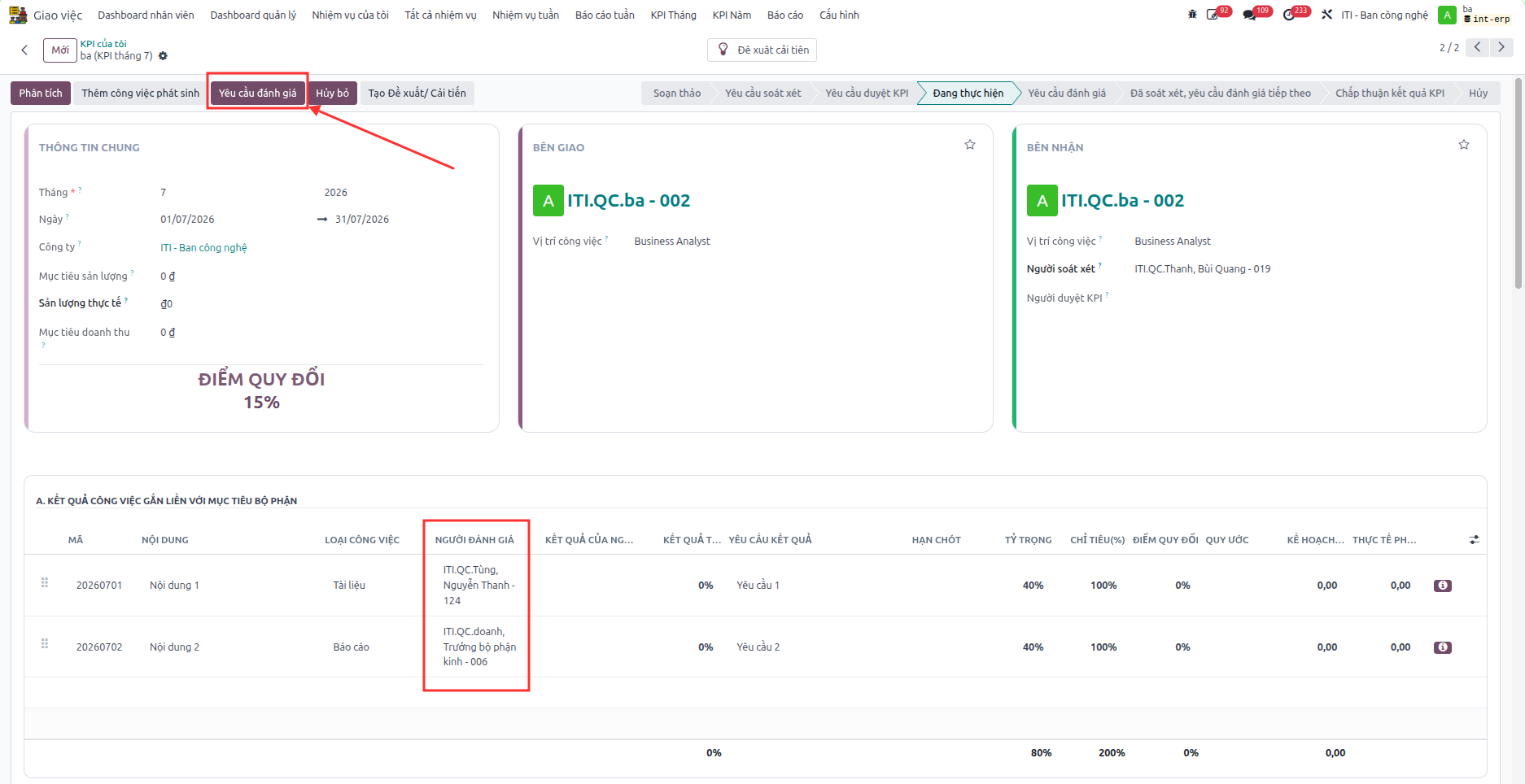
Bước 3: Complete self-assessment scores on each KPI item, then click Yêu cầu đánh giá (Request Final Evaluation) to dispatch review requests to assigned line evaluators.
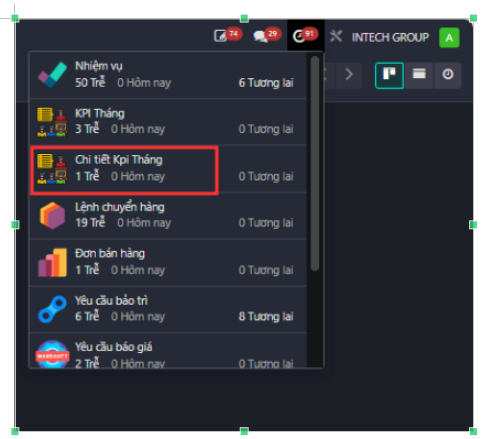
Bước 4: Line evaluators receive review notifications under Chi tiết Kpi Tháng on the top navigation bar to access and evaluate each designated KPI item.