Download Requisition & Approval
When a document is restricted, employees must submit a formal download request providing business justification before the file can be retrieved locally.
Submit Download Request
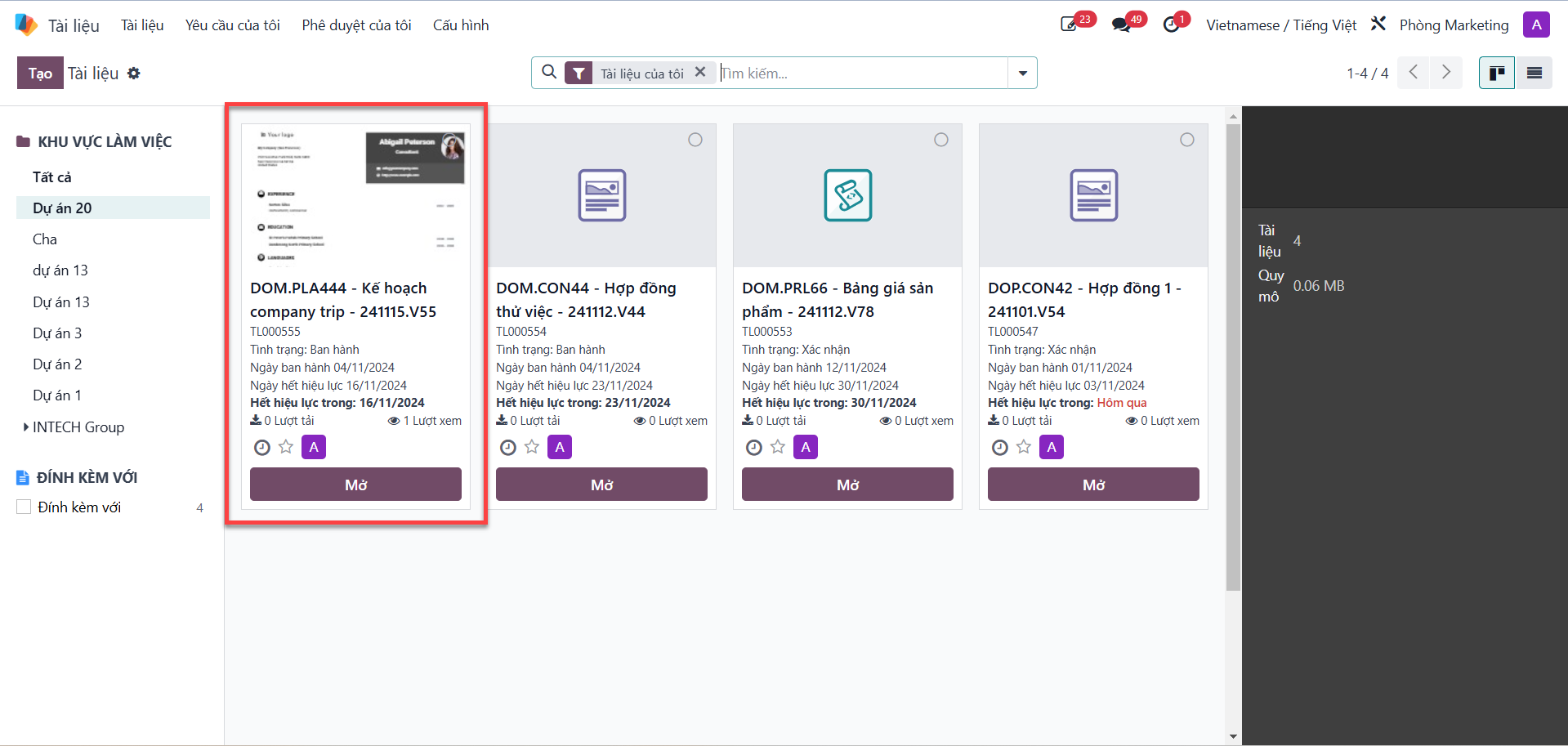
Bước 1: In the document list, select the document you require and click Open (Mở).
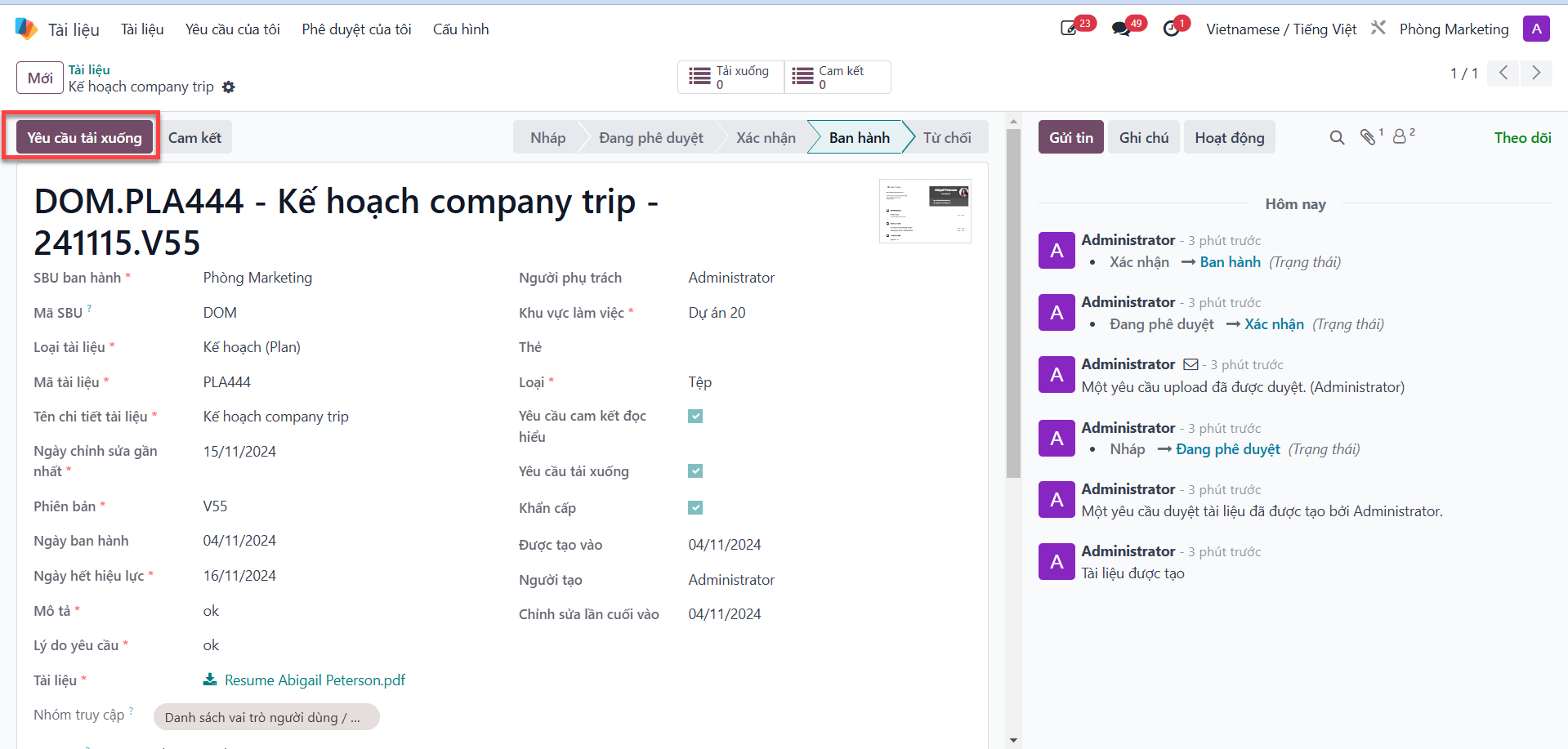
Bước 2: In the upper action ribbon, click Download Request (Yêu cầu download).
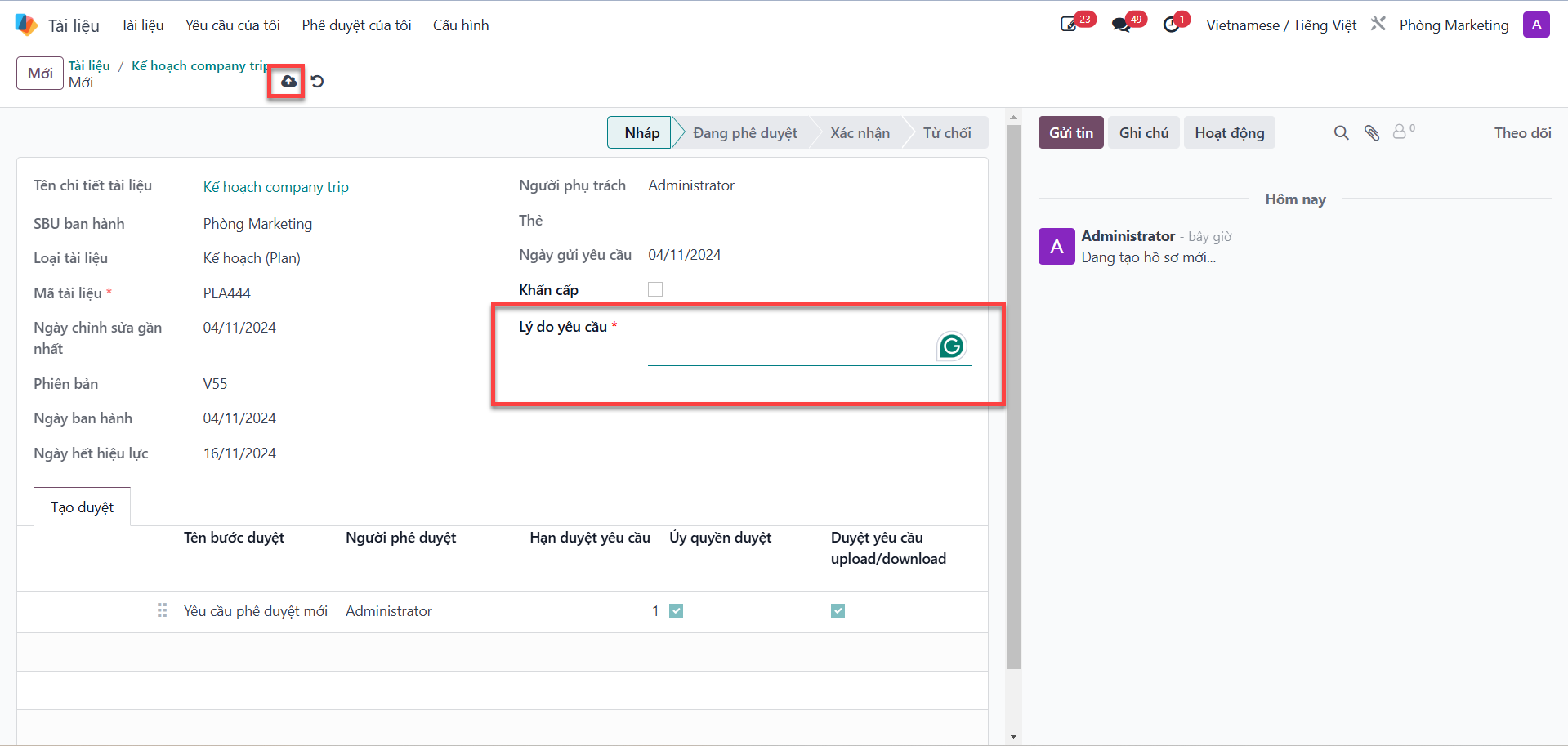
Bước 3: In the request modal, input the operational business justification into the Request Reason (Lý do yêu cầu) field, then click Save.
Bước 4: Click Submit for Approval (Gửi duyệt).
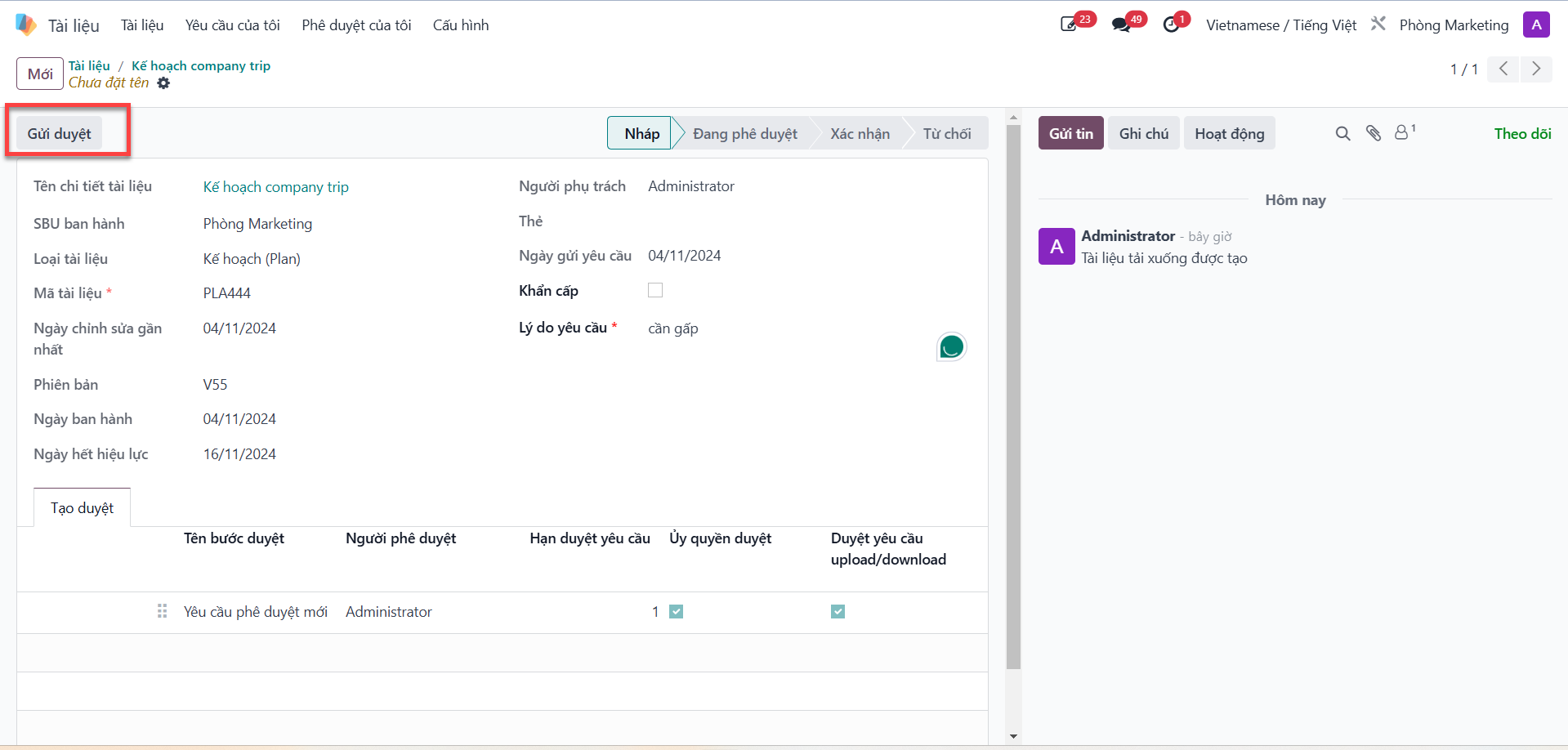
Note
Cơ chế duyệt tự động: Người dùng không cần tạo các bước duyệt thủ công cho yêu cầu download. Yêu cầu sẽ tự động được chuyển tới Trưởng SBU ban hành tài liệu (người có thẩm quyền cao nhất đối với tài liệu đó) để phê duyệt.
SBU Head Download Approval Workflow
The Issuing SBU Head reviews all incoming download requests from their approval queue:
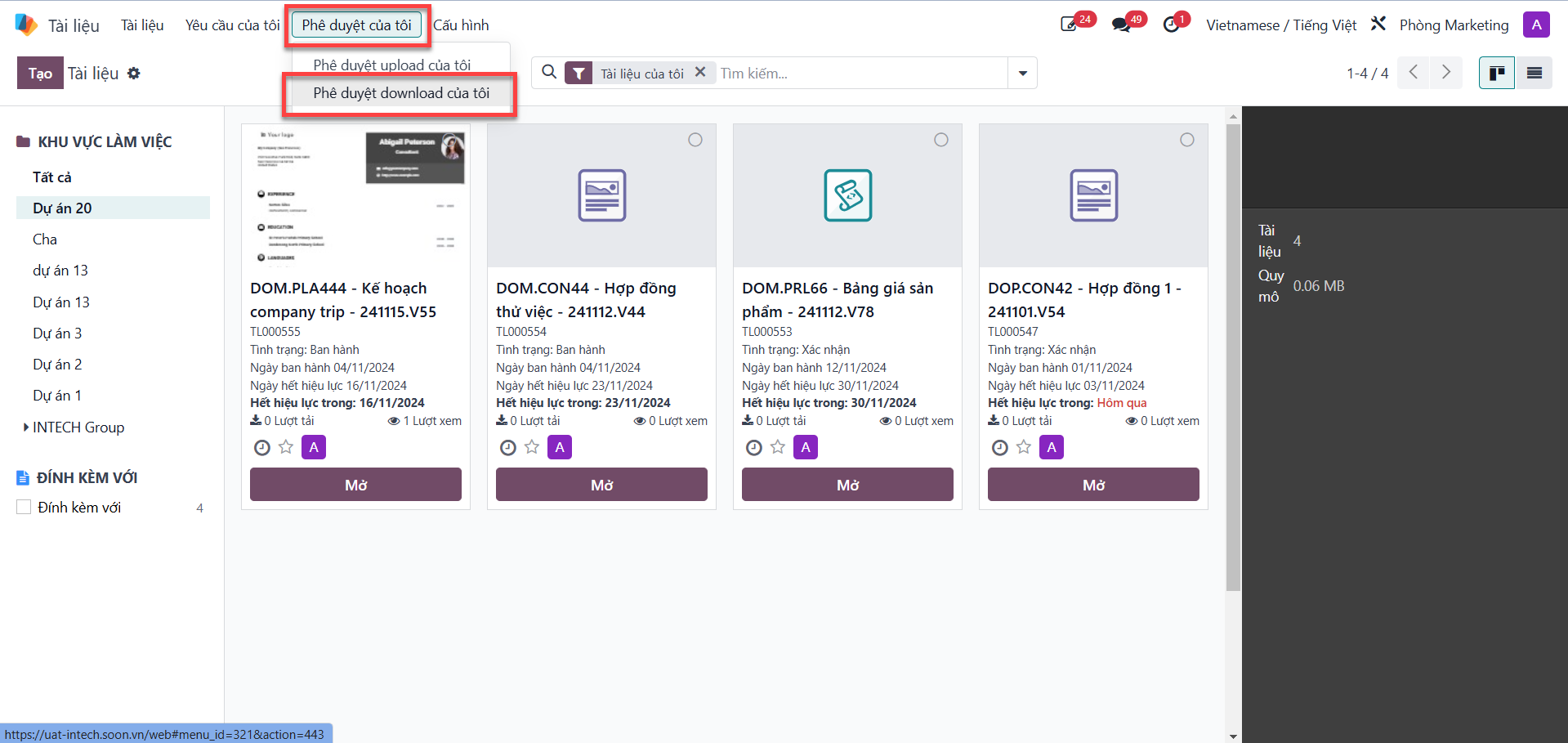
Bước 1: On the document interface, open the My Approvals (Phê duyệt của tôi) tab and select My Download Approvals (Phê duyệt download của tôi).
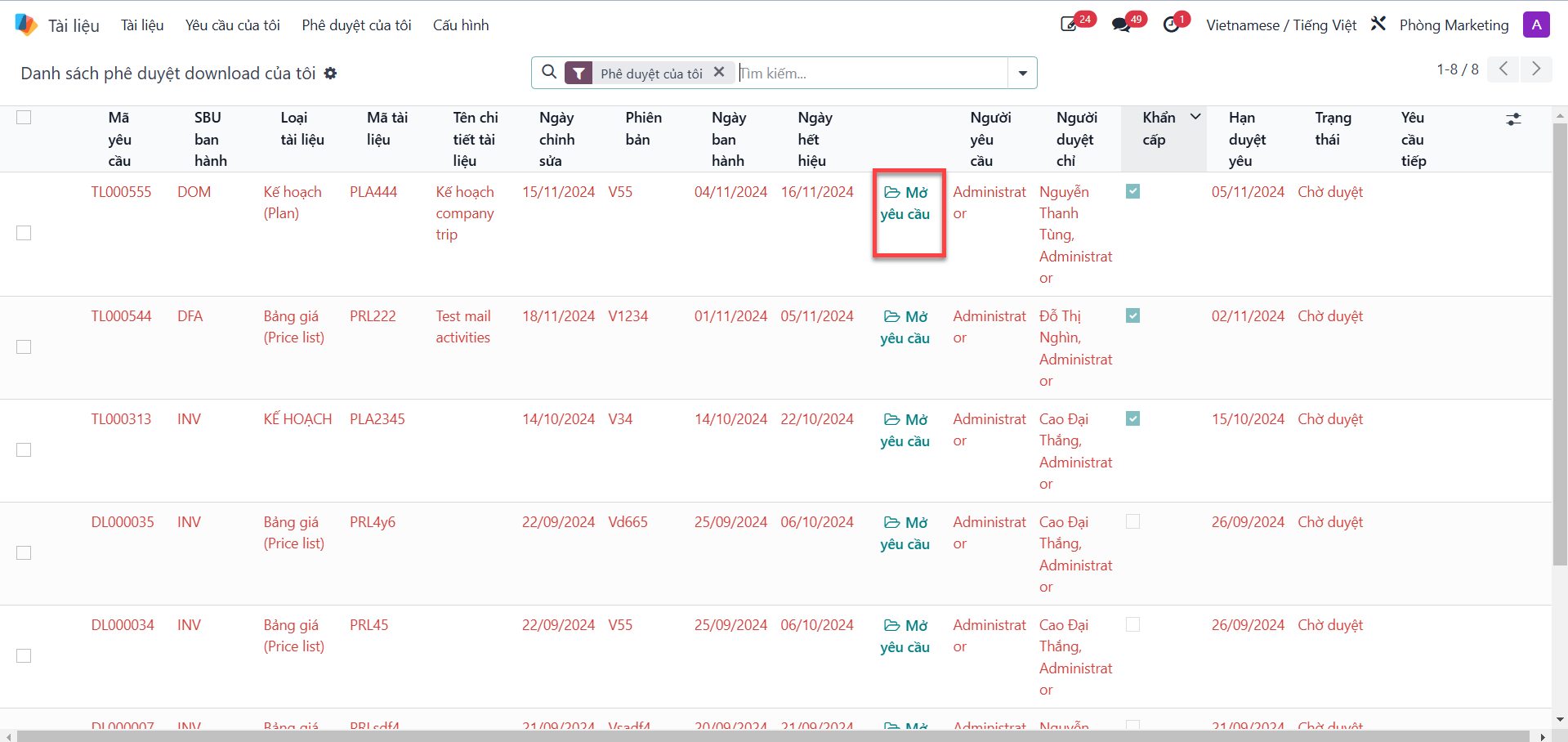
Bước 2: Click Open Request (Mở yêu cầu) to inspect the requisitioning employee’s details and stated reason.
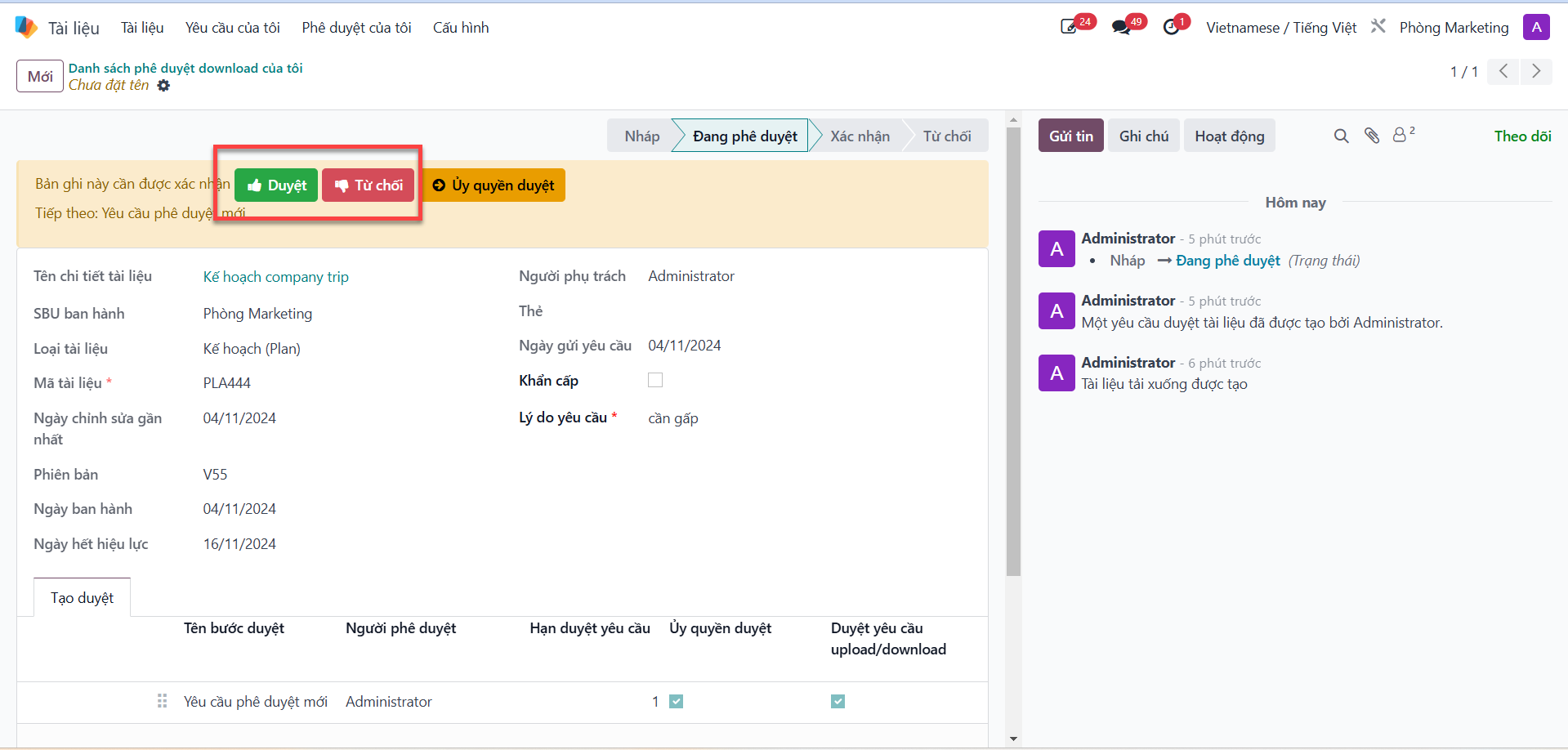
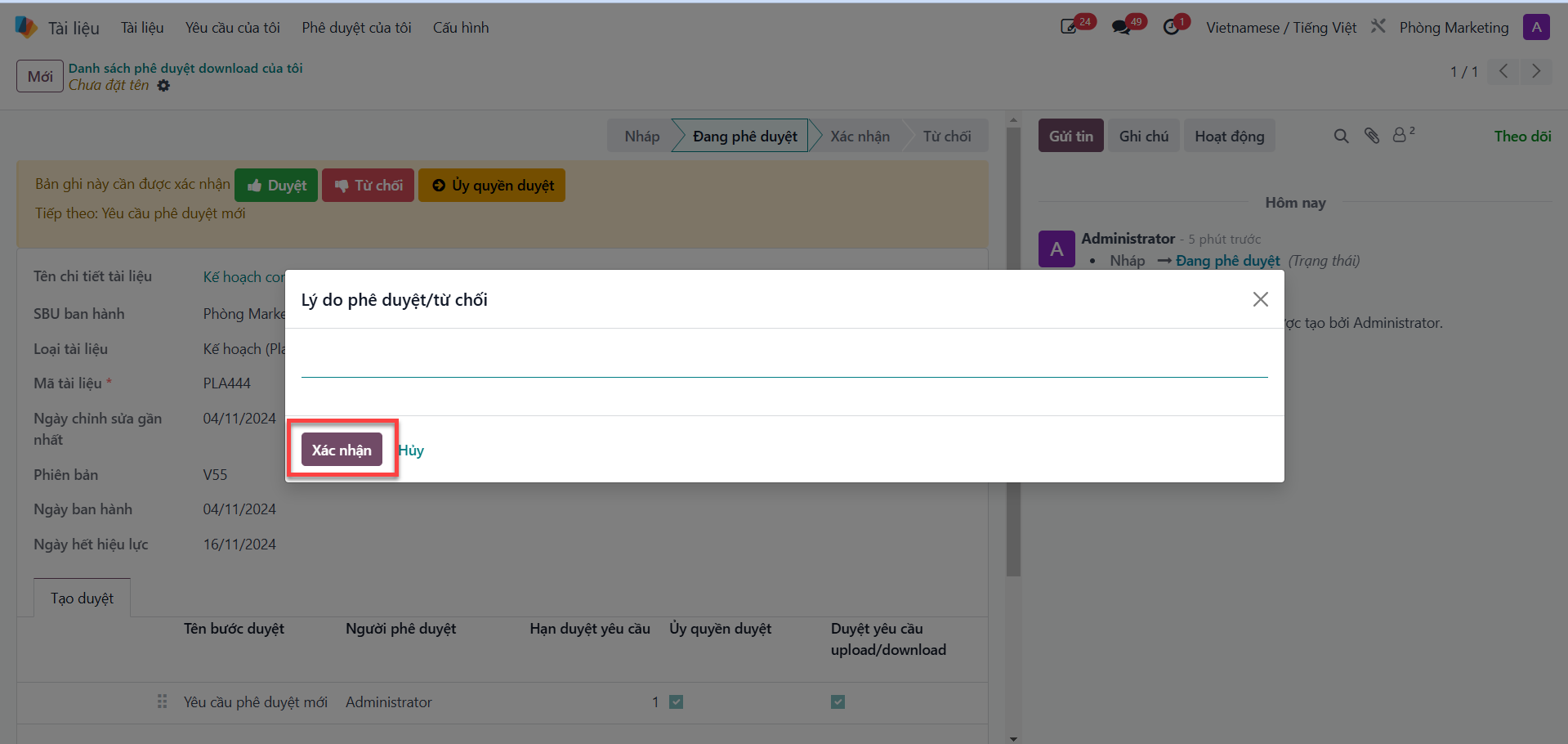
Bước 3: Evaluate the justification: - Click Approve (Duyệt) to authorize file download. - Click Refuse (Từ chối) if the download is unauthorized. - Enter review commentary, then click Confirm (Xác nhận).