Loan & Deposit Repayments
To clear debt obligations and balance group accounts, borrowing units submit repayment orders. S-ERP supports two methods: manual creation and batch repayment selection directly from the loans registry.
Method 1: Manual Repayment Entry
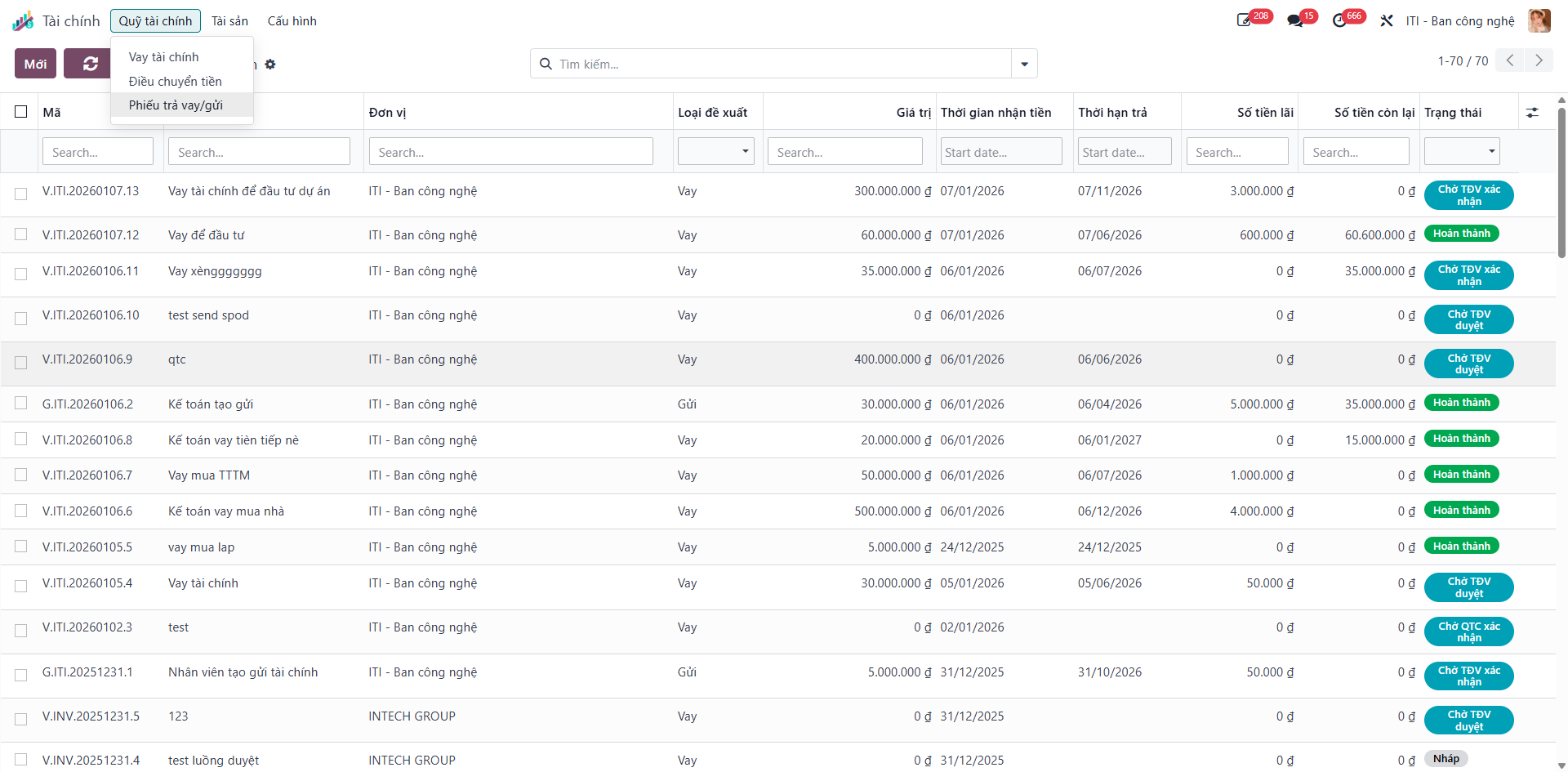
Bước 1: Navigate to Finance (Tài chính) ‣ Treasury Funds (Quỹ tài chính) ‣ Repayment Orders (Phiếu trả vay/gửi).
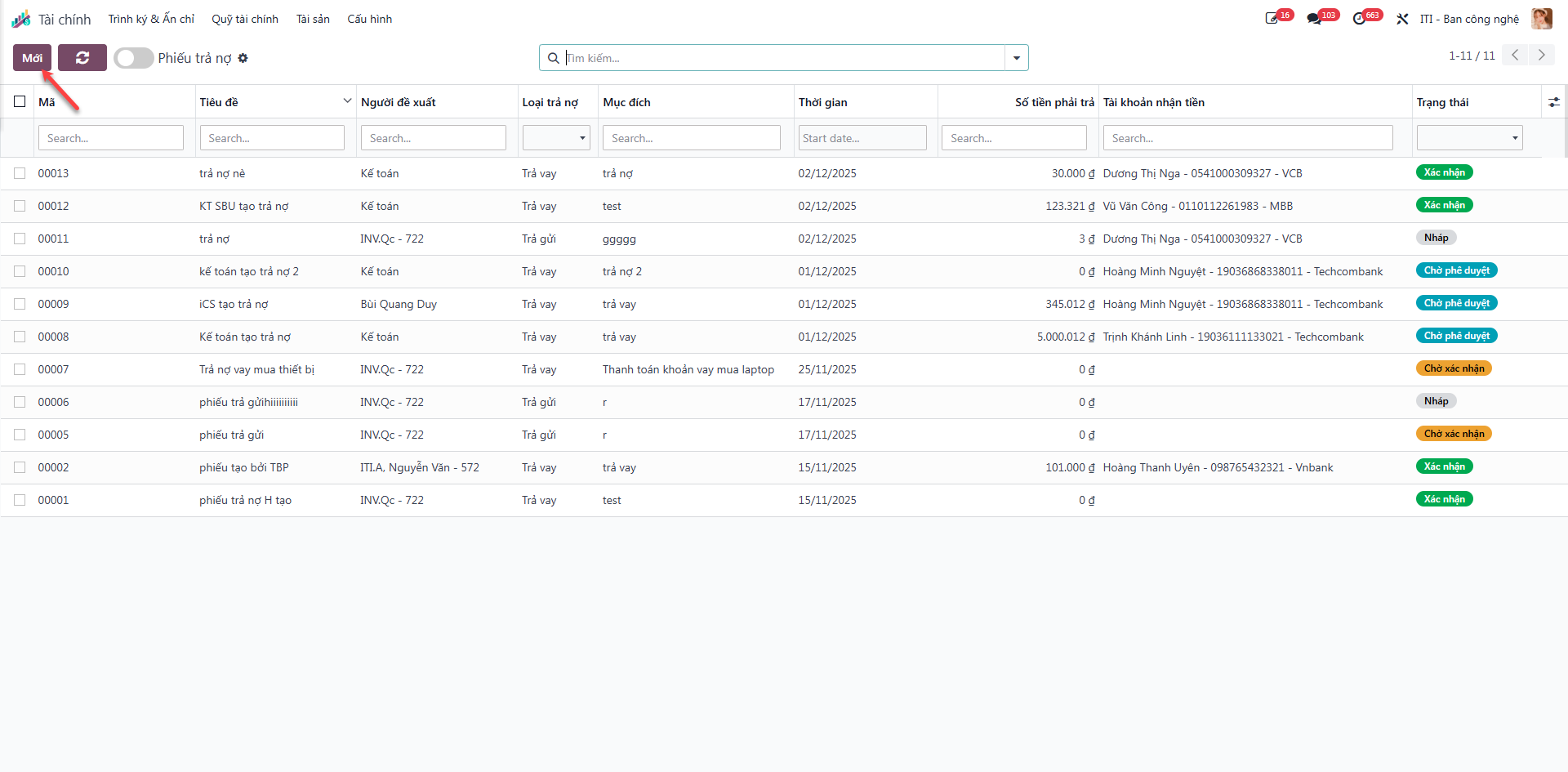
The screen lists all historical repayment slips with details: Title (Tiêu đề), Borrower/Depositor (Người vay/gửi), Repayment Type (Loại trả), Payment Amount (Số tiền trả), Receiving Account (Số tài khoản nhận tiền), and Status (Trạng thái).
Bước 2: Click the New (Mới) button to open a repayment form.
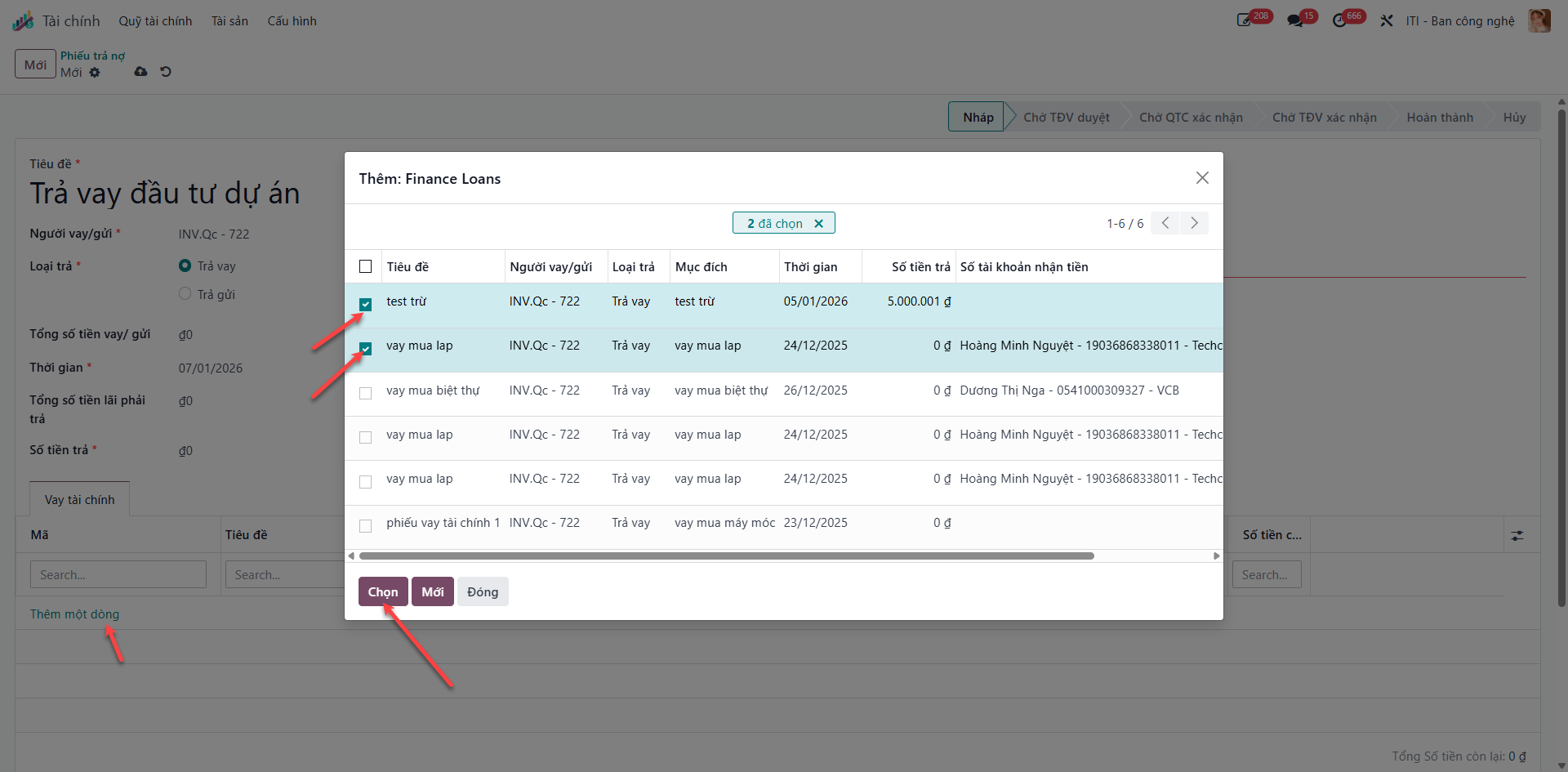
Bước 3: Enter general parameters (Submitter, Repayment Type, Date, Amount) and click Add a line (Thêm một dòng) under the allocated loans table to select eligible outstanding loan agreements.
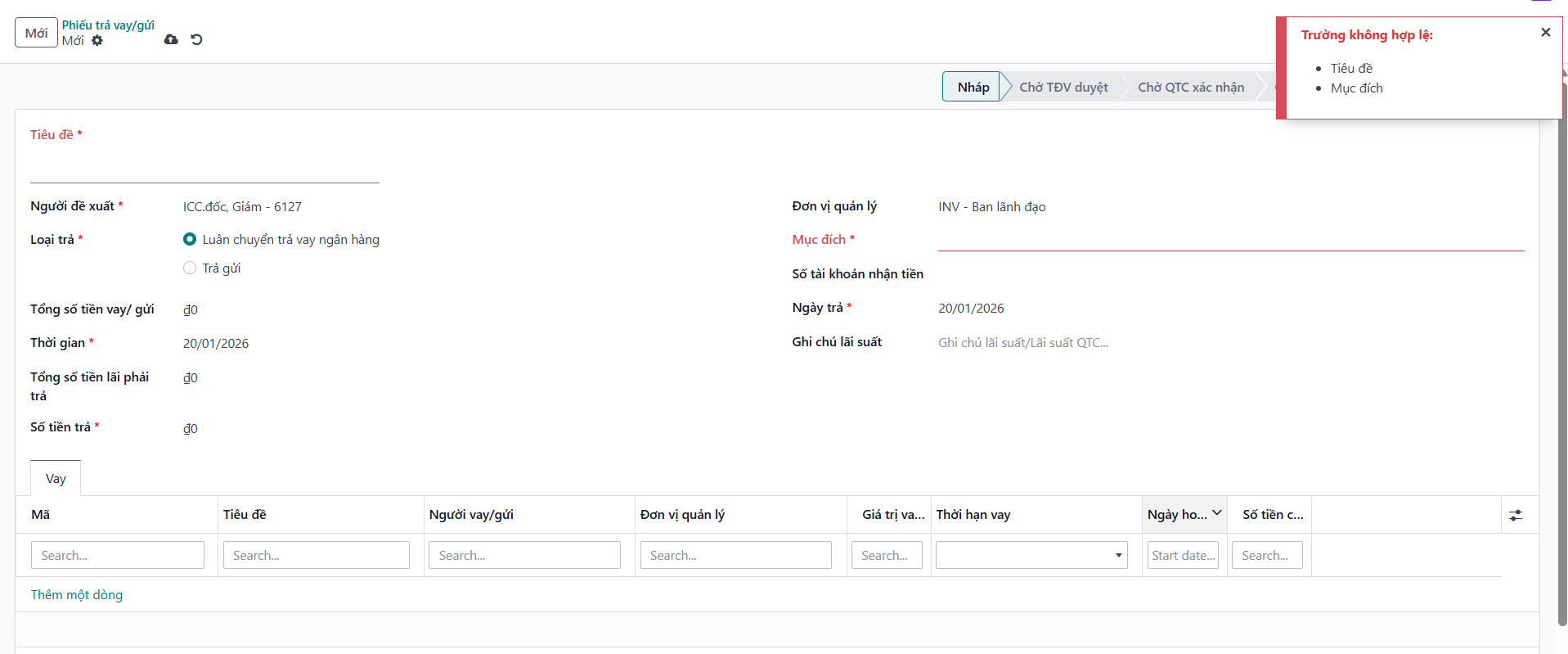
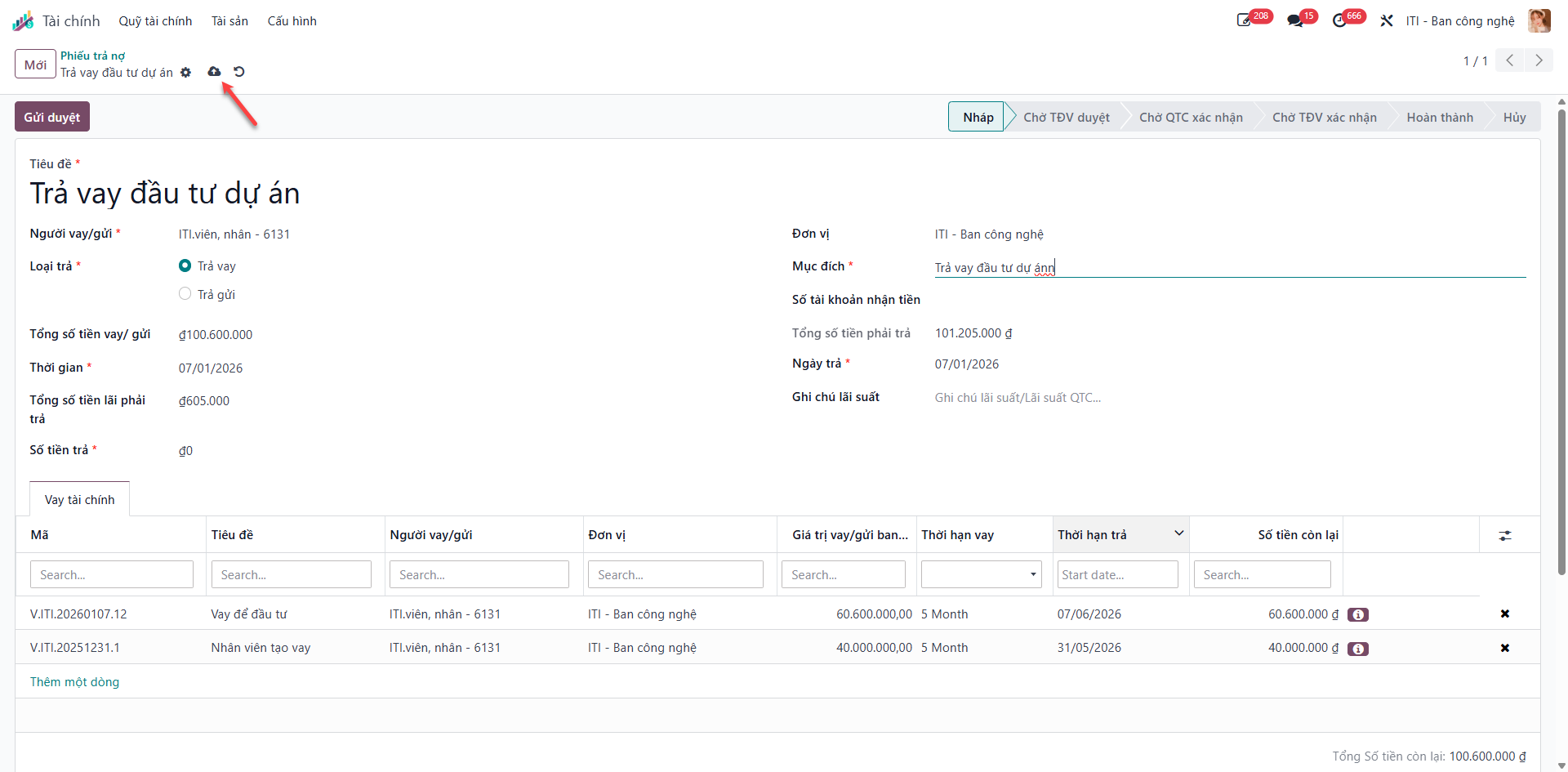
Bước 4: Click Save (Lưu) to record the repayment voucher in Draft (Nháp) status.
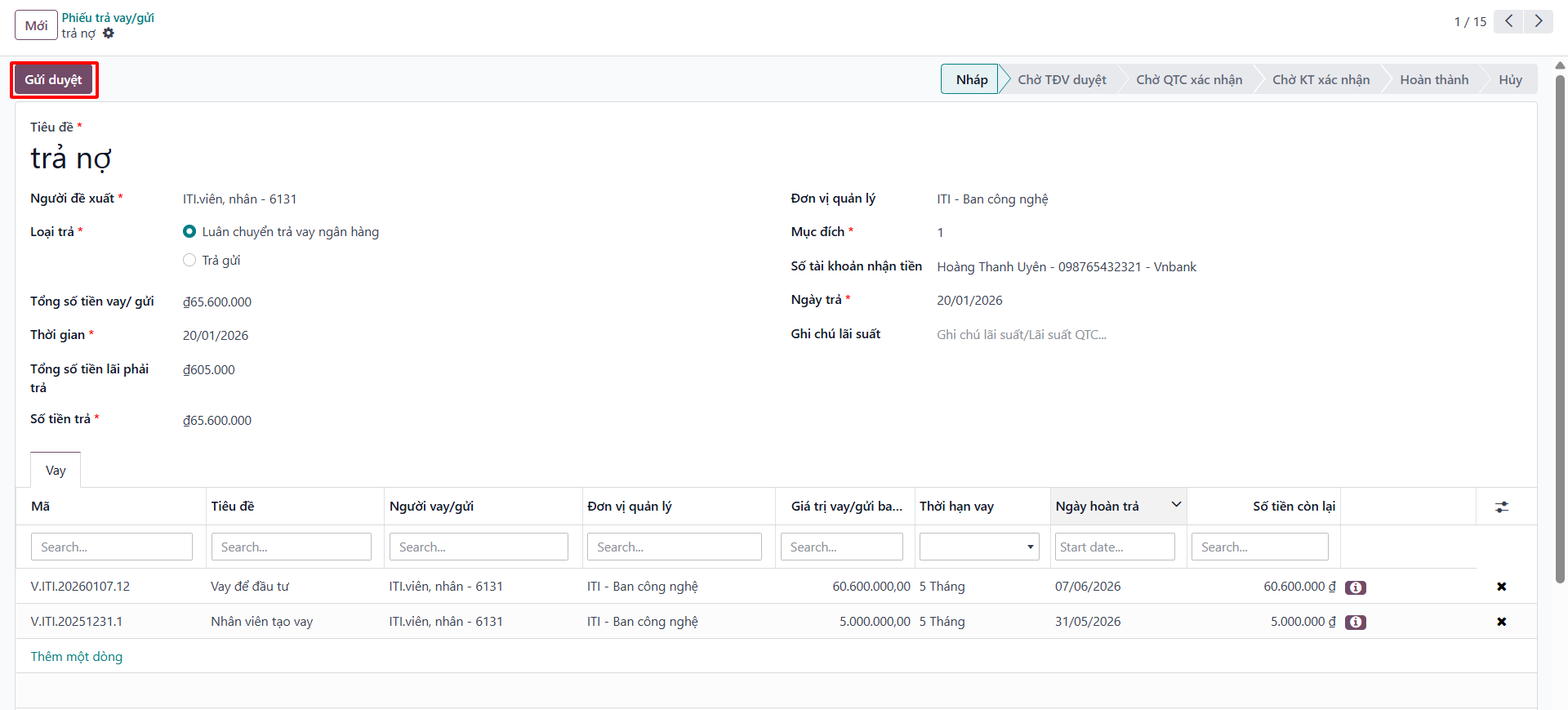
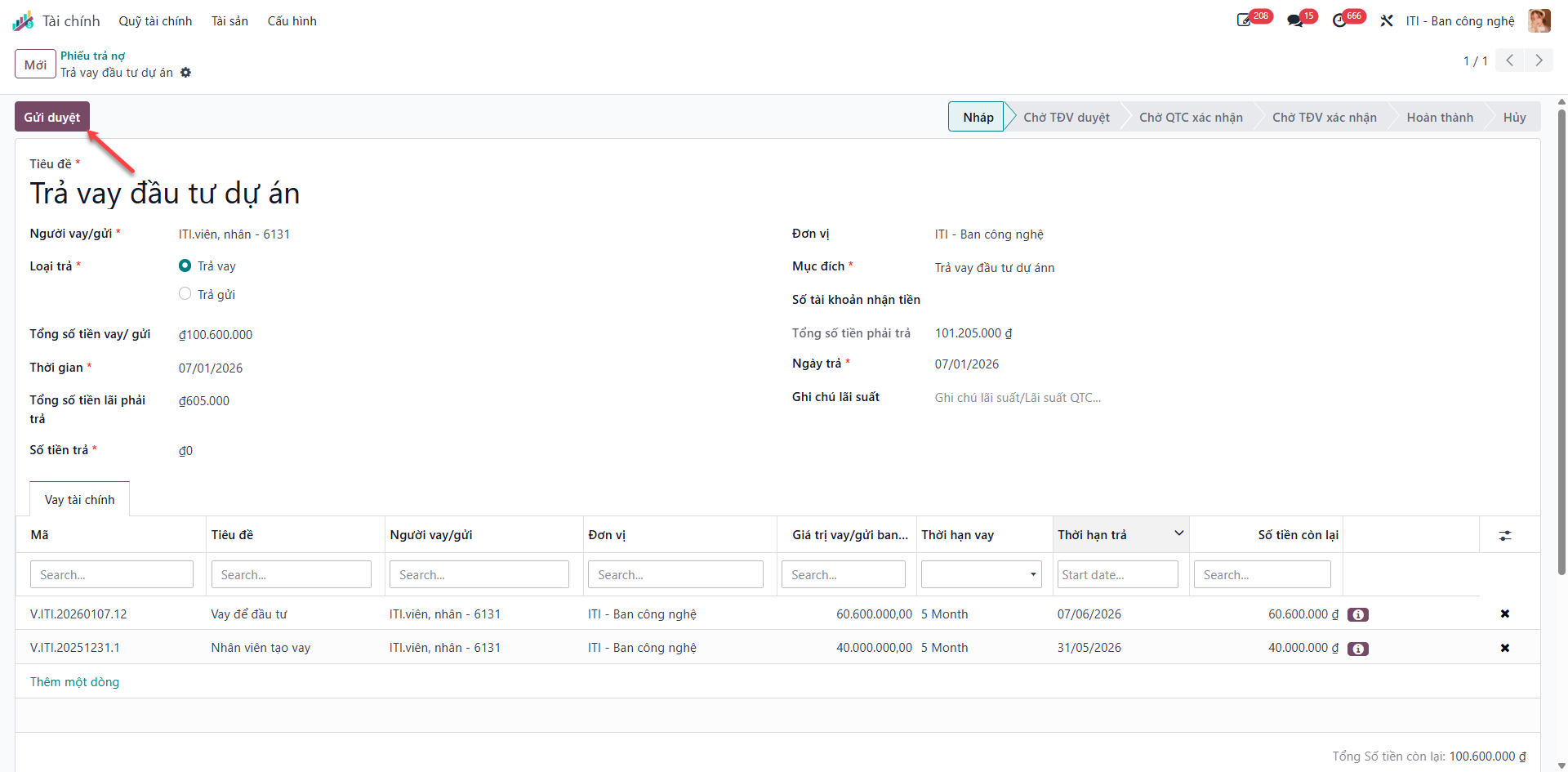
Bước 5: Click Submit for Approval (Gửi duyệt) to route the repayment to the Unit Head.
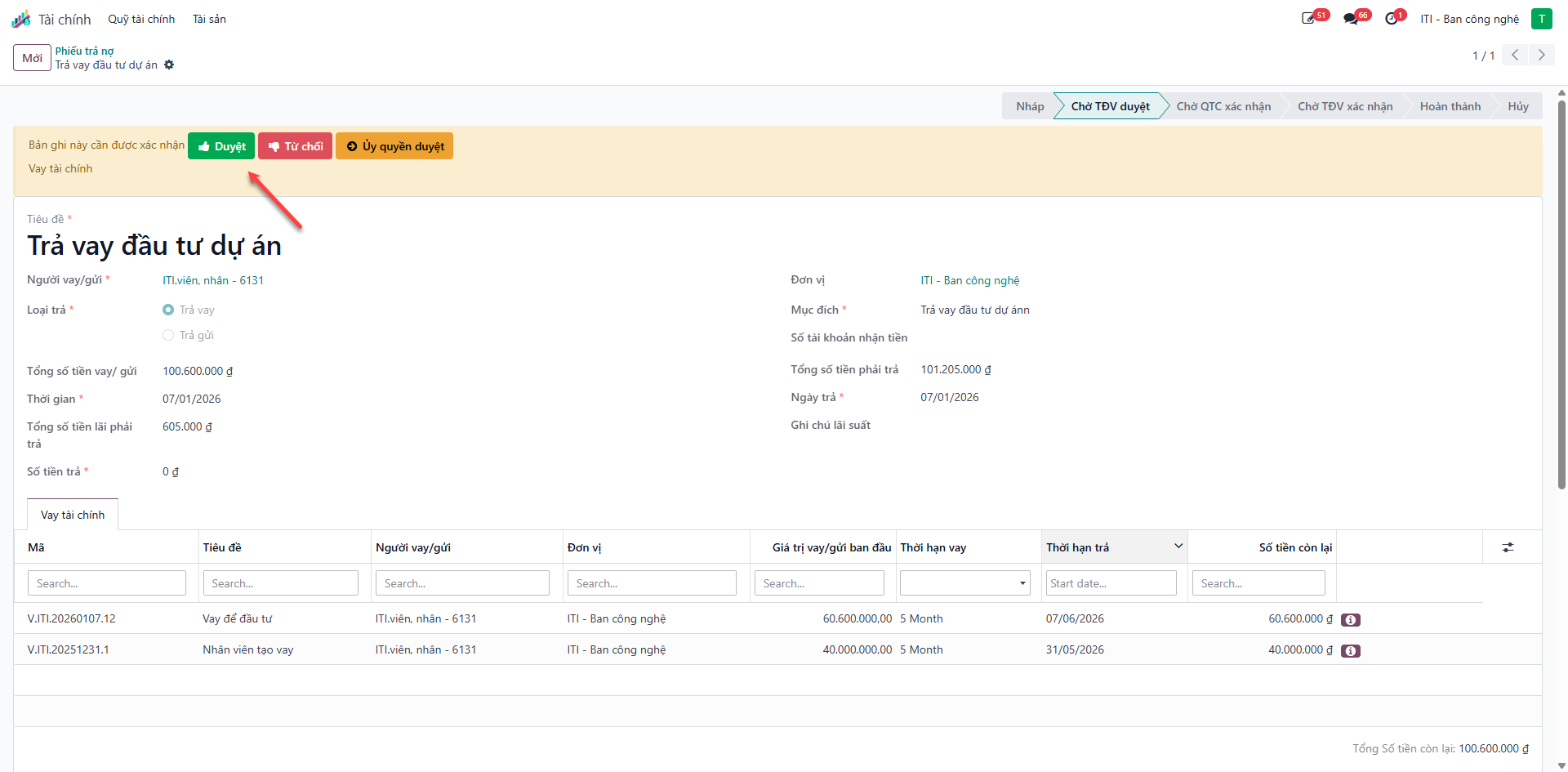
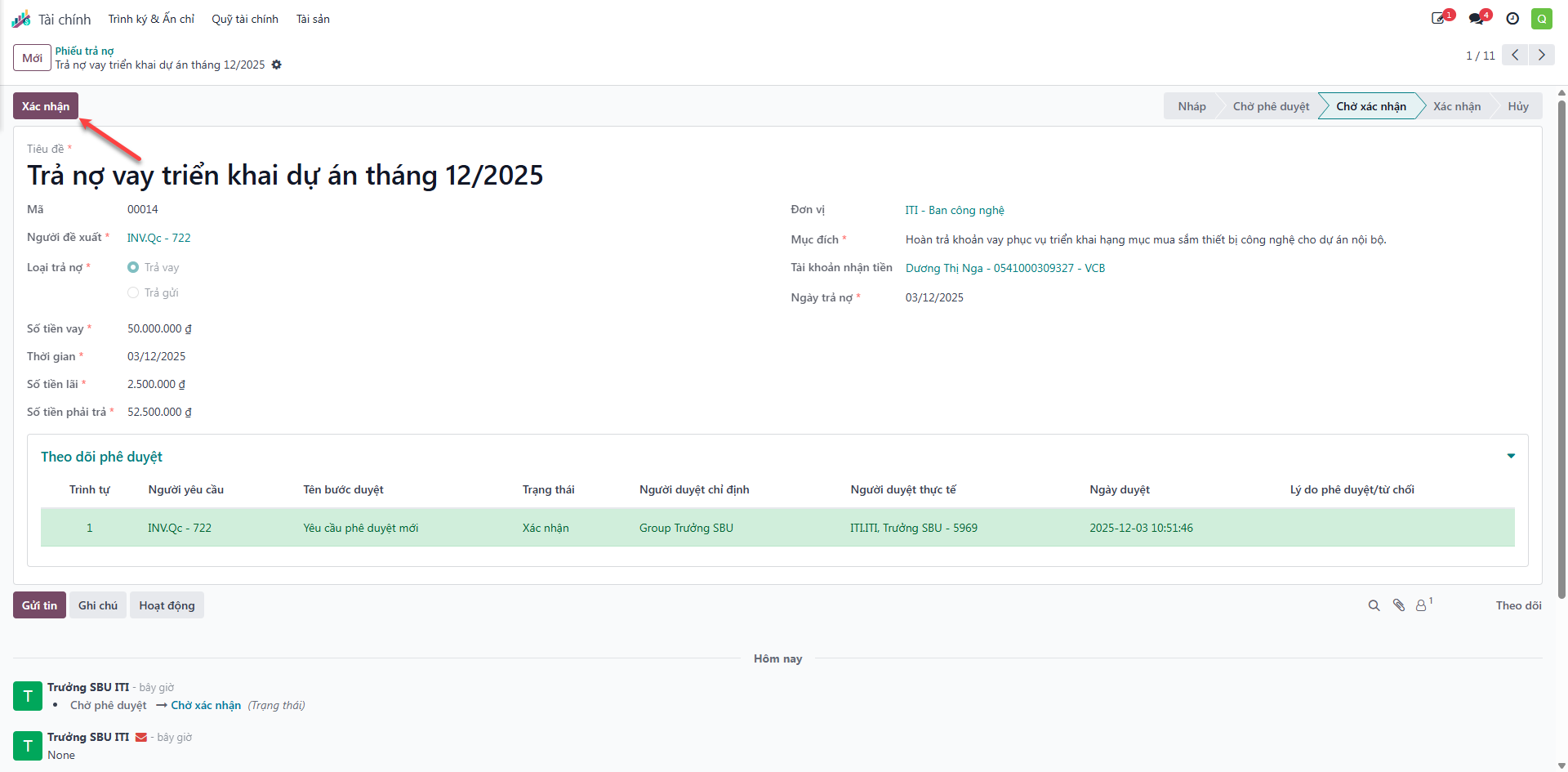
Bước 6: The Unit Head (TĐV) evaluates the repayment voucher and approves the transaction.
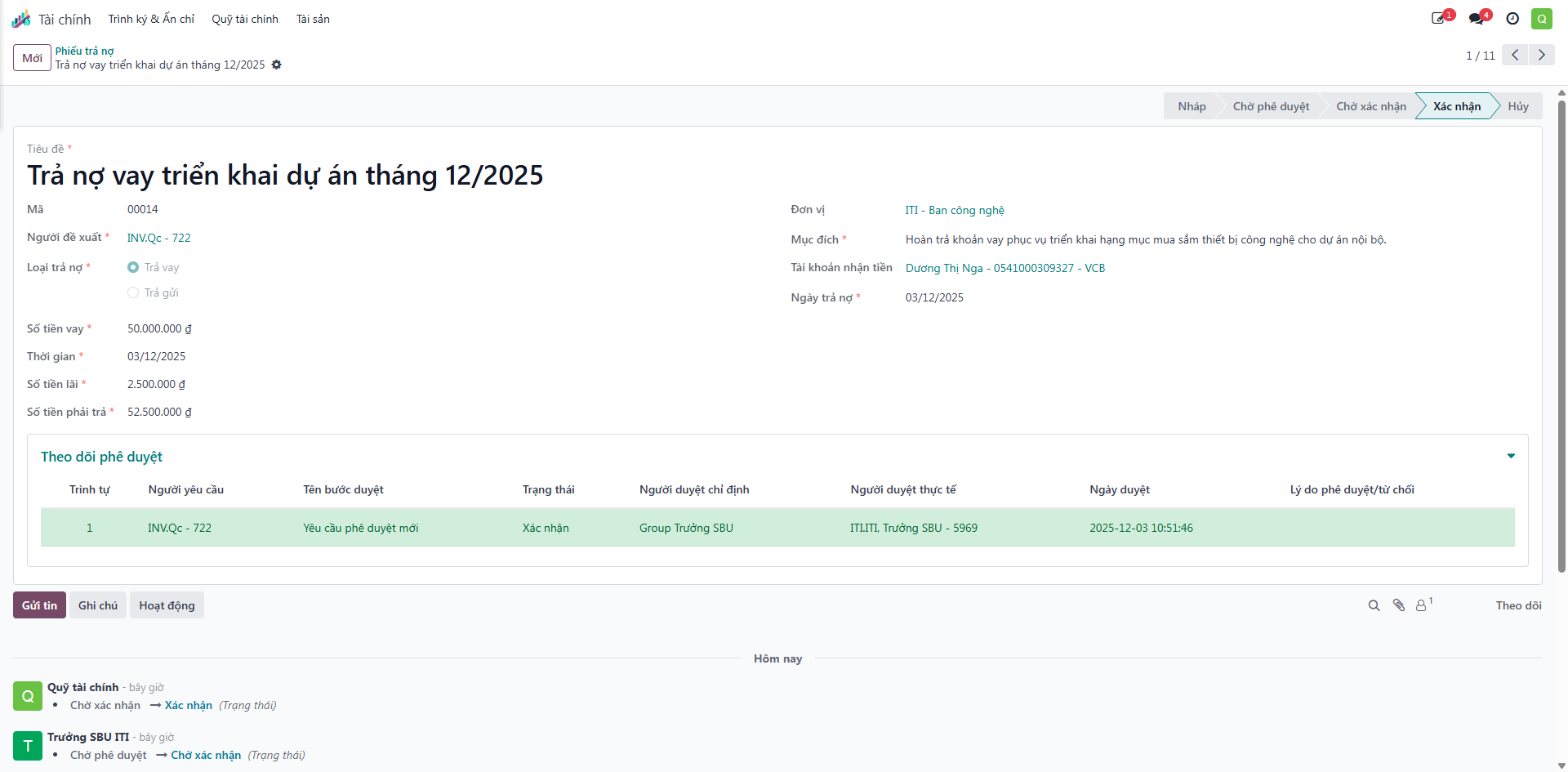
Bước 7: The Treasury Fund Manager (QTC) verifies bank credit confirmation and clicks Confirm (Xác nhận) to close the repayment voucher and reduce the outstanding loan balance.
Method 2: Batch Repayment from Active Loans
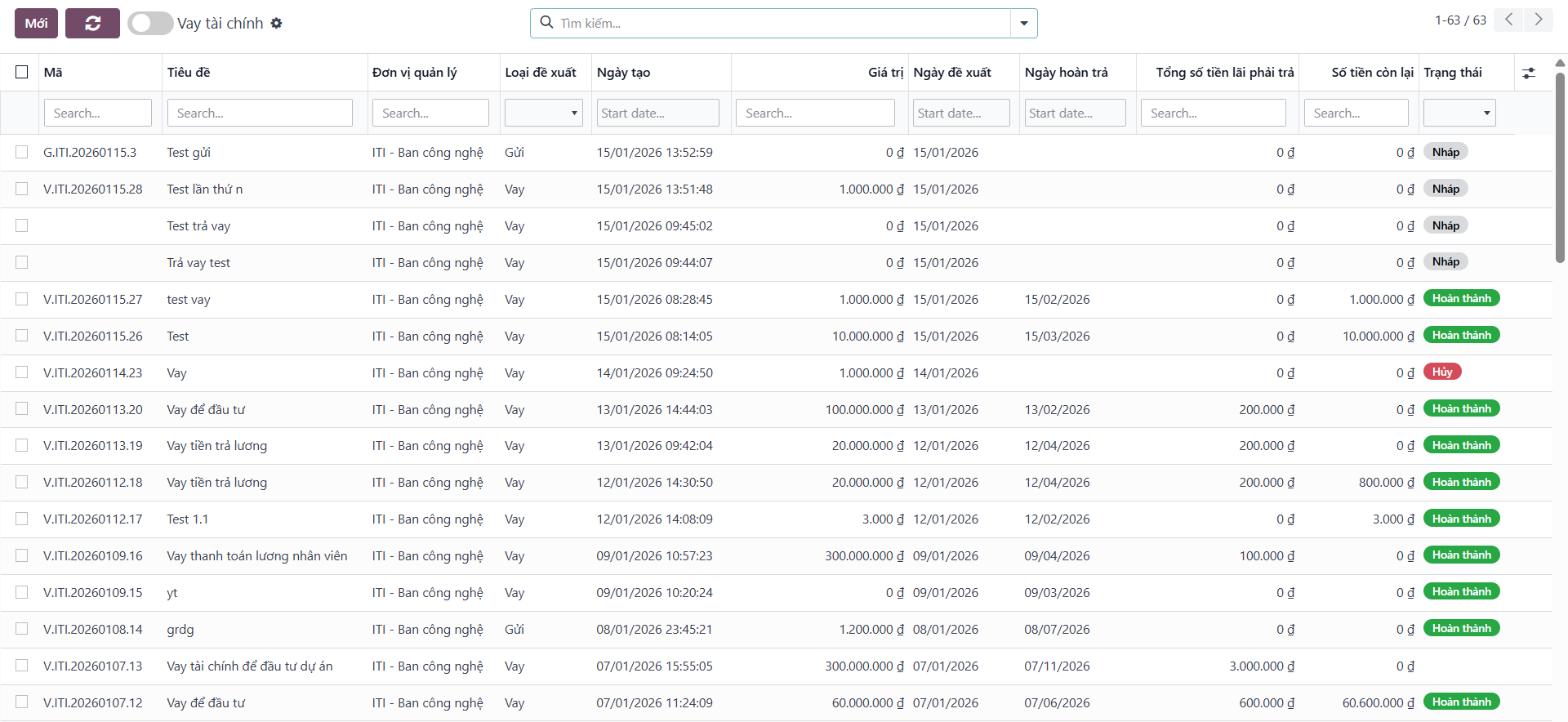
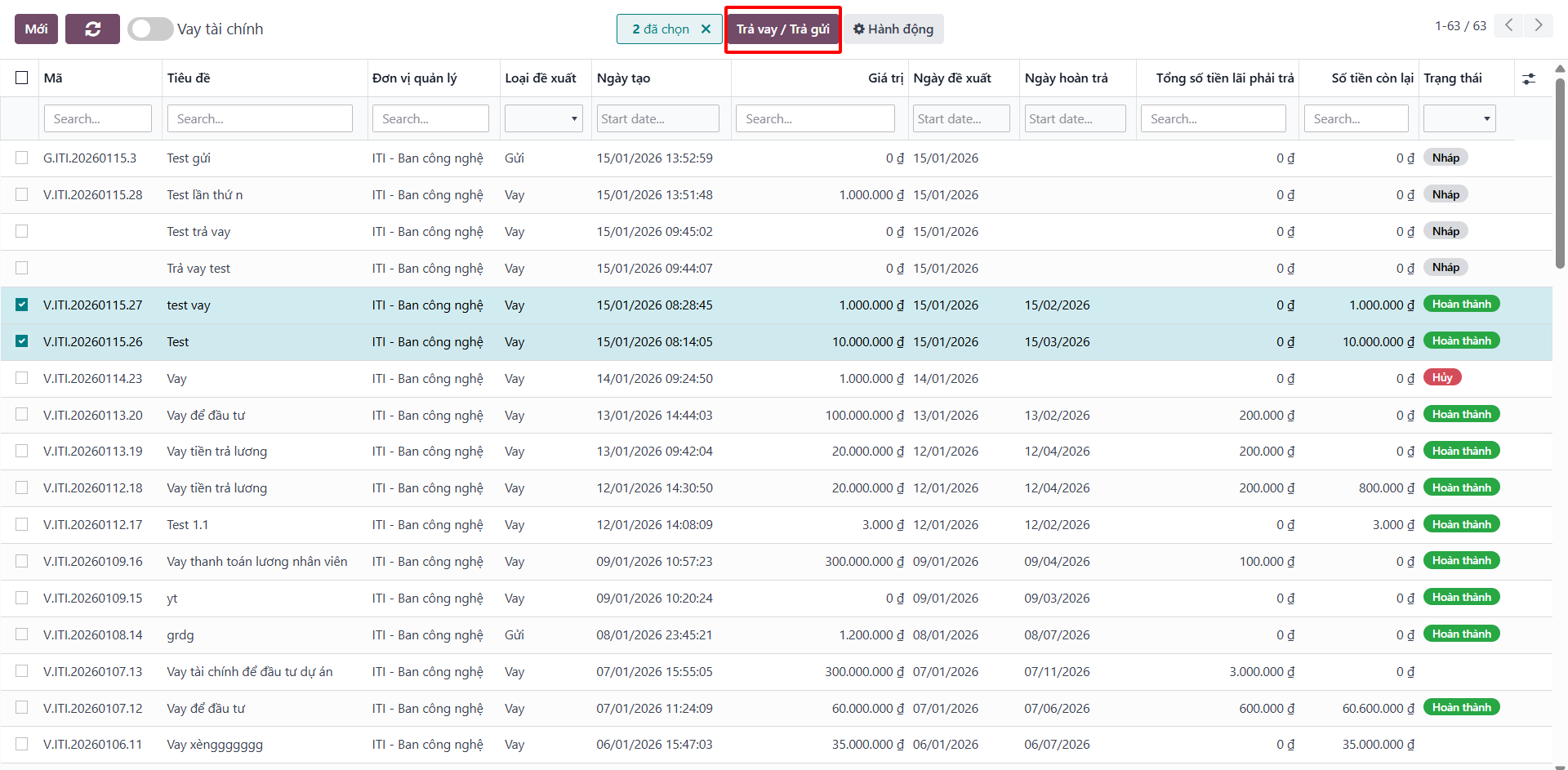
Bước 1: Navigate to the Financial Loans (Vay tài chính) list view.
Bước 2: Select the checkboxes for the loans you wish to repay.
Note
Selected loans must have status Completed (Hoàn thành), belong to the same borrower, and possess an outstanding balance greater than zero.
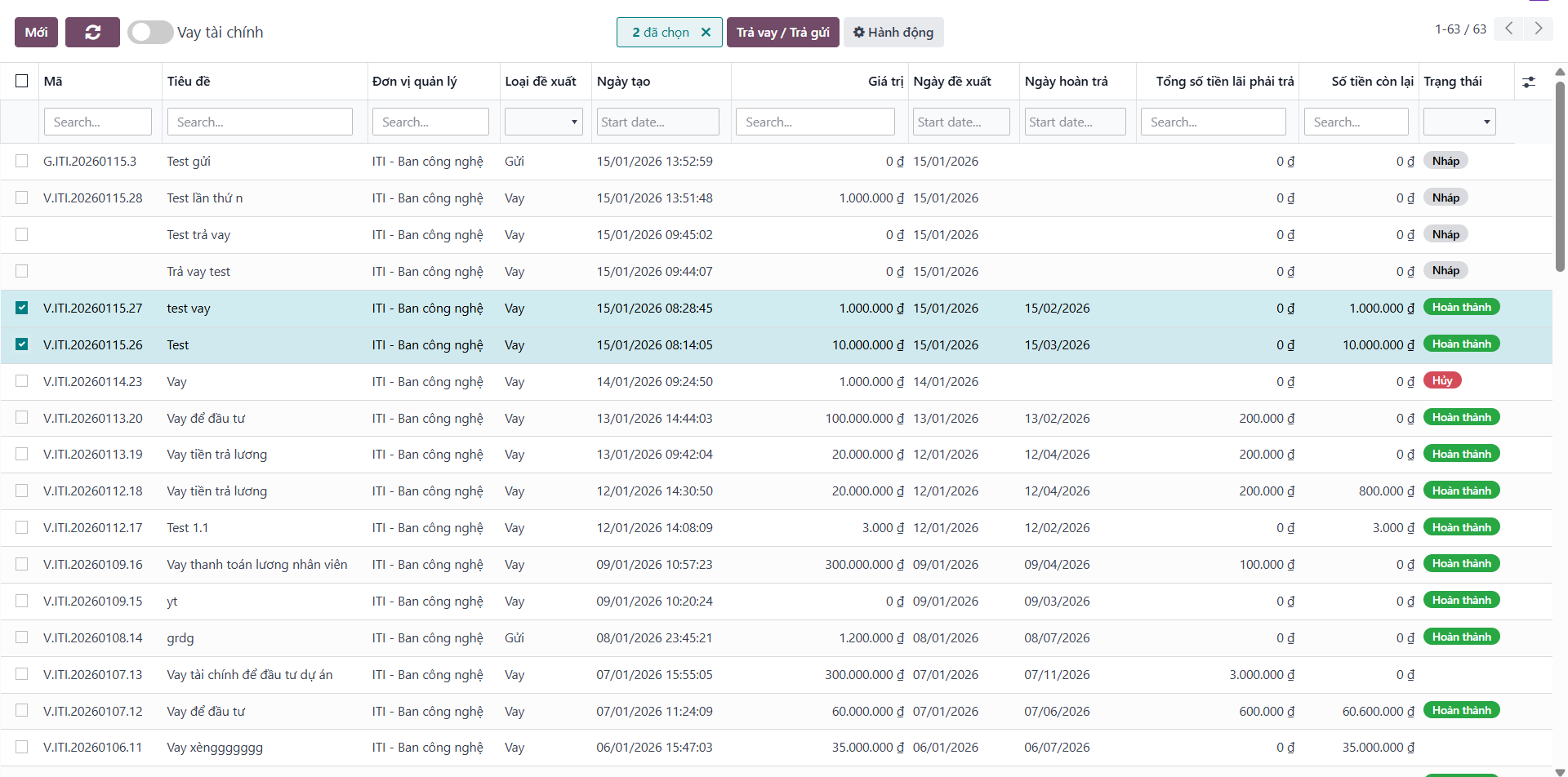
Bước 3: Click the Repay Loan/Deposit (Trả vay/Trả gửi) action button in the list toolbar.
Bước 4: In the automated repayment dialog, review the pre-populated values, enter repayment specifics, and click Save (Lưu).
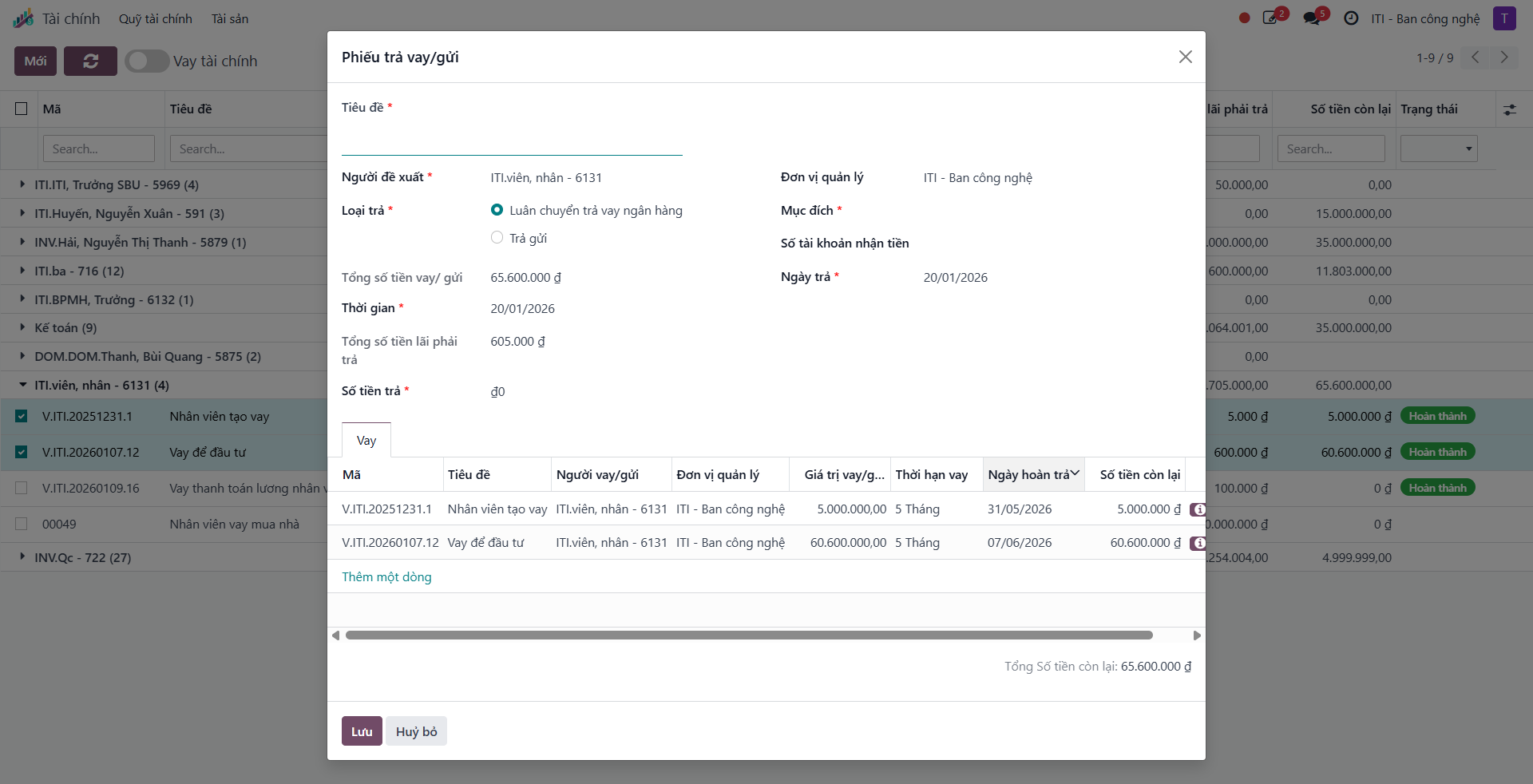
Bước 5: Open the generated repayment slip and click Submit for Approval (Gửi duyệt) to execute the standard review workflow.