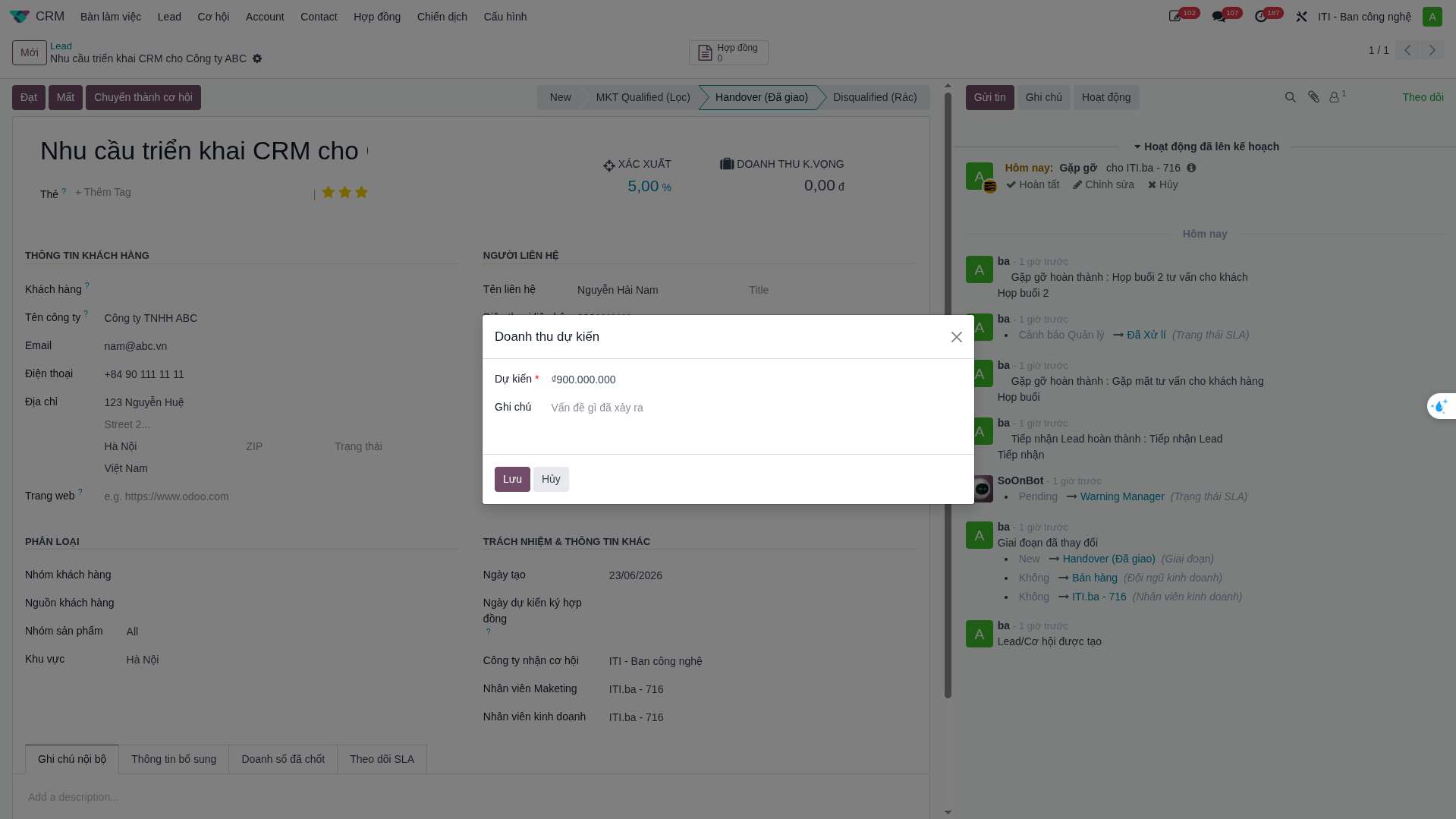
Lead Processing & Conversion
Sales representatives manage lead qualification, onsite customer meetings, consulting timesheets, and conversion into active sales opportunities.
Lead Reception & SLA Interaction
When a new lead is assigned, the salesperson receives instant notifications in S-ERP:
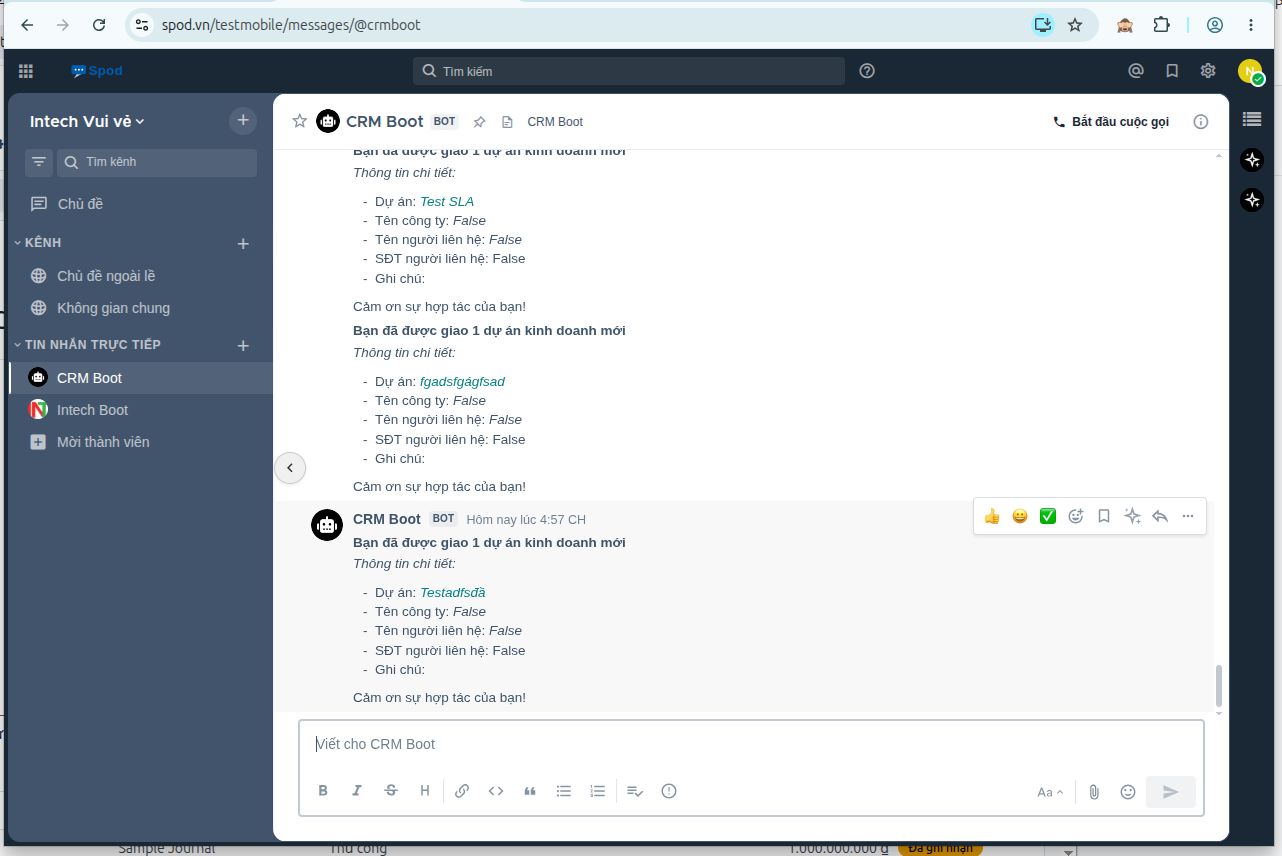
To fulfill the SLA commitment and avoid overdue penalties, the salesperson must perform at least one qualifying action:
Change lead status (e.g., Accepted, In Contact, Disqualified).
Send a Chatter message or log interaction notes.
Schedule a follow-up Activity.
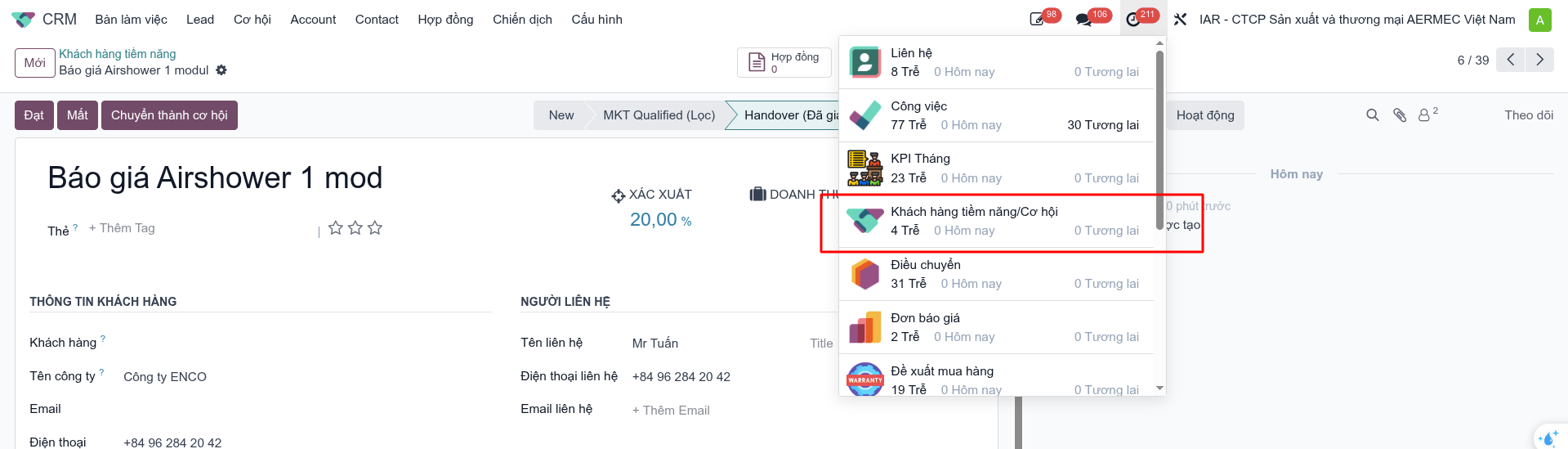
Lead Lifecycle Stages:
Stage |
Probability |
Description |
|---|---|---|
New |
5% |
Newly captured raw lead. |
MKT Qualified |
15% |
Marketing verified target profile and basic need. |
Handover |
20% |
Assigned to Sales representative. |
Disqualified |
0% |
Non-viable lead profile. |
Lost |
0% |
Sales rejected lead. |
Win |
25% |
Sales accepted and started active qualification. |
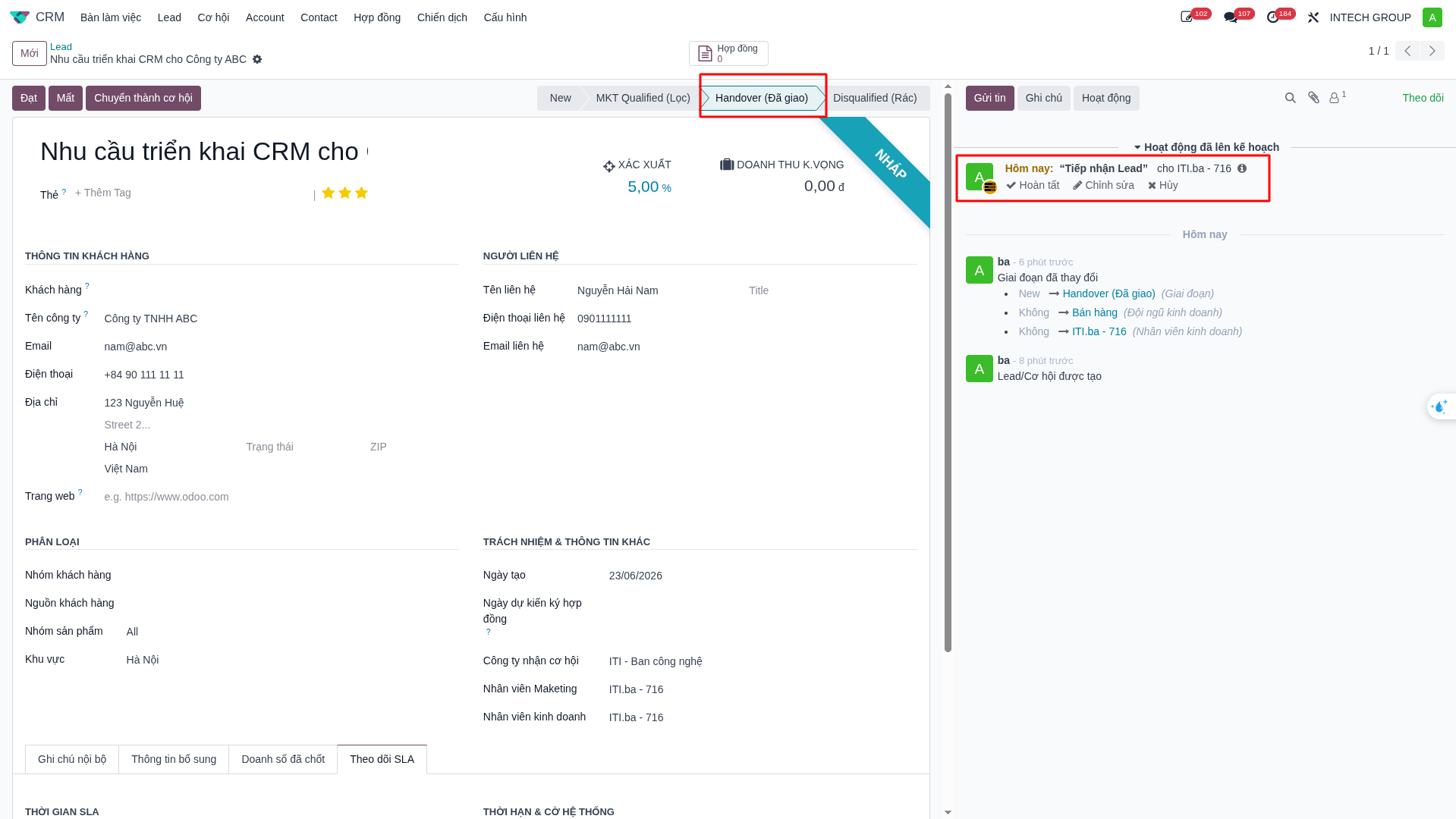
Schedule Customer Onsite Visits
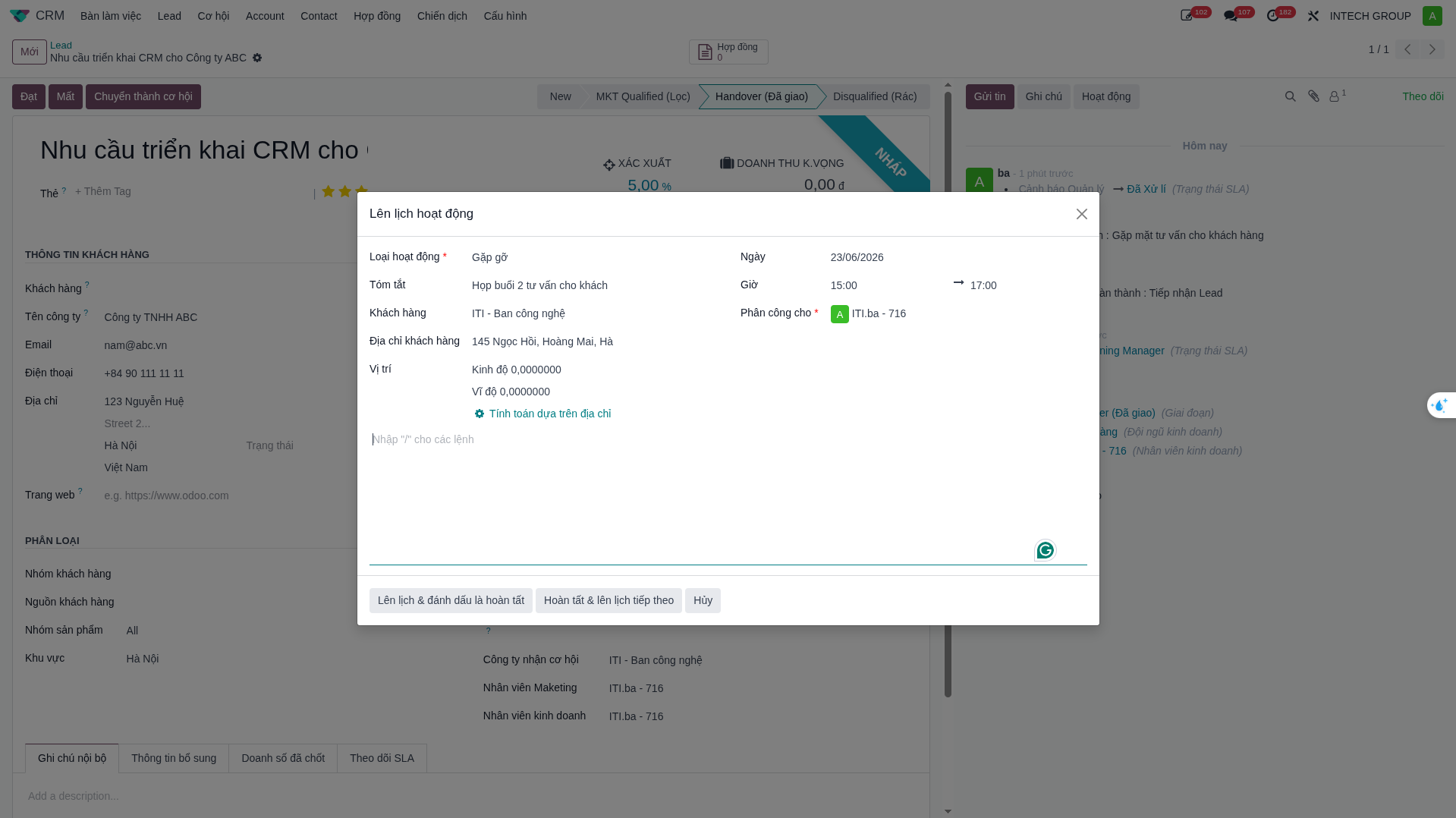
Sales representatives can schedule customer meetings directly from the Lead form, which automatically creates an HR Onsite Business Trip Request:
On the Chatter panel (right side), click Schedule Activity.
Select activity type Meeting / Onsite.
Enter date, time, customer location, and agenda.
Click Save. The system automatically generates a synchronized Onsite request in the HR application.
Log Consulting Timesheet
When completing customer interactions, log consulting hours directly into the CRM project:
Click Mark as Done on the completed activity.
In the popup window, enter Time Spent (e.g., 1.5 hours).
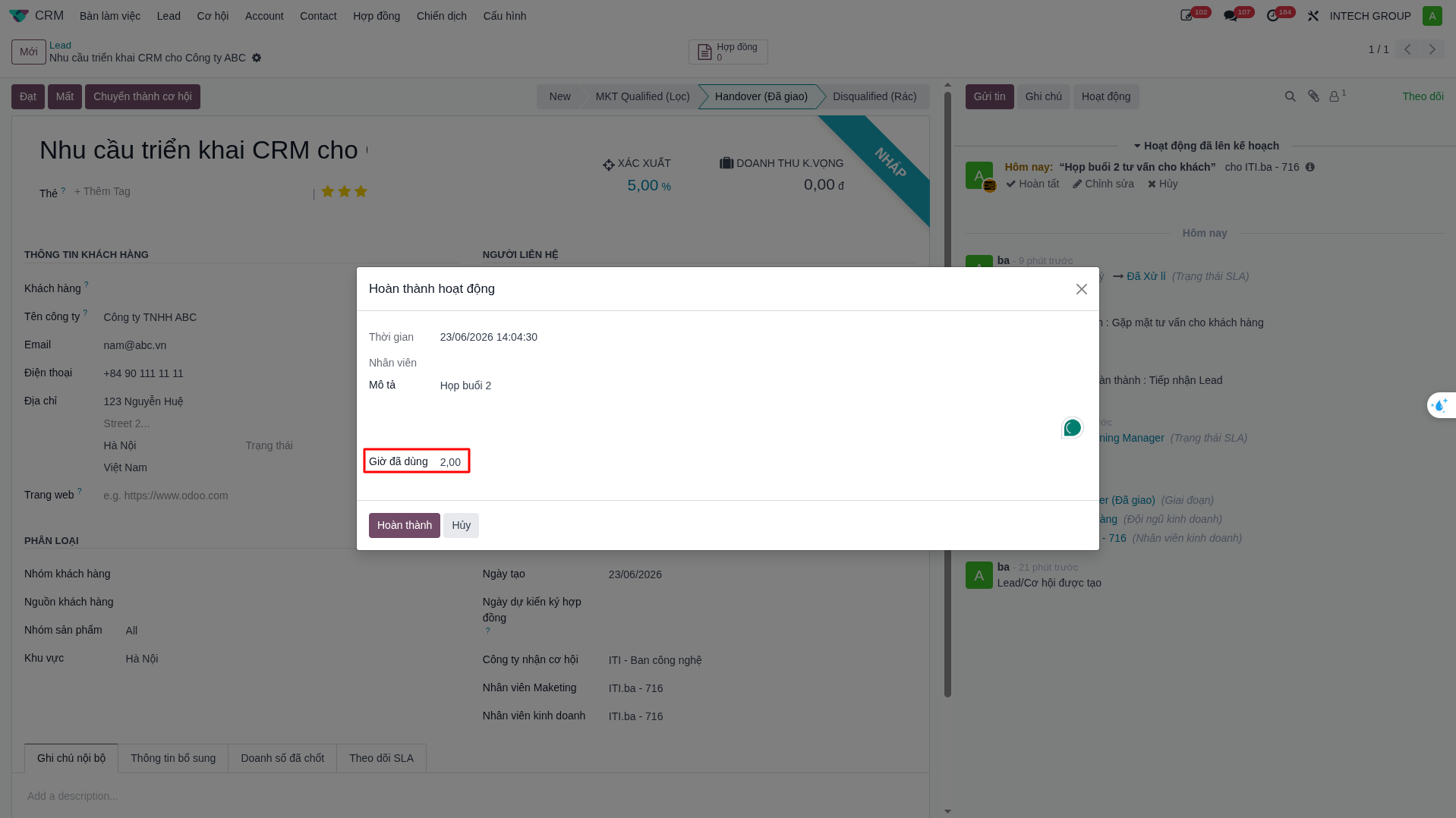
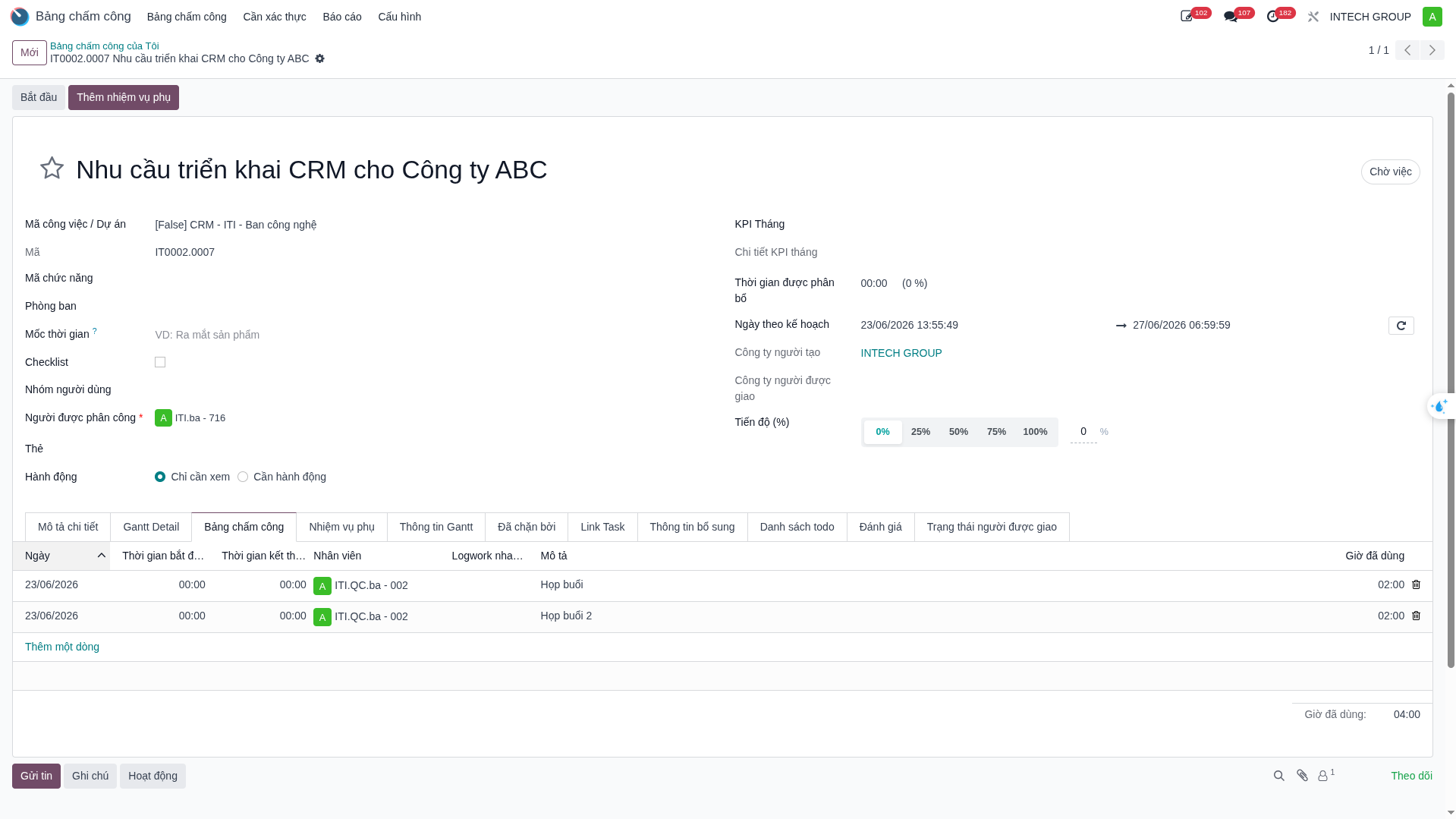
The system automatically creates a dedicated CRM project task for the lead and logs the timesheet entry into analytical records.
Lead Conversion into Opportunity
When a lead demonstrates verified commercial interest:
Click Convert to Opportunity on the upper control ribbon.
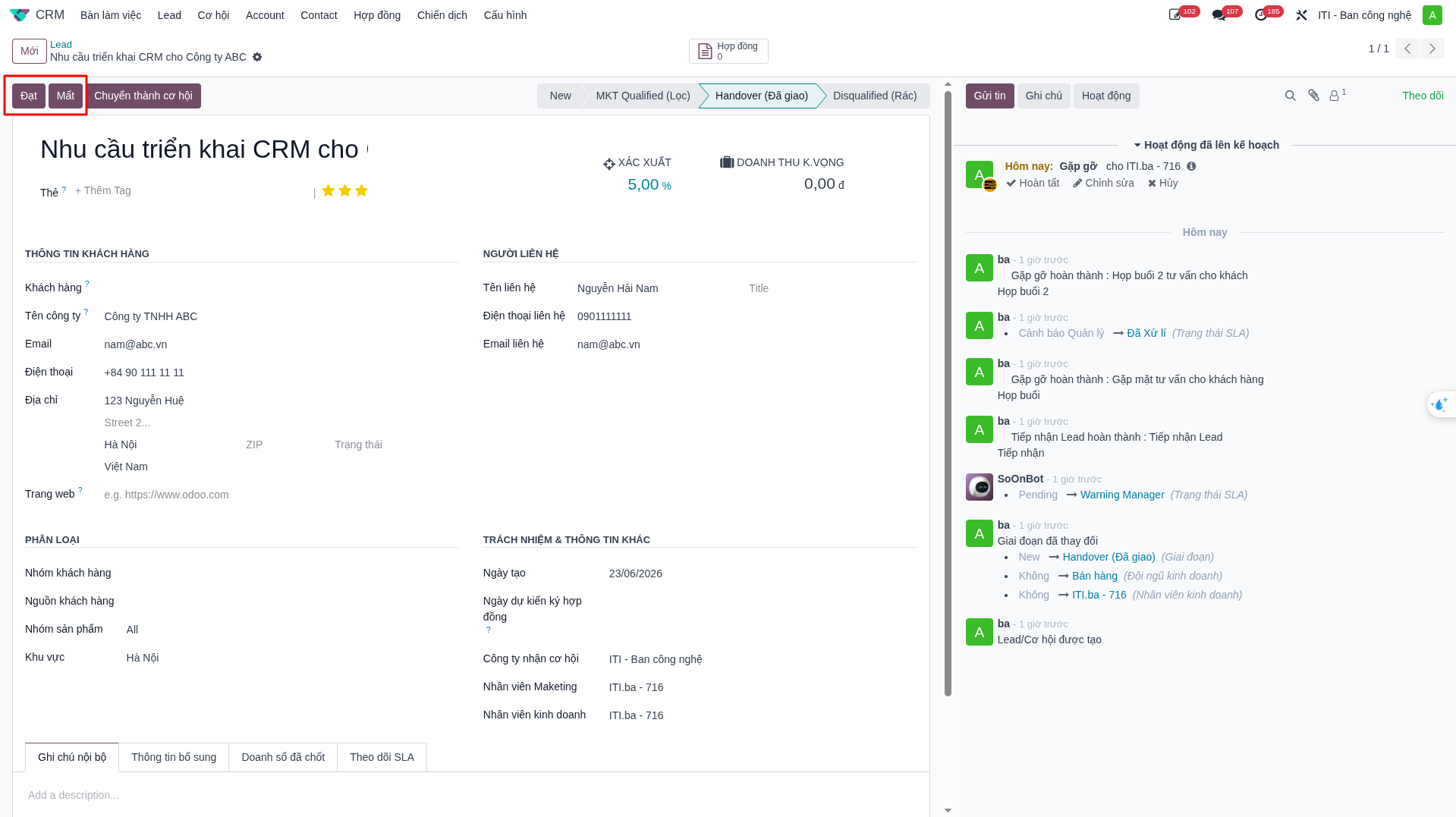
In the modal dialog, select conversion parameters: - Convert to a new opportunity or merge with an existing deal. - Assign the target salesperson and sales team. - Link to an existing customer or create a new Account/Contact profile.
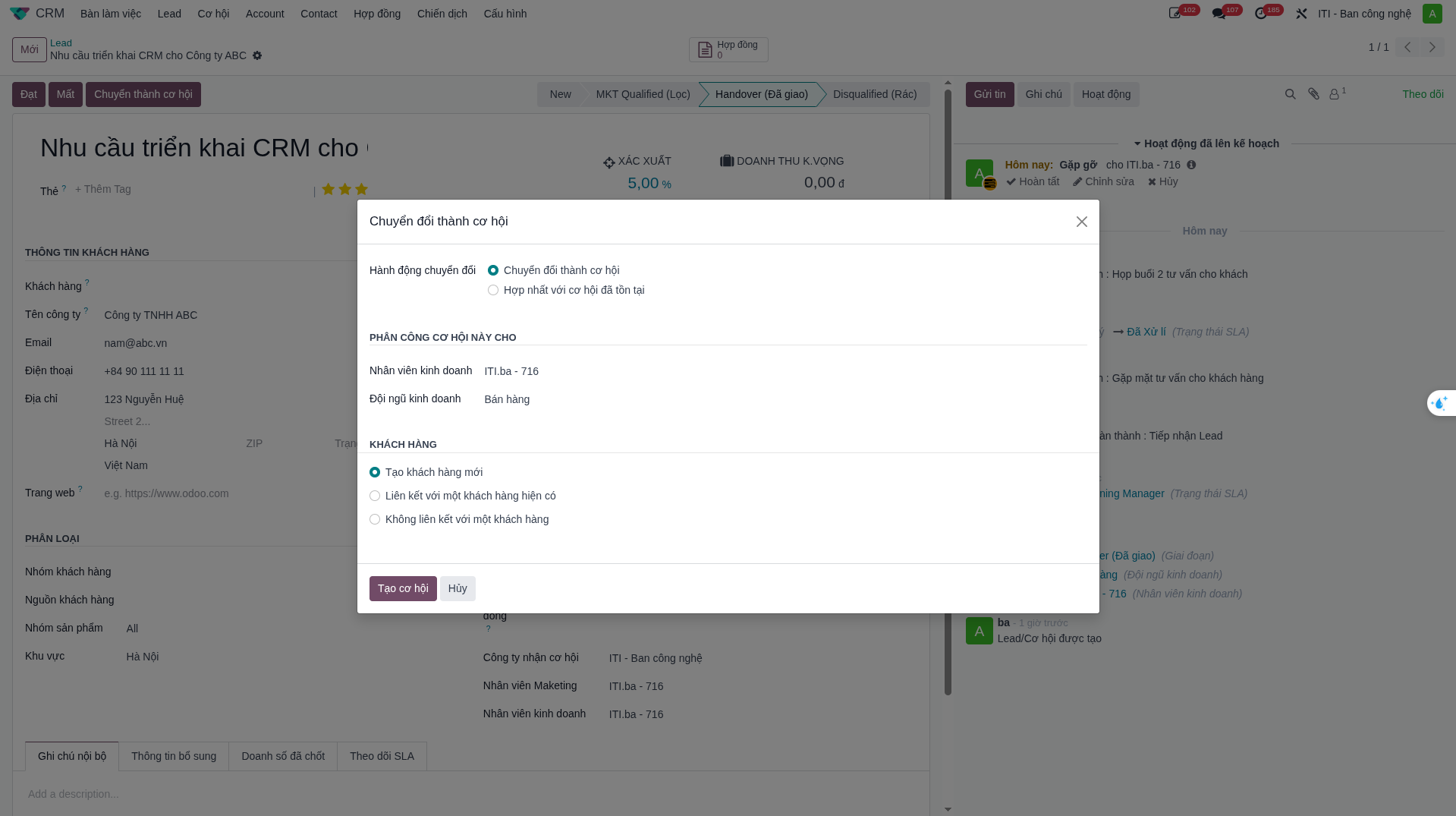
Click Create Opportunity. The record advances to the active sales pipeline with all historical notes, meetings, and timesheets preserved.