Internal Loans & Deposits
Internal financing allows business units to request short-term operating capital (Loans/Vay) or place surplus liquidity (Deposits/Gửi) within the corporate group.
Submitting and Authorizing Loan Requisitions
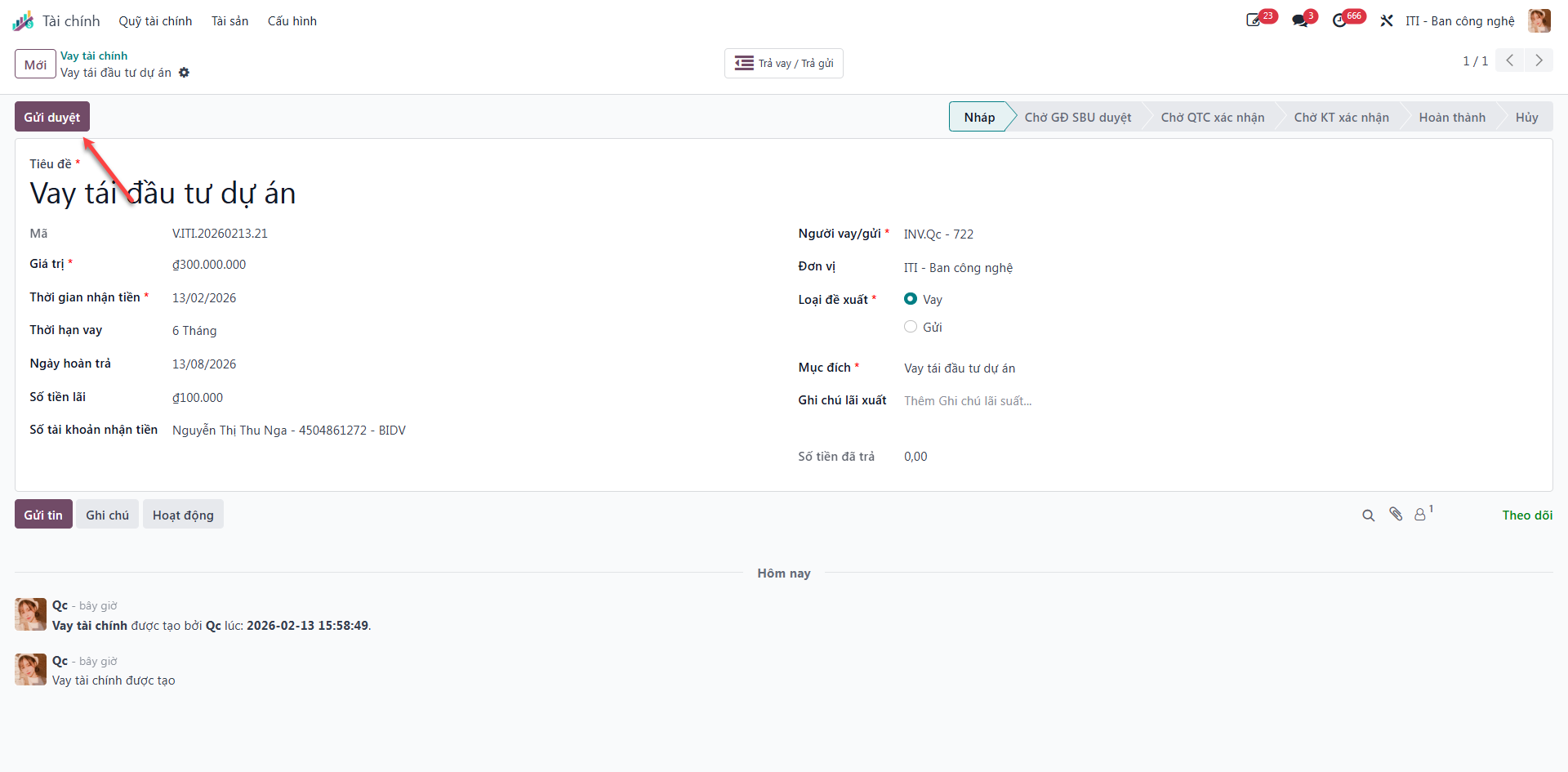
Bước 1: Navigate to Finance (Tài chính) ‣ Treasury Funds (Quỹ tài chính) ‣ Financial Loans (Vay tài chính).
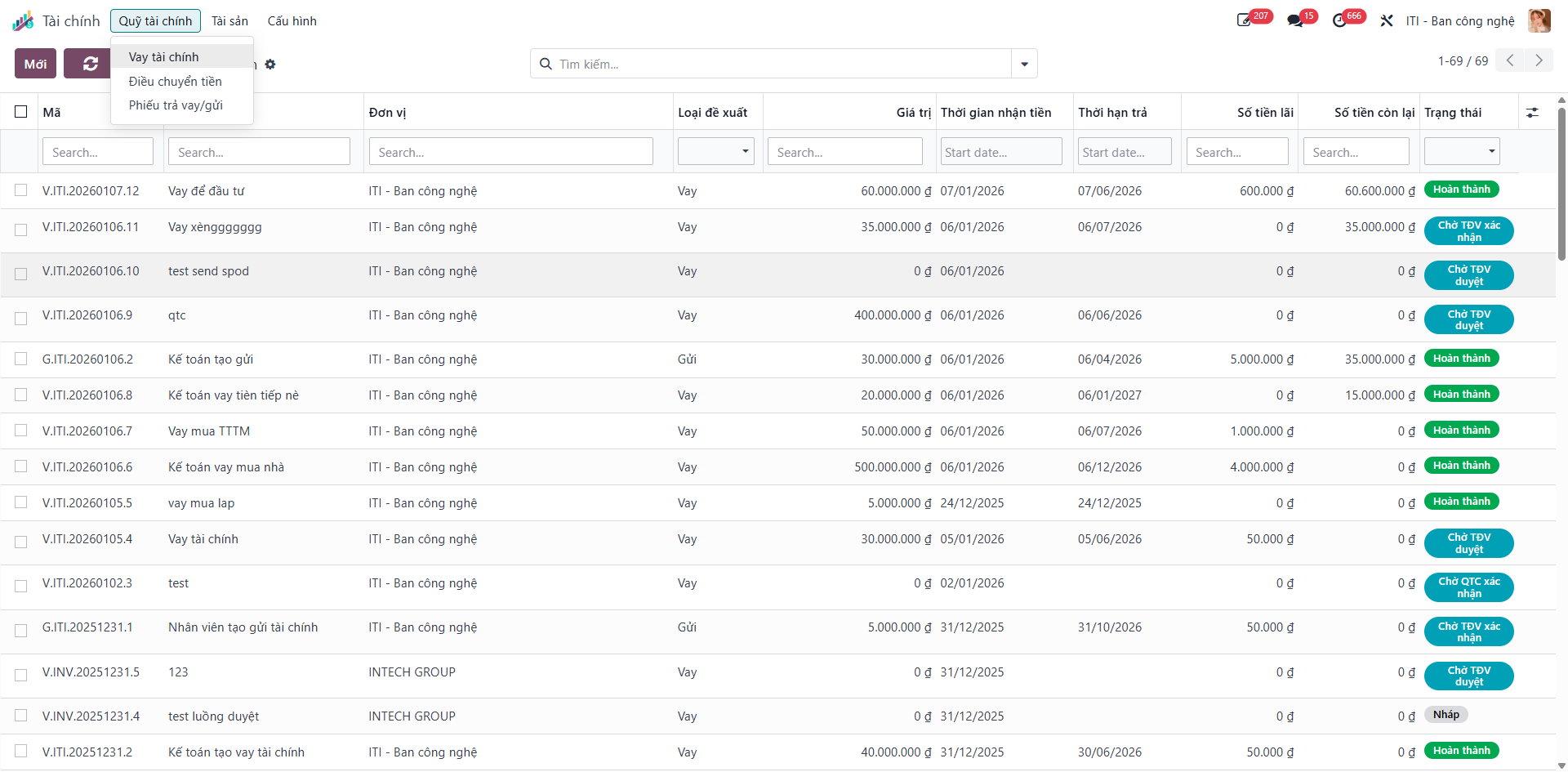
The registry displays all loan records with columns for Title (Tiêu đề), Entity (Đơn vị), Proposal Type (Loại đề xuất: Loan/Deposit), Value (Giá trị), Disbursement Date (Thời gian nhận tiền), Maturity Date (Thời hạn trả), Interest Amount (Số tiền lãi), Remaining Balance (Số tiền còn lại), and Status (Trạng thái).
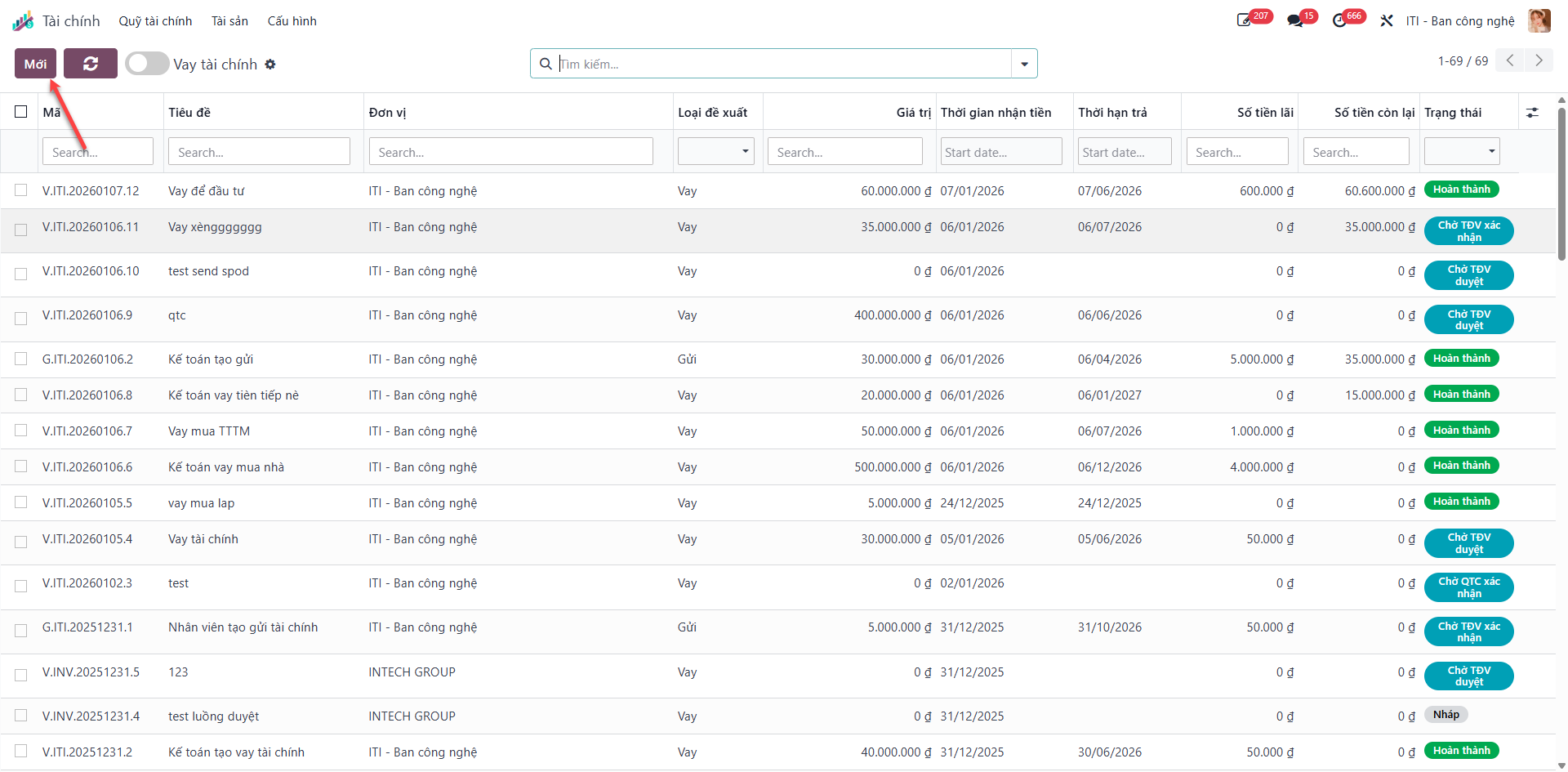
Bước 2: Click the New (Mới) button to open a financing proposal.
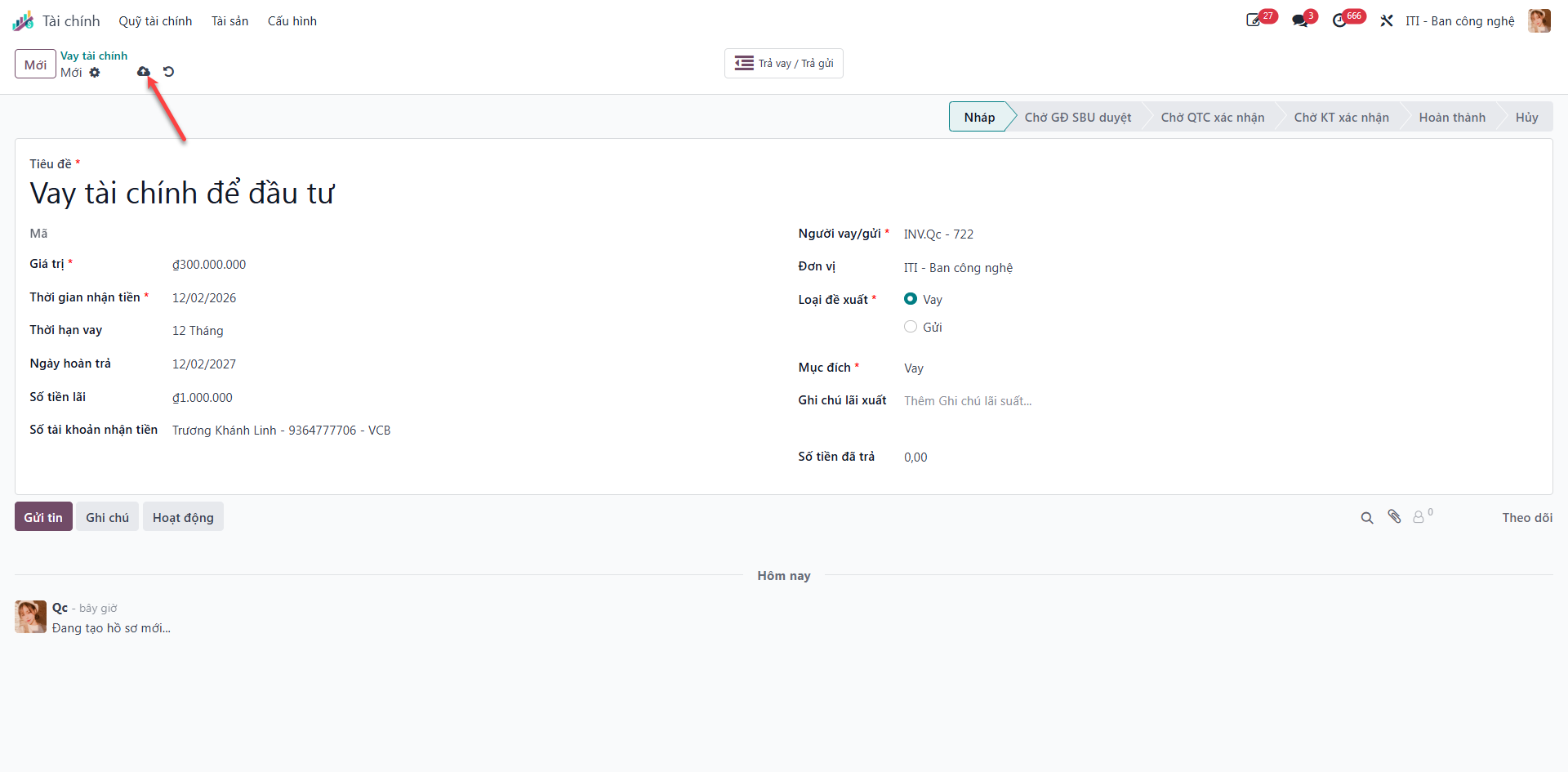
Bước 3: Complete the requisition form:
Title (Tiêu đề): Purpose of capital request.
Borrower/Depositor (Người vay/gửi): Responsible unit manager.
Proposal Type (Loại đề xuất): Select Loan (Vay) or Deposit (Gửi).
Value (Giá trị) and Disbursement Time (Thời gian nhận).
Click Save (Lưu) to record the draft proposal.
Bước 4: Click Submit for Approval (Gửi duyệt) to route the proposal to Waiting for SBU Director (Chờ GĐ SBU duyệt).
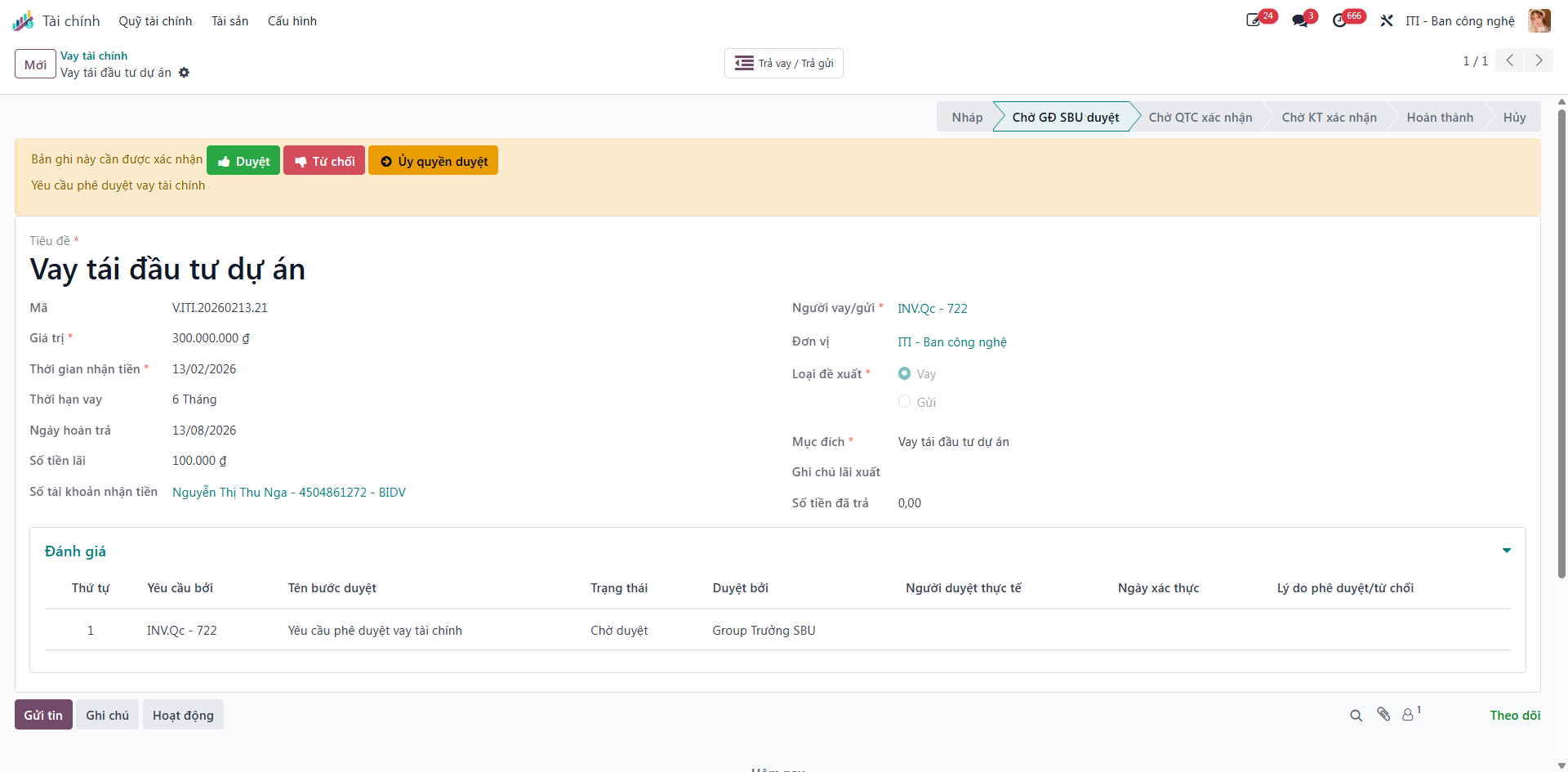
Bước 5: The SBU Director examines the financing request:
Click Approve (Duyệt) to grant authorization, shifting status to Waiting for Treasury Confirmation (Chờ QTC xác nhận).
Click Refuse (Từ chối) to decline financing.
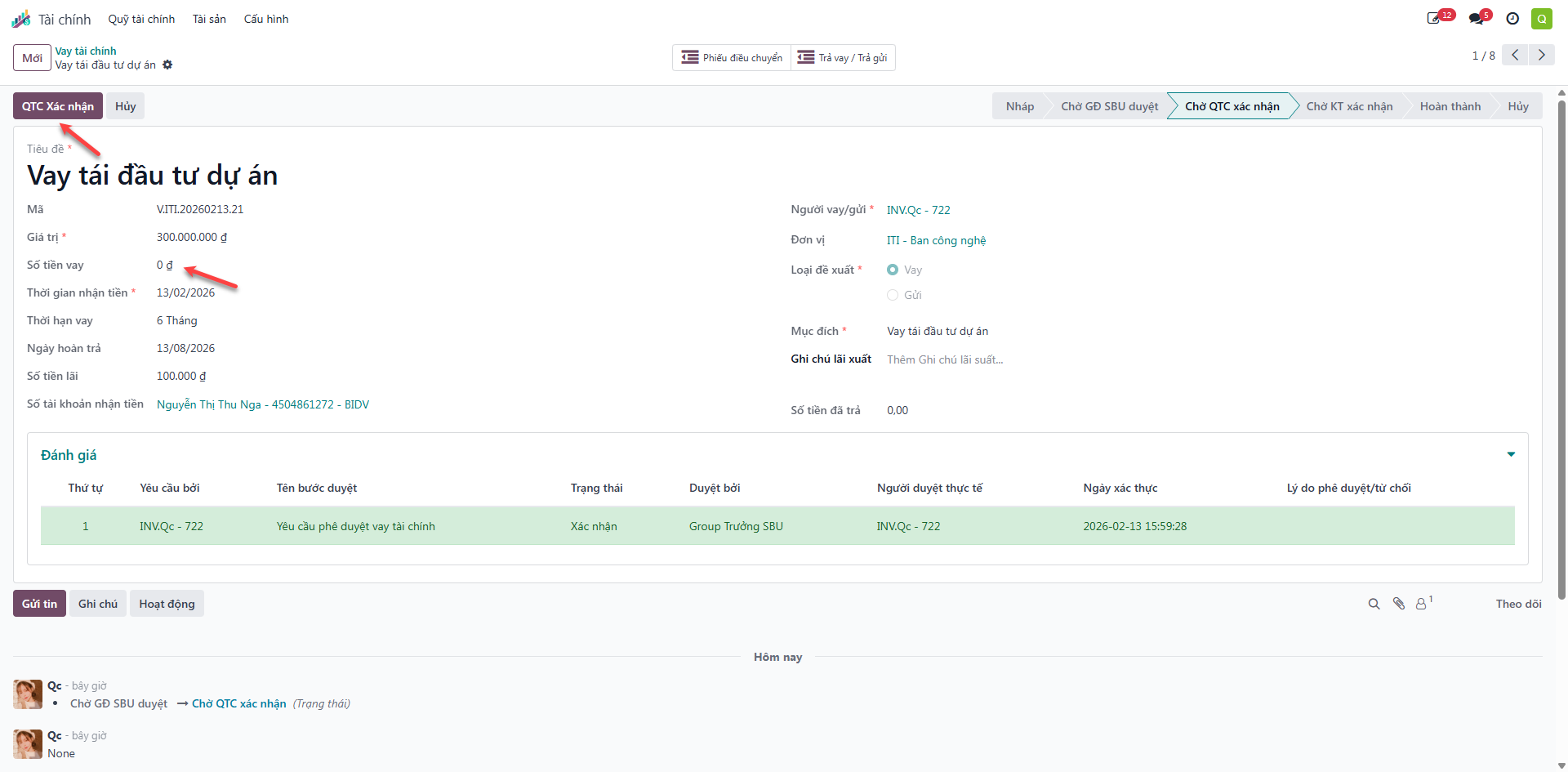
Bước 6: The Treasury Fund Manager (QTC) reviews allocated liquidity, enters the authorized Loan Amount (Số tiền vay), and clicks Treasury Confirm (QTC xác nhận).
Important
Upon Treasury confirmation, the system automatically creates an internal Fund Transfer order (Phiếu điều chuyển tiền) linked via the smart button on the loan form.
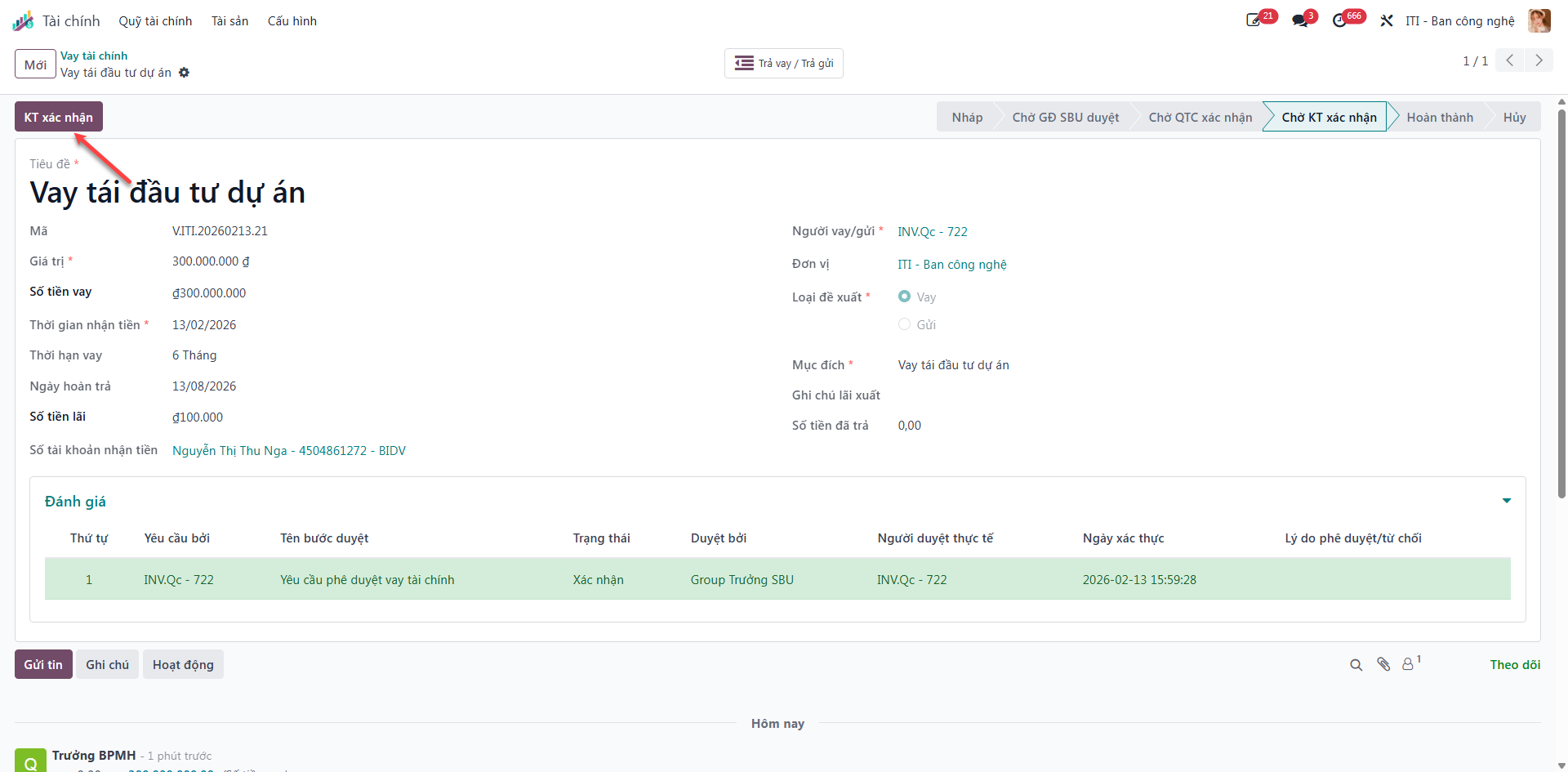
Bước 7: The receiving unit accountant confirms incoming fund arrival by clicking Accountant Confirm (KT Xác nhận). The loan transitions to Completed (Hoàn thành) and becomes active for interest tracking and repayment.