
Attendance Monitoring & Claim Approvals
Managers and Human Resources personnel monitor attendance logs, review attendance analytics, and process employee claims in S-ERP.
Monitor Employee Attendance Records in ERP
Navigate to .
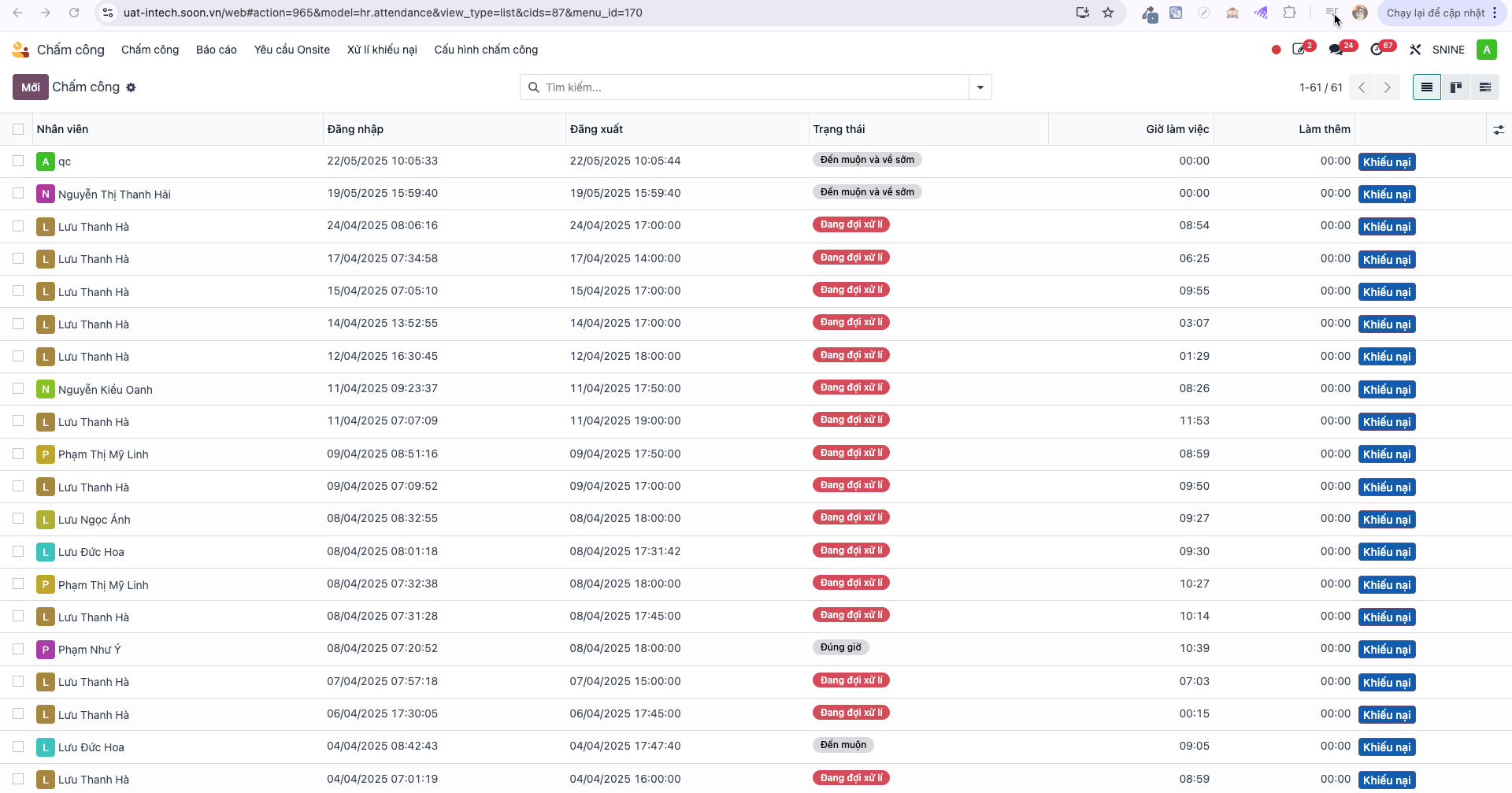
View the centralized table of check-in/out records across all employees, departments, and operating branches.
Filter records by date, employee, work location, or error state.
Approve Employee Attendance Claims
When employees submit claims for missed or adjusted check-ins, managers review and validate tickets:
Navigate to (or ).
Select the pending claim record to review.
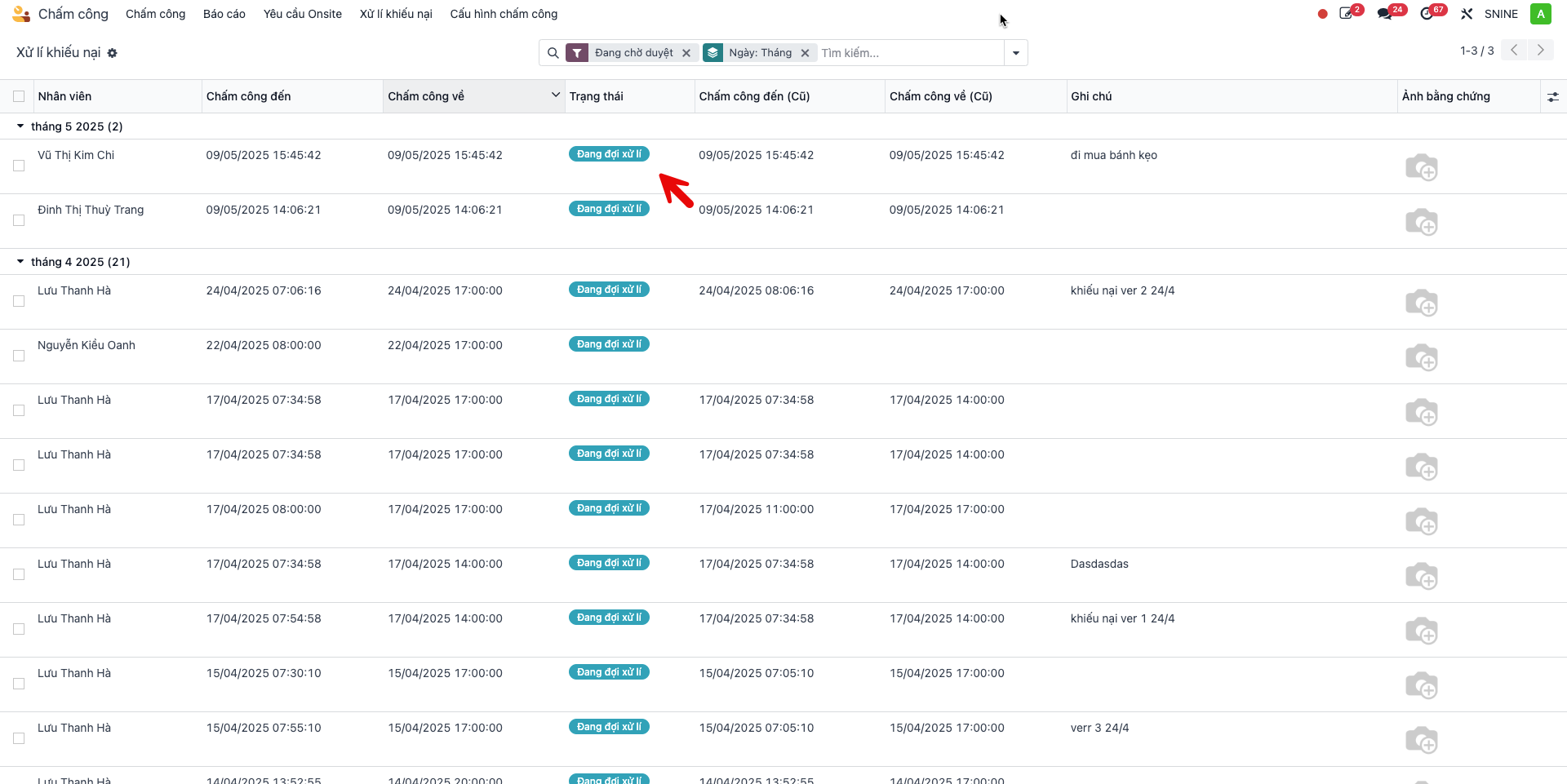
Verify the employee’s justification, requested timestamp, and attached image evidence.
Click Confirm to approve the claim, or Cancel to reject.
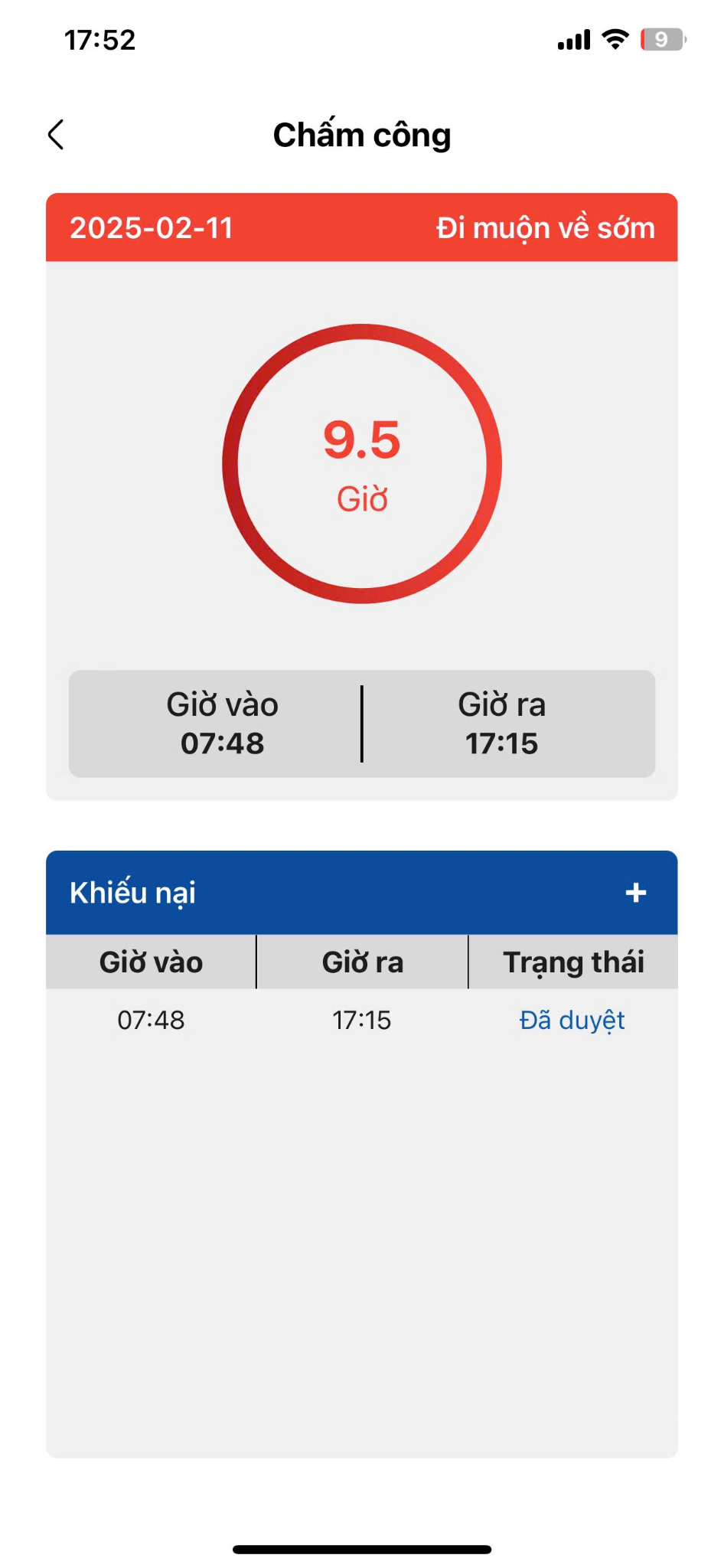
Upon confirmation, the validated attendance data automatically updates across both S-ERP records and the employee’s S-Attendance mobile application.