
Mercado Pago
Kết nối thiết bị đầu cuối thanh toán cho phép bạn cung cấp quy trình thanh toán liền mạch cho khách hàng và giúp công việc của thu ngân dễ dàng hơn.
Quan trọng
Xem thêm
Cấu hình
Create a Mercado Pago account.
Associate your Point Smart terminal with a store and a cash drawer by following Mercado Pago's documentation.
Ghi chú
All purchased terminals are automatically displayed on your Mercado dashboard.
Set your Point Smart terminal to the Point of Sale operation mode.
Cảnh báo
Odoo không hỗ trợ chế độ hoạt động Standalone.
Ứng dụng Point Smart
Create a new application from Mercado Pago's developer panel by following Mercado Pago's applications documentation, making sure you select In person Payments.
Thông tin đăng nhập
Once the Point Smart application is created, three credentials are required:
An access token that Odoo uses to call Mercado Pago.
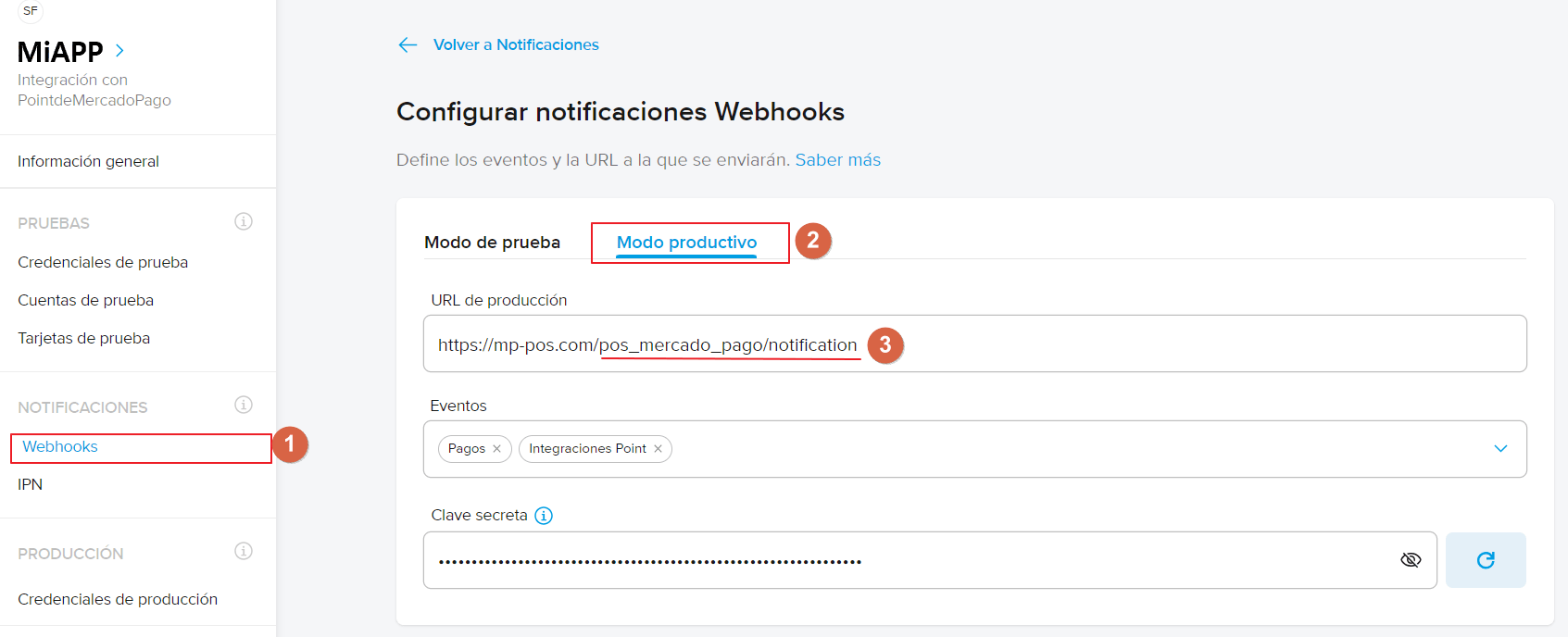
A webhook secret key that Odoo uses to authenticate notifications sent by Mercado Pago.
The terminal serial number at the back of your Point Smart terminal.
Retrieve the access token and webhook secret key by following Mercado Pago's credentials documentation. Then, copy and paste them into Odoo when creating the payment method.
Quan trọng
For the webhooks configuration, add the URL of your Odoo database (e.g.,
https://mycompany.odoo.com) followed by /pos_mercado_pago/notification (e.g.,
https://mycompany.odoo.com/pos_mercado_pago/notification).
Phương thức thanh toán
Activate the POS Mercado Pago module to enable the payment terminal.
Tạo phương thức thanh toán liên quan bằng cách vào .
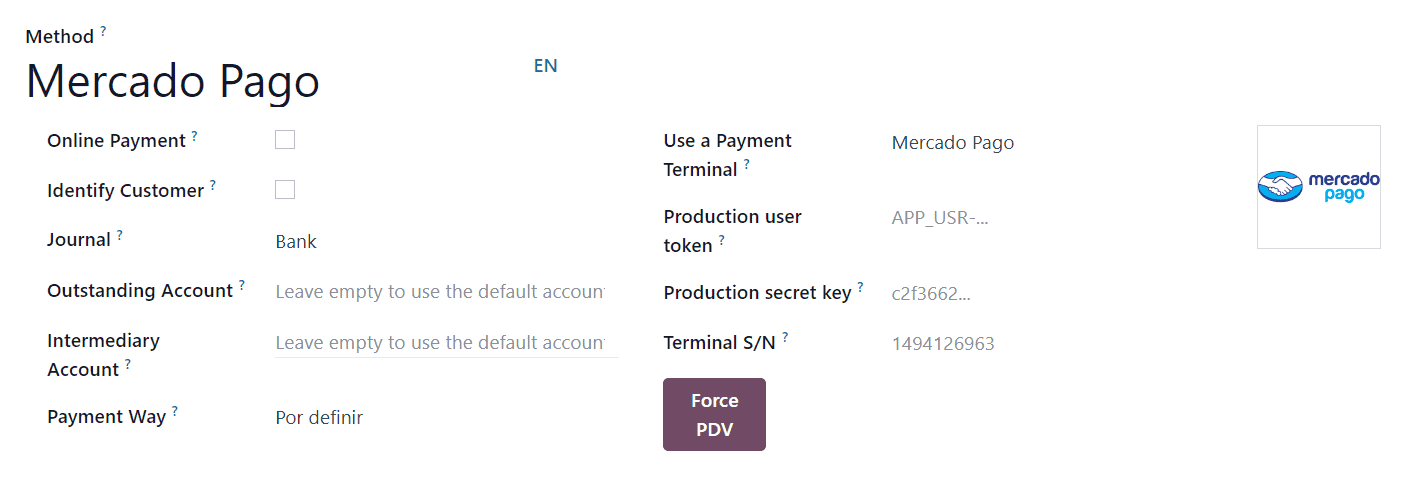
Set the journal type as Bank
Select Mercado Pago in the Use a Payment Terminal field.
Fill in the mandatory fields with the previously generated credentials:
Fill in the Production user token field using the access token.
Fill in the Production secret key field using the webhook secret key.
Fill in the Terminal S/N field using the terminal serial number. You can find it at the back of your terminal.
Click the Force PDV button to activate the Point of Sale mode.
Select the payment method by going to the POS' settings and adding it to the payment method under the Payment Methods field of the Payment section.
Quan trọng
Any action made on the terminal should trigger a notification on the POS interface. Ensure the webhook secret key is correctly configured if you are not notified.